Sunsama vs Morgen (2026): Which is right for you?

💡 Quick answer: Pick Sunsama if you want a guided, intentional ritual that forces you to build a realistic daily plan and shut down properly each evening. Pick Morgen if you need a unified multi-calendar hub where AI suggests smart time blocks, but you keep total control and approve every event yourself. Saner.ai is the best alternative if you want to skip manual planning altogether.
Overview comparison between Sunsama and Morgen
| Sunsama | Morgen | |
|---|---|---|
| Core idea | A guided daily planning ritual (plan in the morning, shut down at night) | A unified calendar with an AI Planner that drafts your day for approval |
| AI's role | Chat and voice assistant ("Sunny"), plus connections to other AI tools; you still build the plan | Planner drafts preview events from your tasks and time templates; nothing lands without your approval |
| Price | $17/month billed yearly, $22 monthly | $15/month billed yearly, $30 monthly |
| Free plan | No, 14-day trial (no card) | No, 14-day trial (the free plan was discontinued in March 2026, per recent reports) |
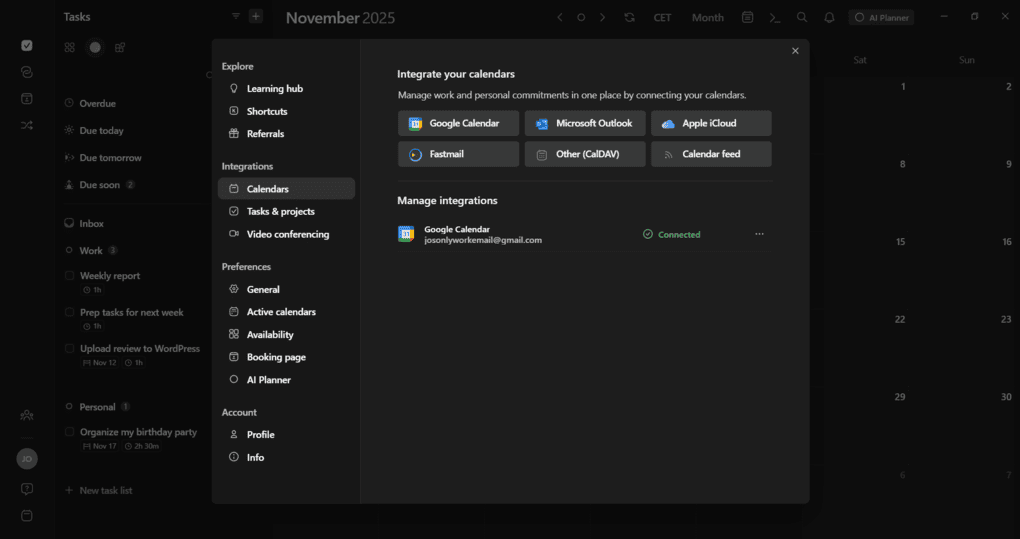
| Calendars | Google, Outlook | Google, Outlook, iCloud, Fastmail, Zoho, any CalDAV server |
| Platforms | iOS, Android, macOS, Windows, Linux, web | macOS, Windows, Linux, iOS, Android, web |
| Best for | People who over-commit and need a forcing function | People juggling many calendars who want AI help but the final say |
1.Sunsama
In one line: a guided daily planning ritual. You plan the morning, protect the middle, and shut down at night.
What it does best:
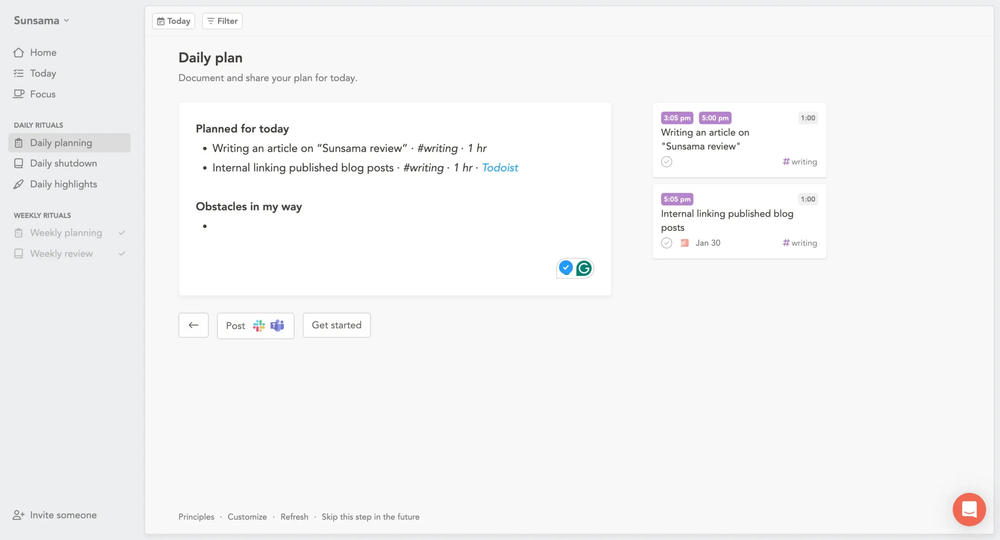
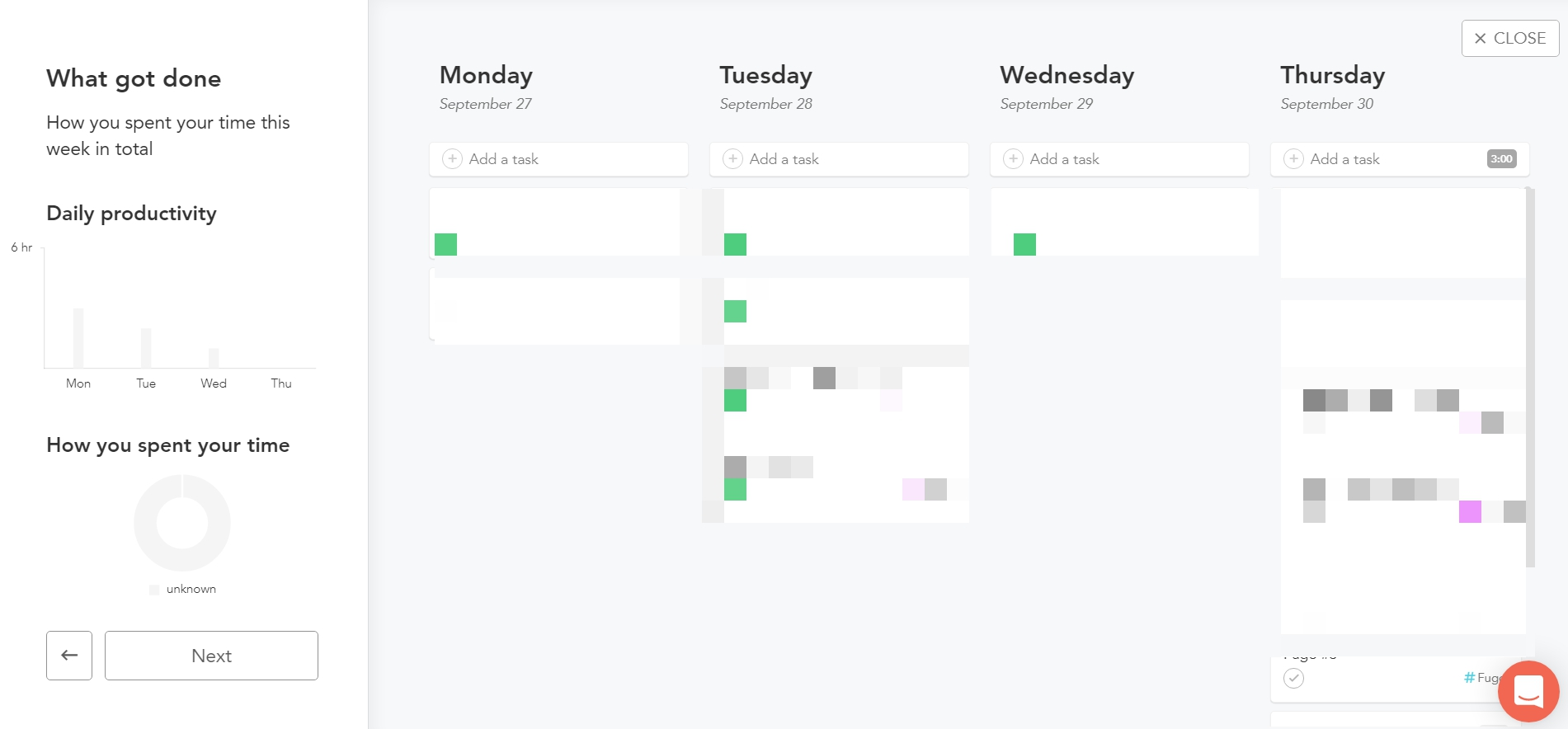
- Mindful daily rituals: Guides me through structured 10–15 minute morning planning and end-of-day shutdown routines, helping to close open loops and work with realistic intention.
- Seamless time-blocking: Easily drag tasks onto a two-way synced Google Calendar or Outlook view, turning to-dos into actual booked time slots so my day doesn't get overloaded.
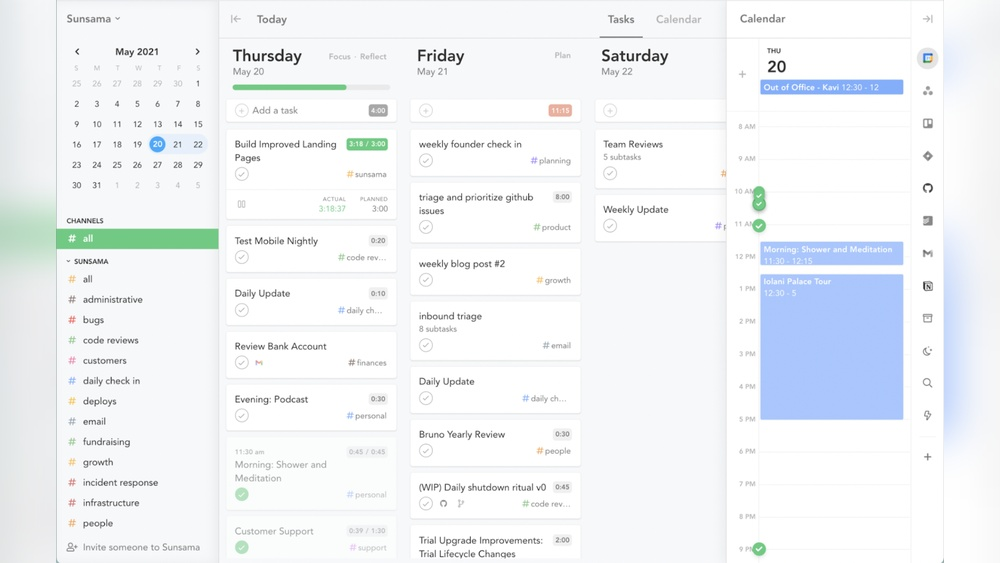
- 15+ work integrations: Connects deeply with tools like Asana, Trello, Notion, Jira, ClickUp, GitHub, Gmail, and Slack, pulling fragmented tasks into a single, clean workspace.
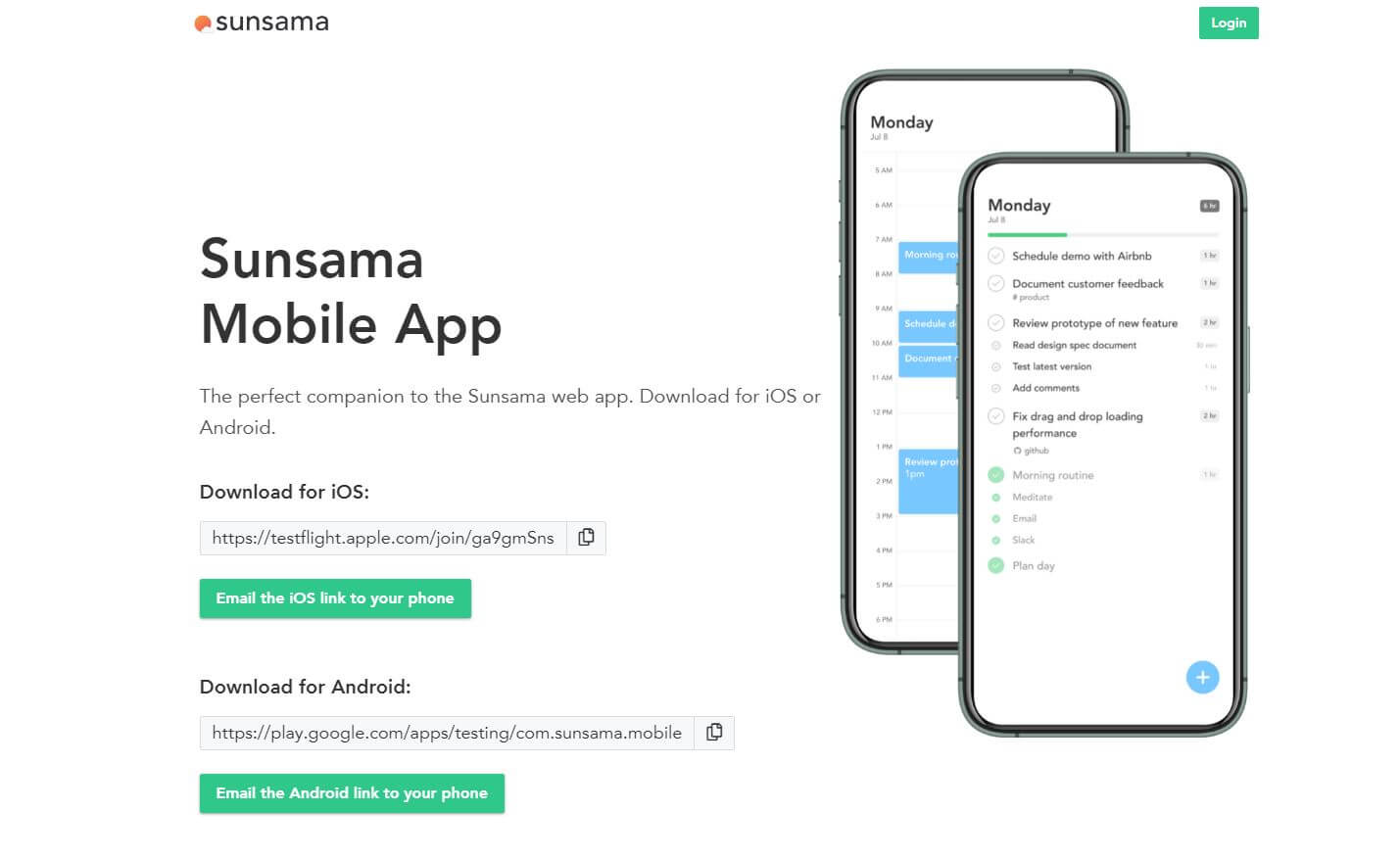
- Mobile app: runs smoothly on both iPhone and Android, but I prefer using it on my Mac, seeing my whole workday mapped out just feels too small on my Google Pixel.
- Calm, clutter-free desktop UI: Designed to reduce cognitive overwhelm rather than put more into your schedule, featuring dedicated focus modes and built-in weekly reviews.
Where it falls short:
- No free plan and steep price: Costs $25/month (or $16–$20/month billed annually) with only a 14-day trial, making it one of the priciest solo productivity tools on the market.
- Zero AI automation: Stays strictly manual by design; it won’t auto-reschedule your day, extract tasks from messy emails, or draft a schedule for you.
- Weak mobile experience: The mobile apps function only as basic companions, lacking the full planning, review, and time-blocking capabilities available on desktop.
- No knowledge management: Works purely as a daily planner and task hub, offering no note storage, linking, or second-brain features for research and ideas.
Pick Sunsama if
- You say yes to everything and need the app to show you the bill before you commit
- You want a morning ritual and an evening shutdown built in
- Your tasks live across many work tools and you want them folded into one daily view
- You'd rather think than approve

2.Morgen
In one line: a unified calendar with an AI Planner that drafts your day, and you keep the veto.
What it does best:
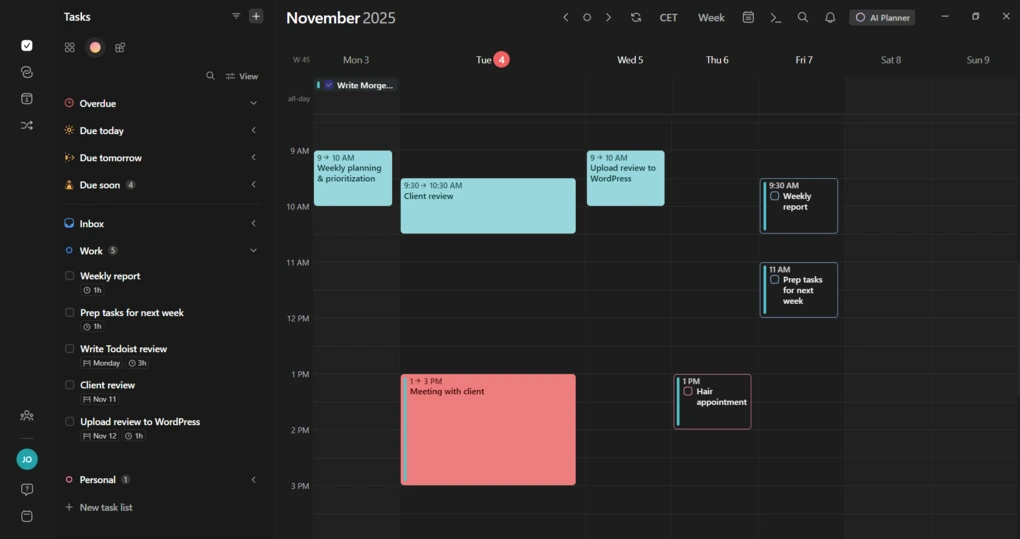
- Reliable multi-calendar sync: Clean day, week, and month views that hook straight into tools like Notion, ClickUp, Linear, Google Tasks, Microsoft To Do, and Apple Reminders.
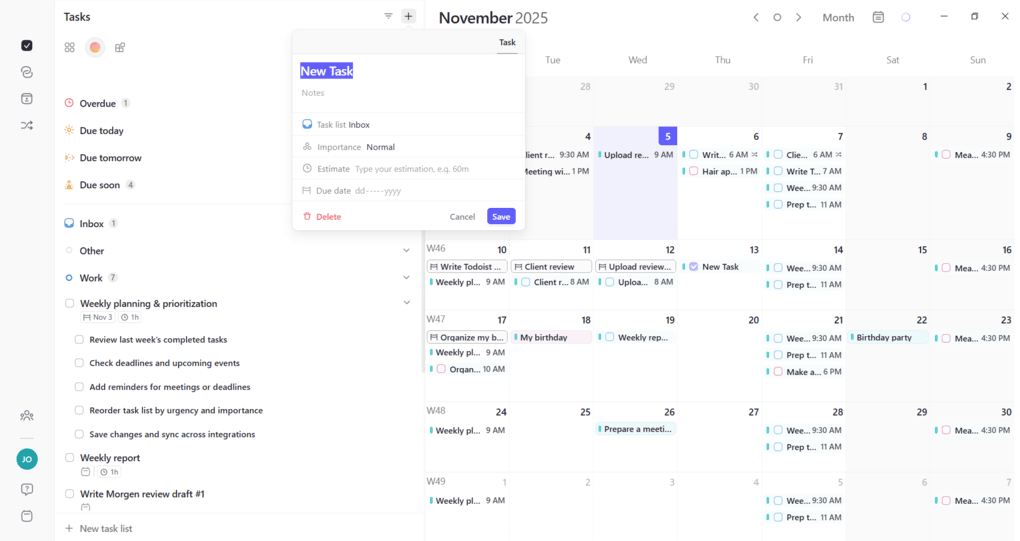
- Sidebar task management: Quickly add to-dos right in the sidebar, complete with subtasks, due dates, priority tags, and time estimates.
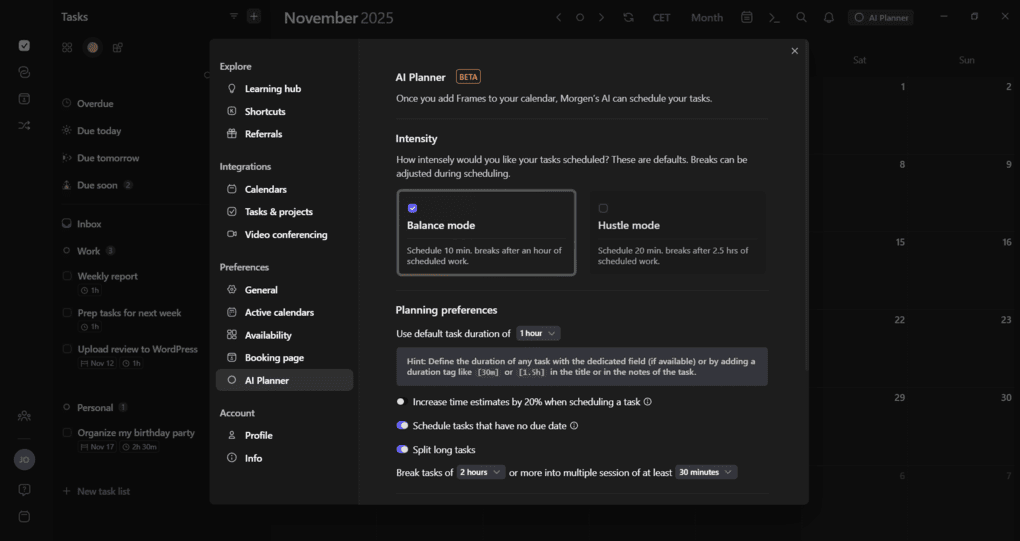
- Control-first AI planner: Recommends time blocks based on my routine and preferred focus windows, but never places anything on my schedule without explicit sign-off.
- Clean, customizable design: Offers light and dark modes, clear color-coding, and an all-in-one pop-up so I can tweak times, alerts, and meeting links without jumping tabs.
Where it falls short:
- No free plan: Only provides a 14-day trial before locking behind a paid tier ($15/month billed yearly or $30/month billed monthly).
- Calendar-first, not a standalone task engine: Mainly displays tasks from your other tools rather than replacing them, meaning you often still need subscriptions for those apps.
- No proactive drafts or daily kickoffs: Doesn't hand you a ready-made morning agenda; building and adjusting your day is still completely on you.
- Paid mobile access with occasional lag: The mobile app is locked behind the paid plan, and syncing updates between your computer and phone can sometimes feel delayed.
Pick Morgen if
- You juggle several calendars (work, personal, shared) and want them truly unified, including iCloud, Fastmail, Zoho, or CalDAV
- You want the AI to draft and you want the veto
- You like Frames and set-it-once structure
- You need booking links and team scheduling in the same app

The wallet moment: what Sunsama and Morgen costs?
| Sunsama | Morgen | |
|---|---|---|
| Individual, billed yearly | $17/month ($204/year) | $15/month |
| Individual, billed monthly | $22/month | $30/month |
| Teams | Same per-person price, per seat | $10/seat yearly or $25/seat monthly, minimum 2 seats |
| Trial | 14 days, no credit card | 14 days, no credit card |
| Free plan | None, by stated design | None since March 2026, per recent reports |
| Discounts | None advertised on the pricing page | Reported 15% off if switching from Motion, Reclaim, Sunsama, or Fantastical; 25% for students and non-profits |
Two pricing warnings:
- Morgen's monthly price is steep. $30 monthly versus $15 yearly is a 50 percent gap. If you're testing seriously, budget for annual billing, or cancel before the trial ends.
What both apps depend on: your time estimates
Both tools depend on you guessing how long things take, and people are famously bad at that. In classic planning-fallacy studies, participants' predictions of their own task completion times ran too optimistic across many tasks, and the bias shrank when they were prompted to connect predictions to past experience. Practical move for either app: look at how long similar tasks really took last time, then pad.
Head-to-head verdicts
- Planning the day: Sunsama if you want to think through the day. Morgen if you'd rather react to a draft.
- Deep work: Morgen for set-it-once structure. Sunsama if you like rebuilding the structure fresh each morning.
- When your day breaks: Morgen gives you more help, Sunsama gives you more control. Neither self-heals. If you want something that rearranges without asking, my Motion alternatives roundup and Reclaim.ai review cover those tools.
- Meetings and email: Morgen if you run a lot of external scheduling. Sunsama if your world is a pile of work tools you need folded into one daily plan.
- Shutting down: Sunsama, clearly, if closing the loop is your weak spot. Morgen if you already have an end-of-day habit.
Skip both if
- You want a calendar that reschedules itself, in which case look at auto-schedulers
- You need notes, wiki, and knowledge management in the same tool. Morgen says it isn't a notes app, and Sunsama is a planner, not a second brain
- You want a free plan
A word on ADHD
Both apps get recommended in ADHD circles, so a careful note. Russell Barkley's influential model frames ADHD partly as a disorder of self-regulation across time, meaning difficulty organizing behavior toward future outcomes(Barkley, 1997, Journal of Developmental & Behavioral Pediatrics). Externalizing your plan into a visible schedule is a reasonable accommodation. But I found no peer-reviewed trials of either product, and a daily ritual that you must start yourself can be exactly what's hardest on a bad day. If this sounds like more than everyday disorganization, that's a conversation for a clinician.
My AI assistants for ADHD roundup covers tools designed around it.

Neither one clicking? Saner.ai is the best alternative
Some readers land here because both of these still need you to show up, and the day-of-chaos part isn’t solved. If that’s you, Saner.ai is the best alternative I’d point to you, because it does the showing up for you:
- Notes that sort themselves: Drop in quick thoughts and the AI handles the rest, linking related ideas to active projects, tagging them, and automatically slotting them onto my schedule.
- Overnight schedule: While I sleep, the AI assistant (Skai) turns unread emails, notes, and open to-dos into a ready-made morning plan, ensuring no client replies or project deadlines slip through the cracks.
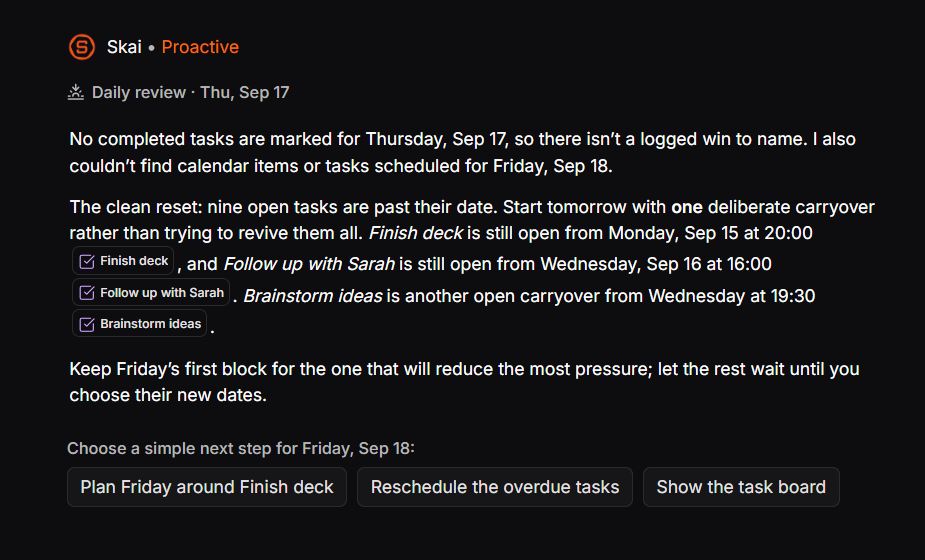
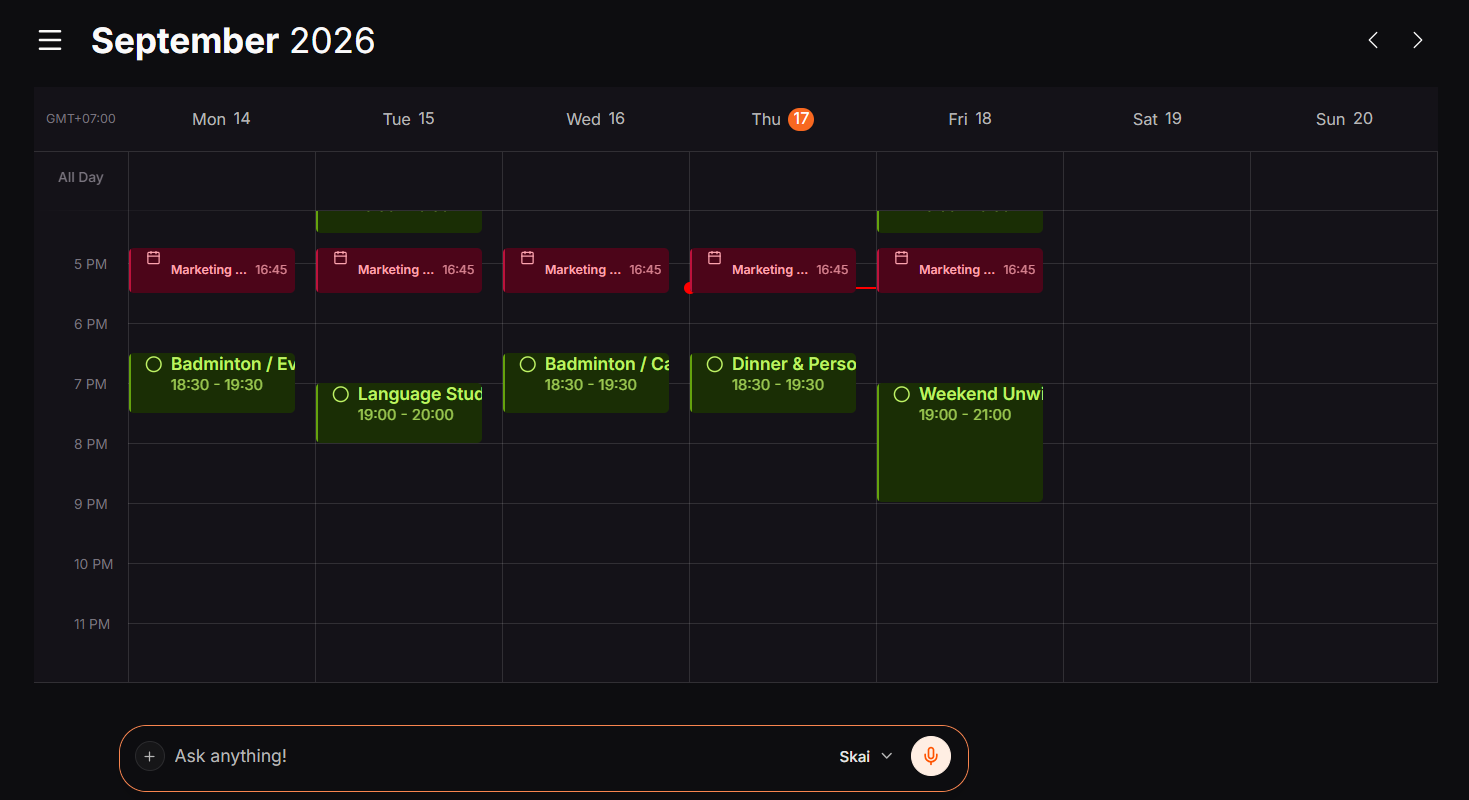
- Voice & quick thoughts to calendar: Speak out loud, forward a messy email, or type a random idea. The AI decodes my intent, cuts big jobs into simple steps, and blocks time for them on my calendar instead of letting them sit forgotten in my notes.
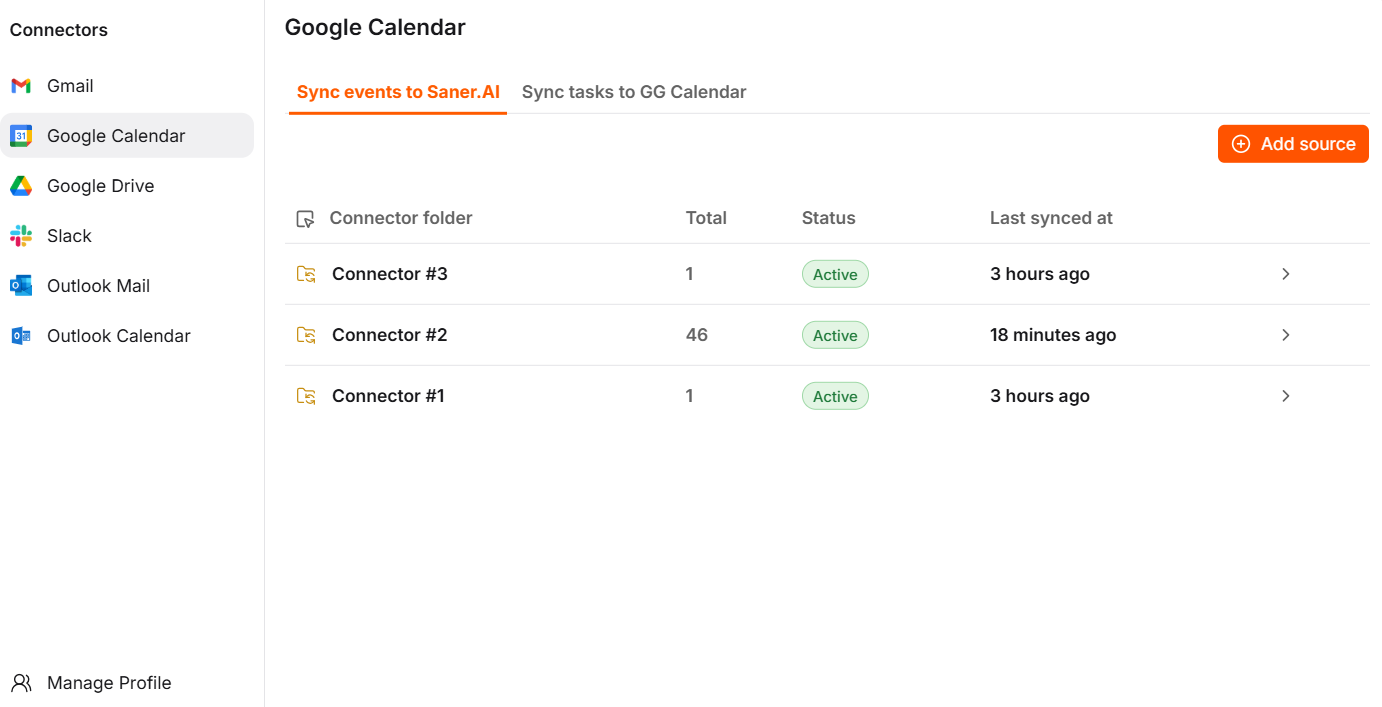
- All-in-one hub: Syncs with Gmail, Google Calendar, Slack, and Drive so the AI can scan unread messages, threads, and documents to map out my entire day in one place.
- Everywhere capture: Quickly grab thoughts or links on the go using web, iOS, Android apps, or the Chrome browser extension.
Pricing is a free plan, with paid tiers at $8 and $16 a month on yearly billing. The trade-offs: it’s a younger product with a smaller review base, it’s not a multi-calendar powerhouse.
>> For the broader field, see my best AI calendar assistants guide and my best AI task manager roundup.
Run your own two-week trial
- Days 1-3: one app only. Connect one calendar and one task source. Resist adding everything at once.
- Day 2: pad every estimate by about a quarter. Check later how long things really took.
- Day 4: break your own day on purpose. Add two surprise meetings and see how the app helps you recover.
- Day 5: do the end-of-day review in whichever app you're testing, even if it's just you looking at the calendar.
- Days 8-14: switch apps. Same routine, same tasks.
- Day 14: ask which one you opened voluntarily on the worst day. That's your answer.
For a deeper daily routine, see how to plan your day with AI and my guide to AI for task management.
FAQ
Is Sunsama or Morgen better? Neither wins outright. Sunsama is better at the guided ritual: planning a realistic day and shutting down on purpose. Morgen is better at unifying many calendars and giving you an AI-drafted plan you approve.
Which is cheaper, Sunsama or Morgen? On yearly billing, Morgen is $15 a month and Sunsama is $17. On monthly billing, Sunsama is $22 and Morgen is $30. Check each company's pricing page, since both have changed pricing in 2026.
Do Sunsama or Morgen have a free plan? No. Both offer 14-day trials. Sunsama says it intentionally doesn't offer a free forever plan, and Morgen discontinued its free plan in March 2026, according to recent reports.
Does either app schedule my day automatically? Not without you. Morgen's AI Planner drafts a plan you approve, and Sunsama's planning is a guided manual ritual with an AI assistant on the side. For automatic rescheduling, look at tools like Motion or Reclaim.
Which is better for ADHD? Saner.ai positions itself explicitly for ADHD brains. You don't have to face a blank day, it takes messy voice dumps, breaks them into bite-sized tasks, and has a ready-made schedule waiting for you to review.
Can I use Sunsama and Morgen together? You could, but two planners recreates the scattered-tools problem. Test them one at a time, then commit to one.
Related reading: best AI calendar assistants, best AI task manager, and Motion alternatives. Prices change often, so confirm on each tool's website. This article is for information only and isn't medical advice.



