The 3 Best AI Assistants for ADHD in 2026 (I use them all)

The Key answer:
If you have ADHD and you want one AI assistant to carry the stuff your brain drops, Saner.ai is the one I'd hand you first. It's built reducing overwhelm and proactive resurfacing, which is the specific failure most of us have, and it starts free. If your wall is starting and cost, Goblin Tools does that job and costs nothing. And if writing anything down is itself the barrier, ChatGPT voice mode is the one, because talking is the lowest-friction way to get something out of your head that currently exists.
Three tools 💪
| Tool | The job it does | Price | Best if |
|---|---|---|---|
| Saner.ai | Manage everything, resurfaces it at you | Free; $8/mo Starter (annual) | Things fall out of your head and never come back |
| Goblin Tools | Chops a scary task into micro-steps | Free on web; ~$4 one-time on mobile | You freeze at "start the report" |
| ChatGPT voice | Lets you think out loud and get a first step back | Free tier; $20/mo Plus for real usage | Typing it out is already too much effort |
Why "just try harder" was never going to work for ADHD
About 6% of US adults have a current ADHD diagnosis. That's roughly 15.5 million people, and more than half of them were first diagnosed as adults, per the CDC's 2024 MMWR report.
Here's what the research says is actually going wrong
- Working memory runs unreliably. A meta-analysis of 38 studies of adults with ADHD found moderate-sized deficits in both phonological and visuospatial working memory versus controls. Translation: the thing you were about to do does not stay held.
- Time doesn't measure right. A meta-analysis in JAACAP found timing deficits across every paradigm tested, including discrimination, estimation, production, and reproduction. In children and adolescents specifically, the tendency was to overestimate how much time had passed.
- The break happens at planning, not at remembering. This one surprised me. In a study of 45 unmedicated adults with ADHD versus 45 matched controls, the large impairment showed up in task planning. Plan recall, self-initiation, and execution showed only negligible to small effects. So the problem often isn't that you forgot.
Internal information is a weak source of control for an ADHD brain. That's the whole argument for these tools. Not "AI is magic." Just: get it out of your head and put it where your eyes are. 🧠
How I tested these AI tools
Same five criteria as everything else on this site, per the How We Test page: setup friction, whether it survives a bad focus day, output quality, price versus reality, and what happens when it breaks.
Each tool got a minimum of two weeks of daily use against my real inbox and my real task list. Not a clean demo. The half-finished, slightly humiliating one.
The bad-day test is the one that separates these. Any of them works fine on a Tuesday when you slept well. The question is whether it still works on the Thursday where you've reopened the same email nine times.
1. Saner.ai — best AI overall for ADHD
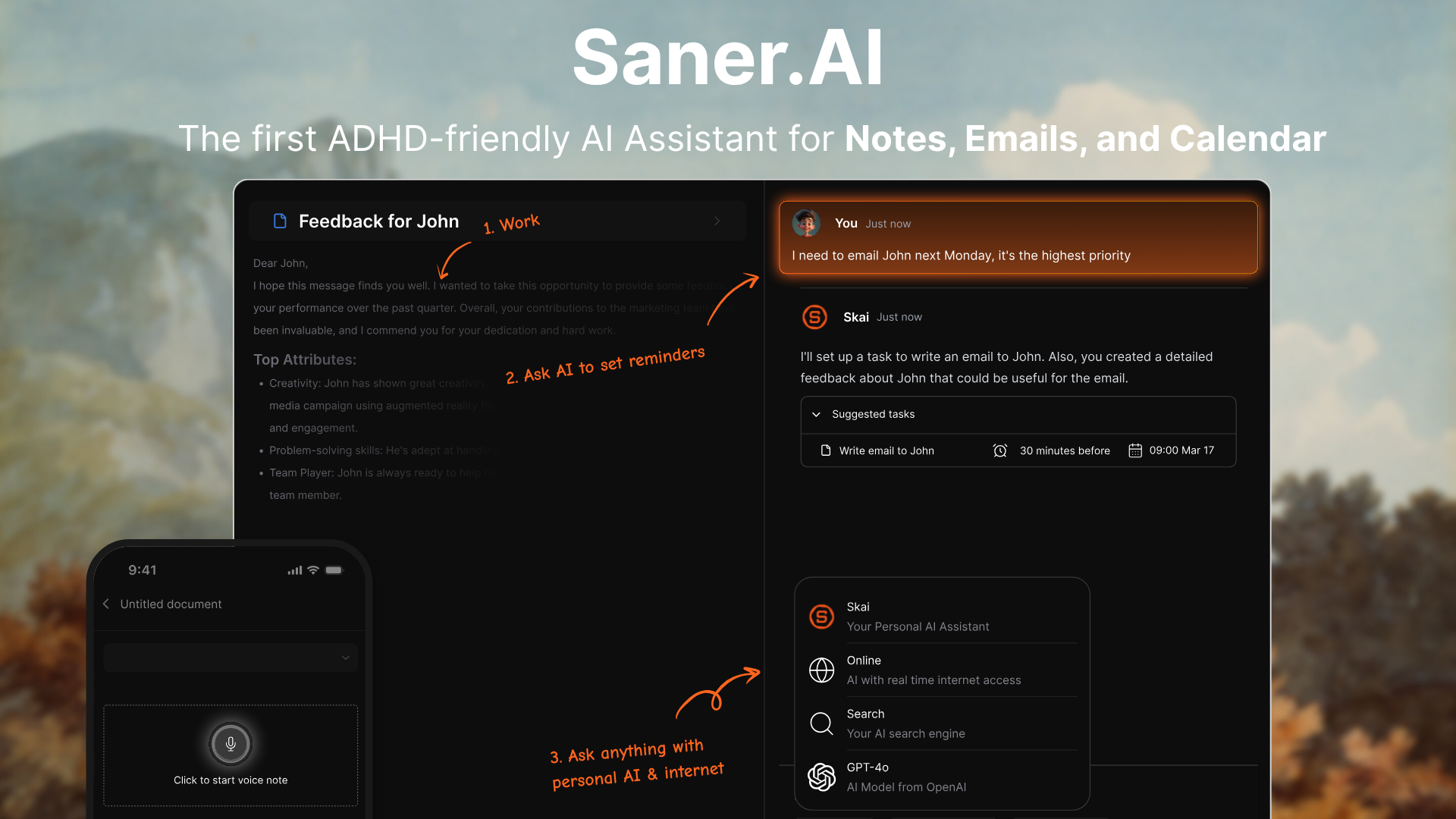
What it is: A workspace holding notes, tasks, calendar, and email, with an AI assistant called Skai that organizes what you dump in and proactively checks in on you. One of the founders has ADHD, which shows in the design in a way that "ADHD mode" bolt-ons never do.
The mechanism it targets: Externalized capture plus resurfacing. It's aimed squarely at the working-memory problem above. You throw something at it by voice or text, it files it, and later it brings it back to you unprompted.
What it does well:
- Capture has almost no friction. Voice notes, Chrome extension.
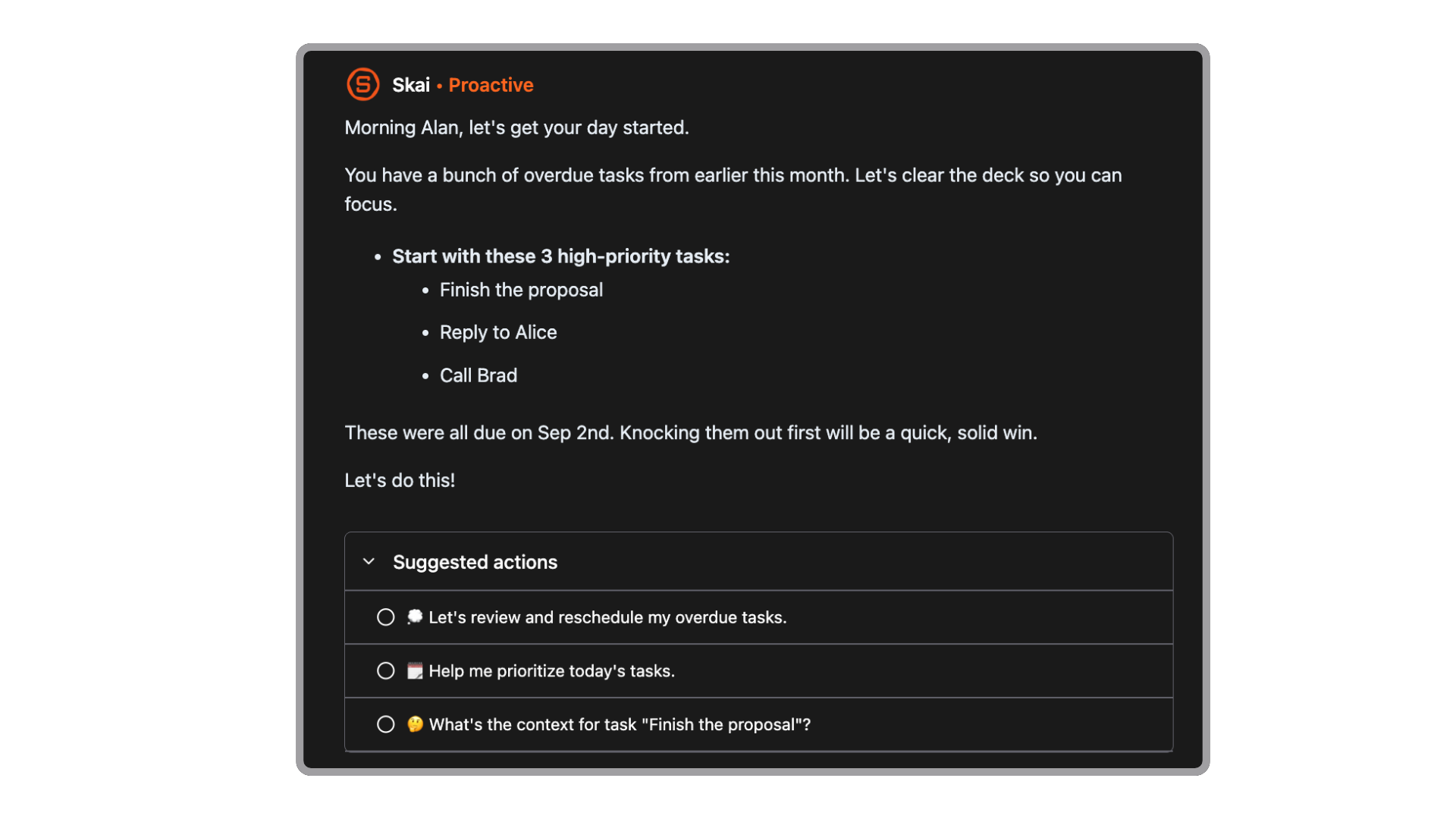
- The proactive morning check-in is the feature I love. Most tools wait for you to open them. That's a design that assumes you remember to open them.
- It doesn't make you build a system first. No folders to maintain, no schema to design at 11pm instead of sleeping.
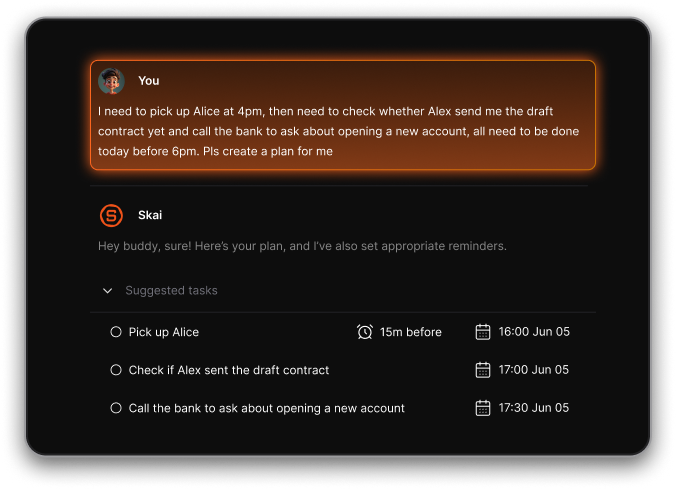
- I can just brain dump and it turns that into tasks automatically
Where it falls down:
- Note editing is rigid compared to a real editor. If you write long-form inside your notes app, this will irritate you.
- It's still in beta and the feature set moves.
- Single-player by design.
In my testing: the proactive check in is the most helpful feature
Price: Free (30 AI messages, 100 notes, 100MB). Starter $8/mo annual or $12 monthly. Standard $16/mo annual or $20 monthly.
Try it today, in ten minutes: Sign up, connect your calendar, then spend five minutes voice-dumping every open loop currently rattling around. All of it. The dentist, the tax thing, the friend you owe a reply to. Then leave it alone until tomorrow morning and see what it hands back. That first resurfacing is the moment you'll know whether this works for your brain.
Full writeup: Saner.ai review
2. Goblin Tools — best free tool
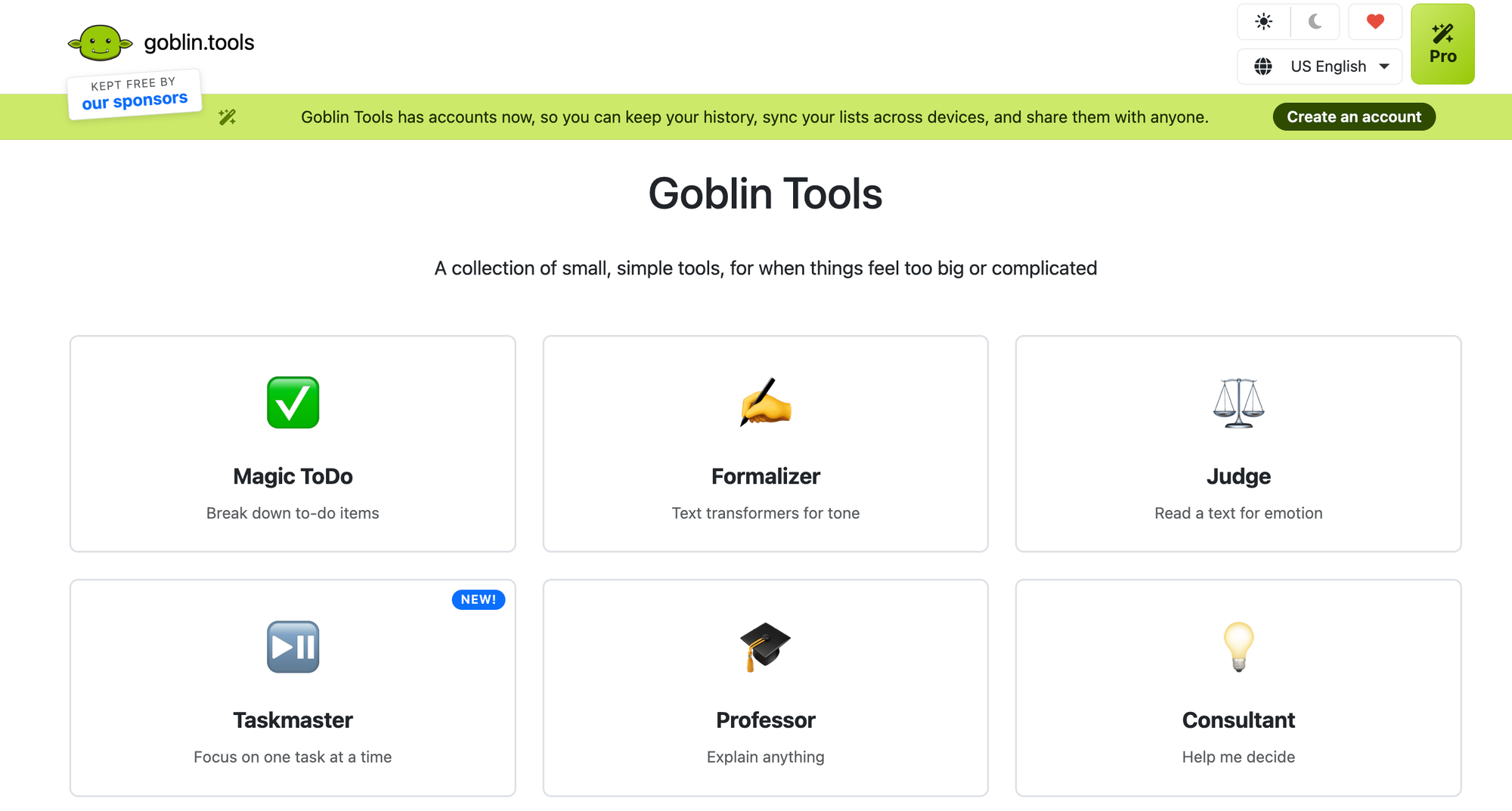
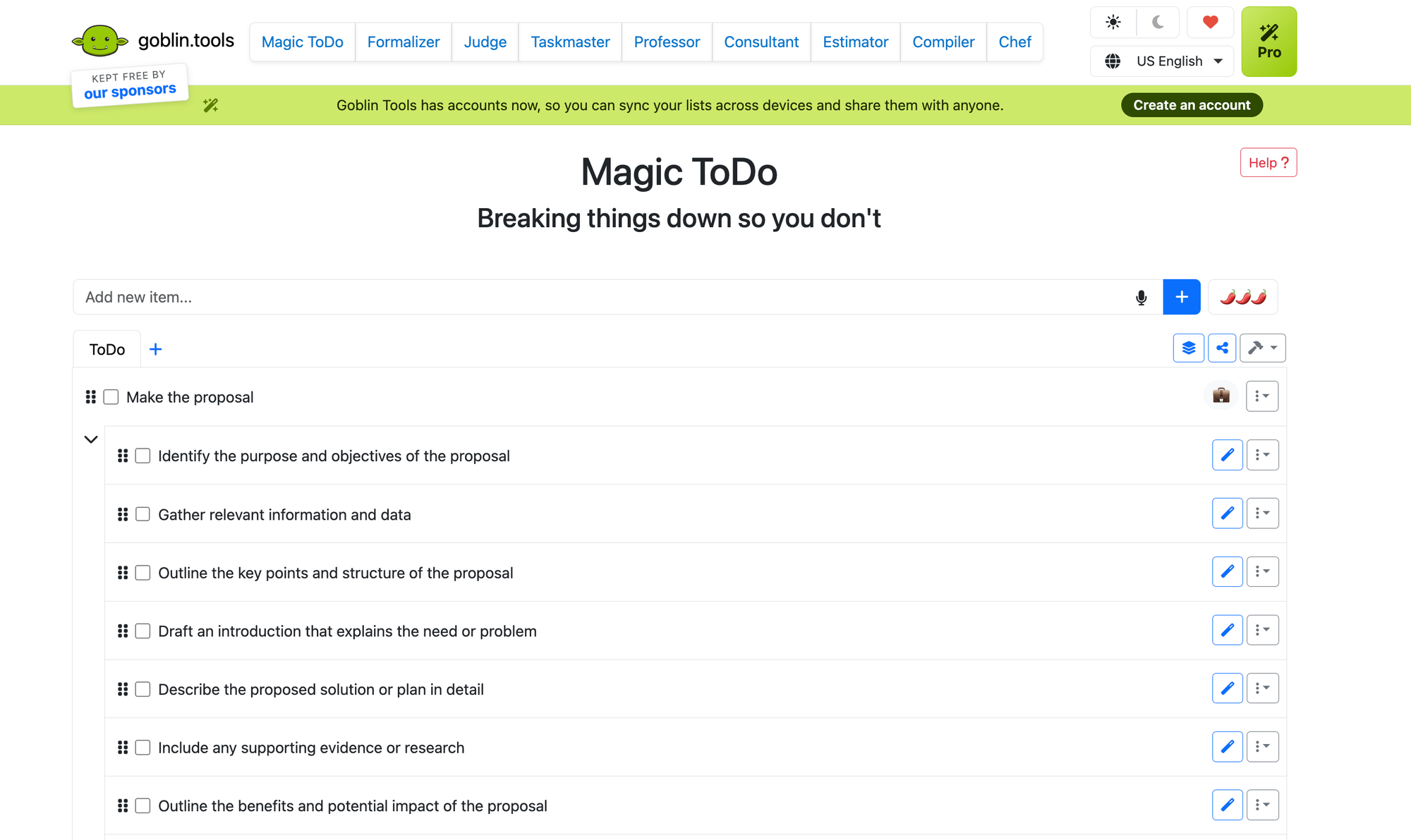
What it is: A free set of small web tools. The one that matters is Magic ToDo: type in a task, get it broken into steps, with a "spiciness" slider controlling how granular the breakdown goes.
The mechanism it targets: Task planning.
What it does well:
- Turn the spiciness up and "clean the kitchen" becomes fifteen steps down to the level of picking up the sponge. When you're frozen at step zero, that granularity is the difference between moving and not.
- No account, no signup, no onboarding. Which matters enormously, because most productivity apps lose ADHD users during onboarding.
- It's free. Actually free, the whole site, not free-with-an-asterisk.
- No judgment in the interface. It never asks why you can't just do the thing.
Where it falls down:
- It forgets everything the moment you close the tab. It's a hammer, not a workshop.
- The breakdowns are generic. It doesn't know your kitchen, your energy level, or that you're already three days behind.
- Breaking a task down still doesn't make you start it. Different problem, still unsolved.
- The site has a documented history of being flaky.
Price: Free on web. Mobile apps around $3.99, one-time, not a subscription.
Try it today, in three minutes: Take the single task you've been avoiding longest. The one you've now moved across four different lists. Paste it in, crank spiciness to maximum, and do only step one. Then paste the steps into whatever app you actually keep, because Goblin won't hold them for you.
Interestingly, Saner.AI is one of the sponsor of Goblin.tools!
3. ChatGPT voice mode — best when typing is already too much
What it is: You tap the waveform icon in the ChatGPT app and talk. It talks back, in real time, and you can interrupt it. Not built for ADHD, not marketed at us, and yet it does something none of the purpose-built apps do.
The mechanism it targets: Speech as an external working memory. Saying it out loud to something that answers puts that function back outside your head, which is exactly the "externalize it at the point of performance" move.
Less academically: I have talked myself into starting a task while walking around my kitchen lots of times
What it does well:
- Capture with no typing, no fields, no app to open properly. On the days when opening a task manager feels like paperwork, this still works.
- Unlike Goblin Tools, it knows your context. You can say "I've got ninety minutes, I'm exhausted, and I've been avoiding this for a week" and get a first step calibrated to that, not a generic breakdown.
- Good for the "I have a feeling shaped like a task but no words for it" state. Ramble at it for two minutes and ask it to tell you what you just said.
Where it falls down:
- It doesn't remember unless you turn memory on, and even then it's patchy. Nothing you say becomes a task anywhere. This is the big one: it is a thinking surface, not a system, and if the output doesn't land in Saner.ai or a note within about thirty seconds, it's gone.
- It agrees with you too easily. Tell it your plan is good and it will mostly tell you you're right. Ask it to argue against the plan instead.
- It will state things confidently that are wrong. Fine for "break this into steps," bad for anything factual you won't check.
- Advanced voice on the free tier runs out fast, roughly a short daily preview before it drops you back to standard voice. Reports on the exact allowance vary, so check yours rather than trusting a blog post, including this one.
- Think about what you're saying out loud into a cloud service. Medical details, client names, salary numbers. Keep them out.
Price: Free tier includes standard voice on mobile plus a limited daily preview of advanced voice. Go is around $8/mo, Plus is $20/mo and is where advanced voice becomes usable daily. Verify current tiers before paying, OpenAI reshuffles these often.
Try it today, in two minutes: Put your headphones in, open voice mode, and describe the task you're avoiding for sixty seconds without stopping. Then say exactly this: "Don't give me a plan. Give me the single first physical action, and make it something I can do in under two minutes." Do that action. Then dump whatever else came up into your capture tool before you close the app.
Tool I removed from this list
Motion auto-schedules your tasks into your calendar, and the auto-scheduling works. I cut it on price and honesty grounds. There's no free plan, the trial is seven days, and I found current figures ranging from roughly $19 to $49 a month depending on tier and billing, with credit-metered AI on top. For a tool aimed partly at people whose defining trait includes forgetting to cancel subscriptions, that pricing structure sits badly with me.
How to use AI in your first week
Don't set up all three at once. That's the trap, and I've fallen in it enough times to recognise the edges.
- Set up your capture tool. Saner.ai if you want my pick. Dump every open loop into it in one sitting. Set a phone alarm for 8am daily labelled "open it."
- Try GPT Voice mode, sixty seconds, one first action. Whatever else surfaces goes straight into capture before you close the app.
- Do nothing new. Just use what you set up. This is the day most systems die.
- Notice which of the three you reached for without being reminded. That's your keeper.
- Drop the other two for now. You can come back to them.
- Write down, in one sentence, what your keeper is for. Put that sentence where you'll see it.
One tool used badly beats three tools used for nine days. I know this because I have a subscription graveyard to prove it.
Found something that works better? Tell me 😉
Sources
- Staley BS, et al. ADHD Diagnosis, Treatment, and Telehealth Use in Adults. MMWR 2024;73(40):890-895.
- Alderson RM, et al. ADHD and working memory in adults: a meta-analytic review. Neuropsychology 2013;27(3):287-302.
- Meta-analysis: Altered Perceptual Timing Abilities in ADHD. JAACAP 2022.
- Zheng Q, et al. Time Perception Deficits in Children and Adolescents with ADHD: A Meta-analysis. J Atten Disord 2022.
- Time Perception in Adult ADHD: Findings from a Decade. 2023.
- Fuermaier ABM, et al. Complex Prospective Memory in Adults with ADHD. PLOS ONE 2013.
- Barkley RA. The Important Role of Executive Functioning and Self-Regulation in ADHD.
- Păsărelu CR, et al. ADHD mobile apps: a systematic review. Int J Med Inform 2020.
- Moëll B, et al. Living SMART: a randomized controlled trial. Internet Interventions 2015;2(1):24-31.
- Young Z, Moghaddam N, Tickle A. The efficacy of CBT for adults with ADHD: a systematic review and meta-analysis of RCTs. J Atten Disord 2020.
- Usability and feasibility of a cognitive-behavioral mobile app for ADHD in adults. PLOS Digital Health 2022.