Structured App Review: Is this Day Planner with new AI Worth Paying For?

Structured is the pretty one. You've seen it in somebody's screenshot: a vertical timeline with colorful bubbles, a little icon for "coffee," a little icon for "gym"
The question I care about is simpler than "is it pretty." Does Structured's AI actually help you manage tasks, and is the Pro plan worth the money now that the price has climbed? Here's the full breakdown.
Quick answer: Structured is a strong visual day planner for people who think in timelines, and its AI (Structured AI) is good at one job: turning a sentence, a voice note, or a photo of a paper list into scheduled blocks on today's timeline. It's weak as a full task manager. There are no real projects, tags, or long-term backlog tools, and the AI only plans your day. It doesn't decide what matters.
What is Structured, exactly?
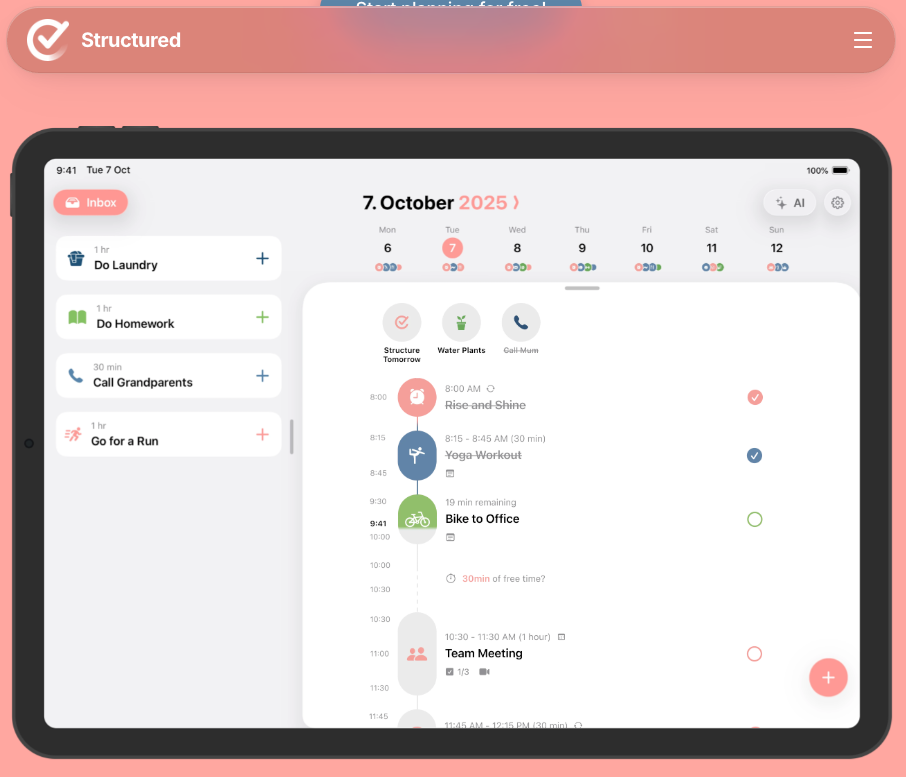
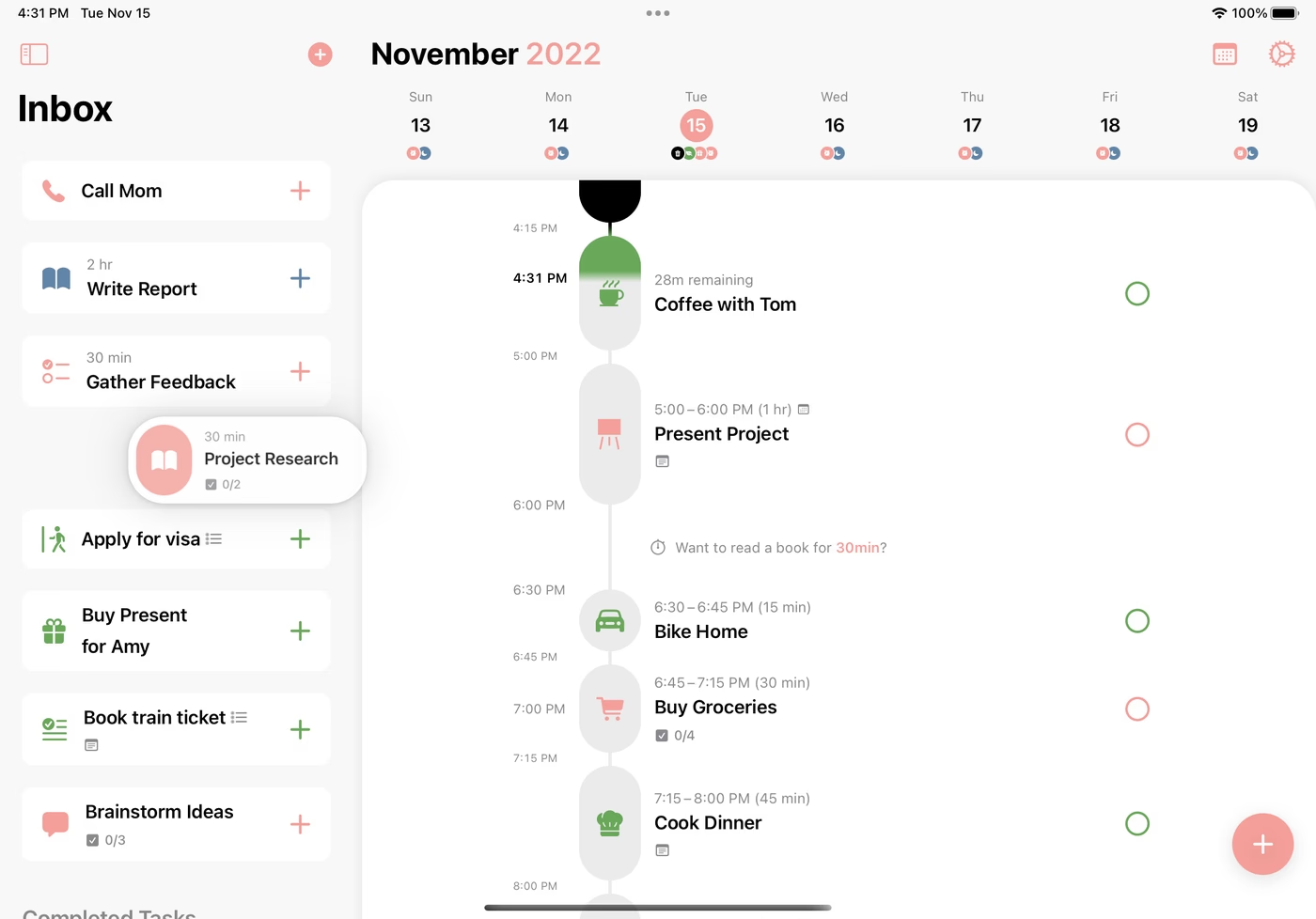
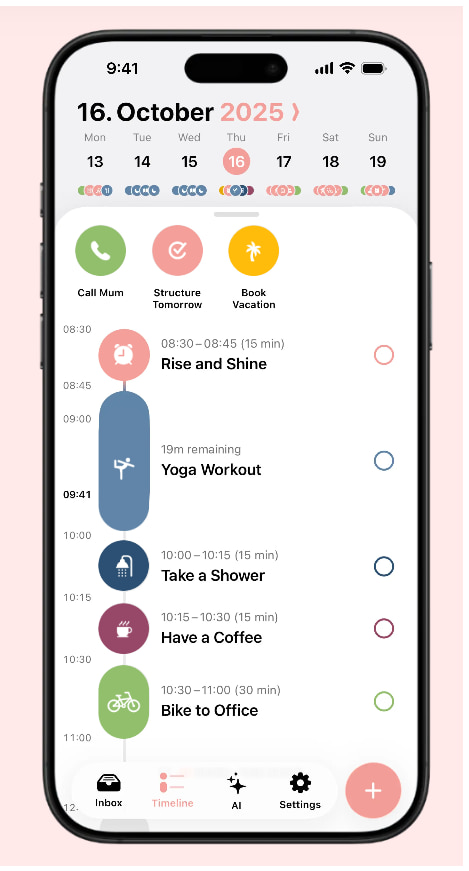
Structured is a day planner app made by unorderly GmbH, a small team in Berlin. It first shipped on the App Store in April 2020. The whole app is built around one screen: a timeline of your day where tasks, calendar events, and focus sessions sit side by side.
It runs on:
- iPhone, iPad, Apple Watch, and Mac
- Android
- The web (web.structured.app)
The pitch is "visual planning." You don't stare at a list of 40 to-dos. You see that "write report" sits between 10:00 and 11:30, lunch comes after, and your 3pm meeting is going to eat the afternoon whether you like it or not.
What does Structured AI actually do?
Structured AI is a chat-style assistant inside the app. You type or speak a request, and it creates, edits, moves, or deletes tasks on your timeline.
Some history, because it explains the current state:
- June 18, 2024: Structured launched the "new" Structured AI in version 3.5, powered by OpenAI's GPT-4o. It accepted text, voice, and scans of paper planners or to-do lists
- August 28, 2025: Structured AI finally arrived on Android in version 2.7. That release added making, modifying, and removing tasks through AI
- February 19, 2026: Version 4.4.4 on iOS/macOS added new built-in prompts, like rescheduling yesterday's unfinished tasks, building a Pomodoro study plan, and pushing everything back an hour when you're running late
The things it's good at
Based on Structured's own documentation, these are the use cases it's designed for:
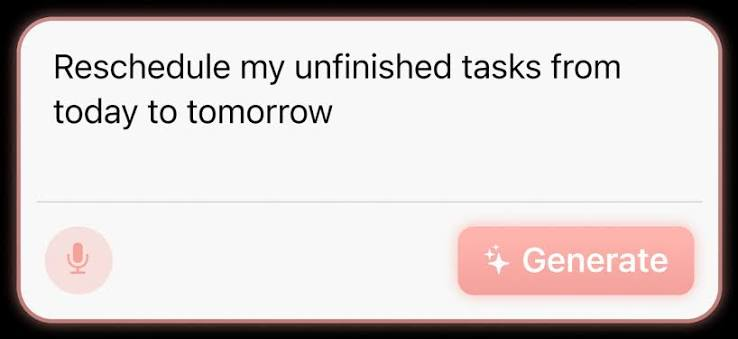
- "Schedule my dance class every Monday and Wednesday at 7pm." Recurring tasks from plain English.
- "Put spring cleaning and taxes in my inbox." Unscheduled chores go to the inbox instead of the timeline.
- Scanning a paper list. Snap a photo of a handwritten to-do list or a printed timetable and it converts it into tasks.
- Recipes and trips. "Make a grocery list and cooking task for lasagna," or "plan a day in Lisbon with coffee breaks."
- Running late. "Move everything after 2pm back by an hour." This is the one I'd use most. 😅
- Clearing a week. Going on vacation? Ask it to wipe the week.
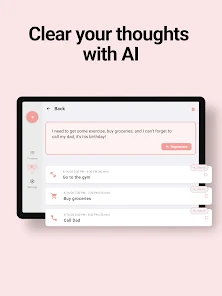
Before AI-suggested tasks land on your timeline, you can change their icon, color, notes, and timeframe. It also considers your existing tasks and events when it schedules new ones.
The things it doesn't do
This is where the review gets less colorful.
- It doesn't prioritize for you. Structured AI places what you tell it to place. It won't look at 30 tasks and tell you which three matter today.
- It doesn't read your email or notes. It knows your timeline and calendar. It has no idea what your boss asked for in Slack.
- It doesn't manage projects. There are no projects, tags, or multi-week plans in the app at all
- It isn't on the web app. Structured AI is Pro-only and, per HabitBox's September 2026 check, not available on web.structured.app.
- It's a GPT wrapper with a nice UI. That's fine! But know that the "AI" part is a natural-language input layer, not a planning brain
How much does Structured cost ?
Structured has a free plan and a Pro plan. US prices as checked on September 10, 2026 by HabitBox:
| Plan | Price | What you're paying per year |
|---|---|---|
| Free | $0 | $0 |
| Pro Monthly | $6.99/month | $83.88 |
| Pro Yearly | $29.99/year | $29.99 |
| Pro Lifetime | $99.99 once | Pays for itself in ~3.3 years vs. yearly |
Prices vary by country and App Store region, so check the in-app paywall before you buy.
Structured pros and cons
Pros 👍
- The timeline is genuinely great to look at. Seeing time as a physical shape makes overbooking obvious.
- Fast capture. Typing a task with a time takes seconds, and the AI makes it even faster.
- Scan-to-tasks is useful. If you still write lists on paper (no judgment), this bridges the gap.
- Privacy-light setup. You don't need an account unless you turn on Structured Cloud sync. The App Store label links only your email and task content to you
- Works across Apple and Android, which plenty of visual planners don't.
Cons 👎
- Not a real task manager. No projects, no tags, no backlog strategy.
- The AI is a scheduler, not a strategist. It won't tell you what to drop.
- Android lags behind. Reminders import, Replan, and duplicate days are Apple-only, and the Android app rates lower.
- Price creep. Lifetime has more than tripled since mid-2024.
- Essential features are paywalled. Recurring tasks and calendar import should arguably be free in 2026.
- AI missing on web. If you plan on a work laptop browser, you lose the best Pro feature.
Who is Structured best for?

Structured fits a specific kind of person really well. You'll probably like it if:
- You underestimate how long things take and need to see the day fill up.
- You plan one day at a time and don't juggle five client projects.
- You're on iPhone or Mac (the Apple version has the full feature set).
- You like the idea of telling an app "I'm running late, fix it" and having it shuffle your afternoon.
- You want something calm. Structured has no team features, no notifications from coworkers, no dashboards.
Who should skip Structured?
Skip it, or at least pair it with something else, if:
- You have a long backlog. 80 tasks across work and life won't fit on one day's timeline, and Structured gives you no good place to triage them.
- Your tasks come from email, Slack, and meetings. Structured can't pull tasks from those sources. You're still copying things by hand.
- You need help deciding what matters. See our guide on how to prioritize tasks with AI for that problem.
- You work in a team. No sharing, no assignments.
- You mainly plan in a browser. No Structured AI on web.
Structured vs. other AI planners: how does it compare?
| Tool | Best for | AI does what? | Task depth | Platforms |
|---|---|---|---|---|
| Structured | Visual, one-day planning | Turns text/voice/photos into timeline tasks; reschedules | Light (no projects/tags) | iOS, Mac, Android, web (no AI on web) |
| Motion | Auto-scheduling a heavy workload | Auto-builds and rebuilds your calendar around deadlines | Deep (projects, teams) | Web, desktop, mobile |
| Saner.ai | Pulling tasks out of notes, email, and calendar | Chat assistant that searches your notes, turns emails into tasks, and plans your day | Medium (tasks tied to notes/email) | Web, Chrome extension |
| Sunsama | Calm daily planning ritual | Guided planning and shutdown | Medium | Web, desktop, mobile |
| Reclaim | Protecting habits and focus time in Google Calendar | Defends time blocks automatically | Calendar-centric | Web |
Structured vs. Motion
Motion is the "let the robot run my calendar" option. It takes deadlines and priorities and rebuilds your schedule automatically. Structured only moves things when you ask. If you have dozens of work tasks with deadlines, Motion handles that load better; if you want control and a gentler UI, Structured wins. Read our full Motion review for the details.
Structured vs. Saner.ai
These solve different problems. Structured is about seeing the day. Saner.ai is about catching the tasks in the first place: it connects to Gmail, Google Calendar, and your notes, turns emails into tasks, and lets you ask its assistant things like "what did I promise the client last week?" If your to-dos are scattered across your inbox and notes, Saner.ai fixes the upstream mess. Some people use both: Saner.ai to collect and decide, Structured to lay out the day.
Takeaways: what to do next
- Download the free version and plan two days by hand. Notice whether the timeline view changes how much you schedule.
- Start the 7-day Pro trial (Structured's blog mentions one for trying Structured AI) and test three prompts: a brain dump, a recurring routine, and "I'm running late."
- Decide where tasks come from. If they come from email and notes, pair Structured with a capture tool, or pick an assistant that handles both.
- Choose yearly over lifetime unless you're sure you'll use it for 3+ years.
- Run a weekly review so your timeline reflects real priorities. Here's our guide to a weekly review with AI.
FAQ
Is Structured free?
Yes, there's a free plan with the timeline, inbox, subtasks, notes, reminders, and widgets. Structured AI, calendar import, recurring tasks, and Replan require Pro.
How much is Structured Pro?
In the US as of September 2026: $6.99/month, $29.99/year, or $99.99 lifetime. Prices vary by region and early subscribers may pay less.
What AI model does Structured use?
When Structured launched its upgraded AI in June 2024, the company said it was powered by OpenAI's GPT-4o. It has not been confirmed whether the model has changed since.
Does Structured AI work on Android?
Yes. Structured AI arrived on Android in August 2025. Some Apple features, like Replan and Reminders import, are still iOS/Mac only.
Does Structured AI work on the web app?
No. According to HabitBox's September 2026 review, Structured AI isn't available in the web app.
Can Structured replace a to-do list app like a full task manager?
Not really. Structured has no projects, tags, or long-term backlog tools. It's a day planner. Many people keep a separate task manager or assistant for capture and use Structured for the daily layout.
Is Structured good for ADHD?
Many users with ADHD like its visual timeline and easy rescheduling, but it's not a medical tool, and you shouldn't treat it as a treatment. Compare options in our best AI assistants for ADHD guide.