The Best AI Planners in the market: 4 Honest Tools Tested
💡 Quick answer: The best AI planner depends on where your day breaks down. If your actual bottleneck is that raw thoughts and voice notes never make it onto the calendar, Saner.ai turns that messy input straight into an actionable plan.If you want a hands-off calendar that decides your schedule for you, Motion is the top auto-replanner. If you drown in scattered tasks and want one keyboard-first inbox to pull them all together, pick Akiflow. If time blindness is your hurdle and you need to see your day shrinking visually, choose Tiimo.
What is an AI planner?
An AI planner is software that uses AI to help you decide what to do and when to do it, by scheduling tasks around your meetings, suggesting a daily plan, or turning messy input into organized tasks.
They fall into four rough types:
- Auto-schedulers place tasks into open calendar gaps and reshuffle when your day changes (Motion)
- Capture-first planners turn raw input like voice notes and emails into tasks and a schedule (Saner.ai)
- Ritual planners guide you through planning a realistic day yourself, with AI assisting (Akiflow)
- Visual planners make time something you can see, using timelines and timers (Tiimo)
Knowing which type you need saves you more money than any discount code.
How I judged AI planner?
Same criteria for every tool, so you can borrow them for your own shortlist:
- Effort to keep it running: What does it cost you on a bad week?
- Who decides: You, the AI, or a shared arrangement you can live with?
- Honest pricing: Is the real cost clear, and is there a free plan?
- Failure recovery: How painful is it to restart after a chaotic few days?
- Fit for real life: Meetings, personal tasks, and the stuff that isn't on a calendar yet
1. Motion: best for full auto-scheduling
Motion is the tool that most fully lets the calendar decide. Add tasks with deadlines and durations, and it slots them around my meetings, then replans the whole day when something shifts. A meeting runs long? "Reschedule All" reshuffles what's downstream.
- Price: $49/seat/month. 7-day trial, no free plan.
- Best for: Deadline-driven, meeting-heavy people who want automation carrying the planning load
- Trade-off: It's only as good as my duration estimates (see the planning fallacy above), sequential tasks may need manual date rules, and the mobile app trails the desktop one. G2 rates it about 4.1/5.
What it does best:
- Instant full-day replanning: Rebuilds entire schedule automatically the moment urgent priorities disrupt my day, requiring zero manual reshuffling.
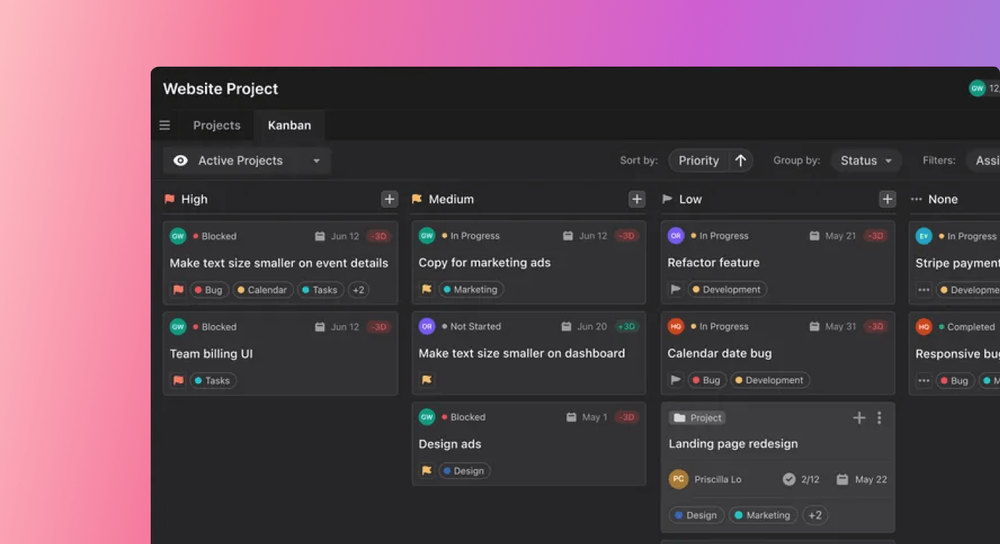
- Deadline-driven prioritizing: Calculates schedules backward from due dates, slots important tasks first, and flags early warnings if I risk missing a cutoff.
- Unified calendar & work hub: Combines Google, Outlook, and Apple calendars into one view with built-in task boards, meeting scheduling links, and AI notes.
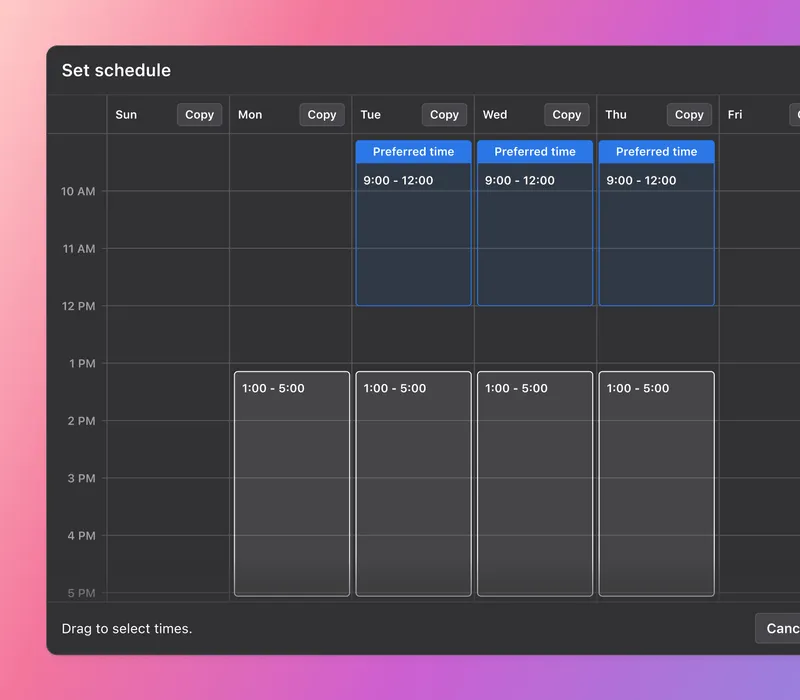
- Defends deep-work blocks: Locks to-dos into my calendar as actual booked events so colleagues cannot schedule over my focus time.
Where it falls short:
- No automatic task detection: Organizes when you work, not what you work on, you still have to input tasks yourself rather than having it extract to-dos from messy emails or chats.
- Demands high system discipline: Falling behind on time estimates, working hours, or task status quickly throws the entire auto-scheduling engine off balance.
- Underwhelming mobile apps: The phone interface is basic and sluggish, making it decent for quick task checks but frustrating for real schedule adjustments.
For how it stacks up against the field, see my Motion alternatives roundup.
2. Saner.ai: best for turning messy thoughts into a scheduled plan
Most planners above assume you've already turned a thought into a task. But plenty of real life starts earlier: an idea in the shower, a voice memo, an email you not read yet. If it never becomes a task, no planner can schedule it.
Saner.ai is built around that earlier step. It brings notes, tasks, email, and calendar into one place, driven by an AI assistant called Skai, and it leans into three things:
- Voice to calendar: Talk to it, label a messy email, or dump any thought. The AI works out what I meant, splits anything vague into concrete steps, and puts the result on my calendar instead of leaving a note I have to remember.
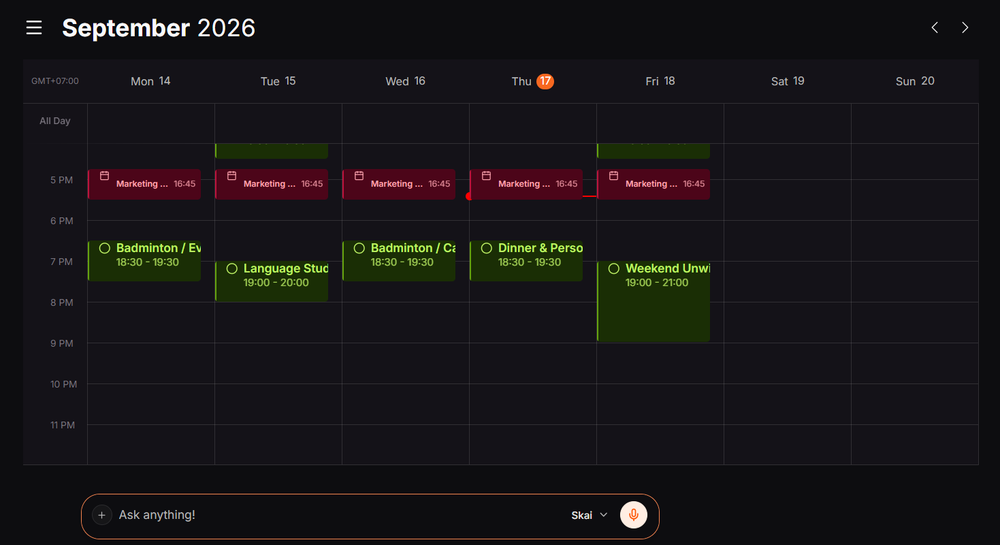
- Proactive planning: Instead of starting from a blank day, I get a draft plan built from my notes, inbox, and unfinished items, so I'm editing rather than building from scratch.
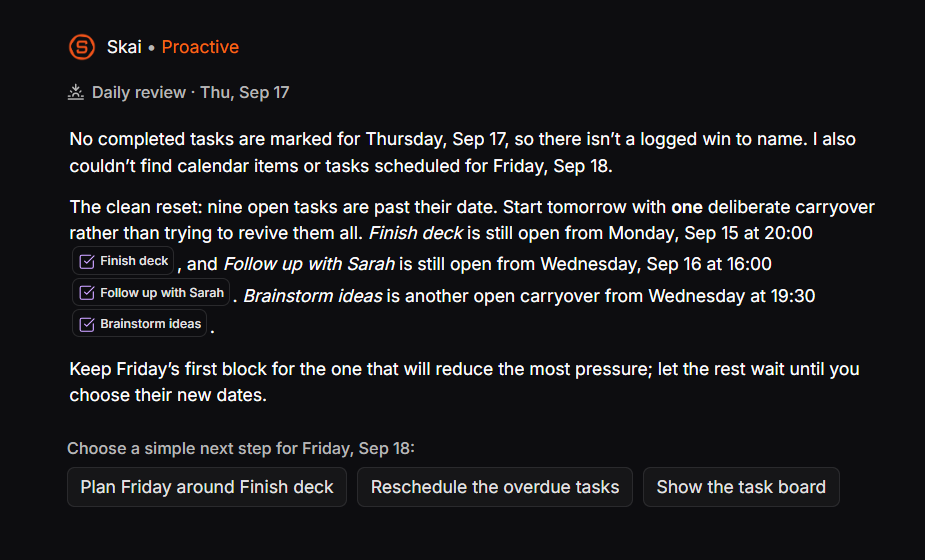
- Calm workspace: A clean, minimal layout that avoids sensory overload and busy dashboards.
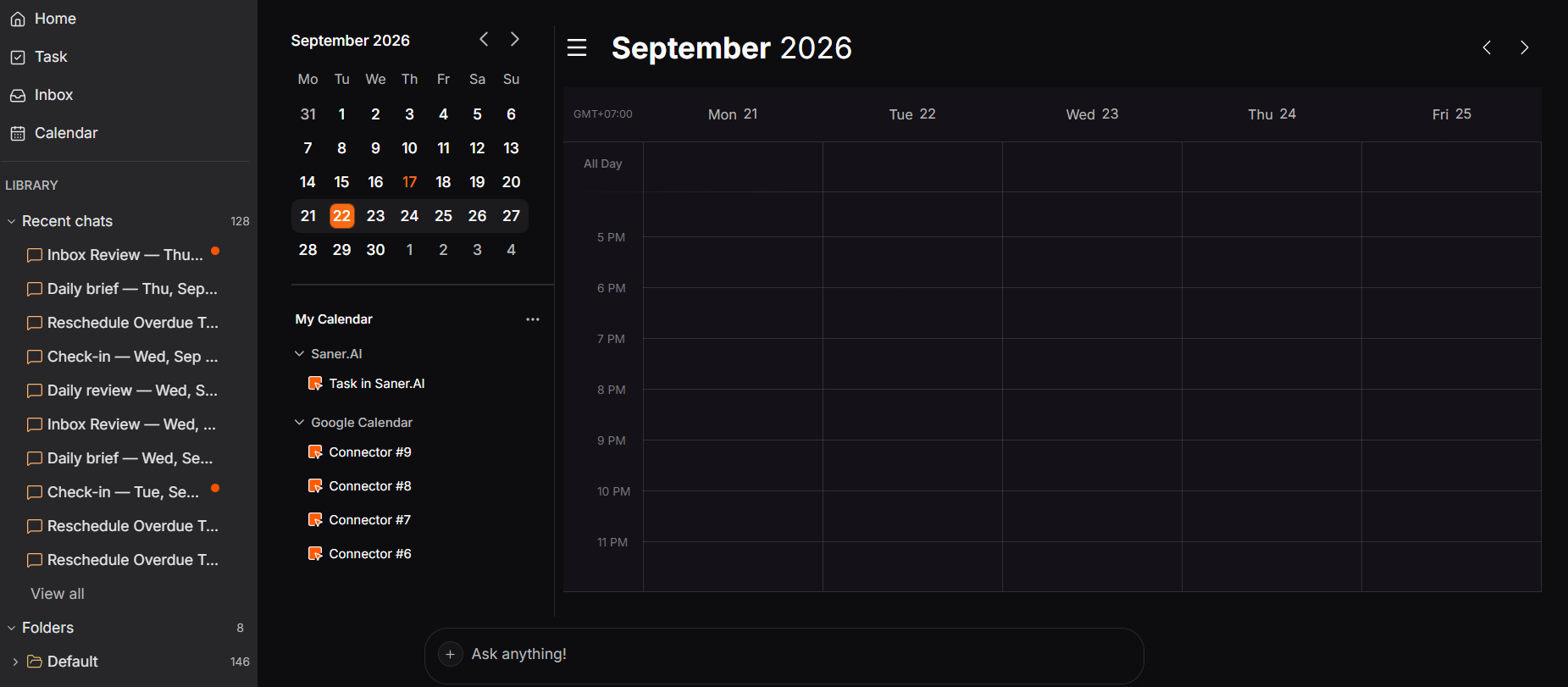
- A built-in task manager: A note like "follow up with Sarah next week" can become a scheduled task without being re-entered somewhere else.
- Price: Free plan; paid tiers from $8/month (Starter) to $16/month (Standard), which is the lowest paid entry point on this list
- Best for: If your real bottleneck is just capturing thoughts and planning your day without feeling overwhelmed, skip the heavy business tools. A calmer, simpler app like Saner.AI gives ADHD brains the focus they actually need.
- Trade-off: It's a younger product with a smaller public review base than Motion or Sunsama, and it isn't a team project-management tool. A proactive plan only helps if you actually review it, so decide when you'll do that each day.
If Motion is your reference point, my Motion alternatives roundup compares the wider field, and my best AI personal assistants guide covers tools that act across your inbox as well.
3. Akiflow: best keyboard-first planner for scattered tasks
Akiflow pulls tasks from 50+ tools (Slack, Jira, Asana, Gmail and more) into one Universal Inbox, then lets me time-block them onto calendar with a fast command bar. Its AI assistant, Aki, follows natural-language commands rather than acting on its own.
- Price: $19/month billed annually, $34 monthly. 7-day trial (extendable with an onboarding call), no free plan.
- Best for: Power users drowning in five different tool inboxes
- Trade-off: It's manual by design, so a chaotic day means you do the replanning, and it costs real money for a planning layer on top of tools you already pay for
What it does best:
- Centralized inbox from 50+ apps: Pulls flagged emails, mentions, and tasks from Gmail, Slack, Notion, Jira, Asana, and more into a single daily queue.
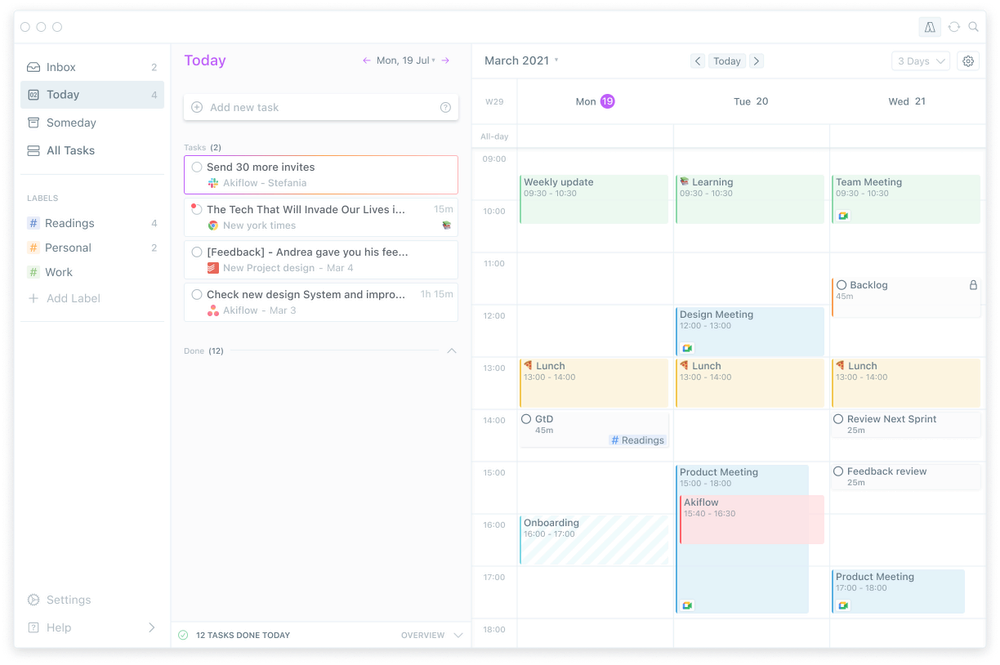
- Seamless time-blocking: Drag inbox tasks straight onto a calendar that syncs two-way with Google Calendar and Outlook.
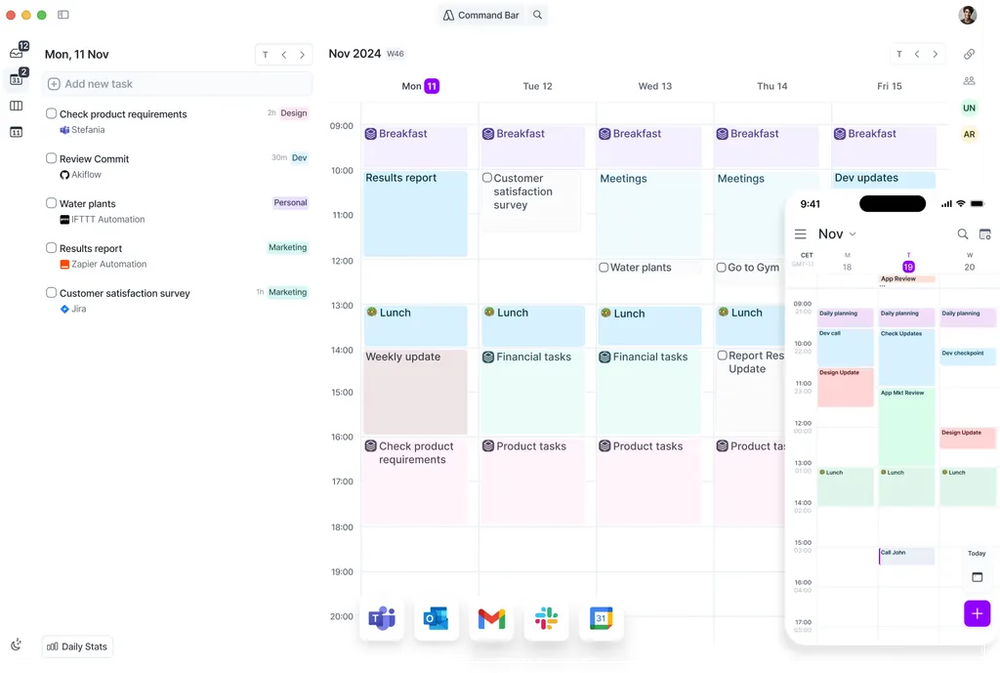
- Keyboard-first command bar: Allows power users to quickly capture, plan, and reschedule tasks using quick shortcuts without reaching for a mouse.
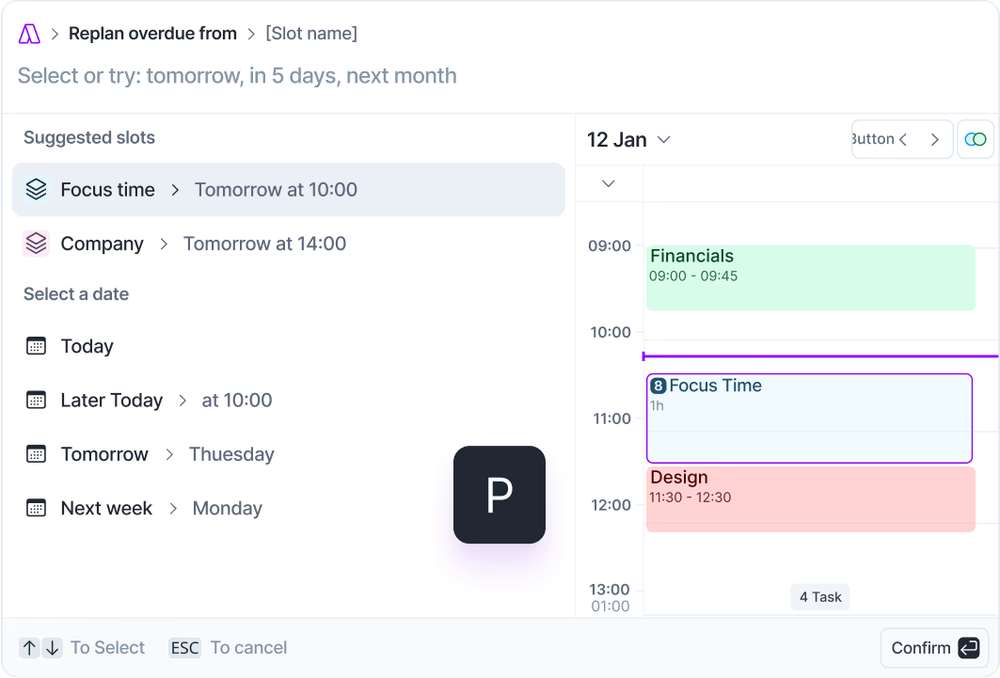
- On-demand AI replanning (Aki): Understands natural-language requests to organize tasks and reshuffle my day when scheduling conflicts pop up.
- Built-in meeting assistant: Joins video calls, transcribes meetings, and automatically converts action items into actionable tasks.
Where it falls short:
- Pricey with no permanent free tier: Relatively expensive for individuals compared to standard to-do apps, requiring an ongoing paid commitment after a short trial.
- Inbox overload risk: Integrating notifications and tasks from dozens of work apps can easily recreate the exact clutter and overwhelm you were trying to escape.
- Desktop-first design: The lightning-fast keyboard experience shines on desktop, but the mobile apps feel noticeably more limited.
- Aggregator, not a full project tool: Lacks deep project planning features like Gantt charts, complex sub-task trees, or team wikis - it is an execution layer, not a replacement for Jira or Asana.
- Manual oversight needed: Aki AI assists on request rather than automatically reshuffling your entire schedule in the background like fully hands-off auto-schedulers (e.g., Motion).
4. Tiimo: best for seeing time
Tiimo shows my day as a colorful visual timeline with icons, timers, and gentle transitions instead of a grid of text. Its AI Co-Planner turns spoken or typed thoughts into a plan with time estimates.
- Price: Free tier (basic planner, to-dos, focus timer, limited AI). Pro adds AI task breakdown and the web planner. The latest review I found lists about $8/month or $80/year, though other sources quote less, so confirm the price in the app store.
- Best for: Visual thinkers who want to watch the day, not read it
- Trade-off: It plans days and routines, not projects, so many people pair it with a separate task manager
What it does best:
- Makes passing time visible: Trades stressful countdown digits and heavy text grids for a visual timeline and diminishing colored arcs that show my day emptying out.
- Calm, shame-free AI Co-Planner: Turns messy voice or text brain dumps into small, realistic steps with time estimates, rescheduling derailed plans without nagging or guilt.
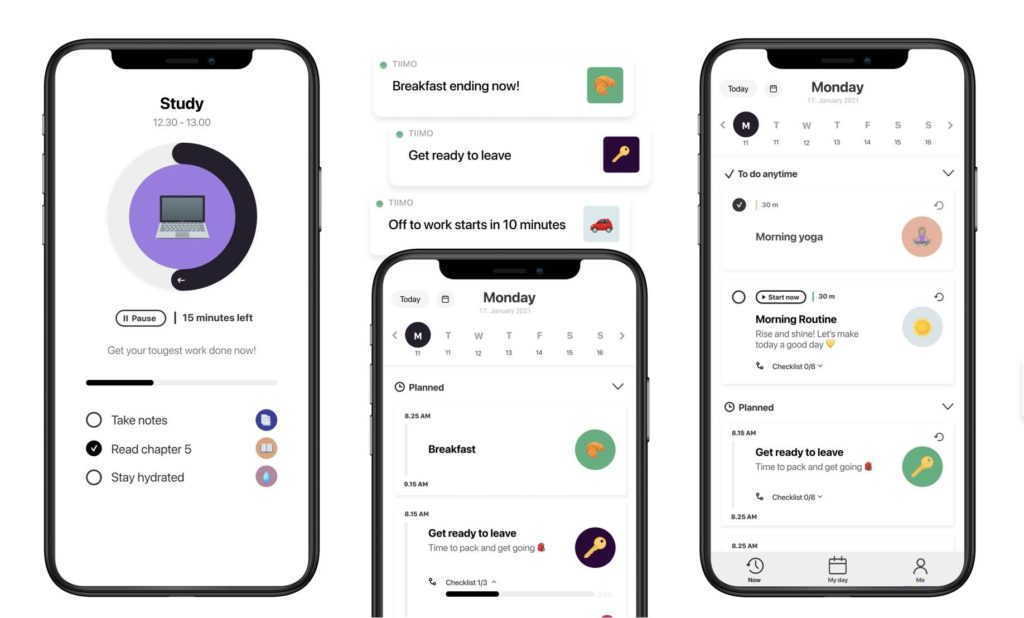
- Lowers the barrier to start: Features quick-access home screen widgets, clear visual icons, and preset 30-minute focus blocks to make jumping into tasks less taxing.
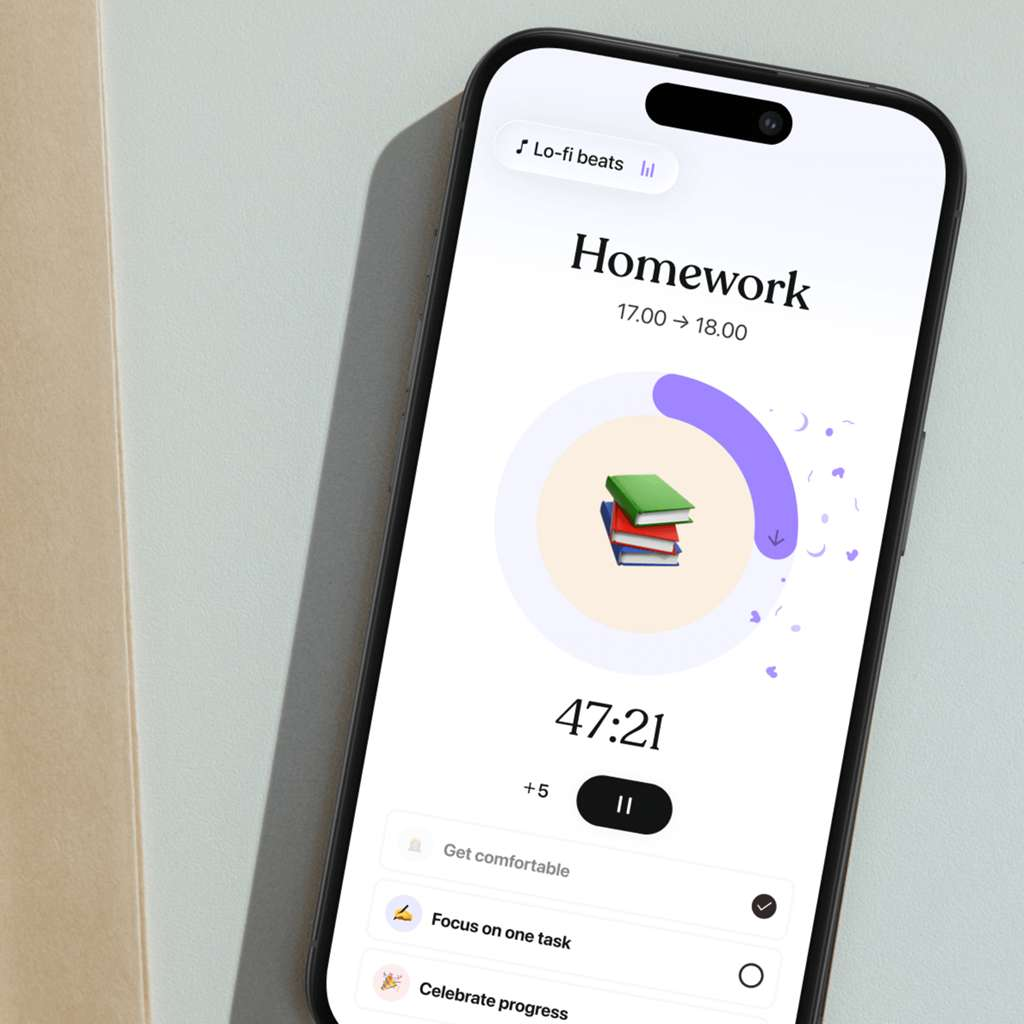
- Tracks energy and mood: Prompts to log how I feel after activities, helping me connect my daily habits to focus peaks and burnout.

Where it falls short:
- Focuses on habits, not projects: Tailored for personal daily routines rather than team work, multi-stage project milestones, or kanban workflows.
- Needs a companion to-do app: Lacks a robust backlog for long-term task lists, meaning you will likely need another tool to track broader to-dos.
- Rigid during chaotic days: Reordering time blocks by hand when sudden disruptions wreck your plan takes more manual effort than apps with instant auto-replanning.
- Paywalls the best AI perks: In-depth AI task breakdowns and desktop web use require a paid upgrade, which may not be worth it for simple visual tracking.
Comparison between Saner.ai, Motion, Akiflow, Tiimo
| Tool | Type | Free plan | Starting price | Best for |
| Motion | Auto-scheduler | No (7-day trial) | $19/seat/month | Hands-off scheduling |
| Akiflow | Ritual planner | No (7-day trial) | $19/month annual | Consolidating scattered tasks |
| Tiimo | Visual planner | Yes (limited) | Free; Pro paid | Making time visible |
| Saner.ai | Capture-first | Yes | $8/month | Turning input into a schedule |
How to pick the best AI planner in under two minutes?
- My day gets blown up by meetings: Try Motion
- My tasks live in Slack, Jira, and email: Try Akiflow
- Time just disappears on me: Try Tiimo
- Good ideas die before they reach a to-do list: Try Saner.ai
- I don't want to pay anything yet: Start with Tiimo's free tier, or Saner.ai's free plan.
Still stuck? My best AI task manager roundup compares tools by task-handling style, and how to plan your day with AI walks through the daily routine in more depth.
A 15-minute setup AI planner you can do today
Pick one tool, then:
- Minutes 0-5, brain dump. Get everything out of your head into one inbox. Don't organize yet.
- Minutes 5-8, choose three. Pick today's three most important tasks.
- Minutes 8-12, write if-then plans. For each, decide when and where it happens: "If it's 9:30 a.m., I open the proposal and write the first section." This is the technique with the strongest evidence above.
- Minutes 12-14, pad your estimates. Look at how long similar tasks really took last time, then add a buffer. Your past self is better data than your optimistic self.
- Minute 15, pick one check-in time. A daily two-minute review is the habit that keeps everything else alive.
For deeper workflows, see my guide to AI for task management.

Five mistakes that kill a new planner
I've made all of these, so take this in consideration.
- Importing your whole life on day one. A 300-item backlog isn't a plan, it's a haunted house. Start with this week.
- Over-customizing before you have a habit. Colors, tags and templates feel productive. They're also the most common way to turn a planner into a second job.
- Leaving every notification on. If everything pings, nothing does. Keep one daily check-in and one alert for real deadlines.
- Treating a missed day as a failed system. The real test of a planner is how cheap it is to restart after a rough week. If restarting takes more than two minutes, pick something lighter.

FAQ
What is the best AI planner overall? There isn't one winner. Motion is the strongest full auto-scheduler, and Saner.ai suits people who need messy input turned into a scheduled plan.
Is there a good free AI planner? Yes. Tiimo's free tier, and Saner.ai's free plan are all real free options. Motion and Akiflow offer trials only.
Do AI planners actually work? The techniques they support, such as specific if-then plans and realistic time estimates, have solid research behind them (Gollwitzer & Sheeran, 2006). I couldn't find independent trials of the products themselves, so judge by whether you still open yours in week three.
Should I let AI schedule my day automatically? It depends on how you feel when a tool moves things without asking. Auto-schedulers remove the "what's next?" decision but rely on accurate inputs. Ritual planners keep you in control but need daily effort. Test whichever fails you less on your worst day.
What's the difference between an AI planner and an AI task manager? A task manager stores and organizes what you need to do. An AI planner also decides when to do it by scheduling around your calendar. Many tools now do both, which is why my best AI task manager roundup overlaps with this one.
Related reading: best AI calendar assistants, Reclaim.ai review, and best AI personal assistants. Prices change often, so confirm current pricing on each tool's website. This article is for information only and isn't medical advice.



