How to Use AI for Task Management (A complete guide in 2026)

Most people install an AI task manager, watch it auto-schedule their week, feel a hit of dopamine, and abandon it eleven days later.
I've done this. for months lol. My record is four days with one app that shall remain nameless, mostly because it kept moving "call dentist" to 7:00 a.m. on a Sunday 🙃
But now I realized the apps aren't the problem. The problem is that people buy a tool and skip the system. So this post is the system. The five layers that make AI task management stick and the prompts I paste
If you're still shopping, my tested rundown of the best AI task managers covers which app to buy. Come back here for what to do with it.
What does it mean to use AI for task management?
Using AI for task management means handing three specific jobs to software: turning messy input into structured tasks, deciding when each task happens, and reminding you at the moment of action. The AI handles capture, sequencing, and recall, which are the parts humans are measurably bad at.e.
The five-layer AI task management system
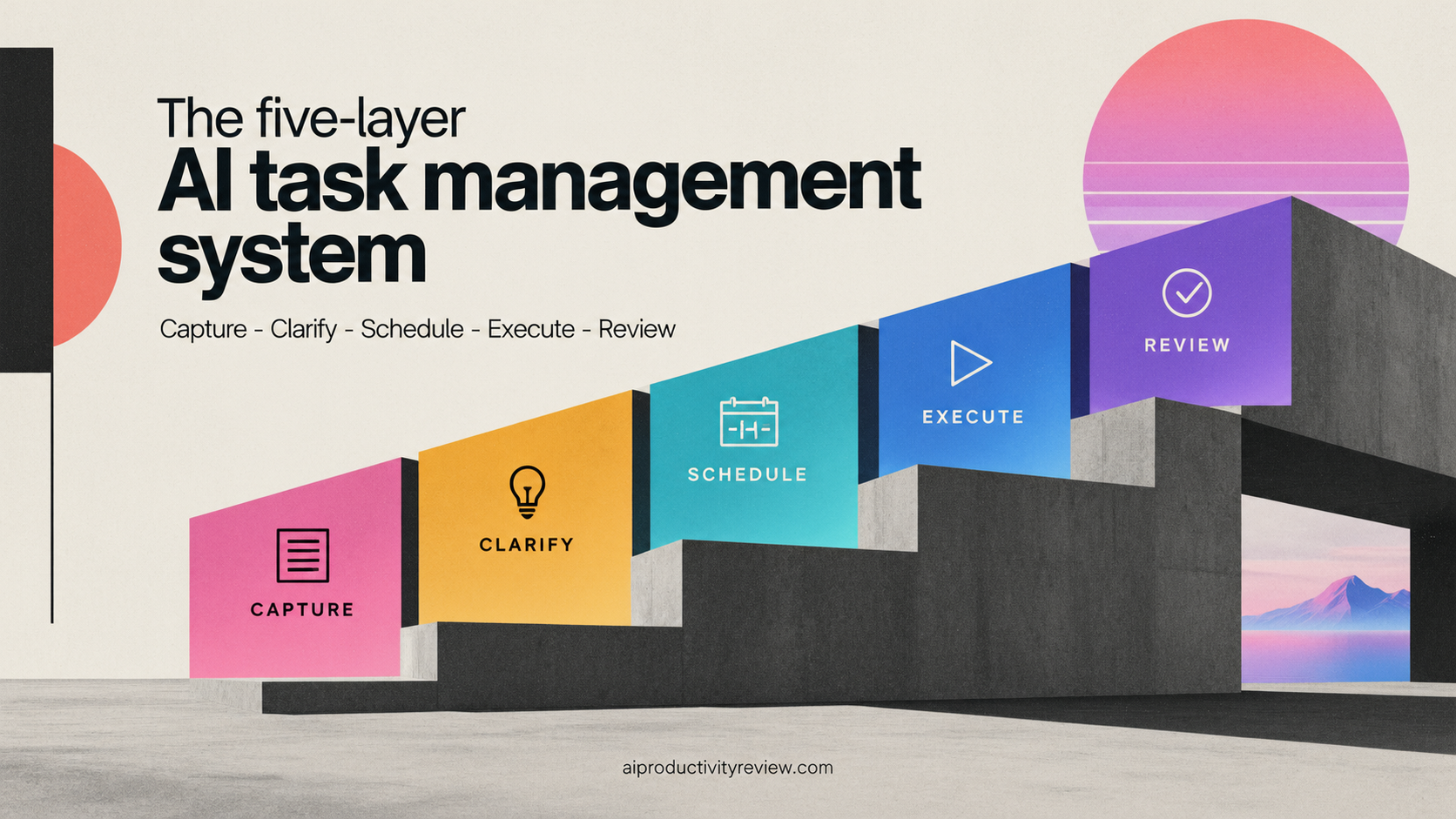
Layer 1: Capture (make it stupidly easy)
The rule: a task must reach your system in under five seconds, from anywhere, without opening an app.
How to set it up:
- Pick one inbox. One. If you capture into Slack saved messages, your Notes app, and a task manager, you have three inboxes and zero systems.
- Enable the fastest input your tool supports. Usually that's an email-to-inbox address, a keyboard shortcut, or a share-sheet extension on your phone.
- Use voice for anything longer than a sentence. Assistants that accept a rambling voice note and extract tasks from it are the real unlock here. Saner.ai does this well, which is why it keeps showing up in my AI personal assistant testing even though it's a small team.
- Capture the thought, not the perfect task. "thing about the invoice, urgent-ish" is fine. Layer 2 cleans it.
What breaks this layer: perfectionism at capture time. If adding a task requires choosing a project, a tag, a priority, and a due date, you will stop adding tasks by Wednesday.
Layer 2: Clarify (let the AI do the grammar)
Raw capture is garbage. Useful garbage, but garbage. This layer turns it into something schedulable.
A clarified task needs four things:
- A verb. "Budget" is a topic. "Draft budget v1" is a task.
- A size. 15 minutes, 45 minutes, or two hours. Rough is fine.
- An energy type. Deep work, shallow admin, or people-facing.
- A trigger or deadline. Real deadline, not aspirational.
This is where the AI earns its subscription. Paste your inbox dump and ask for the cleanup rather than doing it by hand.
The prompt I use, more or less unchanged for the past year:
Here's my raw task inbox. For each item: rewrite it starting with a verb, estimate minutes, tag it deep / admin / people, and flag anything that's actually a project (more than one session of work) so I can break it down. If something is too vague to estimate, ask me one clarifying question instead of guessing.
That last sentence matters. Without it, models invent estimates with total confidence, and you end up scheduling a 3-hour job into a 20-minute slot. Ask me how I know.
Layer 3: Schedule (the part AI is handier)
Here's my actual opinion: auto-scheduling is the feature in this category that's clearly, boringly better than a human doing it manually. Everything else is a nice-to-have. Fitting 23 tasks around 9 meetings and a hard stop at 5:30 is an optimization problem, and you are not an optimizer at 8:45 in the morning.
Rules that make auto-scheduling survivable:
- Leave 20% of the day empty. Every tool will fill 100% if you let it. A fully packed calendar has no give, and one late meeting collapses the rest of the day.
- Protect two deep-work blocks, minimum 90 minutes. Put them where your energy actually is, not where the gaps are.
- Set hard boundaries on the calendar itself, not in the app's settings. School pickup, gym, dinner. If the AI can't see it, the AI will schedule over it.
- Batch the admin. One 45-minute block for the 12 five-minute things beats 12 interruptions. See the Gloria Mark finding above.
- Cap daily task count at seven. I know. It feels like giving up. It isn't.
Tool choice matters here more than anywhere else. If you want the deep comparison, I've broken down the best AI calendar assistants
Layer 4: Execute (one screen, one task)
A perfect plan you never open is just a very organized form of procrastination.
What execution looks like in practice:
- Open one view each morning: today's list, in order, nothing else visible. Most tools call this Today or Focus. Use it. Hide everything else.
- Convert the top task into an if-then before you start. "When I finish this coffee, I open the deck and write slide 3." That's the Gollwitzer effect
- Keep a scratch capture open for the thoughts that surface mid-task. They will surface. Dump them into Layer 1 and keep going.
- When a task takes 2x its estimate, don't push through. Stop, re-estimate, let the AI reshuffle. Estimation drift is the number one reason these systems collapse.
Layer 5: Review (fifteen minutes, once a week, non-negotiable)
The weekly review prompt:
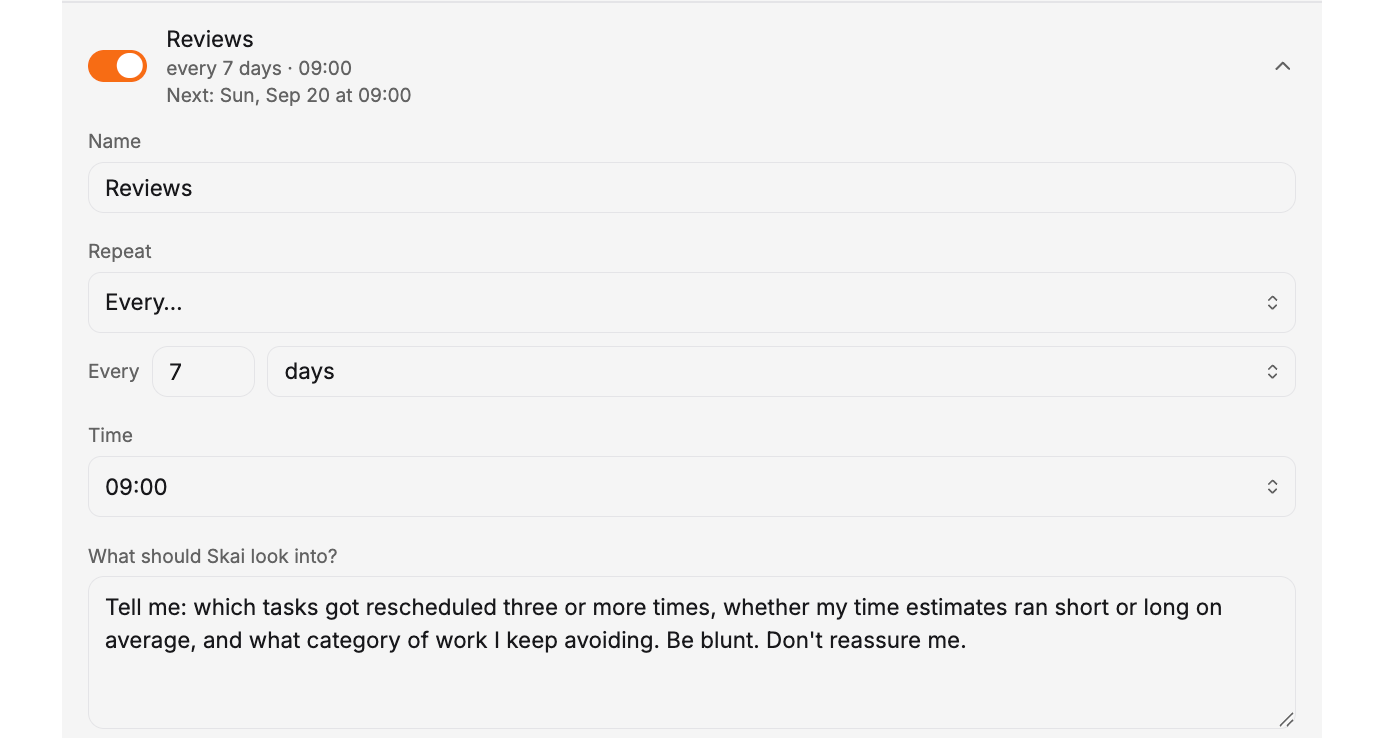
Tell me: which tasks got rescheduled three or more times, whether my time estimates ran short or long on average, and what category of work I keep avoiding. Be blunt. Don't reassure me.
Then act on exactly one thing it says. I set up a proactive check in on Sunday on Saner.ai with this exact prompt - so I get the review automatically
What I look for:
- Serial rollovers. A task that's moved four times is either a project you haven't broken down or a thing you've silently decided not to do. Delete it or schedule it for real.
- Estimate drift. If you're consistently 40% over, stop "getting better at estimating" and just add 40% to everything.
- Avoided categories. Mine is anything involving a phone call. Yours is probably something else. Batch them into one dreaded block and get it over with.
AI task manager or AI personal assistant? They solve different problems
People use these interchangeably and then buy the wrong one. Quick way to tell them apart:
- An AI task manager owns your list and your calendar. It knows every open task, how long each takes, and where the gaps are. It answers "what am I doing at 2 p.m.?"
- An AI personal assistant owns your context. It's read your notes, your email, your meeting transcripts. It answers "what did we decide about the vendor contract, and what did I promise to do?"
The overlap is the capture and clarify layers, which is why a few tools try to be both. In my testing the split is this: schedulers are stronger at Layer 3 and weaker at recall, assistants are the reverse. If your days are meeting-heavy and you keep losing commitments made out loud, start with an assistant. If your days are open but your list is overwhelming, start with a scheduler.
I run both. Saner.ai holds the context and the capture, a scheduler holds the calendar. Full comparisons live in the AI personal assistants roundup.
Four helpful prompts
The Monday triage:
Here are my open tasks and this week's calendar. Tell me which three tasks, if finished by Friday, would make the biggest difference, and which five I should drop or defer without consequence. Explain your reasoning in one line each.
The project breakdown:
This task is too big: [paste task]. Break it into sessions of 45 minutes or less. Each session should produce something I could show someone. Put them in the order I should do them and flag any that depend on someone else.
The recovery prompt (for when the week has already fallen apart):
I'm behind. Here's what's left and here's what's on my calendar for the next two days. Assume I have 4 usable hours total. What actually gets done, what gets pushed, and what do I need to renegotiate with someone? Give me the message to send for anything I'm pushing.
The end-of-day close:
Here's what I finished and what I didn't. Set up tomorrow: three tasks max, in the order I should do them, with an if-then trigger for the first one.
Which layer needs which AI tool
| Layer | What you need | Good fit |
|---|---|---|
| Capture | Speed, voice input, low friction | Saner.ai, Todoist |
| Clarify | A conversational model with context on your work | Saner.ai, Claude, ChatGPT |
| Schedule | Calendar-aware auto-scheduling | Motion, Reclaim.ai, Saner.ai |
| Execute | A single-focus today view | Whatever you already use, configured properly |
| Review | Something that can read your completion history | Your task manager's stats plus a chat model |
You don't need five tools. Two usually covers it: one scheduler wired to your calendar, and one assistant that holds context about your work. Some tools genuinely span both.
Five mistakes that kill AI task management setups
- Trusting the AI with priority. It doesn't know your boss is quietly evaluating you on one project. Tell it, or set priority yourself.
- Giving it everything at once. Migrating 400 tasks on day one produces an unusable calendar and instant abandonment. Start with this week.
- No hard stop. If the AI thinks your workday ends at 11 p.m., it will schedule accordingly. Set a real end time.
- Skipping the review. The system degrades in about three weeks without one. Every time.
- Over-automating early. Get the five layers running manually for two weeks before you build integrations and triggers. Automating a broken process gives you a fast broken process.
The 30-minute setup for AI task management
Minutes 0–5: Brain dump. Open one blank note. Write every task rattling around your head, phone, sticky notes, and Slack DMs. Don't organize. Don't judge.
Minutes 5–12: Clarify. Paste the dump into your AI assistant with the Layer 2 prompt above. Let it rewrite everything with verbs, estimates, and types. Fix anything it got wrong. It will get some wrong.
Minutes 12–18: Block the calendar. Before scheduling a single task, add your non-negotiables. Sleep-adjacent boundaries, meals, commute, pickup, workout. Then add two 90-minute deep-work blocks where your energy is best.
Minutes 18–25: Schedule the week. Turn on auto-scheduling. Cap it at seven tasks a day. Look at the result and drag three things later, because it will be too optimistic.
Minutes 25–30: Set the review. Recurring 15-minute block, Friday afternoon or Sunday evening. Title it something you won't ignore. Mine says "Fix next week, 15 min."
That's it. You now have a system. Thanks me later 😉
When AI task management won't help
I'd rather say this than sell you something.
- If the problem is too much work, not disorganization. No scheduler creates hours. It'll just show you the math more clearly, which is useful but not fun.
- If you can't control your calendar. Back-to-back meetings all day means there's nothing to optimize. Fix the meetings first.
- If nothing sticks no matter the tool. That's worth taking seriously rather than blaming on willpower. Persistent difficulty with starting tasks, time estimation, and follow-through can have clinical explanations, and a doctor is a better first stop than an app. I've written separately about the AI assistants that work best for ADHD, but a review site is not a diagnosis.
FAQ
Which AI is best for task management?
For auto-scheduling around a busy calendar, Motion and Reclaim.ai lead. For an assistant that holds context and handles capture plus clarification, Saner.ai and Claude are stronger. Most people who stick with a setup use one of each. My full tested comparison is in the best AI task manager roundup.
How do I use ChatGPT or Claude as a task manager?
They're excellent at Layers 2 and 5 and poor at Layer 3, because they don't see your calendar in real time. Use them to clarify your inbox and run your weekly review, then push the output into a scheduler.
Can AI actually prioritize my tasks for me?
It can rank by deadline, estimated effort, and dependencies. It can't know what politically matters at your company or which project you secretly care about. Give it that context explicitly and the ranking gets useful.
How long before this starts working?
Two weeks to feel less scattered, six to trust it. The first week usually feels worse, because you're finally seeing everything you'd been carrying around.
Is this overkill for someone with a simple job?
Probably, if you have fewer than about fifteen open tasks. Layers 1 and 5 alone will do most of the work. Add the rest when the list outgrows your head.
Do I need to pay for an AI task manager?
No. Layers 1, 2, 4, and 5 run on a free chat model and any free task app. Layer 3, calendar-aware auto-scheduling, is the part you generally pay for, and it's the part that saves the most decisions.
Conclusion
Capture in under five seconds, let the AI clean it up, let it schedule it, work one task at a time, and spend fifteen minutes on Friday telling it what went wrong.
Start with the brain dump. Today. The rest of the system is easier than that first blank page, and you're already thinking about the thing you forgot 📝