How to Prioritize Tasks With AI (without handing over your judgment)

My to-do list had 62 items on a random day last month. Sixty-two. I'd captured beautifully. I'd tagged, labelled, colour-coded like a champion. And I still sat there at 9:14am with my coffee going cold, doing absolutely nothing, because I had no idea which of the 62 was the one.

That's the problem. Capture tools got good. Scheduling tools got good. Deciding stayed hard 😐
So here's the how to prioritize tasks with AI - what it's good at, what it's dreadful at, and the exact prompts I use.
The Key answer
To prioritize tasks with AI: dump every task into one place, tell the AI your real constraints (deadlines, energy, how many hours you actually have), ask it to rank your top three with a one-line reason each, then reject anything that doesn't match your gut and say why. The AI's job is sorting and surfacing. Yours is judging. Takes about six minutes daily once set up.
Now the details.
Why your priority list keeps lying to you
Four things go wrong, and they're all documented.
- Open loops eat your working memory. Unfinished goals keep intruding on unrelated thinking. But researchers E.J. Masicampo and Roy Baumeister found the intrusions mostly stop once you make a specific plan for the task — not when you finish it, when you plan it. (Masicampo & Baumeister, Journal of Personality and Social Psychology, 2011) So a vague list keeps taxing you. A planned list doesn't.
- You're terrible at estimating time. Not you specifically. Everyone. Buehler, Griffin and Ross documented the planning fallacy: people underestimate their own task completion times even when they know they've blown past every previous estimate. (Buehler, Griffin & Ross, 1994) Your list isn't overloaded by accident. It's overloaded by arithmetic you did wrong.
- Switching between tasks leaves residue. Sophie Leroy's work on attention residue found that when you move from task A to task B without finishing A, part of your attention stays behind on A — and performance on B suffers. (Leroy, Organizational Behavior and Human Decision Processes, 2009)
- Juggling costs more than it looks. The American Psychological Association summarises decades of switching-cost research plainly: mental blocks from task shifting eat measurable chunks of productive time. (APA, "Multitasking: Switching costs")
Put those together and the picture is clear. A long unsorted list will generate intrusive thoughts and bad time maths. Prioritizing isn't a nice-to-have on top of your system. It is the system.
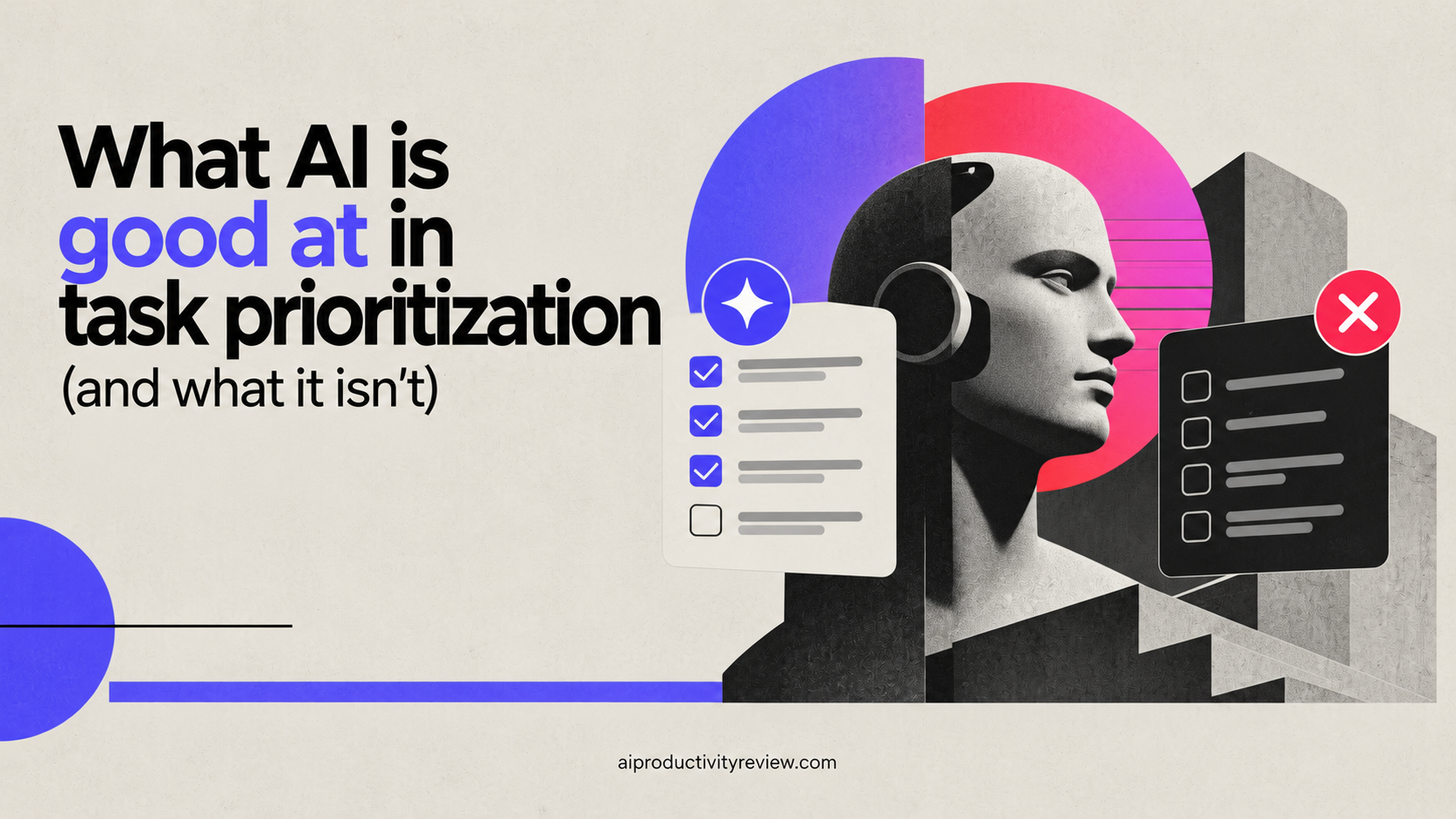
What AI is good at in task prioritization (and what it isn't)
I want to be blunt here, so it will be useful for you
AI is good at:
- Reading 60 messy task titles in two seconds and grouping them
- Spotting the four tasks that are secretly the same task
- Noticing hard deadlines you buried in a note three weeks ago
- Asking the clarifying question you were avoiding ("what does 'sort out the Ferris thing' mean?")
- Estimating duration better than you do, because it's not emotionally involved
- Producing a ranked shortlist fast enough that you'll actually do it daily
AI is bad at:
- Knowing your politics. It doesn't know that the 10-minute email to your boss outranks the 3-hour deep work block this week.
- Knowing your energy. It'll cheerfully schedule your hardest thinking at 3pm - which is the time you dread

- Knowing what's dying. The thing you've deferred eleven times is usually the thing that need to be done. AI reads that as low priority.
- Saying no on your behalf. It will always find room. It's a people-pleaser with a calendar.
So the split I use: AI ranks, I veto. Never the other way around.
The 4-step process for AI task prioritization
This is what I use, for real
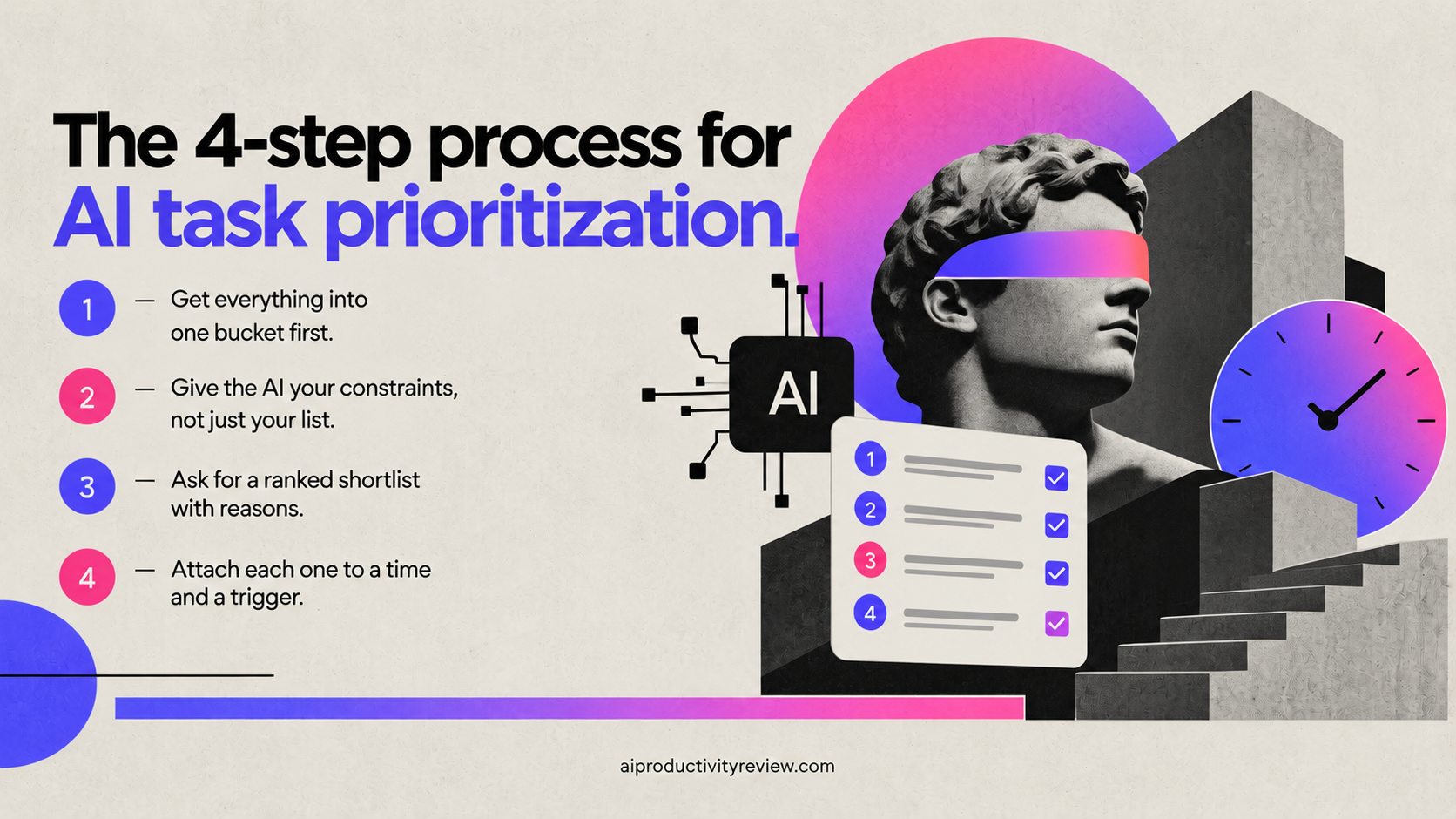
Step 1 — Get everything into one bucket first
You cannot prioritize across three apps. Priority is a comparison, and comparison needs one list.
- Pick one place. Your task manager, your notes app, a single text file, doesn't matter yet.
- Brain-dump without editing. Bad titles are fine. "email re: thing" is fine.
- Include the stuff that isn't a task but is taking up space: the decision you're avoiding, the thing you promised your sister.
If your capture is still scattered across Slack DMs and sticky notes, fix that first — our guide to AI for task management covers the capture layer in detail, and the best AI task managers roundup covers which tools do it least annoyingly.
Step 2 — Give the AI your constraints, not just your list
Your constraints, every time:
- How many focused hours you actually have today. Not eight - be hones 🤣 Three for me
- Fixed commitments. Meetings, school run, the dentist.
- Hard external deadlines. Anything with a real consequence attached.
- Your energy shape. "Sharp until 11, useless 2–4, decent again at 5."
- One stated goal for the week. Just one sentence. "Ship the pricing page."
That last one does more work than the other four combined. An AI with a goal prioritizes. An AI without one just sorts by deadline
Step 3 — Ask for a ranked shortlist with reasons
Three items. Not ten. Ten is a list, and you already had a list

Demand a reason per item. Two things happen:
- You can check the logic instead of trusting a black box
- You spot bad assumptions immediately ("it thinks the report is due Friday - it's due next Friday")
If an item's reason is weak, that's your veto signal.
Step 4 — Attach each one to a time and a trigger
Ranking without scheduling is a wish. This is where the Masicampo finding earns its keep: the intrusive-thought relief comes from the plan, not the ranking.
Better still, phrase each as an if-then. Gollwitzer and Sheeran's meta-analysis of implementation intentions across 94 studies found this if-then format produced a medium-to-large effect on actually achieving goals. (Gollwitzer & Sheeran, 2006; Gollwitzer's overview is hosted by the US National Cancer Institute)
- ❌ "Priority 1: draft the proposal"
- ✅ "When I've finished my coffee at 9:00, I'll open the proposal doc and write the problem section"
Then push it onto your calendar. Tools like Saner.AI and Motion will do the pushing automatically - see Motion vs Saner.AI if you're deciding between them, or the AI calendar assistants roundup for the wider field.
Copy-paste prompts I use here:
Steal these. I've tuned them over a lot of mediocre mornings.
The daily triage prompt:
Here's my full task list. I have 3 focused hours today, a meeting 11–12, and I'm mentally useless after 2pm. My one goal this week is [X]. Pick exactly 3 tasks for today and give me a one-sentence reason for each. Then list what you're deliberately dropping and why. Don't be diplomatic about it.
The duplicate-hunter:
Read this list and group items that are really the same underlying task. Show me the groups and suggest a single merged title for each.
The interrogator:
Go through this list and flag anything too vague to start. For each one, ask me the single question that would make it actionable.
The reality check:
Estimate how long each of these 3 tasks will take. Then add 50% and tell me whether all 3 fit in 3 hours. If they don't, tell me which one to cut.
The hidden-deadline sweep:
Scan these tasks and notes for anything with a date, a dependency on another person, or a consequence if missed. List them as a separate urgent set.
Frameworks to feed your AI
AI prioritizes better when you give it a rule to prioritize by. Otherwise it invents one. Pick one of these and name it in your prompt.
- Eisenhower matrix. Urgent/important quadrants. Good when you're drowning in other people's requests. Prompt: "Sort these into the four Eisenhower quadrants and tell me what belongs in Delete."
- MITs (Most Important Tasks). Three per day, chosen the night before. Best for deep work. Prompt: "Pick my 3 MITs for tomorrow based on this week's goal."
- 1-3-5. One big, three medium, five small. Genuinely underrated when your day is choppy. Prompt: "Fill a 1-3-5 for today from this list."
- Impact vs effort. Two-axis scoring. Good for project backlogs, less good for daily admin. Prompt: "Score each 1–5 on impact and effort, then show me the high-impact/low-effort set."
- Deadline-first triage. Boring and effective when everything is late. Prompt: "Order strictly by hard deadline, then break ties by effort ascending."
I switch between Eisenhower on chaotic weeks and MITs on easier ones.
Which AI tools for which part of process
You don't need a new app for every step. But the steps do have different homes.
- Ranking + thinking out loud: ChatGPT or Claude, straight into the chat box. Zero setup. Fine forever, honestly. If you're starting from scratch, AI assistants for beginners is the gentler options
- Ranking without re-explaining your life every morning: this is where a persistent assistant beats a chat window. Saner.ai is the one I keep coming back to for this, because it holds your notes and tasks together, so you can brain-dump a mess and ask "what should I do today?" without pasting context in again. The braindump-to-plan flow is really good for prioritization. It's covered properly in our best AI personal assistants roundup.
- Turning the ranked three into calendar blocks: Motion or Reclaim. Both auto-schedule around meetings. See the Reclaim.ai review or Motion reviews if the pricing makes you wince.
- Brains that need prioritization the most: if picking three out of sixty is the thing that breaks you (like me), AI assistants for ADHD goes deeper on that failure mode and give you better options
Five mistakes that ruin AI prioritization
I've made all of these.
- Asking for a top ten. You will do two of them and feel bad about eight. Three. Always three.
- Never telling it what you're dropping. If the AI doesn't name the cuts, you haven't prioritized, you've reordered.
- Prioritizing a list you haven't cleaned. Garbage titles produce garbage rankings. Run the duplicate-hunter first.
- Accepting the ranking silently. When you disagree, say why in the chat. Next time's output improves. This is the single highest-leverage habit in the whole loop.
- Re-prioritizing at 3pm because you feel behind. That's not prioritizing, that's anxiety with a keyboard. Once in the morning. Once on Sunday. That's it.
The Sunday review (15 minutes)

Daily triage drifts. Weekly resets it.
- Paste the week's completed tasks and the ones that carried over
- Ask: "Which tasks have I deferred more than twice? For each, tell me if it should be scheduled, delegated, or deleted."
- Answer honestly. The three-times-deferred task is almost always a delete or a delegate wearing a disguise.
- Set next week's single goal sentence. This feeds every daily prompt for the next seven days.
That "deferred more than twice" question is the best fifteen seconds in the entire method. I kill about two tasks a week with it, and I've never once missed them.
When AI prioritization won't help you
Real talk man
- If the problem is too much work, not bad sorting. No prompt fixes a 70-hour workload. Prioritization just tells you which fires burn first.
- If you won't say no to people. AI can rank all day. Someone still has to email Dave.
- If you're in genuine crisis mode. During a real emergency, skip the system. Do the obvious thing.
- If you haven't fixed capture. Prioritizing 40% of your tasks gives you confident, wrong answers. Fix capture first. (Start here.)
Do this today to prioritize your tasks
- Minute 0–4: Dump every open task into one document. No editing.
- Minute 4–5: Run the duplicate-hunter prompt. Accept the merges.
- Minute 5–7: Run the daily triage prompt with your real hours and this week's one goal.
- Minute 7–8: Veto anything that feels wrong. Tell the AI why in one sentence.
- Minute 8–10: Rewrite the surviving three as if-then statements with times, and put them on your calendar.
Tomorrow it takes six minutes because the list is already clean.
I still have 41 tasks sitting in my file. But this morning I knew which one to open, I opened it at 9:03, and I didn't think about the other 40 once. That's what prioritizing is for. Not a shorter list. A quieter head ✌️
FAQ
Can AI actually prioritize my tasks accurately?
It can rank accurately against criteria you give it. It cannot know your unstated criteria. Give it your deadlines, hours, energy pattern, and one weekly goal, and the rankings get usable. Give it a bare list and it'll sort by deadline and guess the rest.
Which AI tool is best for task prioritization?
For pure thinking, ChatGPT or Claude in a chat window is free and works. For prioritization that remembers your context between days, a persistent assistant like Saner.ai is less friction. For turning priorities into calendar blocks, Motion or Reclaim.
How many tasks should AI pick for one day?
Three. Occasionally 1-3-5 if your day is fragmented. Any top-ten list is a to-do list with extra confidence.
Should I use the Eisenhower matrix with AI?
Yes, when other people's urgent requests are the problem. Name the framework explicitly in your prompt or the AI will improvise one. For deep-work weeks, MITs beats Eisenhower.
How often should I re-prioritize?
Once each morning, once weekly. Re-prioritizing mid-afternoon is usually avoidance behaviour rather than planning.
Does using AI to decide make me worse at deciding?
Keep the veto. If you accept every ranking without comment, you're outsourcing judgment. If you reject one or two a week and explain why, you're using a tool.
Sources
- Masicampo, E.J. & Baumeister, R.F. (2011). Consider It Done! Plan Making Can Eliminate the Cognitive Effects of Unfulfilled Goals. Journal of Personality and Social Psychology
- Buehler, R., Griffin, D. & Ross, M. (1994). Exploring the "Planning Fallacy." Journal of Personality and Social Psychology (MIT)
- Leroy, S. (2009). Why is it so hard to do my work? The challenge of attention residue. Organizational Behavior and Human Decision Processes
- American Psychological Association — Multitasking: Switching costs
- Gollwitzer, P.M. & Sheeran, P. (2006). Implementation Intentions and Goal Achievement: A Meta-Analysis of Effects and Processes (University of Konstanz repository)
- Gollwitzer, P.M. — Implementation Intentions (US National Cancer Institute)