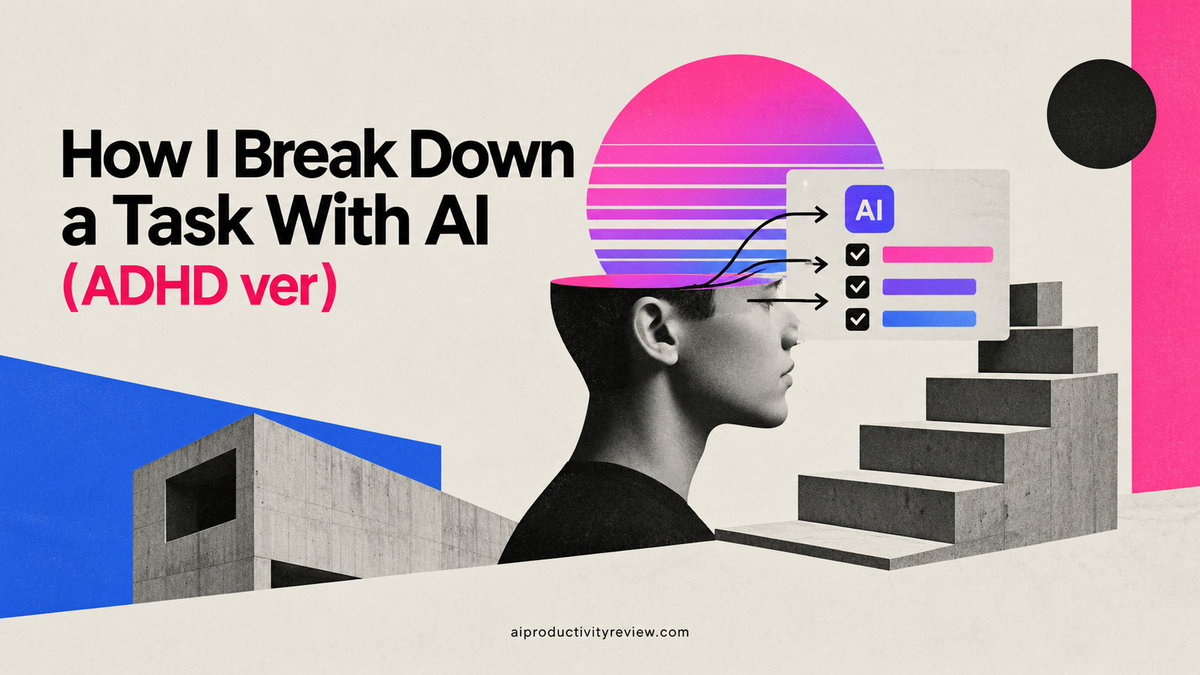
How to Break Down a Task With AI (ADHD ver)

There's a task on my list right now that says "website." Just that. One word, sitting there since June, judging me every time I open the app.
It's not a task. It's a haunted thought 🙃

I've been writing about this stuff for a while and I still do it. I write down the shape of a thing instead of the thing, then I wonder why I keep scrolling past it. What finally fixed it for me wasn't discipline. It was getting an AI to interrogate the task until it stopped being a mood and started being a list of moves I could make on a Tuesday afternoon.
This is a guide to doing that well, based on my experience
The quick answer
To break down a task with AI, give it four things: the deliverable, the deadline, your real constraints, and what "done" looks like. Then ask for a numbered list where the first step takes under ten minutes and begins with a physical verb. Reject anything abstract. Before you close the chat, attach each step to a specific day and time.
What AI is good at here, and what it's bad at
I've tried to be honest about this split:
| AI is good at | AI is bad at |
|---|---|
| Listing steps you've forgotten exist (the admin, the approvals, the waiting) | Knowing your actual political situation at work |
| Turning a noun into verbs ("website" into "draft five headlines") | Knowing which step you're secretly avoiding |
| Sequencing and spotting dependencies | Estimating your speed on your bad days |
| Generating a first version fast enough that you'll edit it | Deciding whether the task is worth doing at all |
| Re-splitting a step you got stuck on | Caring when you skip it |
If you're avoiding a task because it involves a conversation with someone who scares you a bit, no amount of subtask granularity fixes that. The AI will happily produce "Step 3: Align with stakeholders" and you will happily not do it.
>> I've linked a fuller version of this argument in the guide to prioritizing tasks with AI, where the same rule applies: AI sorts, you decide.
The four things every breakdown prompt needs
Most bad AI task breakdowns are bad because the input was one line. Give it these four and your output will change.
- The deliverable. Not the topic. The artifact. "A 900-word onboarding email" beats "improve onboarding."
- The deadline, and whether it's real. "Friday, and it cannot slip" produces a different plan from "sometime this month, nobody's waiting."
- Your constraints. Hours available, who has to approve things, what tools you're stuck with, what you refuse to do. Be petty here. "I have 90 minutes on Thursday and I don't want to open Figma" is useful information.

- Definition of done. The sentence that lets you tick the box without arguing with yourself. "Done = sent to Maya and she's replied."
I keep these in a text snippet and paste them in. It takes forty seconds and saves the "that's not what I meant" round trip that otherwise eats ten minutes.
The four-step AI task breakdown process
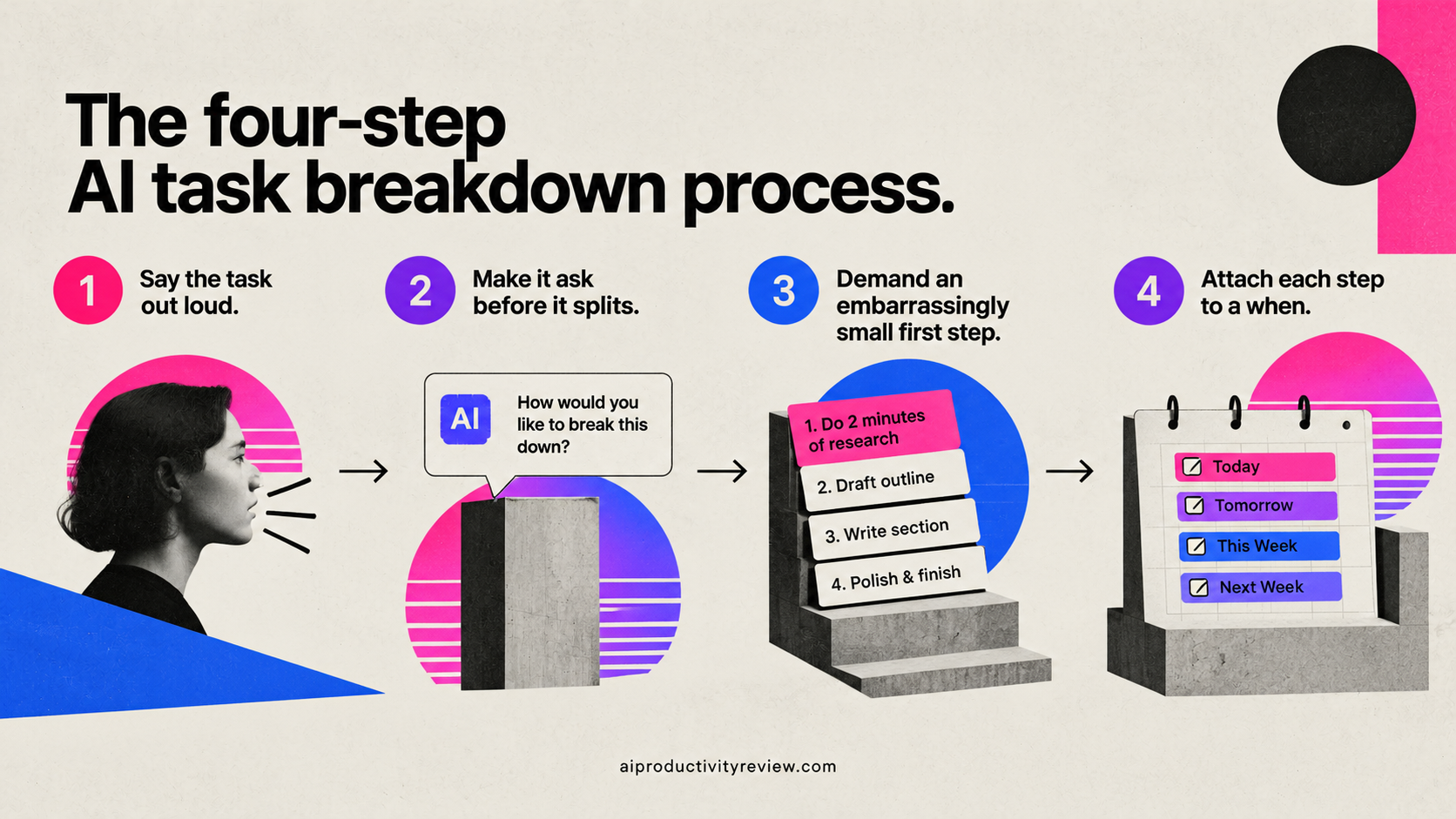
Step 1: Say the task out loud, badly
Don't write a clean brief. Talk to it the way you'd complain to a colleague. Voice note it if your tool takes voice. My input for the website thing was something like: "ok so the site is embarrassing, the pricing page especially, I want to fix pricing first, I have maybe four hours this week, I can't design so whatever I do has to use the existing template, and Dan has to sign off on any copy that mentions the enterprise plan."
Messy input with real constraints beats tidy input with none. This is also where a tool that already holds your notes and calendar earns its keep, since it can pull the constraints you didn't bother typing. Assistants like Saner.ai are built around that, keeping your notes, tasks and email in one place and break down your messy thoughts into real tasks with reminders.
>> If you're comparing options there, the roundup of AI personal assistants covers who does what.
Step 2: Make it ask before it splits
This is the one change that improves the output most

Add this to the end of your message: "Before you give me any steps, ask me five questions you need answered to break this down properly. Wait for my answers."
The questions it asks are usually the holes in my thinking. Who approves this. What's already been done. What happens if it's late. What does the existing version look like. Is this actually one project or two.
Answering five questions takes two minutes and doubles the quality of what comes back.
Step 3: Demand an embarrassingly small first step
Ask for it explicitly: "Step 1 must take under ten minutes, start with a physical verb, and be something I could do right now with the apps I already have open."
"Research competitor pricing pages" is not a first step. "Open three competitor pricing pages in tabs and paste their headline into a note" is a first step. One of those I'll do. The other one I'll read, feel vaguely tired, and leave.
The verb test is simple and it catches almost everything: if the step starts with understand, review, consider, align, explore, or think about, it's not a step. Send it back. Say "rewrite steps 2 and 4 to start with a physical action."
Step 4: Attach each step to a when
Don't close the chat with a list. Close it with a schedule.
Gollwitzer and Sheeran's meta-analysis of implementation intentions, covering 94 independent studies, found a medium-to-large effect (d = .65) on goal attainment from a single format: if situation Y is encountered, then I will initiate behavior Z. Not "I'll do it this week." A cue and a response.
So the last thing I ask for is: "Convert each step into an if-then: if [day and time or trigger], then [step]. Use my calendar gaps: I have 8-9am Tuesday, 2-4pm Thursday."
That output goes straight into the task manager with real dates. If you want the mechanics of fitting those into a real day, the day planning guide goes deeper on the calendar side.
Copy-paste prompt I use
The unpack (main one):
I need to break down this task: [task]. Deliverable: [x]. Deadline: [x], and it [is/isn't] real. Constraints: [hours, approvals, tools, what I won't do]. Done means: [x]. Before giving me steps, ask me five questions. After I answer, give me a numbered list of 5-9 steps. Step 1 must take under 10 minutes and start with a physical verb. Flag any step that depends on another person. No step may start with "understand," "review," or "align."
The estimate:
For each step, estimate how long it takes me. Then total it and multiply by 1.5. Tell me what I'd have to cut to fit it into [x] hours.
That multiplier isn't me being cynical. Kruger and Evans, in the Journal of Experimental Social Psychology paper If you don't want to be late, enumerate, found that unpacking a task into its parts made people give longer and, in two of their experiments, less biased estimates of completion time. Breaking things down doesn't just help you start. It stops you lying to yourself about Friday.
The stuck-on-step-three:
I've been avoiding step 3 for four days. Break step 3 alone into five smaller steps. Then tell me which one I'm probably actually avoiding and why.
The second sentence is doing real work. Sometimes the answer is "you don't have the information yet" and the fix is one email.
The reverse:
Work backwards from [deadline]. What has to be true one week before? Three days before? The morning of? Give me the latest possible start date for each step.
The scope check:
Is this one task or three? If it's more than one, split it and tell me which one delivers most of the value on its own.
I run that one on anything that feels heavy. Maybe a third of the time the answer saves me a week.
How small should a subtask be?
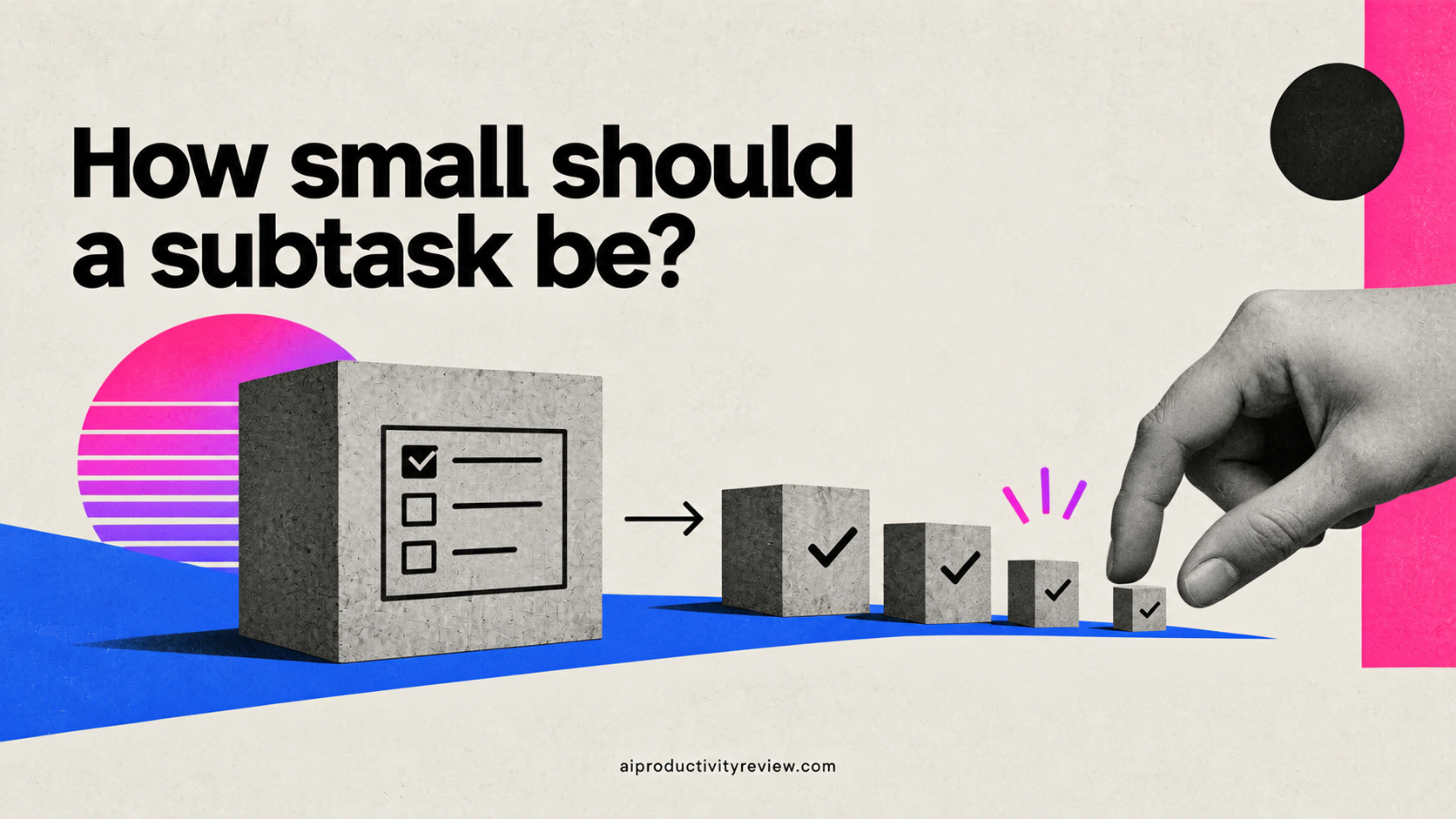
Three tests, in order of usefulness:
- The 25-minute test. If a step won't fit in one focused sitting, it's still a project wearing a task costume.
- The verb test. Physical, observable verb, or it's not a step. Open, draft, send, call, export, record, delete.
- The stranger test. Could a competent person who doesn't know your job do it from the sentence alone? If not, it's missing context that you'll have to reconstruct later, probably at 4pm on a low-energy day.
Don't go smaller than that. Five to nine steps. Then stop.
Which AI tool for which part in task breakdown?
| What you need | Best fit | Why |
|---|---|---|
| Thinking through a messy, ambiguous project | General chat assistant (Claude, ChatGPT) | Best at the interrogation step, no setup |
| Breakdown that lands in your actual task list | AI task manager | Steps become dated tasks without retyping |
| Breakdown using context you already stored | AI personal assistant (Saner.ai and similar) | Pulls your notes, email and calendar into the split |
| Fitting the steps into real calendar gaps | AI calendar assistant | Handles the scheduling arithmetic |
There's overlap, and you don't need four subscriptions. I use two. If you're choosing, the comparisons of the best AI task managers and AI calendar assistants are the useful starting points, and the broader AI task management system post shows where breakdown fits between capture and scheduling.
When your brain fights the breakdown
Some days the list is perfect and you still don't move. That's normal, and no tool fixes it.
It's worth saying that for people with ADHD, this isn't a motivation story. The NIMH's overview of ADHD lists difficulty "organizing tasks and activities, managing time, and meeting deadlines" and trouble "completing tasks that require sustained attention, such as homework, large projects, and complicated forms" among the symptoms of inattention. If that's you, the AI is doing a job your brain finds expensive, and offloading it isn't cheating. Our roundup of AI assistants for ADHD goes into which tools handle that offload best.
Two things that help on those days, regardless:
- Ask for a two-minute version of step one. Not ten minutes. Two. "Open the doc and type the title." Momentum is a physical thing.
- Ask the AI to read the list back as a five-line story of how the day goes. Something about hearing it as a narrative rather than a list gets me moving more often than it should. I have no research for that one. It just works on me.
Five ways this process goes wrong
- You accept the first output. The first list is a draft. Push back at least twice. "Steps 2 and 5 are vague, rewrite them" costs you eight seconds.
- You let it invent steps you don't need. AI loves adding "create a project brief" and "set up a tracking spreadsheet." Delete anything that isn't the work or a hard dependency.
- You break down a task you shouldn't be doing. Granularity makes a bad task feel legitimate. Run the scope check prompt first.
- The steps never leave the chat. If it isn't in your task manager with a date on it, it doesn't exist. This is the most common failure by a mile.
- You re-break the same task every week. If you're re-planning instead of doing, the problem is a decision you haven't made, not a list you haven't refined. Name the decision.
A worked example
Input: "fix the pricing page, 4 hours this week, existing template only, Dan approves enterprise copy, done = live and Dan's happy."
What came back after the five questions (trimmed):
- Open the current pricing page and screenshot all three tiers into a note. (6 min)
- Paste three competitor pricing headlines into the same note. (10 min)
- Draft five headline options for the top tier. (25 min)
- Send the enterprise copy to Dan with a Thursday deadline. (5 min, blocked on Dan)
- Rewrite tier descriptions to match the winning headline. (40 min)
- Swap copy into the template, check mobile. (30 min)
- Publish and send Dan the live link. (10 min)
Then the if-thens: step 1 and 2 if it's Tuesday 8am, steps 3 and 4 if it's Tuesday 8:15, steps 5 and 6 if it's Thursday 2pm.
Note step 4. It moved early because it's the one blocked on somebody else, and I would absolutely have left it until Thursday lol
When not to bother breaking down tasks?
- The task is one action. "Call the dentist" does not need subtasks. 🦷
- You've done this exact thing fifteen times. You have the steps. Use your old list.
- You're in the middle of it and it's going fine. Don't stop to plan. Planning is a fantastic way to avoid working.
- The task is emotionally hard rather than logistically hard. Breaking up "tell the team we're cutting the project" into six steps is procrastination with a spreadsheet.
Conclusion: What you can do today?

Fifteen minutes, right now:
- Open your task list and find the oldest item on it. The one you keep scrolling past.
- Paste the unpack prompt above with your four inputs filled in.
- Answer its five questions honestly, including the awkward one.
- Reject any step starting with an abstract verb. Ask for physical ones.
- Ask for if-thens against two real gaps in your calendar this week.
- Put the first step in your task manager with a date. Today's date if it's under ten minutes.
- Do step one before you close anything.
Then leave it alone until your weekly review, where you'll find out whether the plan survived contact with an actual week. Mine usually doesn't, entirely. But the first three steps get done, and three steps is three more than "website" ever got.
FAQ
What is AI task breakdown?
AI task breakdown is using a language model or AI assistant to split a large, vague task into a sequence of small, concrete, individually doable steps, usually with time estimates and dependencies attached. The useful version includes a scheduling step, so each subtask gets a specific day and time rather than sitting in a list.
How do you break down a project into tasks with AI?
Give the AI the deliverable, deadline, constraints and definition of done. Ask it to question you before it produces anything. Request 5-9 steps with a first step under ten minutes. Reject abstract verbs. Convert the steps into if-then plans tied to real calendar gaps, then move them into your task manager.
What's the best prompt for breaking down tasks?
The most reliable pattern is a constrained request with a forced question round: state the deliverable and constraints, then say "ask me five questions before giving me any steps." Add hard rules, like "step 1 must take under 10 minutes" and "no step may start with understand, review, or align."
How many subtasks should a task have?
Five to nine for most work tasks. Fewer and the steps are still too big to start. More and the breakdown itself becomes the procrastination. If you need more than nine, it's more than one task.
Can AI estimate how long a task will take?
It can produce estimates, and the act of enumerating steps tends to improve estimate accuracy, as Kruger and Evans found. But AI doesn't know your speed. Treat its numbers as a starting point and multiply by roughly 1.5 until you've calibrated against your own tracked results.
Does AI task breakdown help with ADHD?
Many people find it helps, because it offloads the organizing and sequencing work that NIMH lists among the inattention symptoms of ADHD. It's a support, not a treatment, and it works best when the first step is very small and the steps land on a calendar rather than in a list.
Do I need a special AI task breakdown tool?
No. A general chat assistant handles the thinking. The thing that matters more is where the output lands, so a task manager or AI assistant that can hold the steps with dates is worth more than a dedicated breakdown app. New to this, the beginner's guide to AI assistants is a decent place to start.