How to Use Gemini in Google Calendar: What Works, What Doesn't?

The short answer
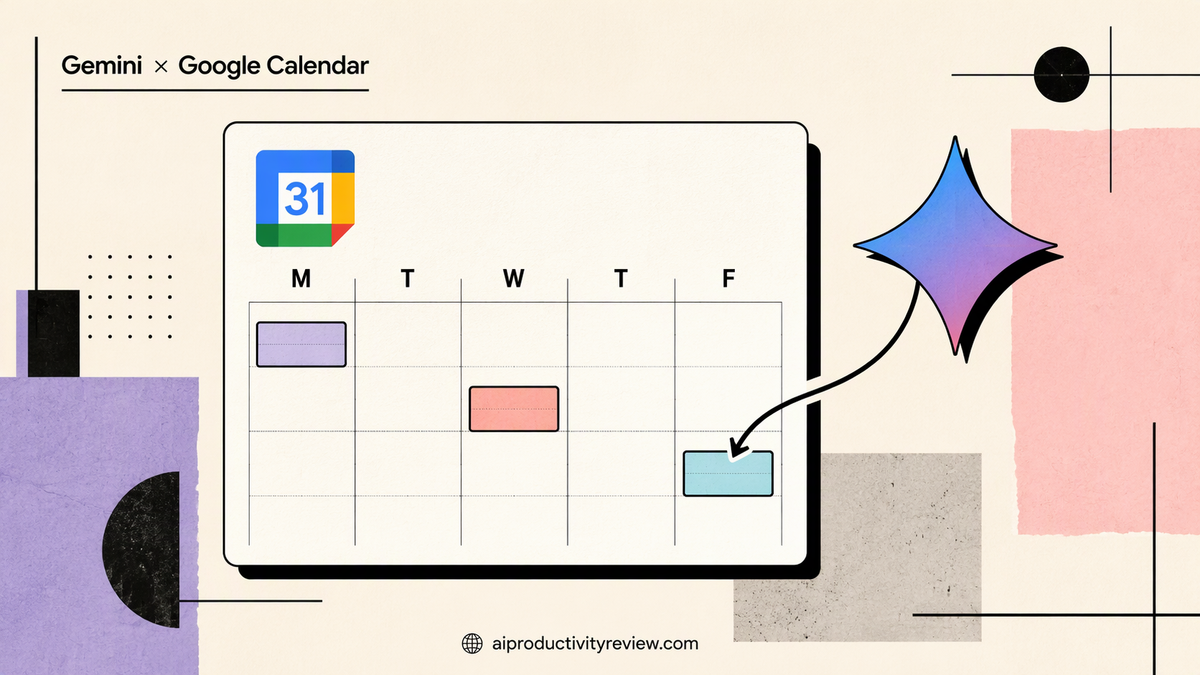
You can use Gemini with Google Calendar in four places today:
- Suggested times when you create an event in Calendar on the web (paid Workspace plans).
- Help me schedule inside Gmail, which reads a "when are you free?" email and offers slots.
- The Gemini app (phone or web), where you can create, find, move and cancel events by chatting.
- Gemini in Gmail, which can add events from emails and answer "what's on my calendar?"
Wait, isn't there a Gemini button in Calendar?
Sort of. Google tested a Gemini side panel in Calendar through Workspace Labs back in 2025, with prompts like "When is my next meeting with Emily?". Admins can switch "Gemini features and the side panel" on or off for Calendar

But I couldn't find an official Google post saying the panel is generally available to everyone. So if you don't see it, you're not doing anything wrong. Use the four routes below. They work.
Route 1: Suggested times in Calendar (the best one)
This is the most useful Gemini calendar feature, and most people never click it.
How to use it:
- Open Google Calendar on your computer.
- Click Create → Event.
- Add your guests.
- Click Suggested times.
- Pick one. Or click More suggestions.
- Use Filter to mark people as optional or toggle rooms.
To reschedule: open the event, click Edit, then Suggested times. If several guests decline, Calendar may show a "Reschedule to [time]" banner you can click
Since January 2026 the suggestions consider time zones, working hours and conflicts for colleagues whose calendars you can see (Workspace Updates).
Where it fails:
- Not on the Calendar mobile apps.
- Not for events longer than 8 hours.
- Not for past dates, or when there are too many attendees.
- It can only see calendars you have access to. External guests are a guess.
Pro tip: set your working hours in Calendar settings first. Otherwise Gemini will happily suggest 7 a.m. because, technically, you were free. (You were asleep. That's a kind of free.)
Route 2: Help me schedule in Gmail
Someone emails "Can we find 30 minutes next week?" Normally that's four emails of ping-pong.
How it works:
- Open the email in Gmail on the web and hit Reply.
- Look for the Help me schedule button. Gemini spots scheduling emails and shows it.
- Gemini proposes time slots from your calendar and the email's context (4 slots by default).
- Adjust the slots. Green means everyone's free. Amber means someone has a conflict.
- Send. When the other person picks a slot, the invite goes out.
You can also swap the slot card for plain text, or insert a booking page from your appointment schedule.
Good for: sales calls, client check-ins, anyone who sends you "what works for you?" twice a week.
Watch out: the instructions are web-only, and consumer plans aren't listed for the group-meeting update. If you're on a personal account, test it before you promise a client "I'll send times."
Route 3: the Gemini app (phone and web)
This is the chatty one. You talk, it edits your calendar.
Setup:
- Open the Gemini app and sign in.
- Turn on Keep Activity (Gemini needs it for connected apps).
- Make sure the Google Workspace connection is on, using the same account as your calendar.
- Type or say "@Google Calendar" to call it directly.
Prompts that work (from Google's help page, plus how I'd phrase them):
- "Add dentist to my calendar Thursday at 3 p.m. and add a description: bring insurance card."
- "What's on my calendar today?"
- "When is my next meeting with Priya?"
- "How many meetings do I have tomorrow?"
- "Reschedule the design review on Friday to Monday at 10."
- "Change the name of 'Sync' to 'Q4 pricing sync.'"
- "Cancel my next meeting with Sam."
- "Add these to my calendar." Then paste a list, a screenshot of a flyer, or an email.
That last one is the sleeper hit. Screenshot a school schedule or a conference agenda, say "add these," and review what it creates.
Limits (straight from Google):
- It can't add or invite guests. Create the event, then add people in Calendar.
- You can undo from the confirmation notification, but emails already sent to guests can't be unsent, and events made in Gemini Live can't be undone.
- Non-Google calendar apps (like Samsung's) only work on certain devices.
Voice version: Gemini Live can search, add and change events while you talk. Handy while driving or walking. Be specific with dates, because "next Friday" is a philosophical debate.
Route 4: Gemini in Gmail for calendar stuff
If you live in Gmail, you don't need to leave it.
- Open the Gemini side panel in Gmail and use "@Calendar."
- Try "Create a 30-minute event for my weekly yoga class every Monday and Wednesday at 9 a.m." (Workspace Updates).
- When an email contains an event, look for the Add to calendar button (Workspace Updates).
- On the Gmail mobile app, Gemini can create, edit or delete events and summarize your day, in 28 languages.
For a deeper take on protecting your time, see how I time block with AI.
Where Gemini stops and other tools start
Gemini is great at "put this on my calendar" and "when can we meet." It's weaker at the bigger question: "Given everything I have to do, what should my calendar look like?"
What's missing:
- Auto-scheduling tasks into free time. That's what Reclaim and Saner.AI do. See our Reclaim AI review and the best AI scheduling assistants.
- Defending focus time. Gemini won't auto-move a focus block when someone books over it.
- Linking events to your notes and tasks. Gemini knows your calendar. It doesn't know the to-do list in your head.
This is where a tool like Saner.AI fits. It syncs with Google Calendar, pulls tasks out of your notes and email, and its assistant proposes a daily plan around your meetings. It won't replace Help me schedule or Suggested times, and it can't book meetings with other people's calendars the way Gemini can. Think of it as the layer that decides what goes in the gaps. Plenty of people happily use Gemini alone, though.
Want the full field? Our best AI calendar assistants roundup compares the options, and ChatGPT vs Claude vs Gemini for personal use covers the chat assistants themselves.
Is it private?
Per Google's own help page, Workspace data isn't used to train or improve the underlying generative AI models, and Google AI plan users' content in these apps isn't used to train Gemini (Google help). One caveat from that same page: on personal accounts, what you share with the Gemini app itself falls under the Gemini app's terms. Read those if your calendar is full of sensitive stuff.
The bottom line
Use Suggested times for internal meetings, Help me schedule for anything that starts with "when works for you," and the Gemini app for quick adds and "what's next." That covers most of what Gemini in Google Calendar can do today.
The part it doesn't cover (planning your actual work) is still on you. Or on another tool. Your call.
FAQ
Can Gemini add events to Google Calendar?
Yes. In the Gemini app, ask "Add [event] to my calendar on [day] at [time]." Gemini in Gmail can also add events from emails. It can't invite guests from the Gemini app, so add people in Calendar afterward
Is Gemini in Google Calendar free?
The Gemini app's Calendar connection works on personal Google accounts. Suggested times in Calendar needs Business Standard, Business Plus or Enterprise Standard/Plus. Help me schedule in Gmail launched for paid Workspace plans plus Google AI Pro and Ultra.
Why don't I see Suggested times?
It's web-only and not on Business Starter. It also won't appear for events over 8 hours, past dates or very large guest lists (Google help).
Does Gemini work with Google Calendar on iPhone?
Yes, through the Gemini app and the Gmail app. Suggested times inside the Calendar mobile apps isn't supported.
Can Gemini schedule meetings with multiple people?
Yes. Since March 2026, Help me schedule in Gmail handles up to 20 guests, including external ones
Does Google train Gemini on my calendar?
Google says Workspace data isn't used to train its generative AI models, and Google AI plan users' content in these apps isn't used for training either. Personal Gemini app chats follow the Gemini app's own terms
Can Gemini automatically time block my tasks?
Not on its own. For auto-scheduling tasks into free time, look at dedicated tools in our best AI scheduling assistants guide.