The Best AI Scheduling Assistant Reviewed

💡 Quick answer: If your bottleneck is that your input never become a workable plan, Saner.ai pulls everything together into one proactive schedule. Want your calendar to just decide and move things around without asking? Motion. Want smart suggestions you approve yourself? Morgen. Prefer raw speed and manual placement from a centralized inbox? Akiflow.
Quick self-check before you read another word
Answer these then jump to the matching section below:
- "I want it handled, don't ask me." → Jump to Auto-schedule.
- "Half my tasks aren't even written down yet." → Jump to Capture-and-proactive-plan.
- "I want suggestions, but I decide." → Jump to Suggest-and-approve.
The three ways AI schedules things
Every AI scheduling assistant on the market falls into one of three mechanisms. Knowing which one you're looking at tells you more than any feature list.
- Auto-schedule: The AI places tasks on your calendar and moves them without asking first. You set the rules once; it executes continuously.
- Suggest-and-approve: The AI proposes a plan, but nothing touches your calendar until you click yes. You stay the final decision-maker on every placement.
- Capture-and-proactive-plan: The AI doesn't wait for a defined task at all. You hand it raw input, voice, a messy email, a random thought, and it both creates the task and schedules it, often before you've opened the app that day.

Mechanism 1: Auto-schedule
1.Motion
Motion auto-schedules tasks into open calendar gaps based on deadlines and durations, then replans the whole day the moment something changes with its "Reschedule All" feature.
- Price: $49/seat/month. 7-day trial, no free plan.
- Best for: Meeting-heavy professionals who want zero manual replanning, even on a chaotic day
- Trade-off: Only as accurate as your time estimates, and the mobile app trails the desktop one. Full breakdown in my Motion alternatives roundup
What it does best:
- Instant daily replanning: Rebuilds my entire day whenever emergencies pop up, with zero manual dragging or dropping.
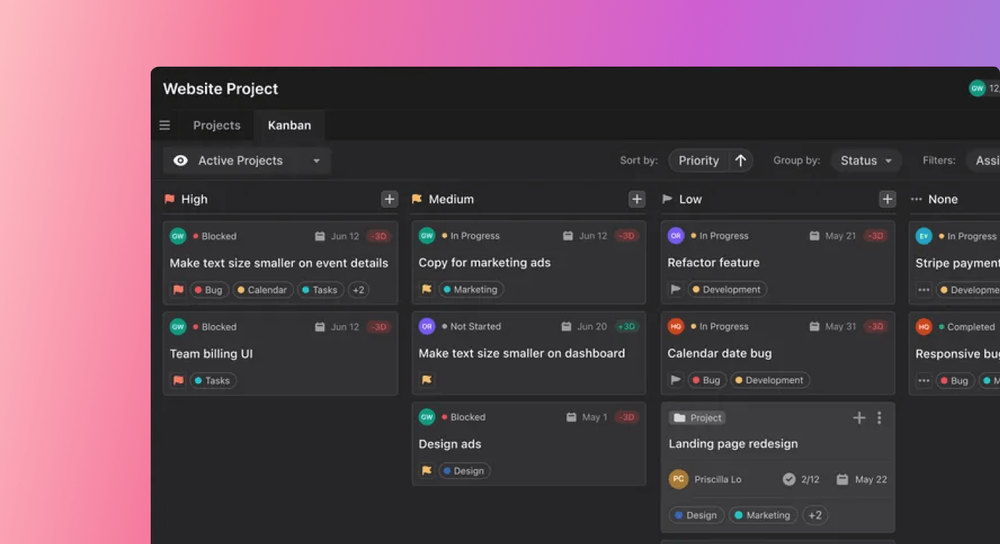
- Smart deadline tracking: Works backward from due dates to slot high-priority work first, warning well in advance if I'm running behind.
- All-in-one calendar hub: Syncs Google, Outlook, and Apple calendars into one place alongside task boards, booking links, and AI notes.
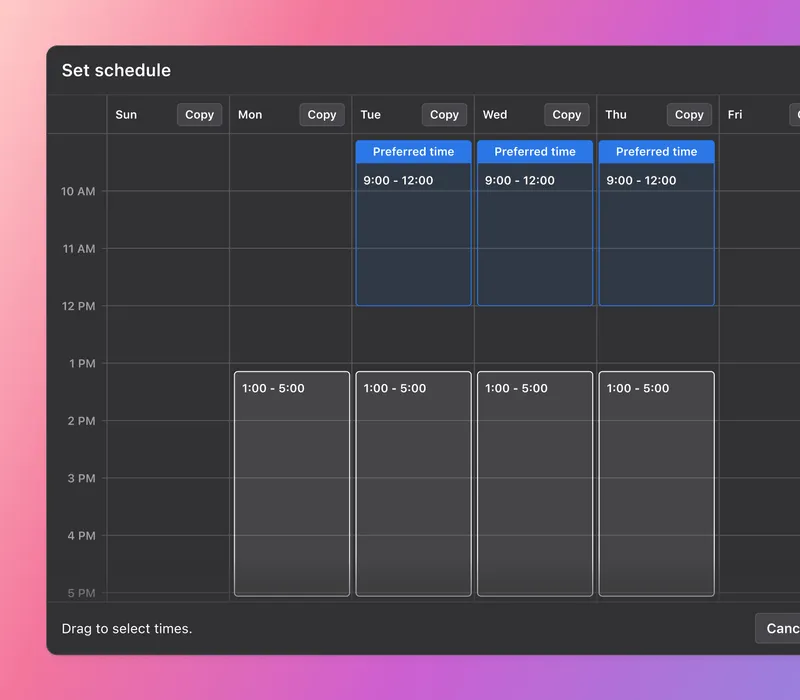
- Protects focus time: Books my tasks as actual calendar events so coworkers can’t schedule meetings over my deep-work hours.
Where it falls short:
- Doesn't create tasks for you: It schedules your time, not your work, meaning you still have to enter tasks yourself
- Requires strict habit keeping: If you skip updating task progress, work hours, or time estimates, the auto-scheduling engine quickly falls out of sync.
- Weak mobile experience: The phone apps feel clunky, making them fine for quick checks but painful for tweaking your schedule on the go.
Mechanism 2: Capture-and-proactive-plan
2.Saner.ai
Saner.ai is built around that earlier step specifically. It leans into three things the mechanisms above don't attempt:
- Voice to calendar: Speak aloud, tag a messy email, or drop a quick thought. The AI figures out what you need, turns vague ideas into clear steps, and puts them straight on my calendar so nothing gets forgotten in a note.
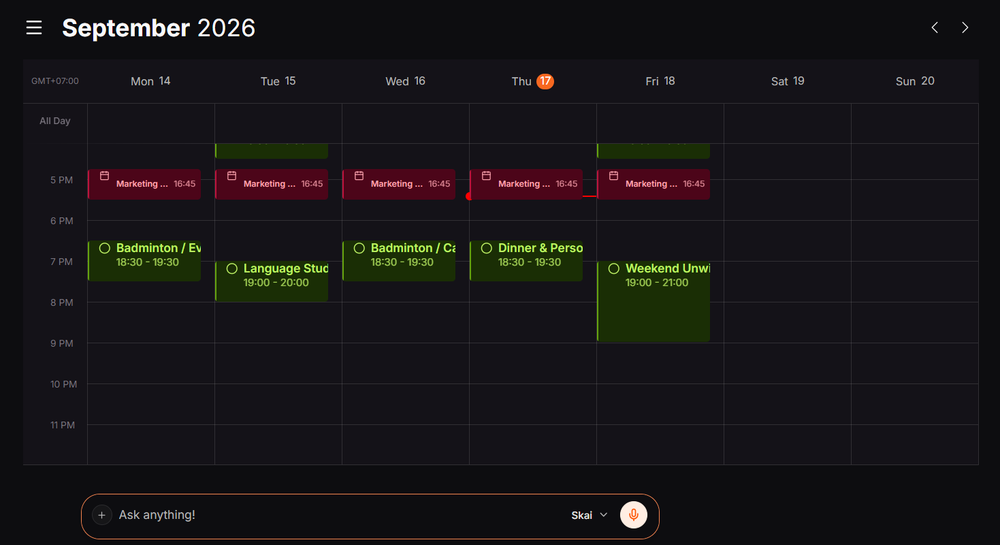
- Proactive planning: Instead of facing an empty calendar each morning, I wake up to a draft day built from my notes, inbox, and open to-dos, so you just tweak the plan rather than make one from scratch.
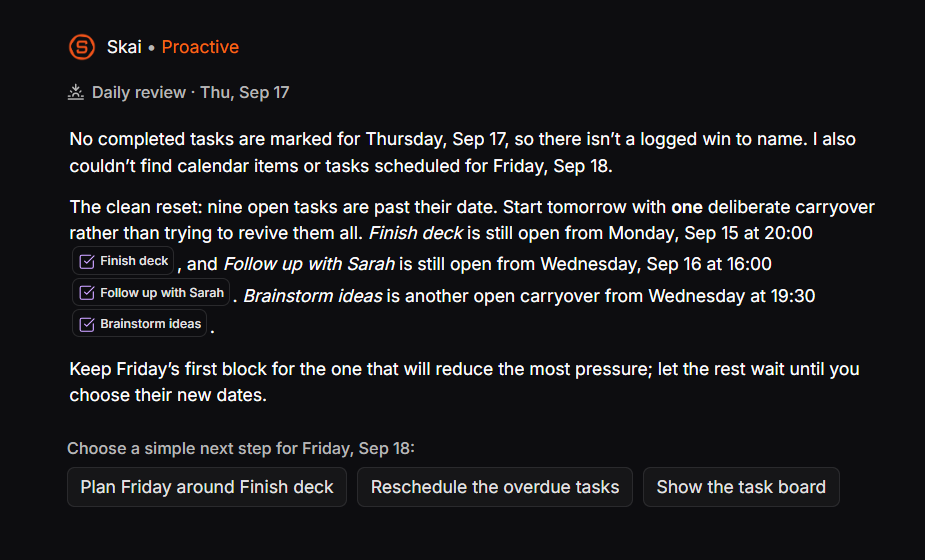
- Calm workspace: A clean, distraction-free space that keeps things simple and avoids cluttered, stressful dashboards.
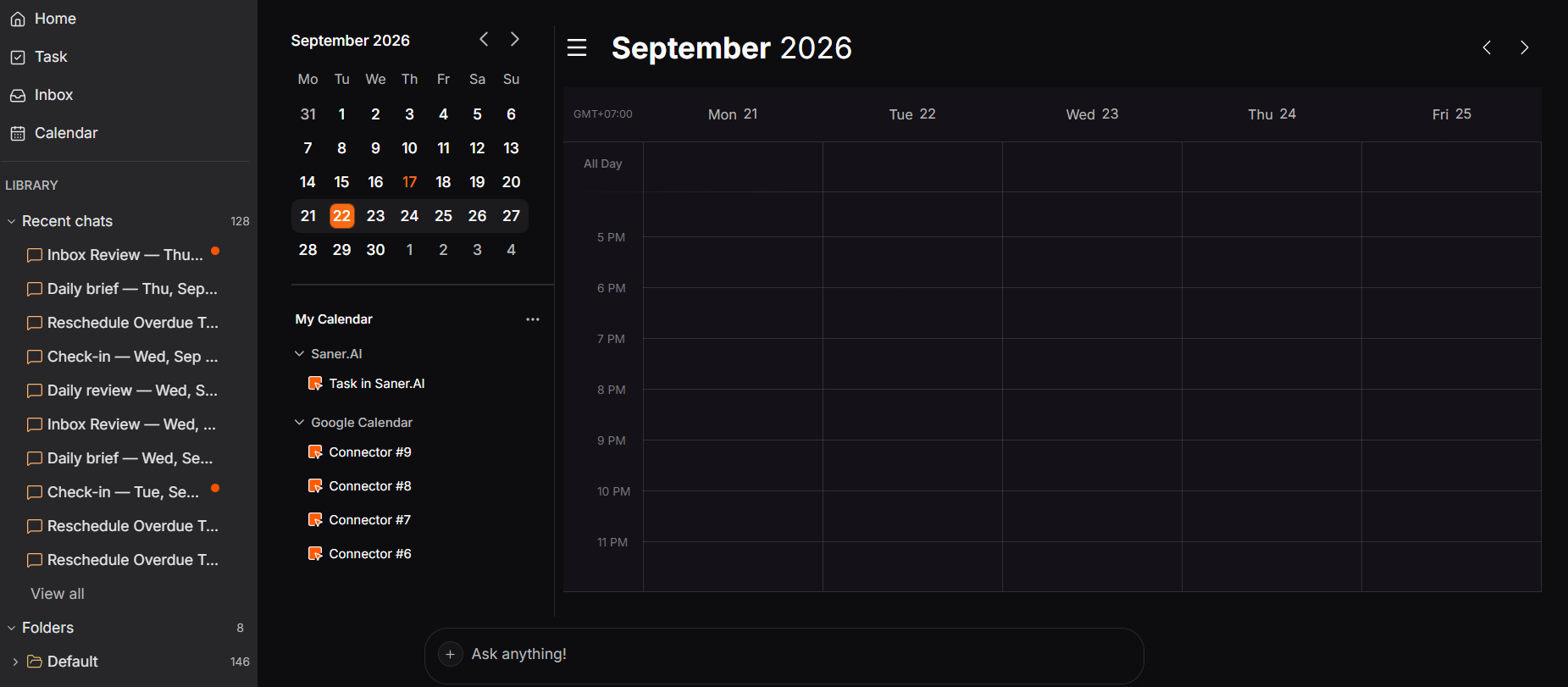
- Built-in task manager: A quick line like "follow up with Sarah next week" instantly becomes an actual scheduled task without having to type it into another app.
- Price: Free plan; paid tiers from $8/month (Starter) to $16/month (Standard), the cheapest entry point of any tool in this piece
- Best for: People whose actual bottleneck is capture, not calendar logic, including ADHD-related difficulty following through once something's written down somewhere else
- Trade-off: It's a younger product with a smaller public review base than Motion or Morgen, and it's not a team project-management tool.
Mechanism 3: Suggest-and-approve
3.Morgen
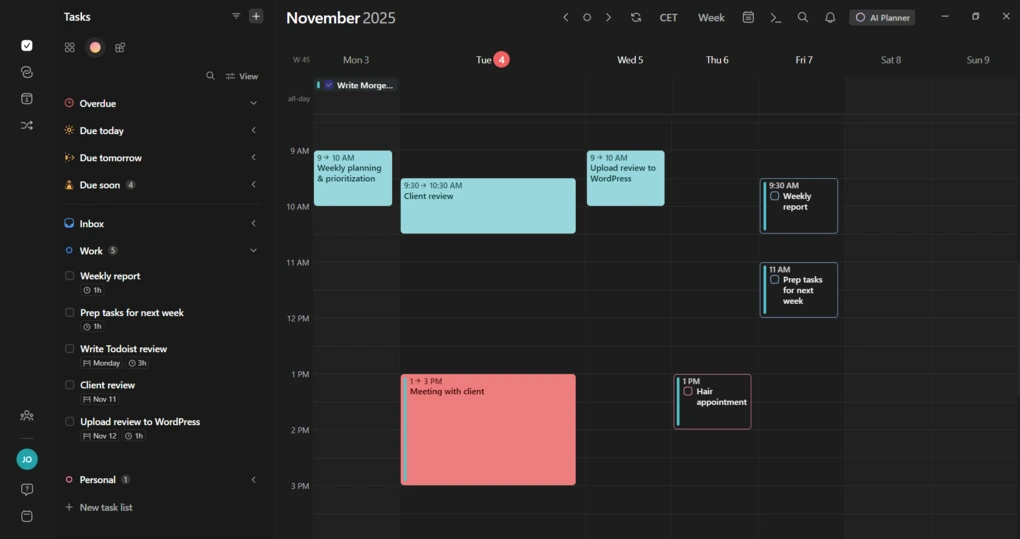
Morgen unifies your calendars into one view and its AI Planner suggests where tasks could go based on your patterns and reusable time templates called Frames. Nothing lands on your calendar without your approval.
- Price: $15/month billed annually, $30 monthly, 14-day trial, no permanent free plan
- Best for: People juggling multiple calendars who want AI help but refuse to hand over the final decision
- Trade-off: The approval step is itself a small daily decision, and research on decision-making suggests that add up. No task dependency support either
What it does best:
- Seamless multi-calendar sync: Clean views across day, week, and month, with deep connections to Notion, ClickUp, Linear, Google Tasks, Microsoft To Do, and Apple Reminders.
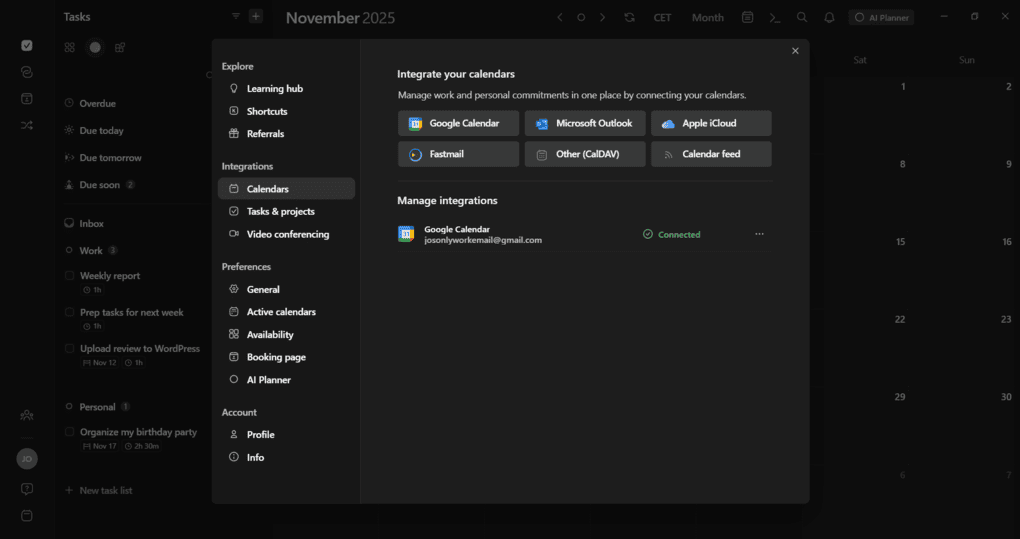
- Built-in sidebar task management: Quickly create tasks with subtasks, due dates, priority tags, and time estimates directly in the sidebar.
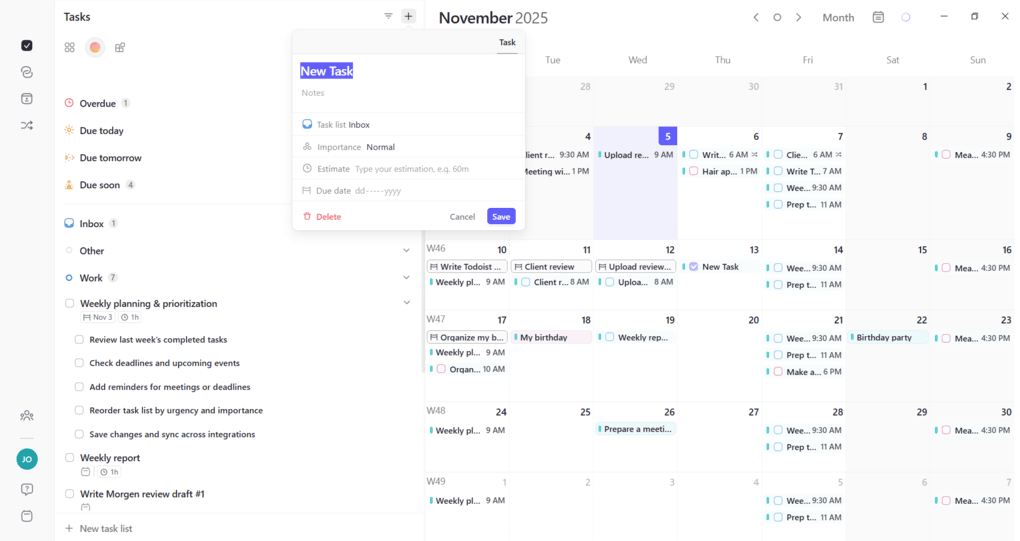
- AI planning that leaves me in control: Suggests smart time blocks based on my daily habits, but never places anything onto schedule without my approval.
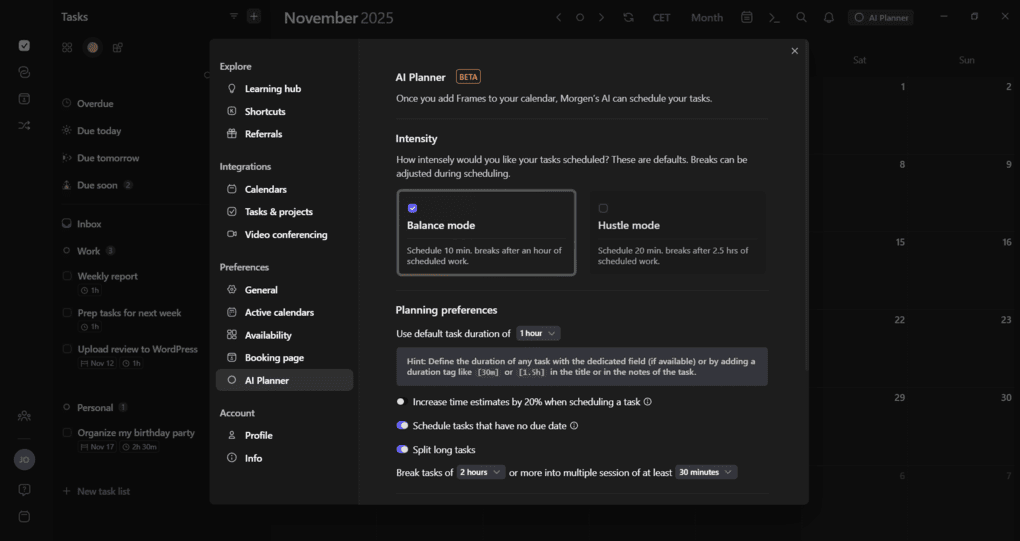
- Clean, flexible interface: Fully customizable with light and dark modes, plus a quick pop-up window to adjust times, reminders, and meeting links without jumping screens.
Where it falls short:
- Shows tasks, but doesn't replace task apps: Functions primarily as a calendar that displays to-dos, you often still need a separate app subscription to manage the original tasks.
- No proactive nudges or morning drafts: Doesn't hand you a ready-made daily plan; you still have to manually review and map out your day yourself.
- Paid-only mobile app with occasional sync lag: Using the mobile app requires an active subscription, and changes made on desktop can sometimes take a moment to reflect on your phone.
4.Akiflow
Akiflow sits closer to manual than Morgen, but still qualifies here: its AI assistant Aki takes natural-language commands and finds a slot when you ask, with a command bar for fast keyboard-first placement, while leaving every placement under your direct control.
- Price: $19/month billed annually, $34 monthly, 7-day trial (extendable with an onboarding call), no free plan
- Best for: Power users with tasks scattered across 50+ tools who want speed without losing control
- Trade-off: A chaotic day still means you do the replanning yourself; it's assistance, not automation
What it does best:
- One inbox for 50+ apps: Pulls flagged emails, mentions, and tasks from Gmail, Slack, Notion, Jira, and Asana into a single, clean daily list.
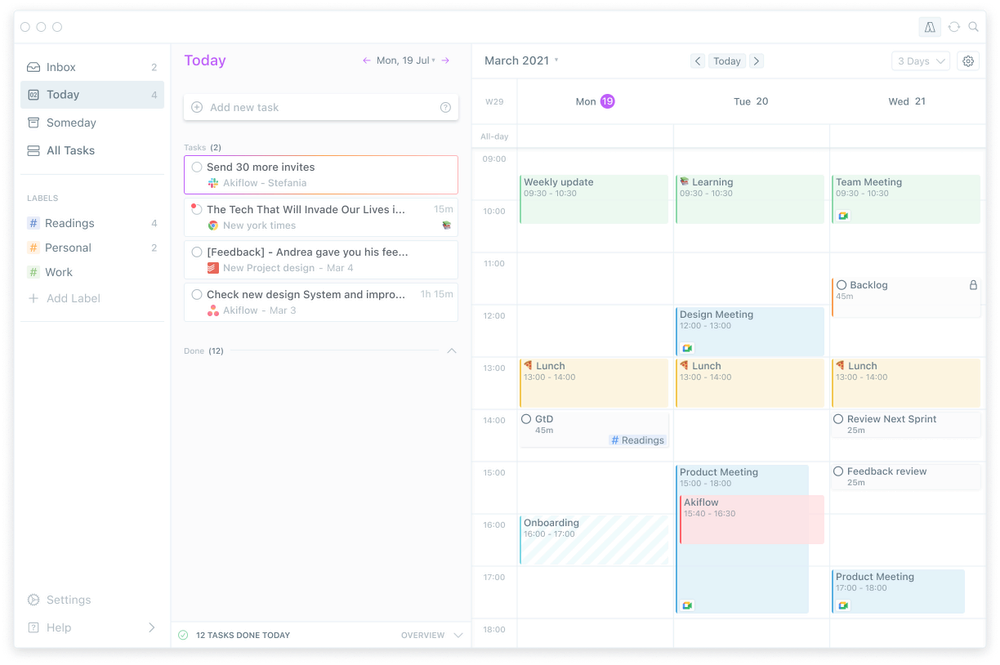
- Easy time-blocking: Drag tasks directly onto a calendar that stays perfectly in sync with Google Calendar and Outlook.
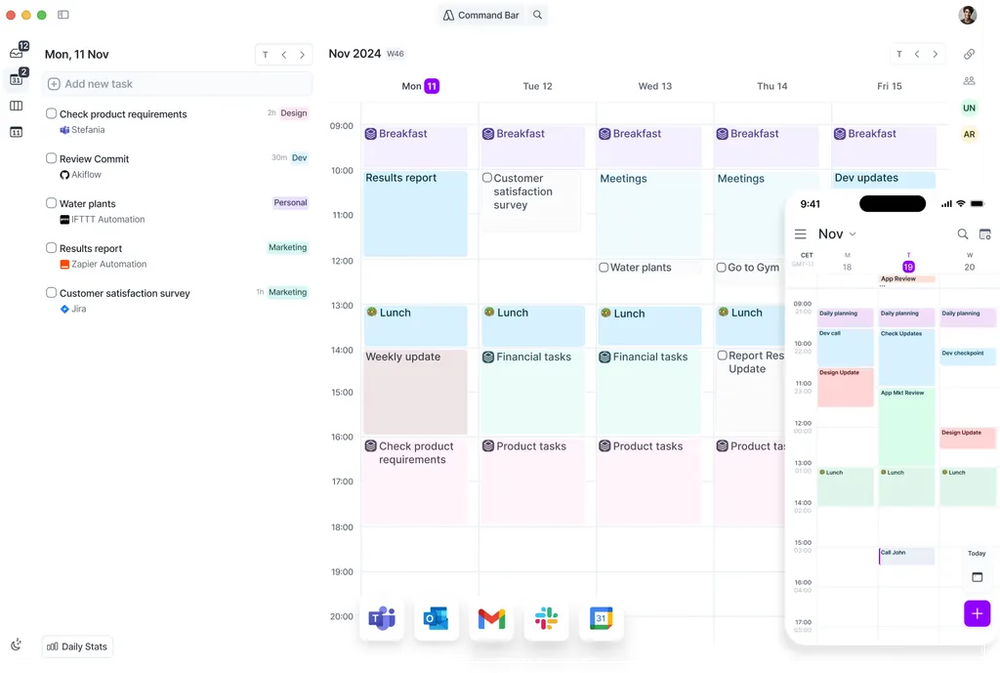
- Fast keyboard shortcuts: Lets power users add, plan, and move tasks in seconds using quick key commands without touching a mouse.
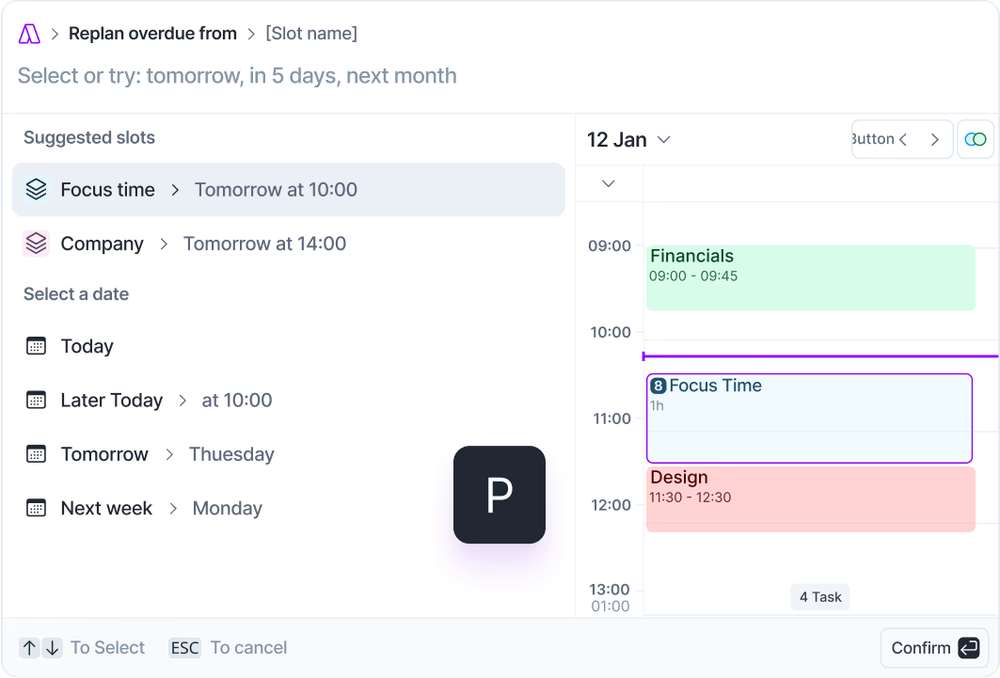
- Smart AI replanner (Aki): Understands everyday language to reorganize to-dos and shift my day around whenever conflicts show up.
- Built-in meeting helper: Attends video calls, types out transcripts, and automatically turns key takeaways into real tasks.
Where it falls short:
- Costly with no free plan: Quite pricey for solo users compared to basic to-do apps, and it requires a paid subscription once the trial ends.
- Cause inbox clutter: Pulling in notifications from tons of workplace tools can easily bring back the exact digital mess you want to avoid.
- Built mainly for desktop: The smooth keyboard shortcuts work great on computers, but the mobile apps feel limited
- A collector, not a project planner: Doesn't replace tools like Jira or Asana, it lacks big project boards, detailed subtasks, and team wikis.
- Needs manual input: Its AI helps when you ask it to, but it won't quietly rebuild and fix your schedule in the background on its own.
How to pick AI Scheduling Assistant in two minutes?
| If you think... | You want this mechanism | Start here |
| "Just handle it, don't ask me" | Auto-schedule | Motion |
| "I want suggestions, but I decide" | Suggest-and-approve | Morgen |
| "I want speed, not automation, and I'll place things myself" | Suggest-and-approve (manual-leaning) | Akiflow |
| "Half my tasks aren't even written down yet" | Capture-and-proactive-plan | Saner.ai |
A setup checklist for whichever AI scheduling assistant you pick
- Connect one calendar first, not three. Get a single calendar fully synced and trusted before adding a second or third source
- Give the AI real duration estimates, not optimistic ones. Every mechanism above, auto-schedule especially, is only as good as the time estimates you feed it
- Pick your approval rhythm on purpose, if you're in the suggest-and-approve camp. Decide now whether you'll review suggestions once a day or as they come in. An undecided rhythm is how the approval step turns into background anxiety instead of a quick daily habit.
- Run one deliberately bad day before you judge it. A tool that only performs well on a calm week isn't solving the problem you bought it for. Test it against a day with three last-minute meetings before deciding it's "not for you."
- Decide what "captured" means as an endpoint, if you're using a capture-and-proactive-plan tool like Saner.ai. Does a captured thought become a task automatically, or does it need a nudge?

Which AI scheduling assistant should you choose?
- Your real problem is that tasks stay trapped in messy notes, and you’d rather edit a ready-made morning plan than build one from scratch: Saner.ai
- You want a fully hands-off calendar that reshuffles your entire day automatically whenever plans change: Motion
- You want smart time-blocking suggestions across all your calendars, but insist on approving every event yourself: Morgen
- You juggle tasks across dozens of work apps and want keyboard shortcuts to pull them in and time-block them at lightning speed: Akiflow
FAQ
What's the best AI scheduling assistant overall? Saner.ai is the only one of the group that doesn't require a task to already exist before it can schedule it. Motion auto-schedule without asking. Morgen and Akiflow keep you approving every placement.
Is full automation actually better than staying in control? Not universally. Research on decision fatigue suggests full automation removes a real daily cost (Vohs et al., 2008), but plenty of people specifically want veto power and find it reassuring, not draining. Test which one you are rather than assuming.
Do any of these have a free plan? Yes. Saner.ai's free plan are all free. Motion, Morgen, and Akiflow offer trials only.
Is any of these good for ADHD specifically? Saner.ai is explicitly built with ADHD and executive-dysfunction workflows in mind, including the gap between a thought occurring to you and it actually becoming a scheduled task.
>> See my AI assistants for ADHD roundup for the full comparison, and talk to a professional if scheduling trouble feels like more than everyday disorganization.
What's the real difference between Saner.ai and the other tools here? Motion, Morgen, and Akiflow all schedule tasks you've already defined, using one of two mechanisms. Saner.ai works a step earlier, turning voice notes, emails, and random thoughts into scheduled tasks itself, then proactively building a plan around them overnight.



