ChatGPT vs Claude vs Gemini for Personal Use: Which One Should Run Your Life?

The short answer
Pick Gemini if your life already runs on Gmail, Google Calendar and Google Photos. Its Personal Intelligence feature can pull from Gmail, Photos, YouTube and Search, and nothing else gets that close to your Google data.
Pick ChatGPT if you want the most well-rounded assistant: memory, reminders via Tasks, Gmail and Calendar connectors, voice, and the biggest pile of third-party integrations.
Pick Claude if most of your "assistant" work is thinking and writing: drafting tricky emails, planning projects, turning a messy brain dump into a plan you'd actually follow.
And if what you really want is a to-do list that organizes itself, none of the three is built for that. More on this further down. 👇
Quick comparison table
Prices are US monthly list prices as reported on October 7, 2026 by AppleScoop's subscription comparison. They change often, so check each pricing page before you buy.
| ChatGPT | Claude | Gemini | |
|---|---|---|---|
| Free plan | Yes | Yes | Yes |
| Budget tier | Go, $8/mo | None | Google AI Plus, $7.99/mo |
| Standard paid tier | Plus, $20/mo | Pro, $20/mo ($17/mo billed yearly) | Google AI Pro, $19.99/mo |
| Power tiers | Pro, from $100/mo | Max, $100 or $200/mo | AI Ultra, from $99.99/mo |
| Gmail + Google Calendar | Connectors on paid plans | Read-only integrations on paid plans | Personal Intelligence (AI Pro/Ultra, US beta at launch) |
| Scheduled reminders | Tasks | Not a core chat feature | Scheduled Actions |
| Best at | All-rounder | Writing, reasoning, planning | Google apps |
What does "personal use" actually mean here?

When people search "ChatGPT vs Claude vs Gemini," most comparisons test coding and benchmarks. That's not your life. Your life is:
- Remembering that your kid's school form is due Friday
- Writing the email to your landlord that's firm but not too firm
- Figuring out what to cook with half an onion and some regret
- Planning a week that has 47 hours of stuff in it
- Finding that one thing someone sent you three weeks ago
So I'm judging on five things a personal AI assistant has to do:
- Know you (memory and personal context)
- Reach your stuff (email, calendar, files)
- Remind you (follow-up without you asking twice)
- Think with you (planning, writing, decisions)
- Cost a reasonable amount
Let's go one by one.
Which AI remembers you best?
All three now have some form of memory. They just go about it differently.
ChatGPT memory
ChatGPT builds a profile from your conversations. It saves things you explicitly ask it to remember and things it picks up along the way. You can view, delete and add memories in settings, and Temporary Chat skips memory for a single conversation.
Claude memory
Claude added chat memory, and you can view, edit and pause it from settings. There's also an incognito mode for chats you don't want remembered. Claude's Projects are the bigger deal for personal use, though. You can make a "Home admin" project with your lease, insurance info and a note about how you like things written, and every chat inside that project starts with that context.
Gemini memory (Personal Intelligence)
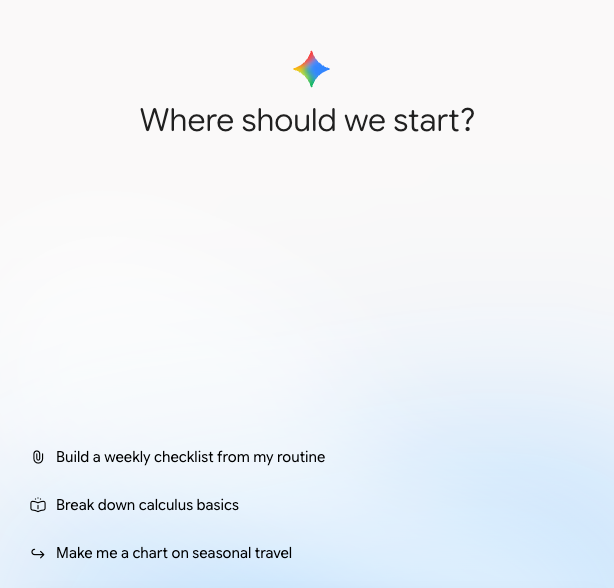
Gemini goes further because Google already knows a scary amount about you. 😅 Google's Personal Intelligence announcement (January 14, 2026) says it can connect to Gmail, Google Photos, YouTube and Search, and it's off by default. You choose which apps to link.
Verdict: Gemini wins on "knows your life" if you live in Google. ChatGPT wins on "learns from talking to you." Claude's Projects win on keeping contexts tidy.
Which one can actually reach your email and calendar?
ChatGPT
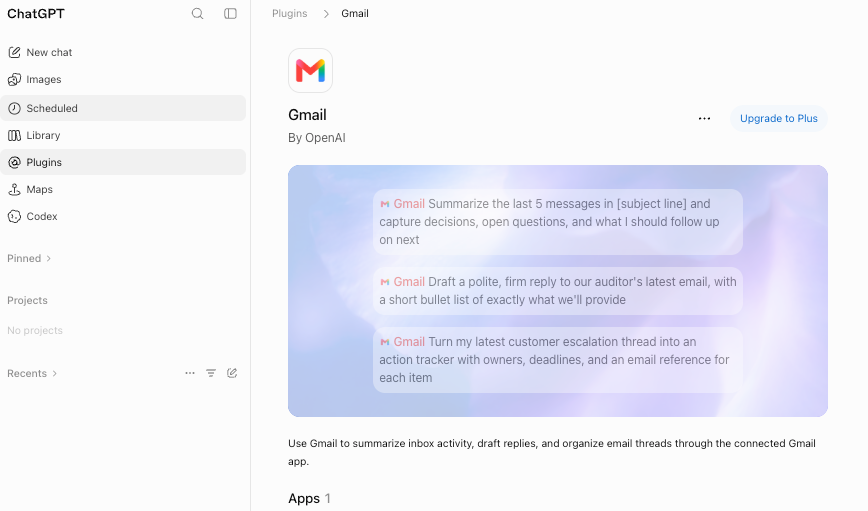
OpenAI added Gmail, Google Calendar and Google Contacts connectors in August 2025, starting with Pro and then Plus, according to Search Engine Journal's report.
Claude
Claude's Gmail and Google Calendar integrations are available on all paid plans. One important limit from Anthropic's own help page: the integrations "currently do not support creating or modifying emails and calendar events." So Claude can read and summarize, then you copy its draft over yourself.
Gemini
Gemini is Google's own product, so the Gmail and Calendar connection is the most native of the three. Ask about a flight confirmation buried in your inbox, and it can go find it. With Personal Intelligence switched on, it can combine sources, like your Photos and your Gmail, in one answer.
Verdict: Gemini for Google-heavy lives. ChatGPT if you mix tools. Claude if you mostly want reading and drafting, not doing.
If email is what's drowning you, I've gone deeper in how to use AI to manage email and the roundup of best AI email assistants.
Which one reminds you to do things?
An assistant that only answers when you ask is half an assistant. The other half is tapping you on the shoulder.
- ChatGPT Tasks. You can say "every weekday at 7:30am, give me a news summary and remind me to drink water" and it runs on schedule.
- Gemini Scheduled Actions arrived in mid-2025. Same idea: recurring prompts that fire at set times.
- Claude doesn't have a scheduled reminder feature in the regular chat app the way the other two do. You'd lean on your calendar or a separate tool.
Here's my take, though. Chatbot reminders are fine for "send me a briefing at 7am." They're clunky for real task management. You can't drag a reminder to tomorrow, see everything due this week in one view, or mark something half-done. I covered the cracks in detail in the AI for task management guide.
Verdict: ChatGPT and Gemini tie. Claude sits this round out.
Which one is best at thinking with you?
Claude: the thoughtful one
Claude tends to write in a calmer, less salesy voice. When you paste in a messy brain dump, it's good at asking the one question you skipped. It's my default pick for:
- Emails where tone matters (apologies, pushback, "per my last email" energy without the passive aggression)
- Turning chaos into a step-by-step plan
ChatGPT: the Swiss Army knife
ChatGPT does a bit of everything. Voice mode is good for talking through a problem while you walk. Image understanding helps with "what's wrong with this plant" or "what does this parking sign mean." Custom GPTs let you save mini-assistants for things you do often.
Gemini: the researcher with your inbox open
Gemini's edge shows up when the answer depends on your data plus the web. "When does my flight land, and what's traffic like from the airport around then?" pulls from two worlds at once. That combination is hard for the others to match without extra setup.
Verdict: Claude for writing and planning. ChatGPT for variety. Gemini for answers that mix your data with the web.
How much does each one cost for personal use?
- Cheapest paid option: Google AI Plus at $7.99 or ChatGPT Go at $8.
- Best extras for the money: Google AI Pro bundles extra Google storage, which matters if you were paying for Google One anyway. Check the current bundle on Google's site.
- Yearly discount: Claude Pro drops to $17/month if you pay annually.
- Power users: All three have $100+ tiers. You almost certainly don't need them for personal life admin. 💸
Is any of them a real task manager?
Short answer: no.
ChatGPT, Claude and Gemini are conversation-first. You talk, they answer. The task list lives inside chats that scroll away. Ask "what did I say I'd do this week?" three days later and you'll get a shrug, or a summary that misses the one thing that mattered.
A proper AI task manager works the other way around. Tasks, notes and calendar are the core, and the AI works on top of them. That's the gap tools like Saner.ai are built for. You dump notes, emails and to-dos in one place, and it pulls out tasks, plans your day around your calendar, and checks in on what's slipping. If you have ADHD or a brain that drops things, that structure matters more than which model writes the nicest paragraph.
(I compared a few options in the best AI assistants for ADHD roundup and the best AI task manager guide.)
A setup that works well for a lot of people:
- A chatbot (any of the three) for thinking, writing and one-off questions
- A task-first AI tool for the stuff you have to actually do
- Your calendar as the source of truth for time
You don't have to choose one tool to rule them all. That idea mostly sells subscriptions.
FAQ
Is ChatGPT, Claude or Gemini better for personal use?
It depends on your setup. Gemini is best if you live in Google apps. ChatGPT is the best all-rounder, with memory, Tasks, connectors and voice. Claude is best for writing and planning. All three cost about $20/month for their standard paid plan.
Which AI assistant can access my Gmail and Google Calendar?
All three, on paid plans. Gemini connects through Personal Intelligence and Google's own apps. ChatGPT uses Gmail, Calendar and Contacts connectors. Claude's integrations can read and search but, per Anthropic's help page, don't create or modify emails or events.
Can ChatGPT, Claude or Gemini set reminders?
ChatGPT (Tasks) and Gemini (Scheduled Actions) can run prompts on a schedule, which works for reminders and briefings. Claude's chat app doesn't offer this natively. None of them replace a proper task manager for tracking lots of to-dos.
Is the free version good enough?
For occasional questions and drafting, yes. If you want email and calendar access, longer memory or scheduled routines, you'll likely need a paid plan. Try the free tiers for a week before deciding.
Should I pay for more than one?
Most people don't need to. One chatbot plus a task-first tool covers more ground than two chatbots. If you're curious about the task side, start with our AI for task management guide.
What's the best AI personal assistant overall?
For a full ranking that includes dedicated assistant apps beyond these three, see the best AI personal assistants.
Your action plan for this week
- Today: Sign up for the free tier of whichever two of the three you haven't tried.
- This week: Run the 5-task test above. Score honestly.
- Sunday: Pay for the winner (or don't, if free is enough).
- Then: Do the 20-minute setup. Connect your calendar, write your "about me," and add one recurring routine.
- If tasks still slip: Add a task-first AI tool alongside your chatbot instead of forcing the chatbot to be a to-do list.
Pick one. Set it up properly. Then stop shopping for AI and go live your life



