The 6 Best AI Reminder Apps (These get me to go the thing)

Regular reminder apps have one move. They ping you at 3:00 PM, you swipe the ping away at 3:00:02, and the task sits there going stale. 🫠

AI reminder apps are supposed to fix that. You type (or say) "remind me to renew the car insurance before it runs out," and the app figures out the date, picks a sensible time, and in the better cases nudges you again when you ignore it. Some of them will even dig reminders out of your email for you.
Quick answer: what's the best AI reminder app?
The best AI reminder app for most people is Saner.ai if your reminders come from many places (email, notes, Slack, random thoughts in the shower), because it pulls tasks out of those sources and turns plain-language notes into timed reminders. If you only want a voice-first option, Alexa+ or Gemini fit better. If you're on an iPhone and want something free and built in, Apple Reminders with Apple Intelligence is the easy pick.
Short version by need:
- Reminders from email, notes and chat in one place: Saner.ai
- Recurring AI "check this for me" reminders: ChatGPT scheduled tasks
- Android and Google Workspace users: Gemini with Google Tasks
- Free on iPhone: Apple Reminders + Apple Intelligence
- Hands-free at home: Alexa+
- Reminders by text message: Poke
What is an AI reminder app?
An AI reminder app is a reminder or task tool that uses a language model to work out what you mean from how you'd naturally say it. In practice that means three things a normal reminder app can't do:
- Natural-language capture. "Call the dentist next Tuesday morning" becomes a task with a date and a time, no date picker involved.
- Extraction. It reads a source (an email, a recipe, meeting notes) and suggests the reminders hiding inside it.
- Context-aware nudges. It can reschedule, rephrase, or re-surface a reminder based on your calendar or what you've already ignored.
How I compared these AI reminder apps
Each app was judged on the things that decide whether a reminder gets done:
- Capture speed: how fast you get a thought into the app (typing, voice, sharing from other apps)
- Smart extraction: can it find reminders in email, notes, or web pages for you?
- Nudge quality: does it only fire once, or can it follow up?
- Where it lives: phone, desktop, smart speaker, or text messages
- Price: free tier and what the paid plan costs
Comparison table: best AI reminder apps
| App | Best for | AI capture | Pulls reminders from other apps | Voice | Starting price |
|---|---|---|---|---|---|
| Saner.ai | Reminders from email, notes, Slack | Yes | Yes (email, Drive, Slack, notes) | Via app | Free plan; paid from $8/mo |
| ChatGPT scheduled tasks | Recurring AI check-ins | Yes | Connected apps, web | Yes | Paid ChatGPT plans (Go and up) |
| Gemini + Google Tasks | Android, Google Workspace | Yes | Gmail, Calendar | Yes | Free basics; scheduled actions on paid plans |
| Apple Reminders + Apple Intelligence | iPhone users | Yes (suggestions) | Share from Mail, Safari, other apps | Siri | Free on supported devices |
| Alexa+ | Hands-free at home | Yes | Limited | Yes (core) | Free with Prime, else $19.99/mo |
| Poke | Reminders via iMessage/WhatsApp | Yes | Email, calendar | No | Check site |
| TickTick | Budget to-do list with reminders | Smart date parsing | No | Basic | Free; Premium $35.99/yr |
The 7 best AI reminder apps, reviewed
1. Saner.ai: best for reminders scattered across email, notes and chat
Plenty of missed reminders never make it into an app at all. They live in an email you meant to reply to, or a note that says "ask Sam about the invoice" with no date attached. Saner.ai is built for that mess.
What it does:
- Turns plain sentences like "follow up with client tomorrow" or "pay rent this weekend" into timed tasks
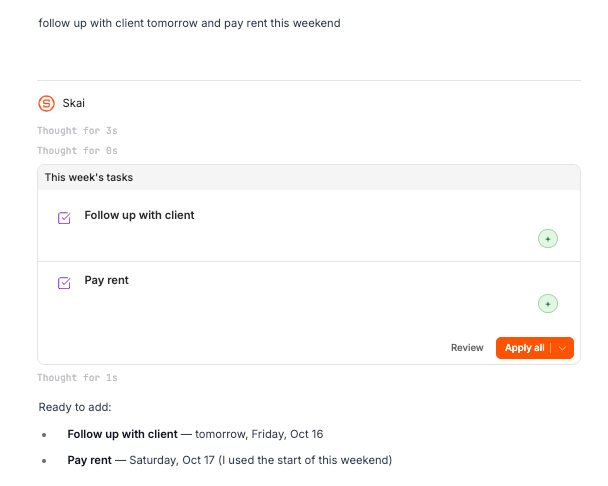
- Pulls tasks from email, Google Drive, Slack and your own notes, then suggests reminders around your schedule
- Builds a daily plan by scanning your inbox, notes and calendar
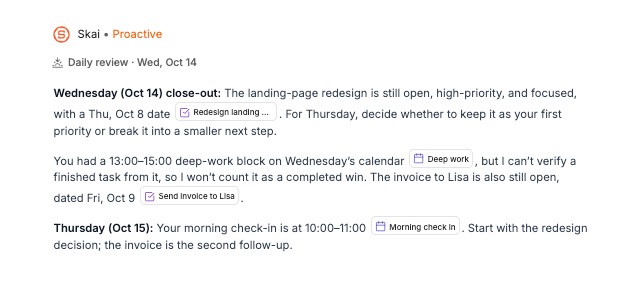
- Varies the wording of reminder notifications so they don't blur into wallpaper
- Lets you chat with the assistant to check tasks, break one into steps, or push a reminder
Who it's for: people whose to-dos come from five directions at once, including a lot of readers with ADHD. We covered that angle in more depth in our guide to the best AI assistants for ADHD.
Price: free plan; Starter at $8/month and Standard at $16/month, with lower annual rates (Saner.ai pricing as listed).
Watch out for: it's a full workspace (notes, tasks, calendar), not a single-purpose alarm app. If you only want "ping me at 5," it's more than you need.
2. ChatGPT scheduled tasks: best for recurring "check this and tell me" reminders
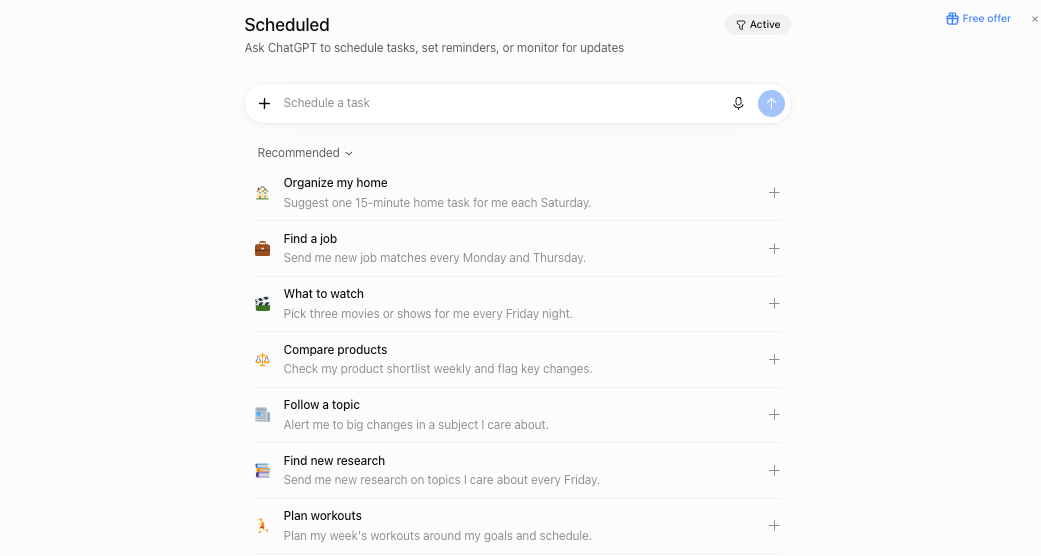
In June 2026 OpenAI rolled out a dedicated Scheduled page in ChatGPT where you can view, pause, edit and delete tasks. Tasks can run at a set time or a looser window like "morning," and they can search the web or check connected apps, notifying you only when something relevant changes (9to5Mac).
Good uses:
- "Every Friday at 4 PM, remind me to send my timesheet."
- "Every morning, check if the concert tickets dropped below $80 and tell me if they did."
Limits to know:
- Tasks can run at most once per hour
- Tasks you leave inactive for a long time may pause on their own
- It's a paid feature (Go, Plus, Pro, Business and Enterprise)
ChatGPT is great at the reminder that needs some thinking first. It's clumsy as a to-do list, though. We dug into that gap in our AI for task management guide.
3. Gemini + Google Tasks: best for Android and Google Workspace users
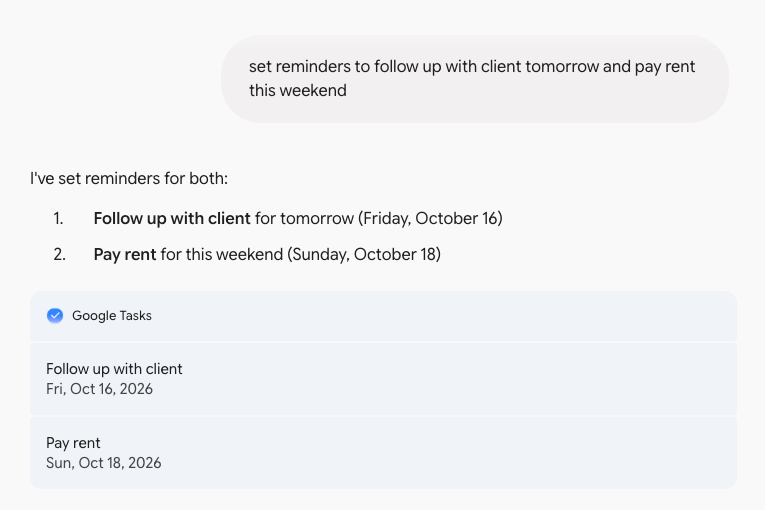
If your life already runs on Gmail and Google Calendar, Gemini is the path of least resistance. Two parts matter here:
- Plain reminders and tasks that land in Google's own apps, set by voice or text
- Scheduled actions, which run a prompt on a schedule and send the result as a push notification, like a daily summary of email and calendar. You can have up to 10 active at once, and they need a paid Google AI plan or a supported Workspace plan
Best move: set one scheduled action at 7:30 AM that says "summarize today's calendar and list anything in my inbox that needs a reply today."
Watch out for: Google renames its AI plans often. Check which tier includes scheduled actions before you subscribe.
4. Apple Reminders + Apple Intelligence: best free AI reminder app for iPhone
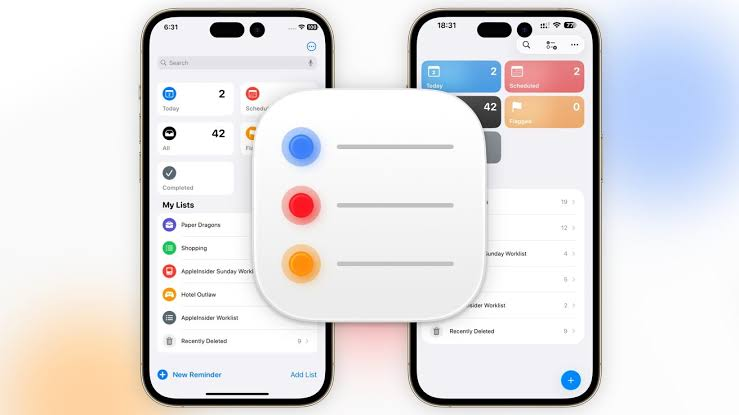
Searching "best AI reminder app for iPhone"? Start with the app you already have. In iOS 26, you can share content from Safari, Mail or other apps to Reminders, and Apple Intelligence suggests reminders from it, such as action items from an email or ingredients from a recipe
What's good:
- Free, private-by-design, and already synced across your Apple devices
- Siri capture still works for quick "remind me when I get home" moments
- The share-sheet suggestions are handy for long emails
Limits:
- Needs an iPhone 15 Pro, iPhone 16 or later, or a supported iPad (Apple Support)
- Suggestions only appear when you share content to Reminders. It won't scan your inbox in the background
- Apple itself tells you to check the output for accuracy
5. Alexa+: best AI voice reminder app for home
Alexa+ is Amazon's upgraded, LLM-powered Alexa. For reminders, the improvement is conversational: you can set a reminder and then say "change that to 6" without starting over
Price: included with Prime; $19.99/month without it
Good for:
- Household reminders ("remind everyone the trash goes out Tuesday night")
- Kitchen moments when your hands are covered in flour
- Anyone who forgets to open apps but walks past an Echo 20 times a day
Watch out for: some users report it occasionally gets the date or time wrong, so check the Alexa app after setting anything important (BGR). For a dentist appointment, double-check. For "water the basil," live a little. 🌿
6. Poke: best for reminders by text message
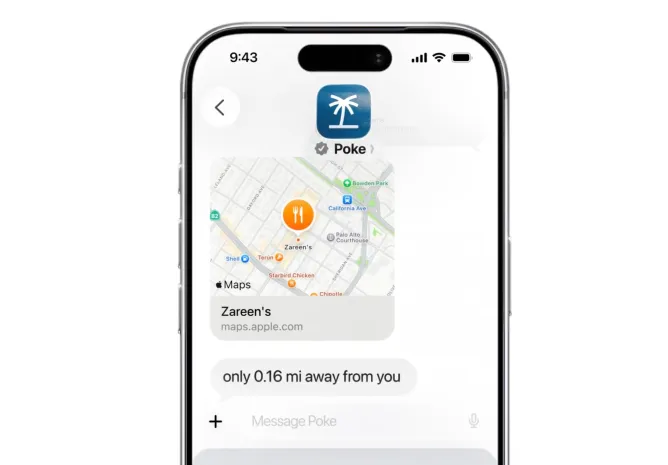
Poke is an AI assistant that lives in Apple Messages, Telegram, WhatsApp and RCS. You text it like a friend, and it can manage email, schedule meetings and set reminders
Why it works for some people: you already check your messages compulsively. A reminder that arrives as a text from your assistant gets read in a way a push notification from App #47 doesn't.
Watch out for: it's an agent with access to your email, so read the permissions carefully. If Poke isn't quite right, we compared options in our best Poke alternatives roundup.
Which AI reminder app should you choose?
Answer these four questions and you'll land on one fast:
- Where do your reminders come from?
- Mostly your own head → Apple Reminders or Saner.AI
- Email, Slack, notes, meetings → Saner.ai or Gemini
- Do you want to type or talk?
- Talk, at home → Alexa+
- Talk, on the go → Gemini, Saner.AI or Siri
- Text → Saner.AI, Poke
- Do you need repeating "go check something" reminders? → ChatGPT scheduled tasks or Gemini scheduled actions
- What's your budget?
- $0 → Apple Reminders, Saner.ai free plan
- A few dollars a month → Saner.ai Starter
- Already paying for Prime, ChatGPT or Google AI → use what you have first
How to set up an AI reminder system that you won't ignore
Step 1: Pick one capture inbox
Every reminder goes to one place. Not three. If you use Gemini for some, Apple Reminders for others and sticky notes for the rest, you'll trust none of them.
- Choose the app from the section above
- Put it on your home screen dock (or set the voice shortcut)
- Delete or archive the old reminder lists you've stopped checking
Step 2: Write reminders as next actions
"Taxes" is a topic. "Download the 1099 from the bank website" is a reminder you can act on. AI apps parse dates well, but they can't read your mind.
Try this formula: verb + object + when.
- ❌ "Mom birthday"
- ✅ "Order flowers for Mom's birthday by Thursday 6 PM"
If a task feels too big to phrase that way, ask your assistant to split it first. Our walkthrough on how to break down a task with AI has prompts for it.
Step 3: Let the AI pull reminders out of email and meetings
This is where AI earns its keep. Instead of copying tasks by hand:
- Forward or share long emails to the assistant and ask for action items with deadlines
- Paste meeting notes and ask for "tasks assigned to me, with due dates" (more on this in turning meeting notes into tasks with AI)
- On iPhone, use the share sheet into Reminders for Apple Intelligence suggestions
Step 4: Use a daily briefing instead of 30 separate pings
Thirty notifications a day is how you train yourself to ignore notifications. A better pattern:

- One morning briefing (Gemini scheduled action, ChatGPT scheduled task, or Saner.ai's daily plan) listing today's must-dos
- Timed alerts only for things tied to a clock: meetings, pickups, deadlines
- Location reminders for errands ("when I get to the pharmacy")
You can pair this with a short planning routine. Our guide on how to plan your day with AI shows a 10-minute version.
Step 5: Do a weekly sweep
Once a week, open the app and clear out the dead stuff:
- Finish, reschedule, or delete every overdue reminder
- Ask the assistant: "What did I keep postponing this week?"
- Kill anything you've snoozed more than three times. You're not doing it. That's fine. Decide that on purpose.
If you want a full template, here's how to run a weekly review with AI.
FAQ: AI reminder apps
Is there an AI reminder app that works on its own?
Yes, partly. Saner.ai, ChatGPT scheduled tasks and Gemini scheduled actions can run on a schedule and surface reminders without you opening them, and Saner.ai and Gemini can draw on your email and calendar. You still need to confirm what they create.
What is the best free AI reminder app?
For iPhone users, Apple Reminders with Apple Intelligence is the strongest free option on supported devices. Saner.ai has a free plan too. Alexa+ is free only if you already pay for Prime.
What is the best AI reminder app for iPhone?
Apple Reminders with Apple Intelligence if you want free and built in. Saner.ai if your reminders come from email and notes. Poke if you'd rather get reminders as iMessages.
Is there a good AI voice reminder app?
Alexa+ is the best fit for home use, and Gemini covers voice reminders on Android. Siri still handles basic voice reminders on Apple devices. Saner.AI works on all devices
Do reminder apps really help you remember?
Yes. A UCL study found that setting reminders significantly improved people's follow-through on delayed intentions (Gilbert, 2014). The app matters less than consistently capturing tasks in one place.
What's the difference between an AI reminder app and an AI personal assistant?
A reminder app tells you when to do something. A personal assistant also helps you decide what to do, drafts things, and handles parts of the task. Several tools here (Saner.ai, Poke, Gemini) sit in both camps.
>> For the bigger picture, see my list of the best AI personal assistants and our guide on how to use AI as a personal assistant.



