The 7 Best AI Assistants for Parents

The permission slip is due tomorrow. You know this because you found it at 9:47 p.m., folded into a lunchbox, under a banana that has seen things. 🍌

That's the whole problem with family logistics. Doing the stuff is rarely what kills you. Noticing it in time is. And noticing is exactly the kind of work a good AI assistant can take off your plate
I went through the current crop of AI assistants built for (or useful to) parents, checked their pricing pages, and sorted them by the job they actually do. Some are family-first apps. Some are general AI assistants you can bend into a family organizer. One is a wall calendar with opinions.
Quick answer: The best AI assistant for parents?
- Your work and family to-dos are tangled together? Saner.ai, which pulls notes, email, tasks and calendar into one place.
- Most school info arrives by email and flyer? Ohai or Skylight Calendar. Both turn forwarded emails, PDFs and photos into calendar events.
- Want a free starting point? Nori or Gemini if your family already lives in Google Calendar.
- Already pay for ChatGPT? Use it for meal plans, scripts and one-off planning, but don't make it your family calendar.
Why do parents need an AI assistant at all?

Because the hardest part of running a family is invisible.
Sociologist Allison Daminger studied this in a 2019 paper in the American Sociological Review, "The Cognitive Dimension of Household Labor". She split the mental work of a household into four stages:
- Anticipating needs (soccer cleats are getting tight)
- Identifying options (which store, which size, which budget)
- Deciding
- Monitoring progress (did anyone actually buy them?)
Her finding: women did more of this cognitive labor overall, especially anticipating and monitoring, and because the work is hard to see, it often caused friction between partners.
What should a parent look for in an AI assistant?
These five questions sort the useful tools
- Can it read the mess where it lands? School info arrives as emails, PDFs, photos of flyers, and group texts. The best tools accept all of these.
- Does it share with your co-parent? A family calendar only one person can see is just a calendar.
- Does it sync with the calendars you already use? Google, Apple, Outlook. Migrating everything is how good intentions die.
- Does it nudge you, or wait to be asked? Reactive chatbots are fine for meal ideas. For logistics you want reminders that arrive without you remembering to ask.
- What does it do with your kids' data? You're feeding it school names, medical appointments and pickup times. Read the privacy page before you forward 400 emails.
Quick comparison table
| Tool | Best for | Reads emails/photos into events | Shared with family | Free option | Paid price (as of Oct 2026) |
|---|---|---|---|---|---|
| Ohai | Text-first household manager | Yes (email, photos, PDFs, screenshots) | Yes ("Circles") | Free trial | $9.99/mo individual, $19.99 duo, $29.99 group |
| Skylight Calendar + Plus | Families who want a wall display | Yes (Magic Import) | Yes | Device works without Plus | $299.99 device + $79/yr Plus |
| Nori | Budget-friendly family hub | Email forwarding | Yes | Free plan (10 AI uses) | $59.90/yr or $7.99/mo |
| Cozi Max | Families already on Cozi | Email invitations | Yes | Cozi Free (no AI) | $79/yr |
| Gemini | Google Calendar households | Partly (via Gmail and chat) | Via shared Google calendars | Yes | Free; paid Google AI plans optional |
| ChatGPT | Meal plans, scripts, one-off planning | You paste or upload it | No real family sharing | Yes | Plus $20/mo; cheaper Go tier |
| Saner.ai | Parents juggling work + home to-dos | Syncs email and calendar into tasks | Personal tool | Free plan | $8/mo Starter, $16/mo Standard |
1. Saner.ai: best for parents whose work and home to-dos are one big pile
Who it's for: Working parents who don't have a "family list" and a "work list." They have one list, and it's on fire. 🔥
Most family apps assume home logistics live in their own bubble. For a lot of parents, they don't. The pediatrician callback, the client deliverable, and "buy a gift for Maya's party" all show up in the same inbox on the same Tuesday.
That's where Saner.ai fits. Per its pricing page, it syncs from email, Google Drive, Slack and your calendar, suggests tasks from new inbox items, and keeps notes and tasks in one place. The value is that the AI is proactive: it flags emails you need to follow up on and tasks to prioritize, so you don't have to remember to ask.
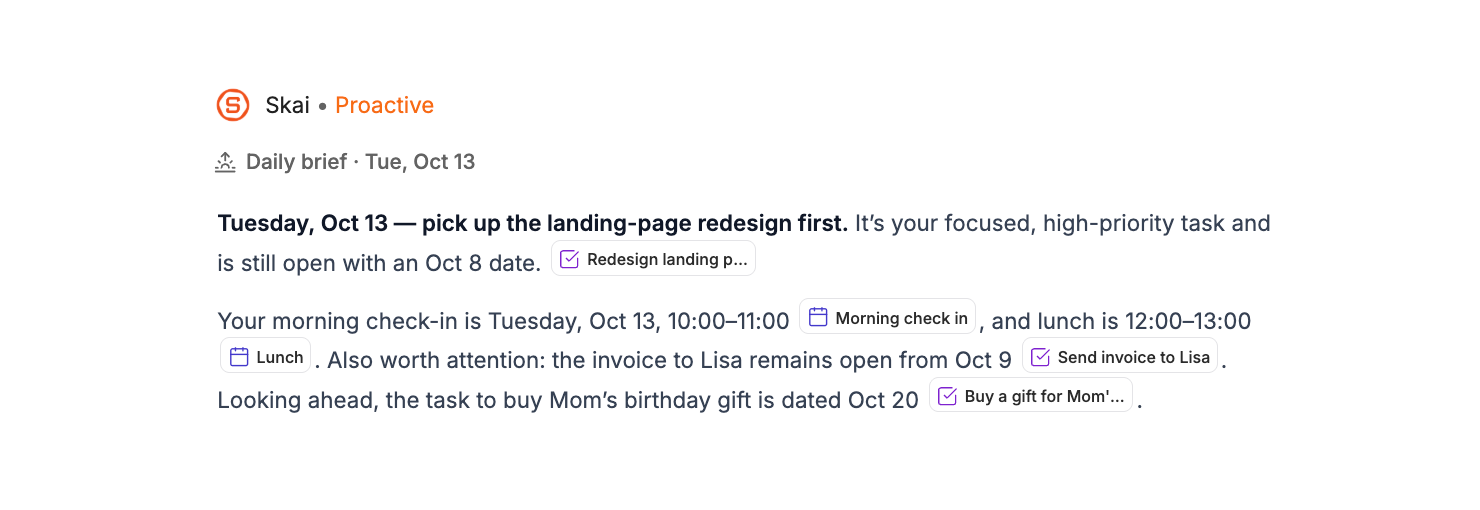
For parents, that looks like:
- The school email about early dismissal turns into a suggested task in the same place as your work tasks and calendar, so the clash with your 3 p.m. meeting is harder to miss.
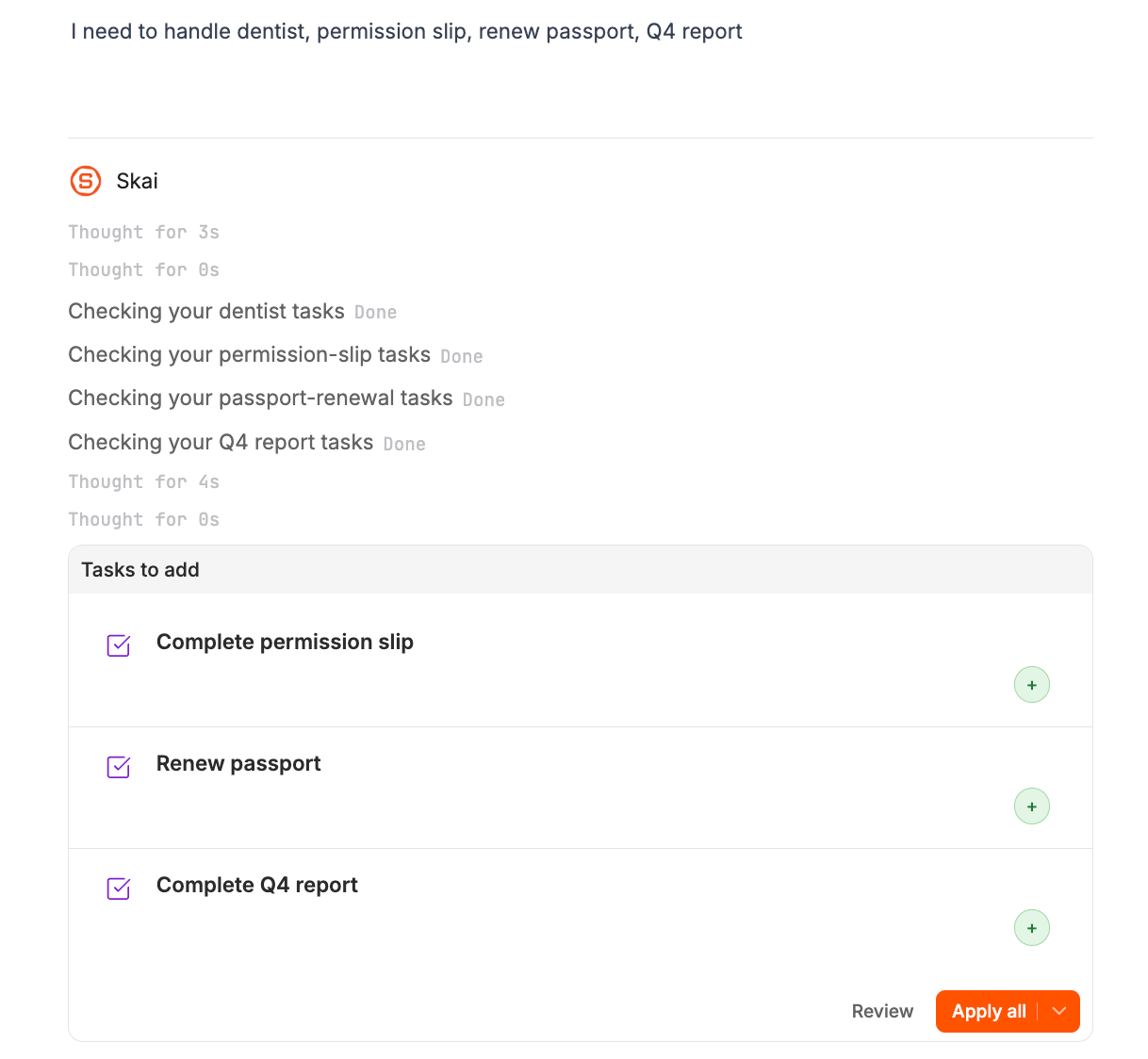
- Brain-dumping "dentist, permission slip, renew passport, Q4 report" in one go and letting the AI sort it. (Our AI brain dump guide walks through this.)
- One daily view instead of three apps.
Pricing: Free plan, Starter at $8/month, Standard at $16/month.
Watch out for: It's a personal productivity tool, not a shared family calendar.
Bottom line: The pick for parents whose real problem is that work and family share one brain. If you also have ADHD-style overwhelm, see our roundup of the best AI assistants for ADHD.
2. Ohai: all-round AI household manager

Who it's for: The parent who wants to text an assistant like a person and have the calendar just... happen.
Ohai calls itself an AI household manager. You text it, forward emails, or upload screenshots, PDFs and photos, and it sorts the input into events, tasks, reminders and notes, then drops events on the right calendar.
What stands out for families:
- It connects Google, Apple and Outlook calendars. No need to move your life into a new app.
- "Circles" for sharing. Each adult connects their own calendars and gets their own reminders.
- Conflict detection. It flags clashes, like the dentist appointment that now overlaps with the science fair.
- Meal planning with grocery lists, plus an Instacart connection for delivery.
Pricing: Individual Premium is $9.99/month, Premium Plus (Duo) is $19.99/month, and Premium Group is $29.99/month. There's a free trial for new users.
Watch out for: It's a subscription that scales with household size, so a family of co-parents plus a grandparent who does pickups lands on the top tier. 💸
Bottom line: If school emails are your main source of chaos, this is the most complete "forward it and forget it" option on the list.
3. Skylight Calendar (with Plus): best for families who need to see the week
Who it's for: Households where the kids (and maybe one adult who shall remain unnamed) never open the family app.
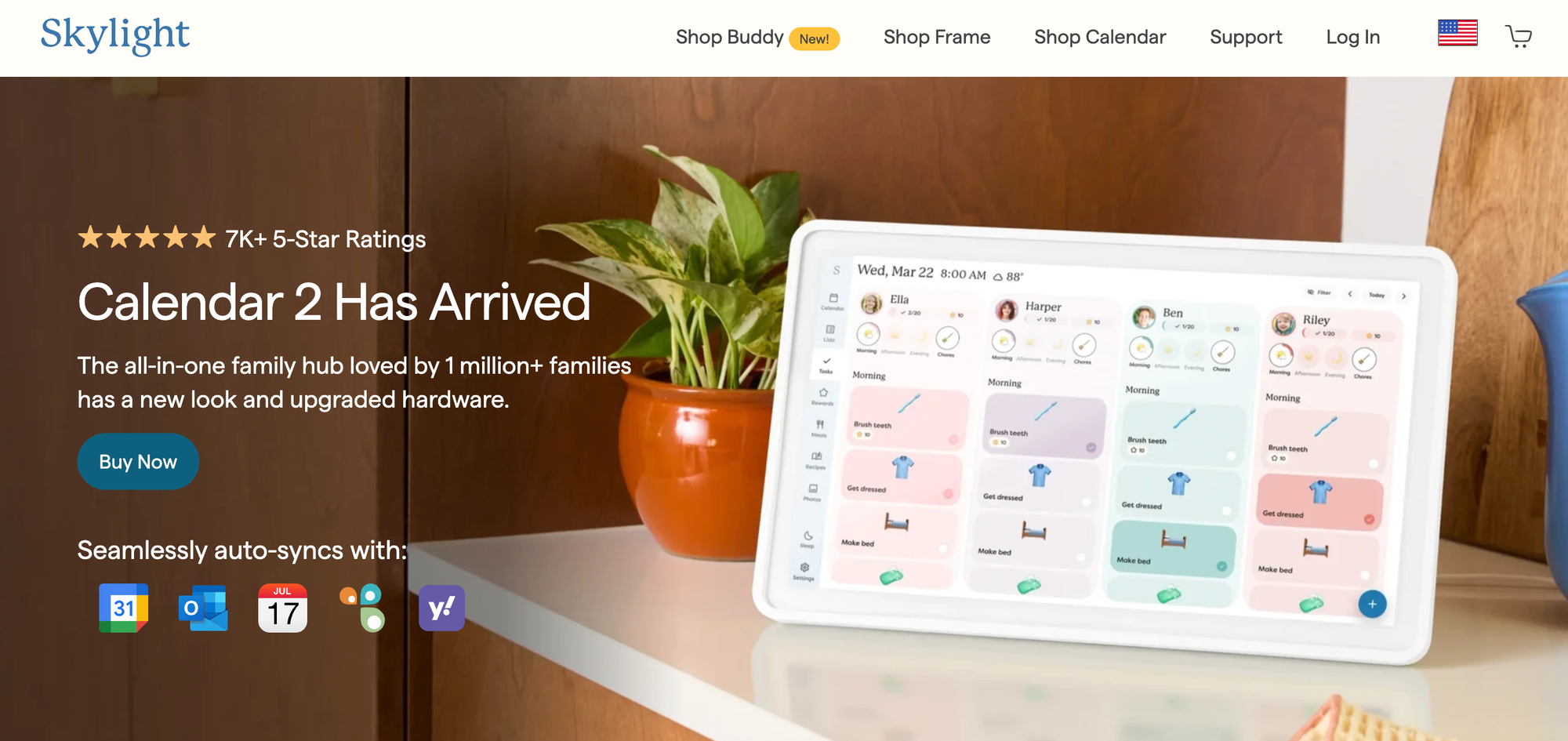
Skylight is a touchscreen calendar that sits on the kitchen wall. The AI part lives in the Plus plan, through a feature called Magic Import. Per Skylight's product page, you can "forward emails and PDFs, or upload photos of lists and flyers" and they land on the calendar automatically. Plus also adds meal planning.
Why a physical screen matters:
- Kids can read it. A 7-year-old checking "is today a library day?" without asking you for the fourth time is worth real money.
- Chore charts live where chores happen.
- It's ambient. No one has to remember to open anything.
Pricing: The Calendar 2 lists at $299.99 as a one-time purchase. Plus is $79/year after a free first month.
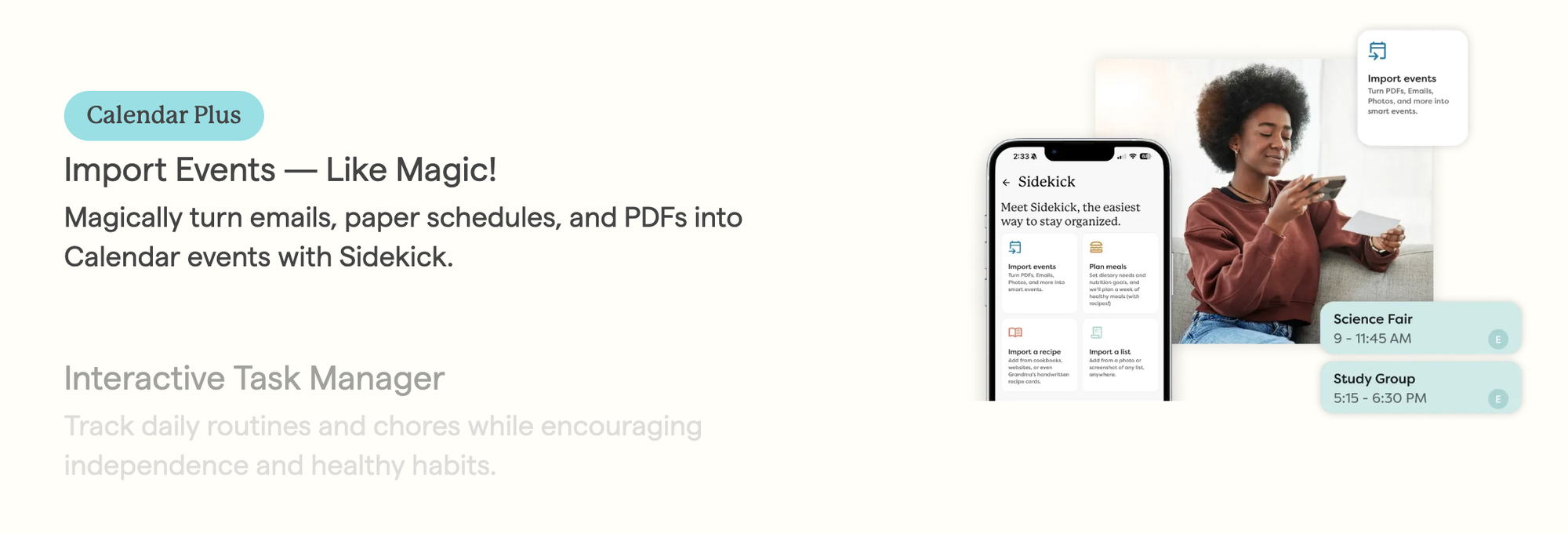
Watch out for: That's the highest upfront cost here, and the clever AI import sits behind the annual plan. Without Plus, you've bought a nice-looking calendar.
Bottom line: Best for younger kids and visual households. Pair it with a phone-based tool if you need reminders when you're away from the kitchen.
4. Nori: free AI family organizer
Who it's for: Parents who want to try an AI family hub without committing to a subscription on day one.
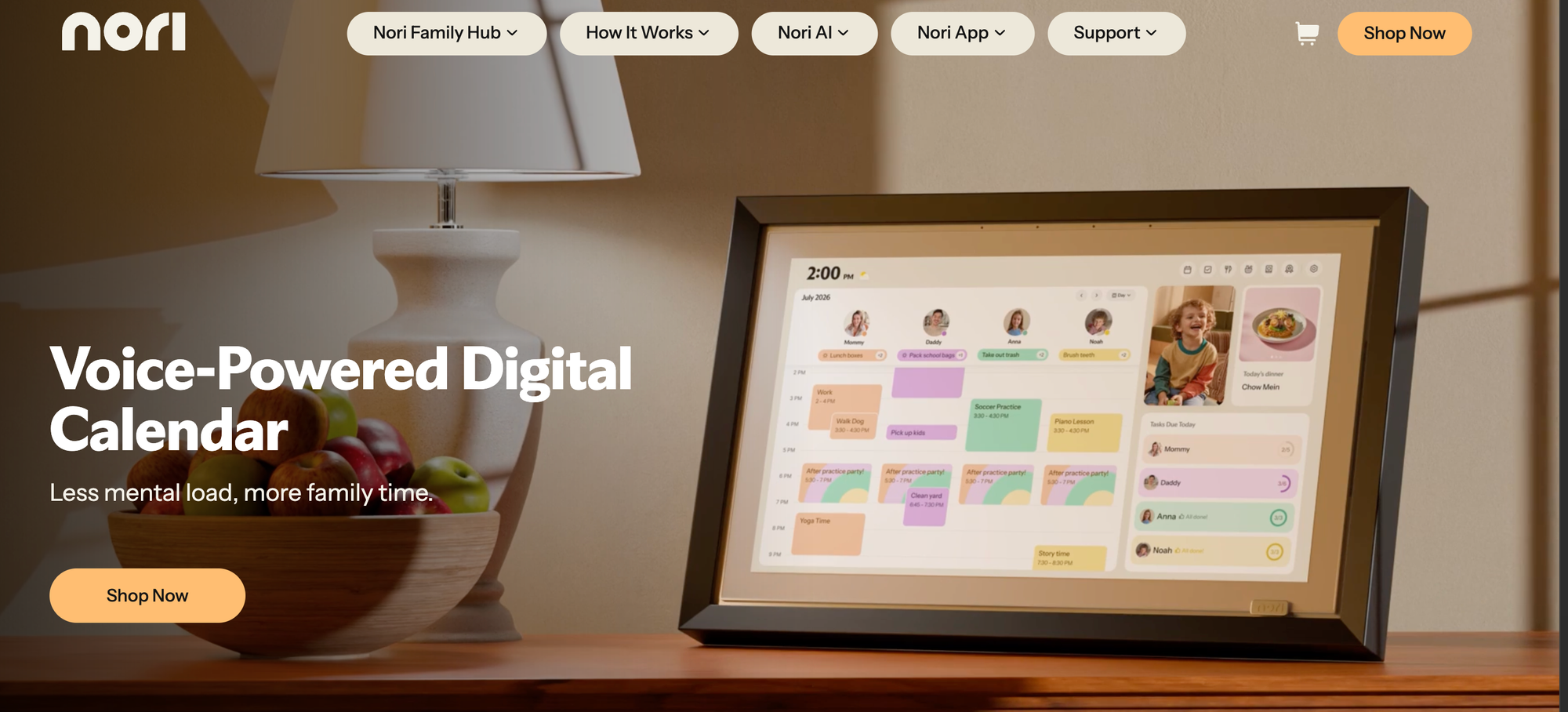
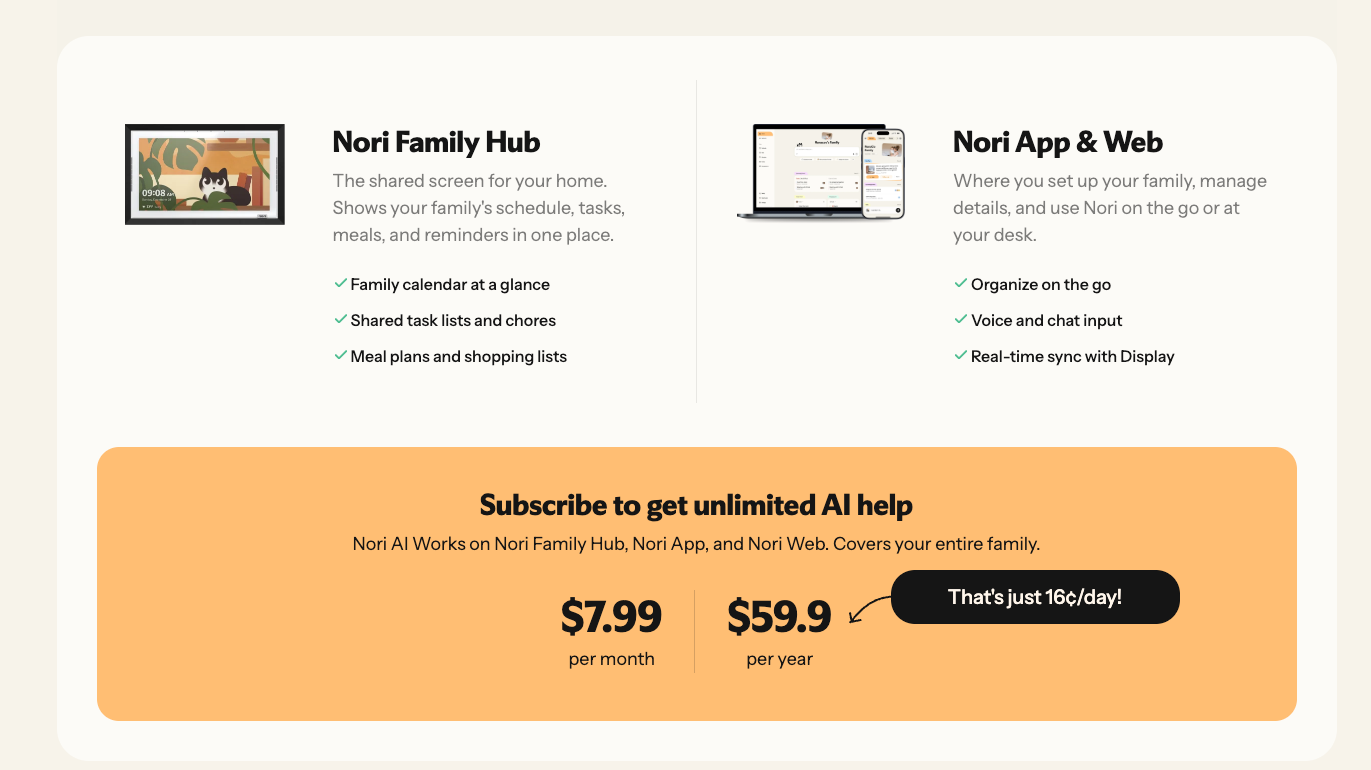
Nori's pricing page is honest about what's free. The free forever plan gives you a shared family calendar, tasks, recipes, a shopping list and meal plan, with 10 free AI uses (chat, voice input, basic AI tools).
The headline AI trick is email: you forward school emails and Nori pulls out what matters. Meal planning builds the shopping list for you.
Nori AI Plus unlocks:
- Unlimited AI chat and voice
- "Agent mode" for multi-step plans
- AI that learns your family's preferences
- Ingredient swaps and balanced meal suggestions
Pricing: Free plan, then Plus at $59.90/year or $7.99/month. Nori also sells an optional Family Hub display.
Watch out for: Ten AI uses goes fast once school starts. Treat the free tier as a trial.
Bottom line: The cheapest way to find out whether an AI family organizer will actually stick in your house.
5. Cozi Max: best upgrade if your family already runs on Cozi
Who it's for: Families who have used Cozi for years and don't want to retrain everybody.
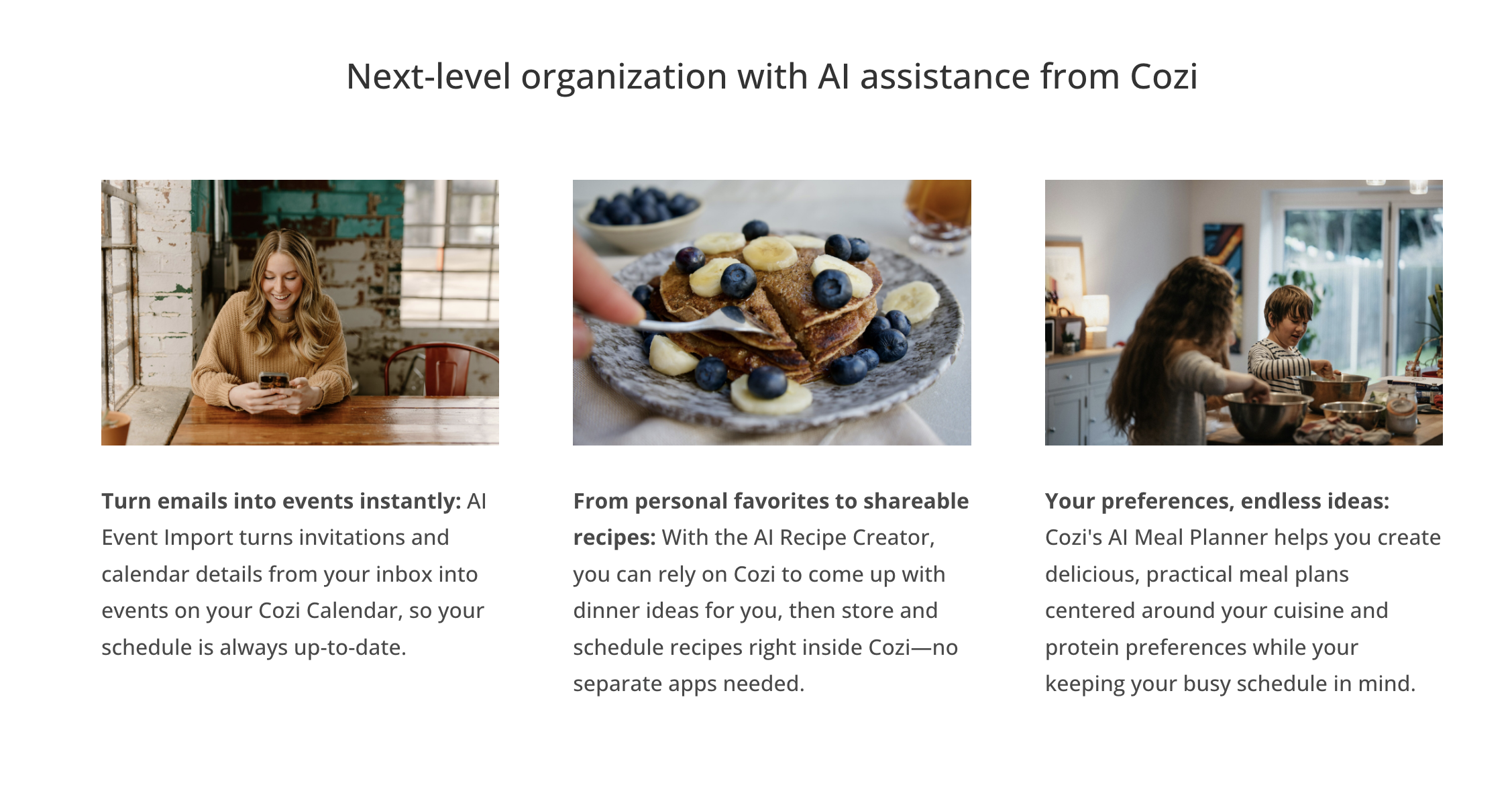
Cozi has been the default shared family calendar for a long time. The AI lives in its top tier. According to Cozi's plan comparison page, the Free and Gold plans don't include AI. Cozi Max ($79/year) adds:
- AI Event Import: reads invitations and calendar details from your email and adds them to your calendar
- AI Recipe Creator: dinner ideas you can save and schedule
- AI Meal Planner: plans based on your cuisine and protein preferences
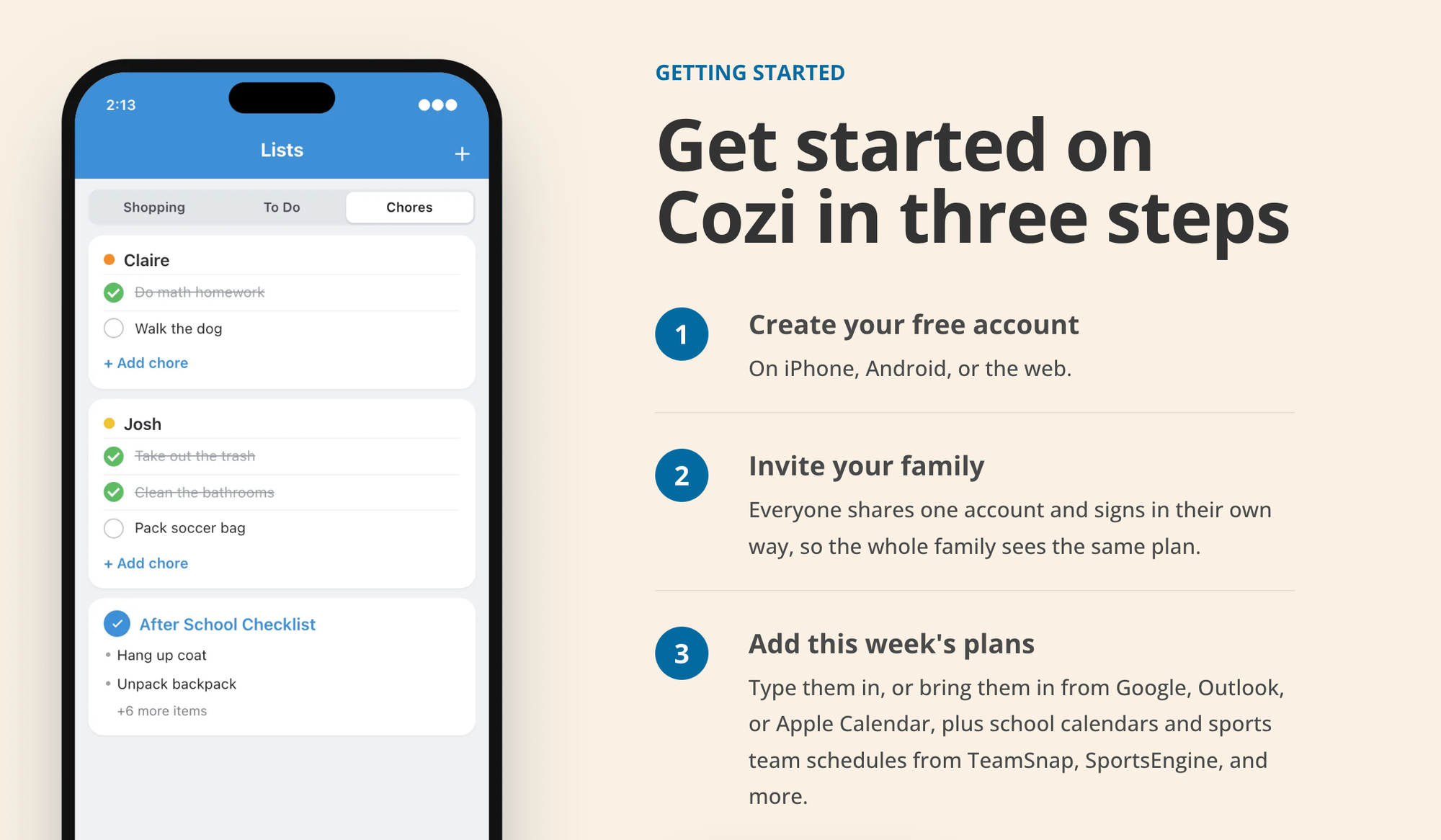
Pricing: Free, Gold at $39/year, Max at $79/year. One upgrade covers the whole family.
Watch out for: Cozi's page doesn't mention importing from photos, so the crumpled flyer from the backpack still needs a human. 📄
Bottom line: Don't switch apps for this. But if your family is already on Cozi, Max is the easiest AI upgrade you'll find, because nobody has to learn anything new.
5. Gemini: best free option for Google Calendar families
Who it's for: Parents whose family already shares a Google Calendar and uses Gmail.
Gemini isn't built for families. It's a general assistant. But it's connected to the apps a lot of families already run on. Per Google's help page, Gemini can create, find and edit Calendar events, including on secondary and shared calendars. Make a "Family" calendar, share it with your partner, and tell Gemini to put things there.
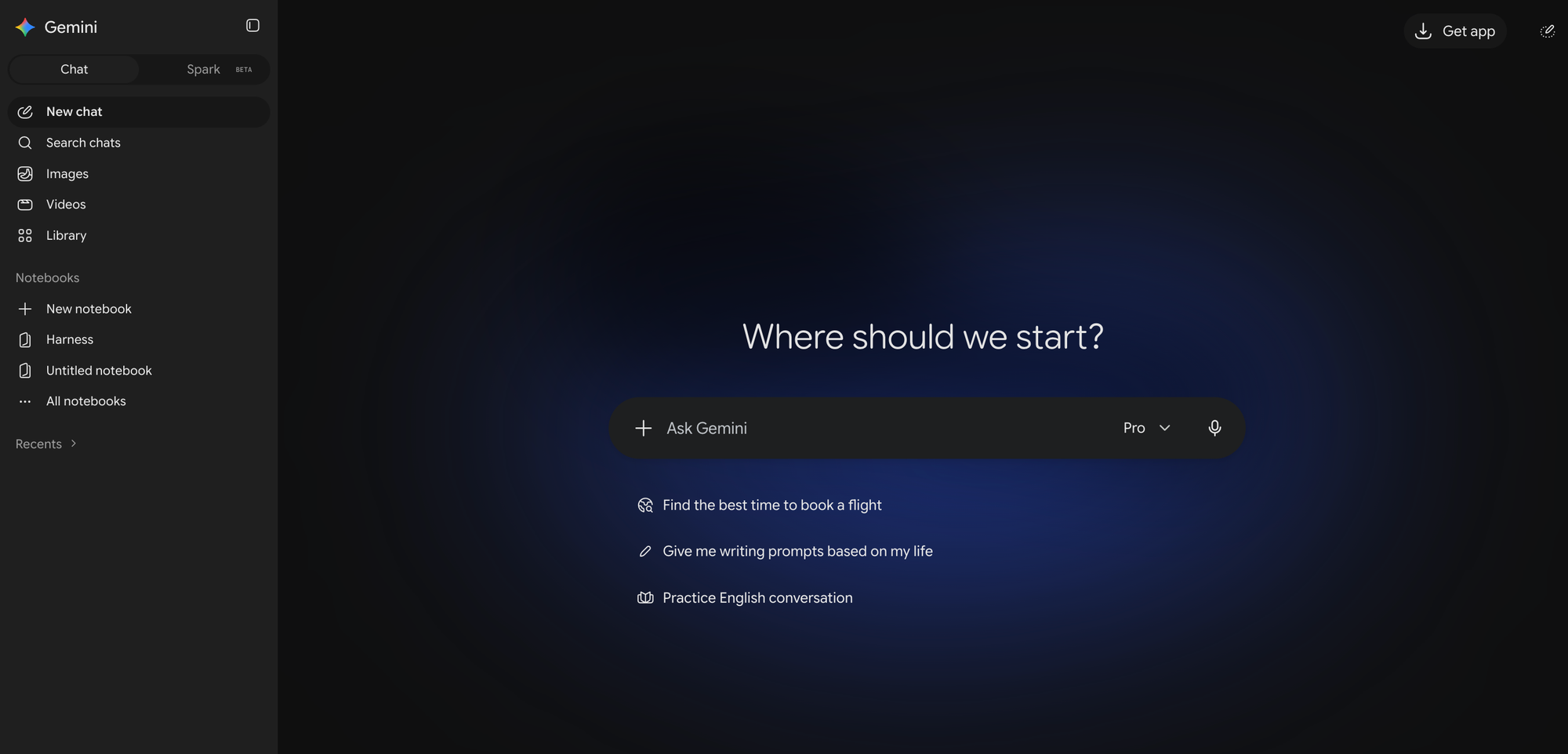
How parents can use it:
- "Add swim lessons every Tuesday at 4:30 to the Family calendar through December."
- "Am I free the Saturday on this flyer?" (snap a photo of it)
- "What's on the Family calendar this week?" while you're making breakfast
Pricing: Free with a Google account. Paid Google AI plans add more.
Watch out for: Google notes some limits. Gemini can't invite people to events or change an existing event's location or description. You also need Gemini's "Keep Activity" setting turned on for app connections to work, which is a privacy trade-off worth thinking about.
Bottom line: Zero cost, zero new apps. Great for capture, weaker at proactive nudges.
6. ChatGPT: best for planning, not for remembering
Who it's for: Parents who already pay for ChatGPT and want more out of it.
ChatGPT is the Swiss Army knife here. It's brilliant at the thinking parts of parenting logistics and mediocre as a system of record.

Where it shines for parents:
- Meal planning with constraints. "Five dinners, under 30 minutes, one kid won't eat anything green, one adult is vegetarian, here's what's in the fridge."
- Breaking down big projects. Birthday party, school science fair, moving house.
- (If that's your bottleneck, our guide on how to break down a task with AI has prompts you can steal.)
- Scripts for awkward messages. The "we can't make the sleepover" text. The polite email to the coach.
- Summarizing a 6-page school handbook into "things I actually need to do."
Pricing: Free tier available. Plus is $20/month, and there's a cheaper Go tier. Per OpenAI's pricing page, scheduled tasks (reminders) are on Go, Plus and Pro, not Free.
Watch out for: No shared family calendar, no co-parent view, and it won't read your inbox for school emails by default. It forgets unless you set up projects or memory carefully.
Which AI assistant should you pick?
Answer these honestly:
- "School stuff comes in by email, PDF and photo, and I'm the only one who reads it." → Ohai. Or Skylight + Plus if your kids are young enough to benefit from a wall screen.
- "I want to try this without paying yet." → Nori's free plan, or Gemini if you're on Google.
- "My family already uses Cozi and I'm not fighting that battle." → Cozi Max.
- "I need help thinking, not tracking." → ChatGPT.
- "My problem is that work and home are the same to-do list." → Saner.ai plus a shared calendar.
How do you set up an AI family assistant in one evening?
Here's a setup you can finish before bedtime (theirs, not yours 😅).

Step 1: Pick one home for the family calendar (10 minutes)
Choose a single shared calendar that both adults can see. Name it something obvious like "Family." Everything else feeds into this.
Step 2: Route the inputs (15 minutes)
- Connect your email or set up the forwarding address your tool gives you
- In your email, create a filter for the school's domain and your kids' activity organizers that auto-forwards to it.
- Save the assistant's contact on your phone so you can text or share photos of flyers in two taps.
Step 3: Do a brain dump of what's already in your head (15 minutes)
Write down everything coming in the next 60 days: birthdays, school breaks, renewals, appointments. Paste it into the assistant and ask it to create events and reminders. Our guide to planning your day with AI has a good prompt structure for this.
Step 4: Add your co-parent (5 minutes)
Invite them. Agree on one rule: if it's not on the Family calendar, it isn't happening. Sounds harsh. Saves marriages. Probably.
Step 5: Schedule a 10-minute Sunday check-in (5 minutes)
Ask the assistant: "What's on this week, what's missing, and what needs buying or signing?"
If you want a fuller ritual, try our weekly review with AI template.
Prompts parents can copy today
These work in ChatGPT, Gemini, Saner.ai or most built-in assistants:
- School email triage: "Read this email. List every date, deadline, item to bring, and money to pay. Format as a checklist with dates."
- Week preview: "Look at the Family calendar for the next 7 days. Flag conflicts, early dismissals, and anything that needs a costume, payment or signed form."
- Meal plan: "Plan 5 weeknight dinners for 2 adults and 2 kids (ages [X] and [Y]). Under 30 minutes. One kid won't eat [food]. Give me one combined grocery list sorted by store aisle."
- Party planning: "My kid turns [age] on [date]. Budget $[X]. Break this into tasks with deadlines working backward from the party."
- Coordination message: "Write a short, friendly group text to the carpool parents asking who can cover Thursday pickup."
The takeaway: start with one input, not one app
Don't try to automate your whole household this weekend. Pick the single biggest source of dropped balls in your family. For most parents, it's school email. Then pick the tool that handles that one input best:
- Email and flyers → Ohai or Skylight + Plus
- Trying it free → Nori or Gemini
- Already on Cozi → Cozi Max
- Work and home mixed together → Saner.ai
- Planning and thinking help → ChatGPT
Set it up tonight, add your co-parent, and do one Sunday check-in. If by next Friday nobody discovered a permission slip at 9:47 p.m., it's working. 🎉
FAQ
What is the best AI assistant for parents?
For most families, Ohai is the most complete AI household manager because it turns texts, emails, photos and PDFs into calendar events and supports shared "Circles." On a budget, start with Nori's free plan or Gemini with a shared Google Calendar.
Is there a free AI family organizer?
Yes. Nori has a free forever plan with a shared calendar, lists, meal planning and 10 AI uses. Gemini is free and works with shared Google Calendars. Cozi's free plan exists but doesn't include its AI features.
Can AI read school emails and add events to my calendar?
Yes. Ohai, Skylight Calendar (Plus plan), Nori and Cozi Max can all pull events from forwarded emails. Ohai and Skylight Plus also accept photos of flyers and PDFs.
Is ChatGPT good for busy moms and dads?
It's excellent for meal planning, breaking down projects and drafting messages. It's weak as a family calendar because it has no shared family view and limited reminders outside paid tiers.
What's the best AI assistant for working parents?
If your work and family tasks mix in the same inbox, Saner.ai is a strong fit because it pulls email, notes, tasks and calendar into one view. Pair it with a shared family calendar for your co-parent.
Are AI family organizers safe for my kids' information?
They can be, if you limit what you share. Forward only school and activity emails, read each app's data policy, and avoid putting sensitive health details into general chatbots.
Want to go deeper? Compare general-purpose picks in our best AI personal assistants roundup, see the best AI calendar assistants, or read our take on the best AI life assistant for life admin beyond the kids. New to all this? Start with how to use AI as a personal assistant.



