I tested 10 AI Life Assistant. Here are the best 4
💡 Quick answer: Saner.ai is the one I'd hand a stressed-out friend first - it's built to catch tasks, notes, email, and your calendar in one proactive AI layer, which is what "life assistant" should mean. ChatGPT is the best general-purpose option if you want one subscription for everything. Poke is the pick if you refuse to open another app and just want this handled over text. Gemini wins if your life already runs on Gmail and Google Calendar.
What actually makes something a "life assistant?
Before the shortlist, here's the bar I'm holding these to, because it's the thing most "best AI assistant" posts skip entirely:
- It remembers you between conversations. If you have to re-explain your job, your family, and your recurring Tuesday meeting every single time, it's a chatbot, not an assistant.
- It's proactive, not just reactive. A real assistant tells you something before you ask. A chatbot waits patiently for your next prompt like a very polite hostage.
- It touches more than one part of your life. Email, calendar, notes, tasks - ideally more than one of these, because your actual life doesn't respect app boundaries even if your phone's home screen pretends it does.
- It reduces decisions, it doesn't just answer them. "Here's your day" beats "sure, I can help with that, what would you like to do first?"
- You can actually afford it and actually keep using it. The best tool on paper that you abandon in eleven days is worse than the fine tool you still open every morning.

1. ChatGPT - the best all-around option if you want one subscription for everything
- Pricing: free tier with real daily usage, Go around $8/month, Plus around $20/month.
- Best for: people who want a single tool that's good at nearly everything, even if it's not specialized at any one thing.
What it does best:
- Top-tier reasoning and writing: Excels at handling complex logic, math, and science prompts while remaining one of the strongest tools for creative and nuanced writing.
- Deep memory and personalization: Offers the most comprehensive cross-chat memory tested, alongside extensive customization controls (adjusting warmth, tone, emoji frequency, and custom instructions)
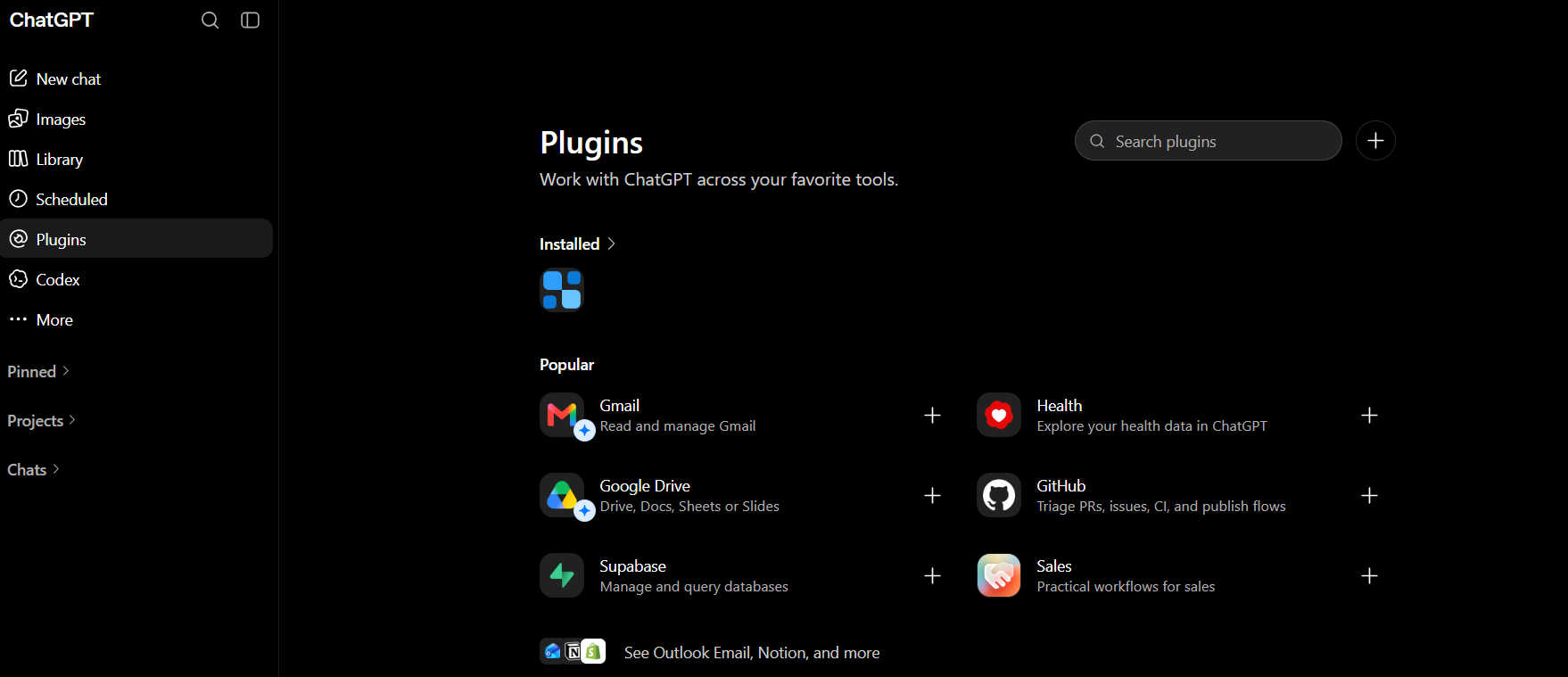
- Connects AI directly to my workspace tools: Links ChatGPT straight to everyday apps like Gmail, Google Drive (Docs, Sheets, Slides), GitHub, so I don't have to copy-paste data back and forth.
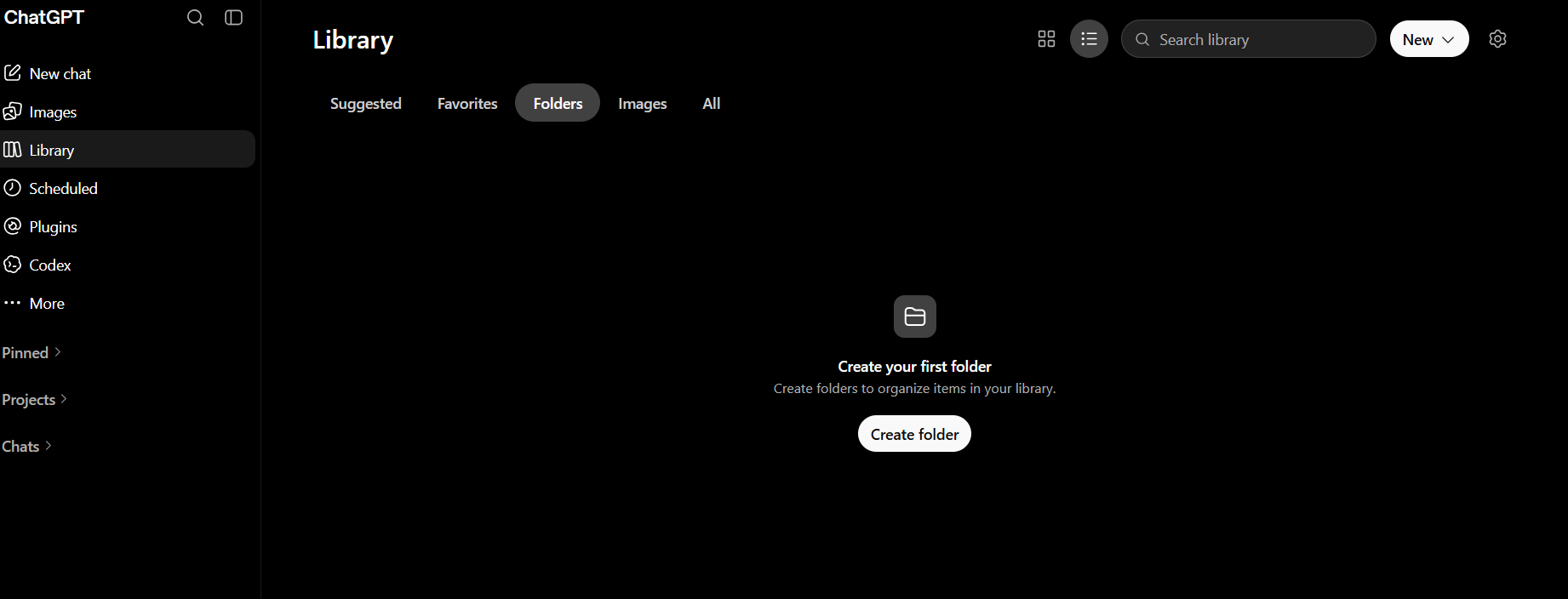
- Custom folder organization: Create custom folders and sub-categories to group related research, projects, images, and documents cleanly.
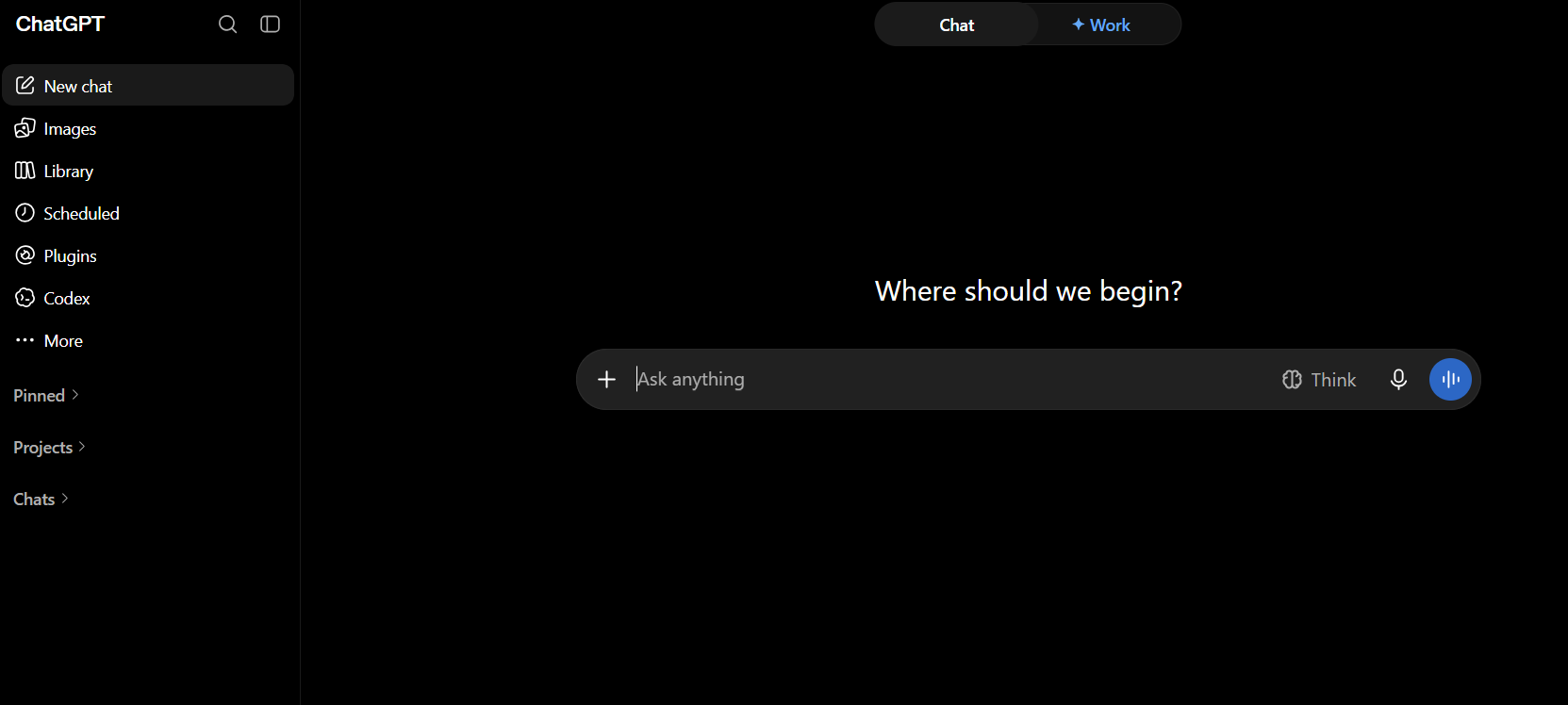
- Clean, multi-modal hub: Combines image creation, deep document analysis, coding agents, and custom GPT bots under an uncluttered, easy-to-use interface
Where it falls short:
- Prone to hallucinations: Still occasionally delivers incorrect facts or makes things up with confidence, requiring manual fact-checking for critical work.
- Lacks built-in workspace productivity: Doesn't match the native ecosystem integrations (like email, calendar, and office suite automations) offered by competitors like Google Workspace or Microsoft 365
- Restrictive free tier: The free tier hits usage limits quickly on newer models and caps features like file uploads and deep research
- Imperfect voice and vision parsing: Mobile voice can distort at times, and camera/image recognition will occasionally misidentify objects or visual details
2. Saner.ai - the one built to be proactive, not just helpful when asked
Best for: people whose life admin lives in six different apps and whose brain is the seventh, unindexed one.
Saner.ai is the only tool on this list that was built around the "life assistant" idea from the ground up rather than having it stapled on. Its AI assistant, Skai, doesn't wait for a clean instruction - you talk or type at it however your thoughts actually arrive, and it does the organizing.
- The AI voice-to-calendar trick is the headline feature, and it's different from a normal task app. Say "plan my day" or brain dump my thought about everything on my mind, and Skai turns that mess straight into time-blocked items on my calendar, no separate step where I first have to tidy it into a formal task list myself.
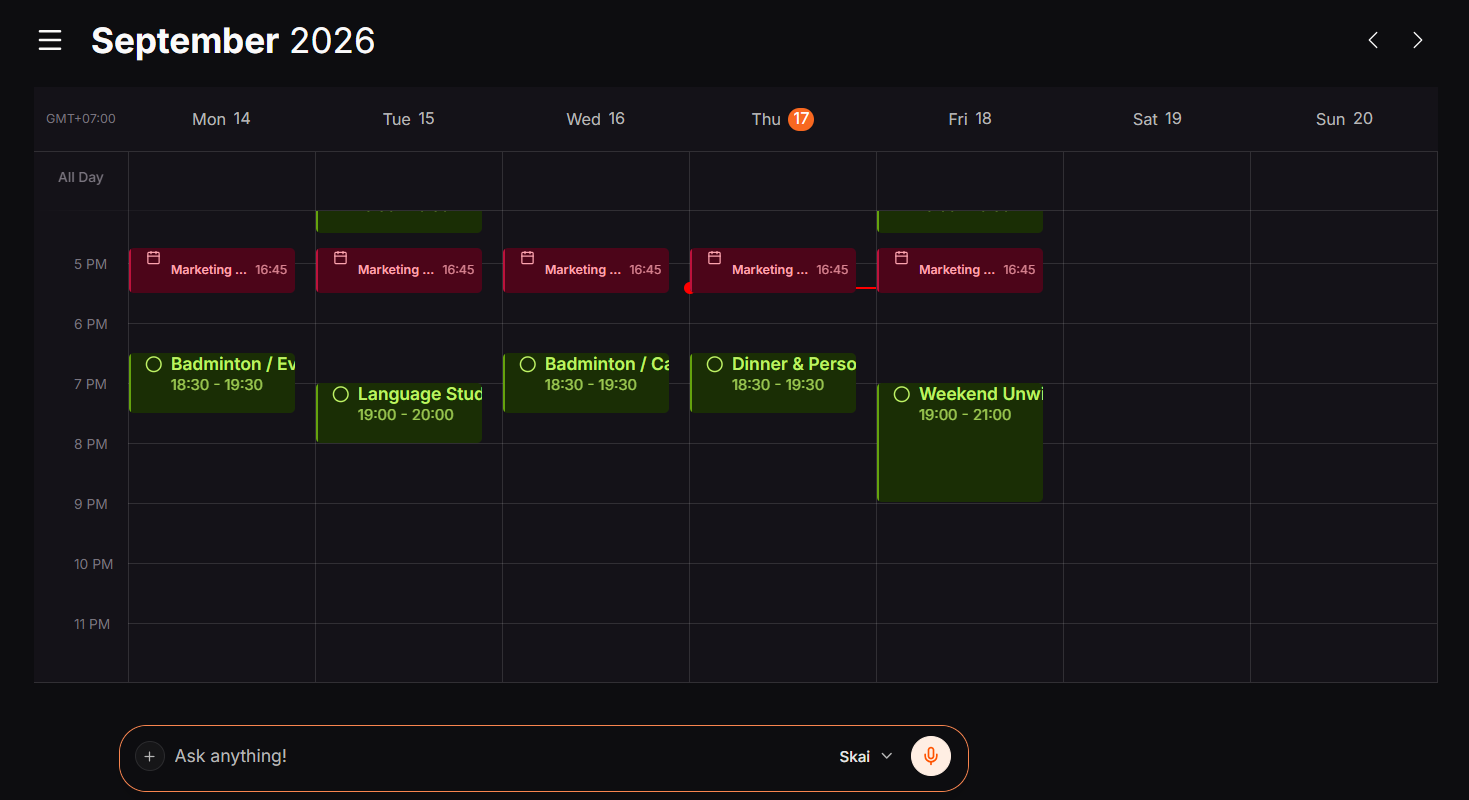
- It's proactive by design. Instead of a blank page every morning, Skai builds a plan overnight from my notes, my inbox, and whatever didn't get finished yesterday.
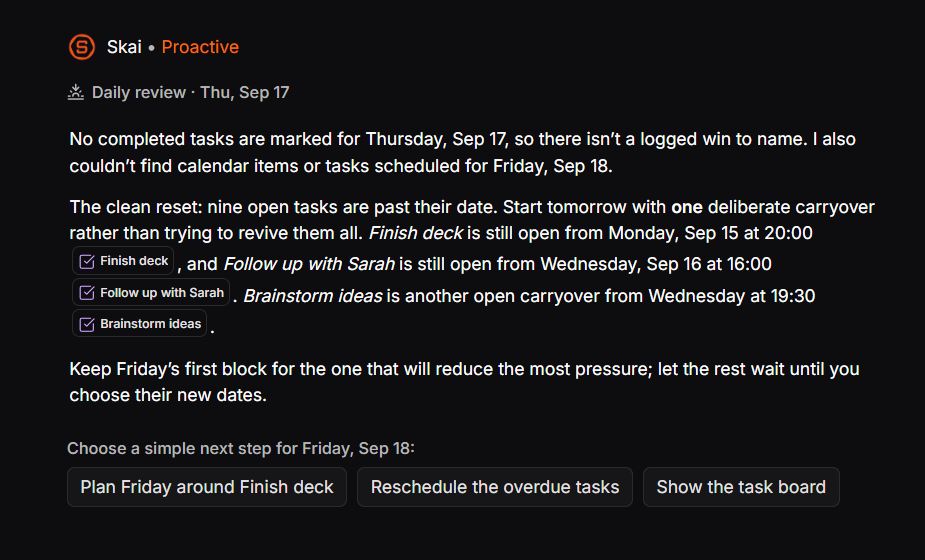
- It's a real task manager underneath, not just a calendar skin. Tasks, notes, and email live in one workspace, with AI-suggested tags and folders so nothing gets permanently lost in a notes app graveyard. I've got my own haunted notes folder to prove why that matters.
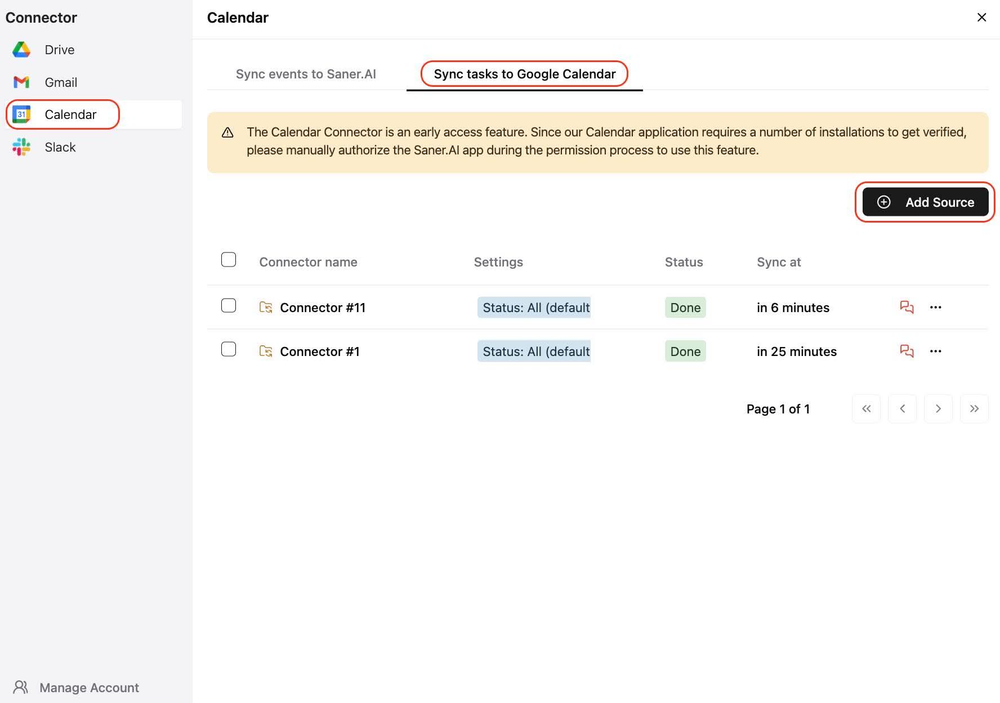
- Pricing: free tier (30 AI messages/month, 100 notes, 100MB storage), Starter around $8/month, Standard around $16/month on annual billing.
- Where it's weaker: it's a younger product, so it's single-player (no team features yet) and doesn't do complex project management - no Gantt charts, no multi-person dependencies. If that's what you need, it's not your tool. If what you need is your own life not falling through the cracks, it might be the best one here.
3. Poke - for people who will not, under any circumstances, download another app
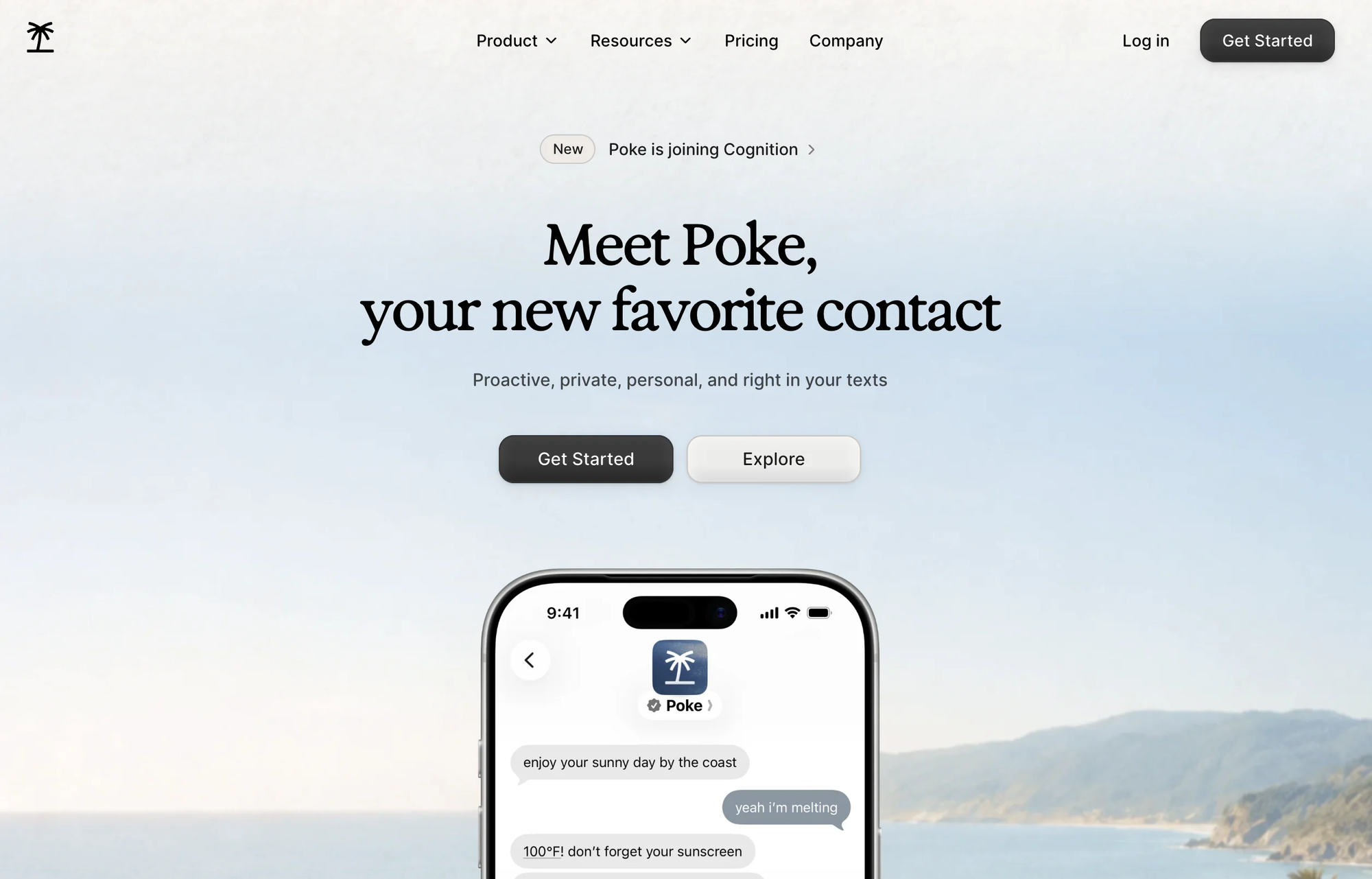
Instead of making you install another heavy program, Poke lives directly inside the chat apps you already use daily like iMessage, WhatsApp, Telegram, and SMS. It syncs with your Gmail and Google Calendar, actively texting you first whenever a task, event, or email needs your attention.
- Price: Free tier available; Pro plan runs around $16–$19/month (billed annually); Ultra plan is $199/month for heavy power users.
- Best for: Anyone who wants a proactive, text-based helper without learning a new interface or paying high enterprise rates.
- Trade-off: Struggles with complex, multi-step chains of tasks and has much shallower app integrations than dedicated agent platforms.
What it does best:
- Zero new apps to download: Chats with me right inside everyday messengers like WhatsApp or iMessage, making scheduling feel just like texting a friend.
- Connects to everyday tools & smart devices: Links with apps like Notion, GitHub, and home tech so it can trigger simple actions outside my inbox.
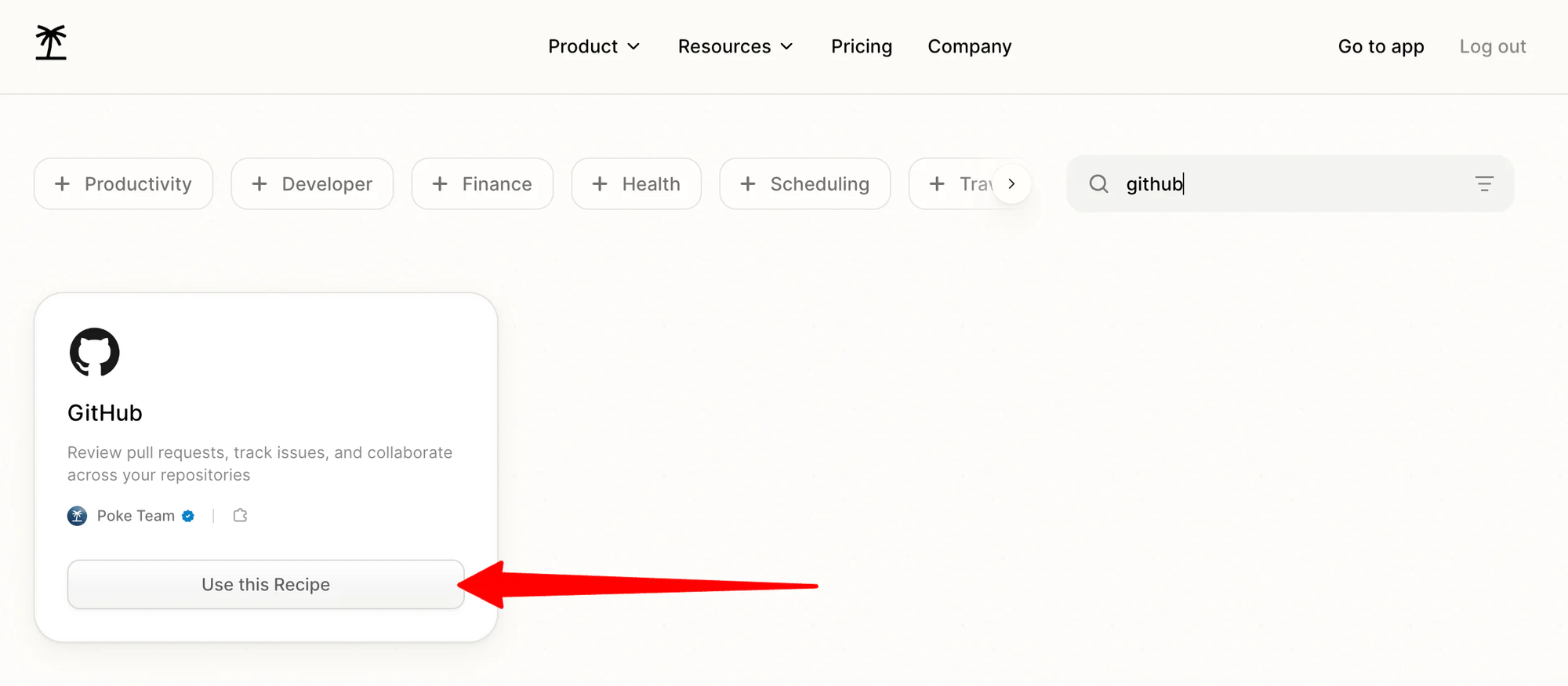
- Lightning-fast setup: Connects phone number, Google Calendar, and Gmail in less than a minute with no complicated onboarding steps.
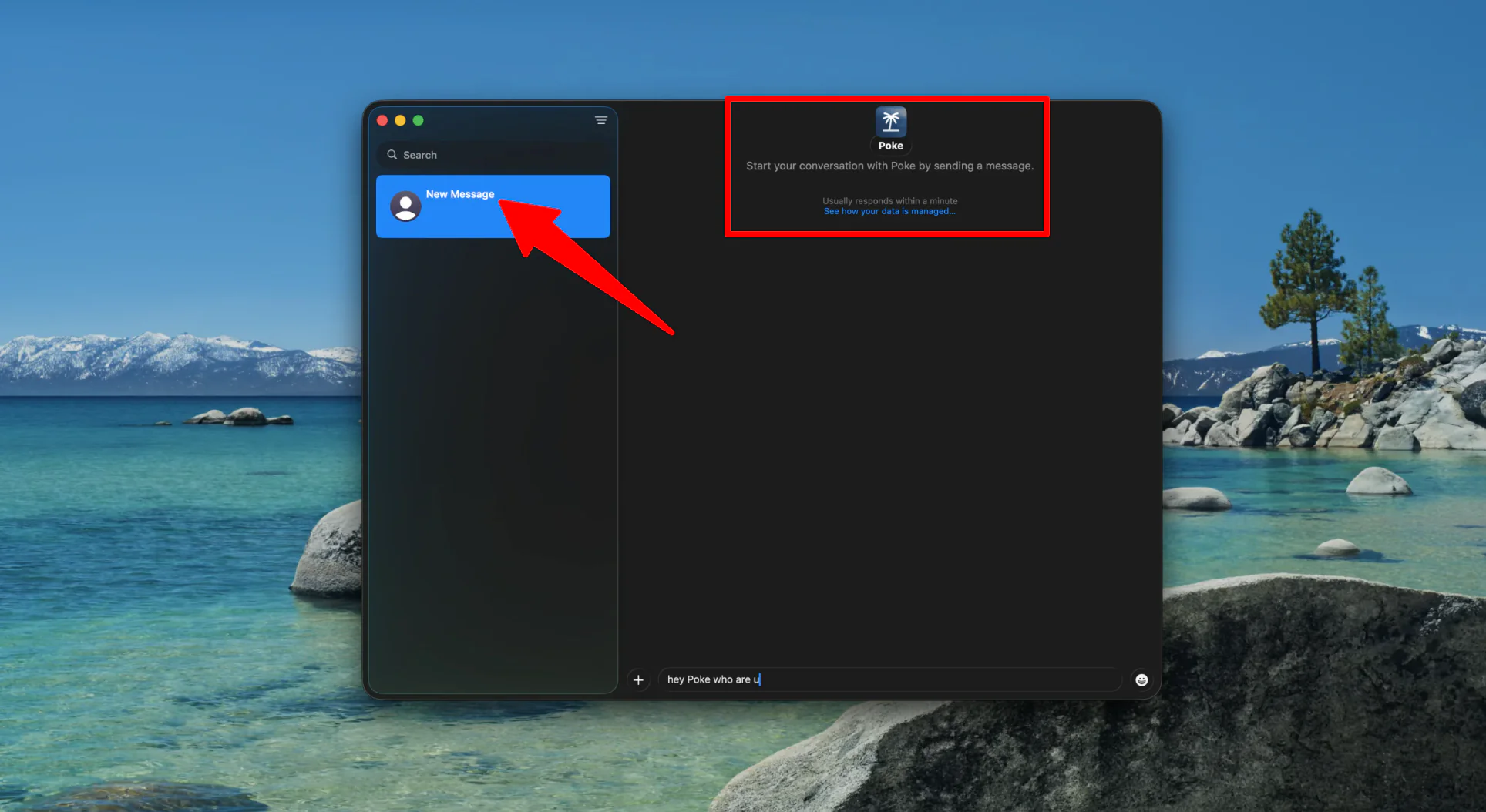
- Reliable conversational memory: Remembers past chats, habits, and personal preferences to keep future suggestions accurate and tailored to me.
Where it falls short:
- Fumbles chained, multi-step tasks: Often gets confused or messes up schedules and time zones when asked to link three or more actions together.
- Lacks a dedicated visual dashboard: To-dos and notes quickly get lost up the chat thread since there are no visual kanban boards or structured lists to look at.
- Inconsistent inbox filtering: Can ping you about minor, unimportant emails while occasionally missing the ones that actually matter.
- Few professional workplace integrations: Outside of basic Google tools, it misses deep connections to standard team software like Asana, Jira, or Apple Calendar.
4. Gemini - the pick if your life already runs on Google
- Pricing: free tier, Google AI Plus around $5/month, Google AI Pro around $20/month, Ultra tiers above that.
- Best for: anyone whose email, documents, and calendar already live entirely in Gmail, Google Docs, and Google Calendar.
What it does best:
- Top value and pricing: Offers the best overall value among AI chatbots, featuring a free tier and an affordable paid plan that bundles generous cloud storage (2TB+) alongside its advanced reasoning models.
- Standout image generation and editing: Outperforms competitors in media creation, producing high-detail artwork, handling legible text in comics, and preserving original aspect ratios and natural lighting when editing photos.
- Deep Google ecosystem integrations: Works natively across Google apps (Gmail, Drive, Docs, YouTube, and Chrome), allowing me to pull data, curate content, and draft emails without constant copying and pasting.
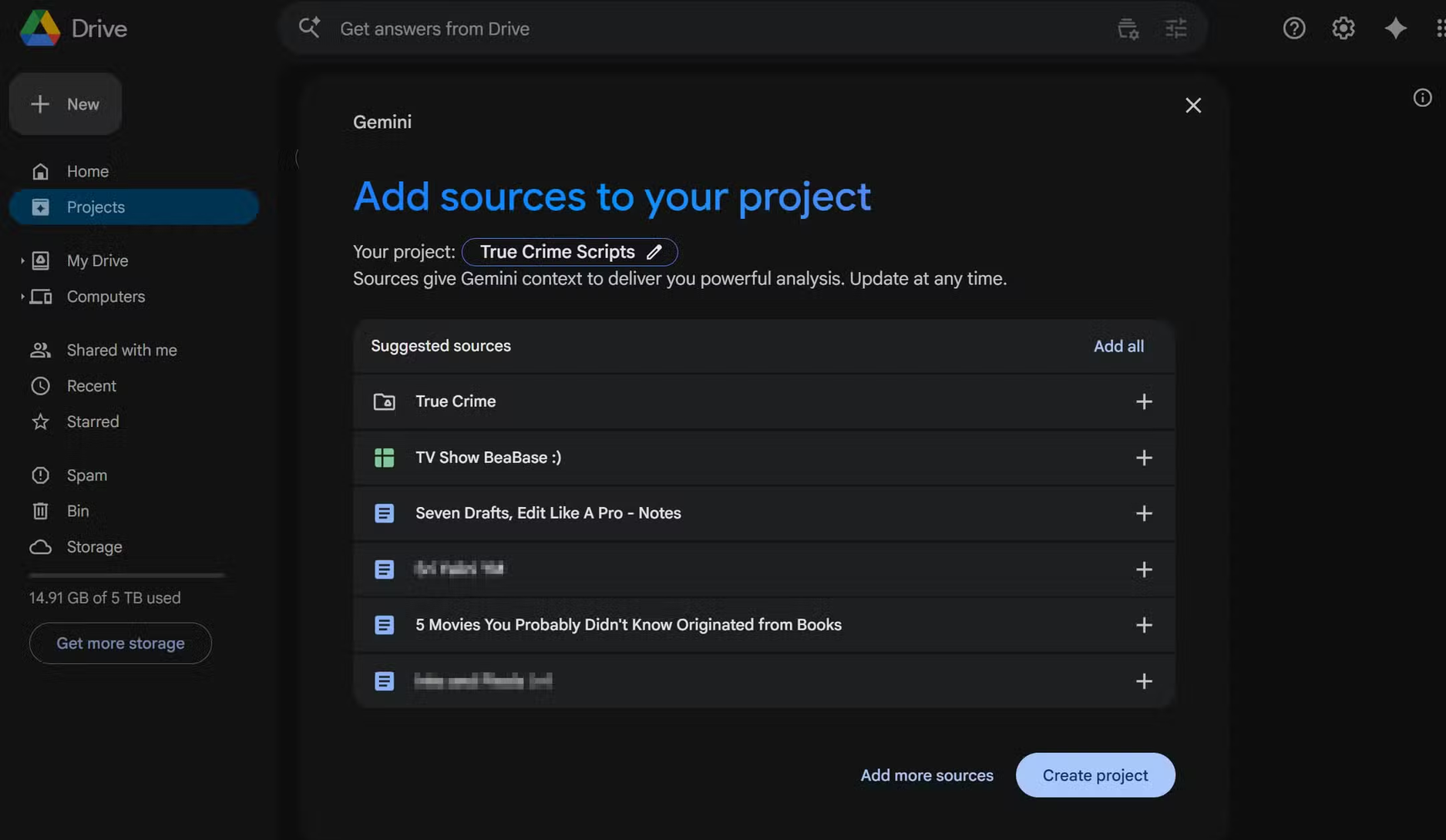
- Strong multimodality and research: Handles deep web research, file uploads, document summaries, and high-quality video generation on par with or ahead of other flagship AI tools.
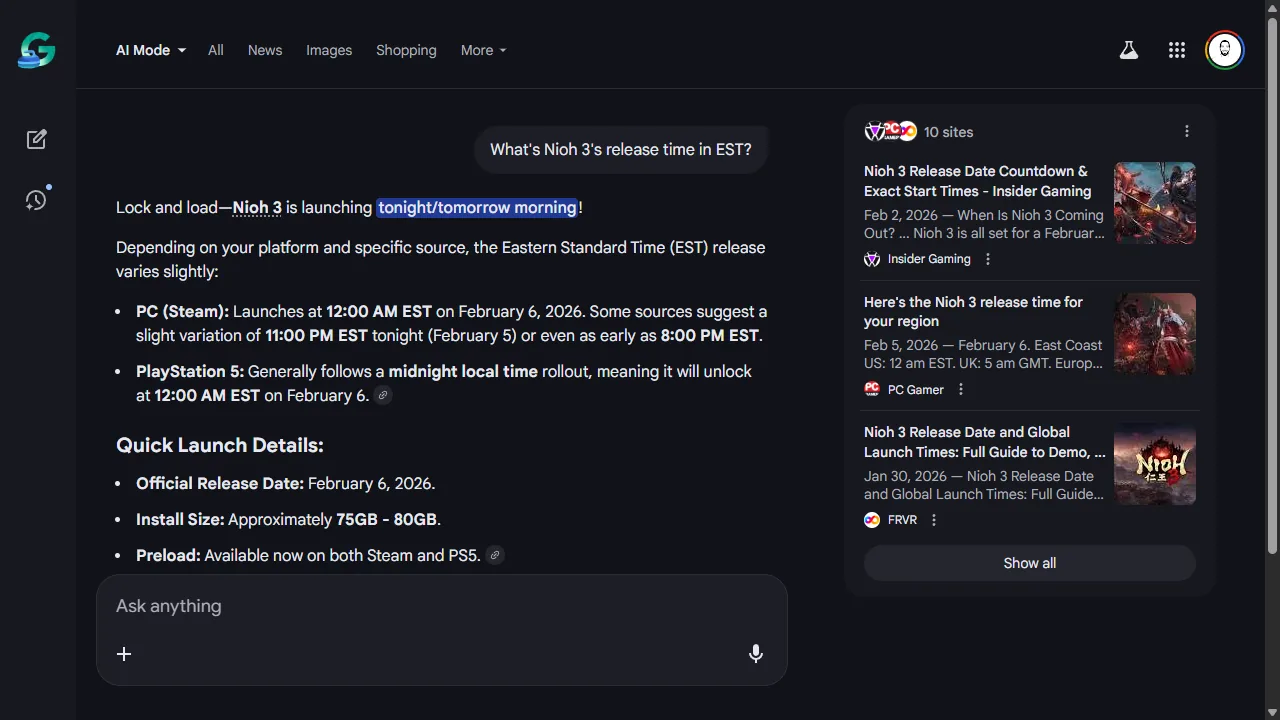
- Natural mobile voice chat: Features seamless, lifelike voice conversations through Gemini Live on mobile apps, with multiple voice styles and easy microphone controls.
Where it falls short:
- Invasive data collection: Google’s extensive tracking and data usage policies can feel intrusive, particularly for privacy-conscious users.
- Occasional inaccuracies: Like most LLMs, it still suffers from hallucinations and can present incorrect answers with high confidence, requiring manual fact-checking.
- Web voice limitations: The full conversational voice mode (Gemini Live) is restricted to mobile apps, leaving web browser users with basic text-to-speech.
- Underwhelming custom bots (Gems): Its custom assistants ("Gems") feel less capable, feature-rich, and versatile compared to OpenAI’s Custom GPT ecosystem.
- Occasional creative instruction stumbles: Can struggle with nuanced creative writing prompts or strict formatting rules compared to models specifically tuned for prose and poetry.
Comparison between Saner.ai, ChatGPT, Poke, Gemini
| Tool | Best for | Proactive? | Reads email/calendar natively | Free plan | Starting paid price |
| Saner.ai | Scattered brains, notes + tasks + calendar in one place | Yes — builds your day overnight | Yes (Gmail, Calendar, Slack, Drive) | Yes | ~$8/mo |
| ChatGPT | General, all-purpose use | No, by default | Only with setup/connectors | Yes | ~$8/mo (Go) |
| Poke | Texting-only, zero new apps | Yes — messages you first | Yes (Gmail/Outlook) | Yes | $19/mo |
| Gemini | Google Workspace households | Yes (new, via Spark/Daily Brief) | Yes (Gmail, Calendar) | Yes | ~$5/mo (Plus) |
How to pick the best AI Life Assistant?
- You want one tool that does it all, proactively, without you supervising it. → Saner.ai.
- You want the broadest, most flexible general-purpose tool and don't mind connecting it yourself. → ChatGPT.
- You will not open another app, full stop. → Poke.
- Your entire life already runs through Gmail and Google Calendar. → Gemini.
- You're not sure yet which bottleneck is actually yours. → Start with the free tiers on Saner.ai and ChatGPT and notice, honestly, where things keep falling apart. That answer picks your tool for you.

How to Set up an AI Life Assistant properly
Whichever one you land on, don't skip this - most people abandon an AI assistant inside two weeks because they never actually configured it, a pattern I keep seeing across every tool I test. I wrote a longer version of this as a practical daily setup guide, but the short version:
- Connect your real accounts, not a test one. An assistant is only as good as what it can see - your actual inbox, your actual calendar, not a demo environment.
- Do one honest brain dump in the first session. Dump everything on your mind into it with zero structure and watch what comes back. This is the fastest way to tell if a tool actually solves your problem or just looks nice doing a demo.
- Set your working hours and energy honestly. Not aspirational if you're useless after 4pm, say so. Every tool here respects this setting, and almost nobody sets it truthfully the first time.
- Start with one input source, not five. Email first, then calendar, then notes a week later. Trying to connect everything on day one is how people quit by day three.
- Leave real gaps in your day. Every one of these tools will cheerfully fill 100% of your calendar if you let it, and a fully booked day has zero room to absorb the one thing that always goes wrong.
- Review at day 14, not day 2. If it's fighting you more than helping by then, that's real information about fit, not a personal failure.

FAQ
What is the best AI life assistant overall in 2026? Saner.ai, if "life assistant" means something that proactively manages tasks, notes, email, and your calendar together rather than waiting to be asked. ChatGPT is the best general-purpose pick if you want one flexible tool instead.
Is there a free AI life assistant? Yes, several. Saner.ai, ChatGPT, Poke, and Gemini all have usable free tiers, though Poke's free tier trims down to a lighter mode once its small allowance is used.
What's the difference between an AI life assistant and a regular chatbot? A chatbot answers what you type. A life assistant is proactive, it tells you something before you ask, remembers context between sessions, and ideally touches more than one part of your life (calendar, email, notes, tasks) instead of living in a single text box.
Which AI life assistant is best for ADHD? Saner.ai is the one most consistently built around ADHD-style executive-function challenges, it was designed with a co-founder who has ADHD, and its proactive, capture-first approach directly targets the task-initiation and time-perception friction described in the research above. See the full ADHD assistant breakdown for more.
Do I need more than one of these? Plenty of people do. A common pairing is a capture-and-plan tool like Saner.ai for the day-to-day. Redundant for some people, useful for others - it depends on how split your actual bottlenecks are.



