The 6 Best Todoist Alternatives With AI

Todoist is a good to-do list. It's been a great to-do list for a long time. That's kind of the problem.

Now a lot of people want more than a list. They want something that looks at the list, looks at the calendar, and says "here's your day." Todoist added AI, but it still won't plan your day for you.
So here are six alternatives that will.
- Want AI to plan your day from email, notes and tasks? Saner.AI
- Want Todoist, but cheaper and with more built in? TickTick
- Want a calm daily planning ritual? Sunsama
- Want to keep Todoist and add an AI calendar on top? Reclaim
- Power user with tasks in ten apps? Akiflow
- Want simple, cheap, and good for the family? Any.do
First: what Todoist does well (and where it stops)
Credit where due. Todoist's Pro plan is $5/month billed yearly or $7 monthly. Cheap, for what you get.
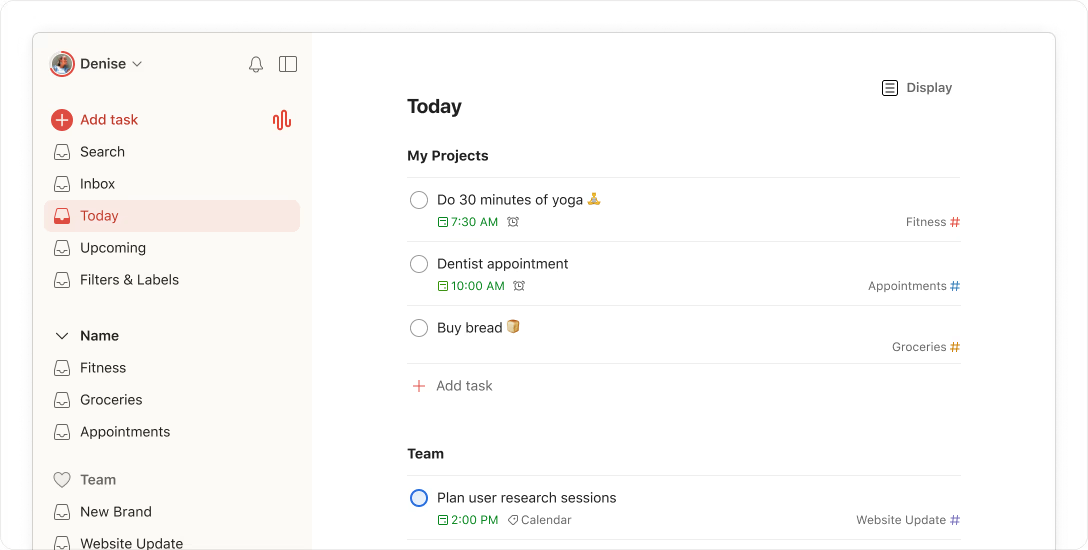
And its AI got real in the last year:
- Ramble turns rambling voice notes into structured tasks, in 40+ languages
- Task Capture pulls tasks out of photos, screenshots, PDFs and handwritten notes.
- Connectors and an MCP server let Claude, ChatGPT and other AI tools work with your tasks
So why do people leave?
- It won't plan your day. There's a calendar layout with manual time blocking on paid plans, but no auto-scheduling.
- Free is tight. 5 projects, 3 filters, and 10 Ramble/Task Capture sessions a month.
- No notes. Your meeting notes, ideas and docs live somewhere else.
- Email-to-task is paid.
None of that makes Todoist bad. The job you want done might have changed. That's all. (We went deep on this in Todoist vs Saner.AI.)
The 6 best Todoist alternatives with AI, compared
App | Best if you want… | Free plan | Paid from | Key AI | Works with Todoist? |
|---|---|---|---|---|---|
Saner.AI | AI to plan your day from email + notes | Yes | $8/mo | Email-to-task, brain dump to plan, AI daily plan | No import found |
TickTick | A cheaper, all-in-one Todoist | Yes (9 lists, 99 tasks each) | $49.99/yr | AI Assistant, AI Voice Capture, Recording Summary | Import not confirmed |
Sunsama | A guided daily planning ritual | No (14-day trial) | $17/mo yearly | Autoplan (beta), Sunny assistant | Yes, two-way sync |
Reclaim | Protected calendar time for your Todoist tasks | Yes (Lite, no Todoist sync) | $10/seat/mo yearly | Focus Time, Habits and Smart Meetings agents, Reclaim Chat | Yes, on paid plans |
Akiflow | One inbox for every task source | No (7-day trial) | $19/mo yearly | Aki assistant, auto-scheduling | Yes, two-way sync |
Any.do | Simple, cheap, family-friendly | Yes (unlimited tasks) | $4.99/mo yearly | Suggest, Voice Mode (rolling out) | Yes, import |
1. Saner.AI: best if your tasks are hiding in email and notes
Price: Free plan, then Starter $8/month and Standard $16/month on the web pricing page (yearly toggle).
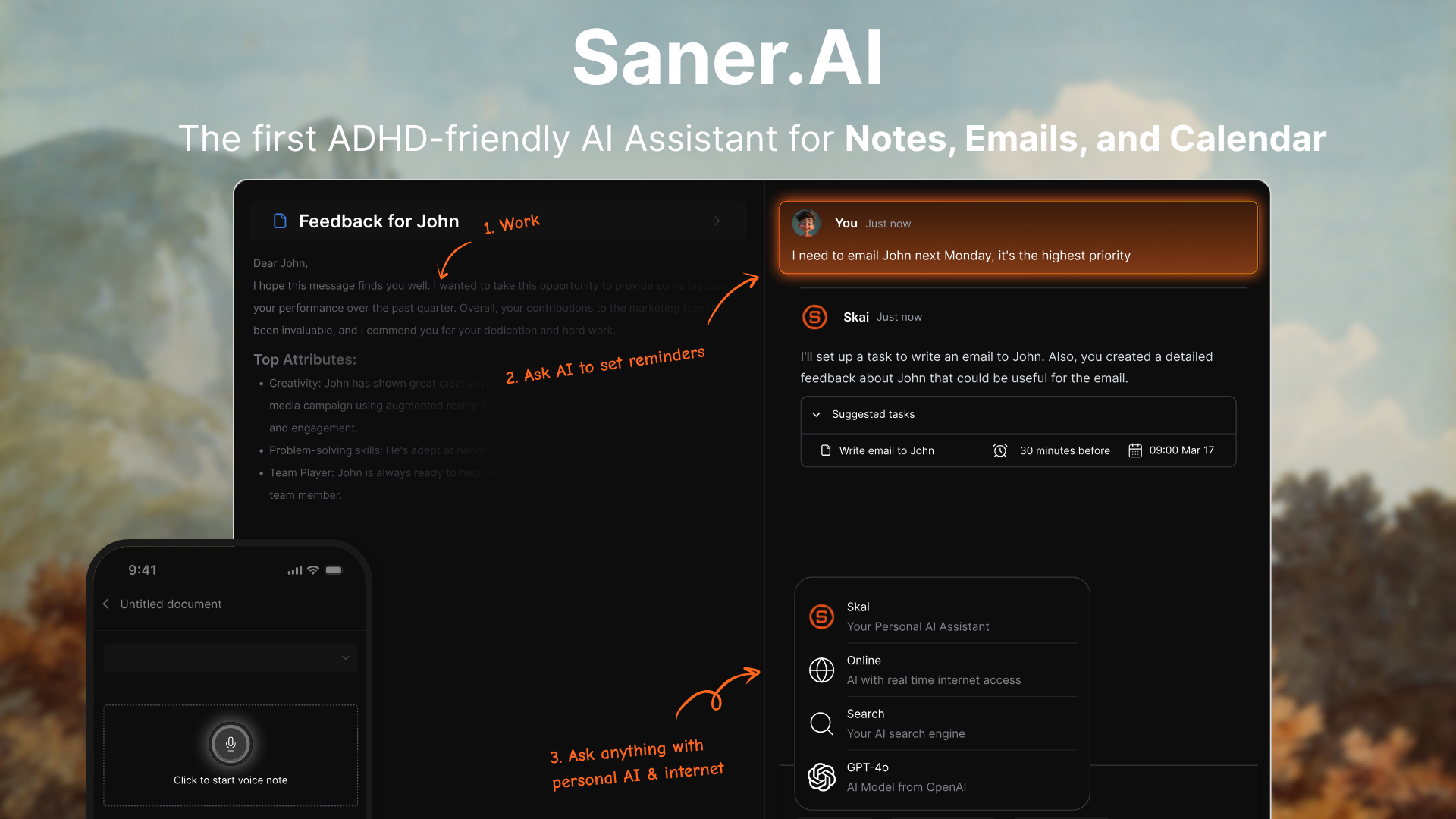
Saner.AI is less a to-do list and more an assistant that keeps one for you. It reads your connected email, notes and calendar and pulls tasks out of them. You stop being the person who copies things into the list.
What it does with tasks
- Turns emails into tasks from Gmail
- Turns brain dumps into plans. Type the mess, get tasks with priorities.
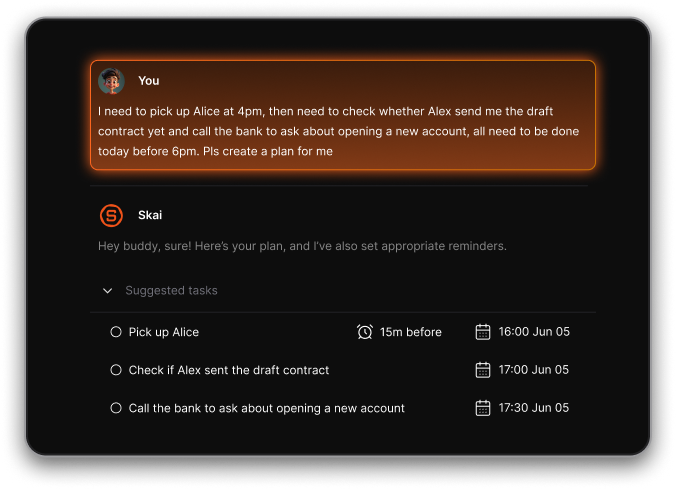
- Schedules your day around your Google Calendar. You can just ask: "plan my day."
- Keeps notes in the same place, so "follow up on what Luna said Tuesday" has context attached
How to try it
- Sign up free and connect your calendar and email.
- Paste your current Todoist "Today" list into a note. (There's no Todoist import, so this is the shortcut.)
- Ask the assistant: "Turn this into tasks, estimate durations, and plan my day around my meetings."
- Check tomorrow morning
Where it falls short:
- No Todoist import. .
- Not a team project tool. No shared boards, no sprints.
Pick it if your real problem is "I forgot to reply" more than "I forgot to write it down." If your brain runs a bit ADHD-shaped, Saner was built with that in mind. See also my brain dump with AI guide.
2. TickTick: best Todoist look-alike with more in the box
Price: Free, or Premium at $49.99/year
TickTick is the closest thing to "Todoist, but more." Same list-first feel. Plus a calendar view, habit tracker and Pomodoro timer built in. People switch for the value.
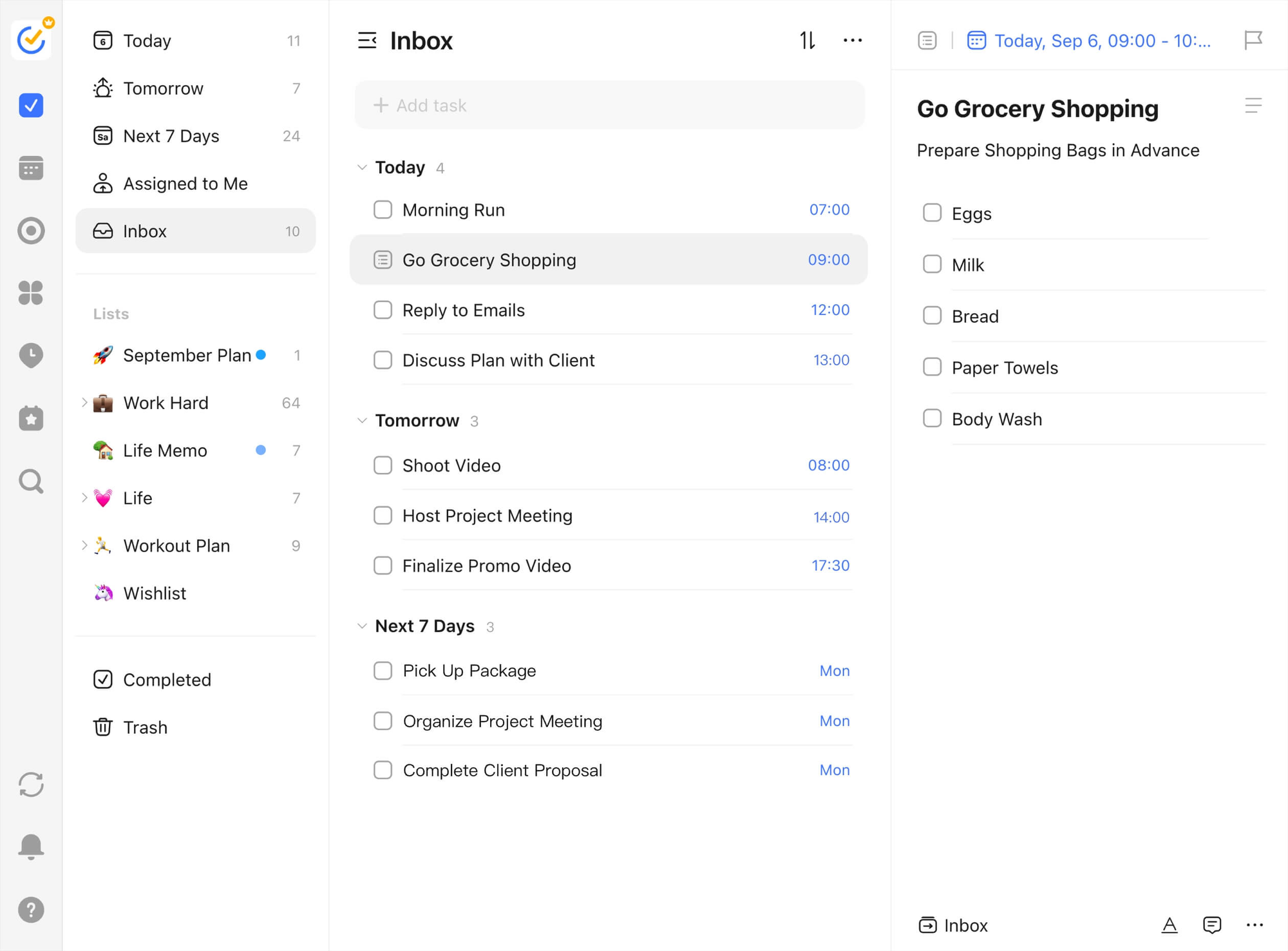
AI features (Premium only):
- AI Assistant for creating and organizing tasks
- AI Voice Capture
- Recording Summary
- MCP servers, so AI tools can work with your tasks
Where it falls short:
- All the AI is behind Premium.
- No auto-scheduling. You still plan your own day.
- Todoist import isn't confirmed
Pick it if you like Todoist's style and want more for less. Full breakdown in TickTick vs Saner.AI.
3. Sunsama: best for a daily planning ritual
Price: $17/month billed yearly or $22 monthly. No free plan, 14-day trial
Sunsama doesn't want to be your list. It wants to be the ten minutes each morning where you decide what actually happens today.
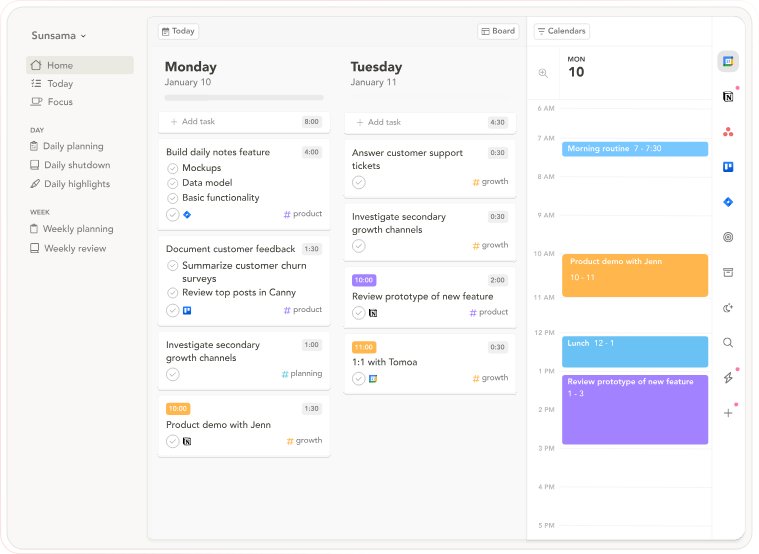
Sunny, its AI assistant, handles requests in plain English.
The neat part for Todoist users: you don't have to leave. Sunsama has a two-way Todoist sync for due dates and completion.
Watch out:
- Deadlines don't sync, and recurring tasks are excluded.
- No free plan, ever. Their words.
- Pricey next to Todoist's $5.
Pick it if you want a ritual and you're happy to keep Todoist as the backlog. Compare it with Saner in Sunsama vs Saner.AI.
4. Reclaim: best for keeping Todoist and protecting time to do it
Price: Free Lite plan. Starter is $10/seat/month and Business $15/seat/month on yearly billing, or $12 and $18 monthly
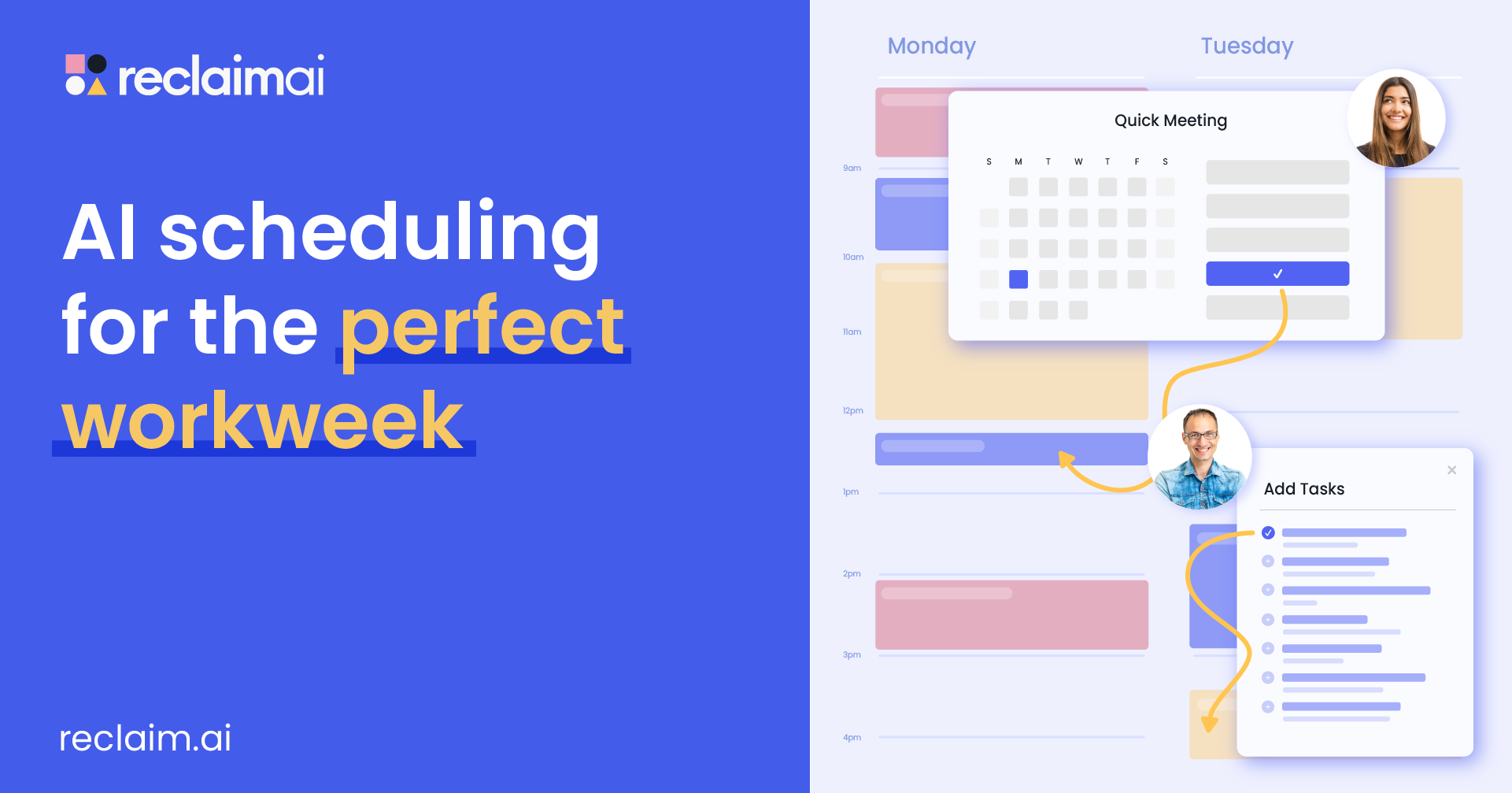
Reclaim is an AI calendar that defends your time.
What it does
- AI agents for Focus Time, Habits, Buffer time and Smart Meetings, plus agents that flag meeting overload
- Reclaim Chat, an AI assistant beside your calendar
- Preview Mode, so nothing changes until you review and apply it
- Scheduling Links for booking meetings
- An MCP server for ChatGPT, Claude and Cursor
Setup:
- Upgrade to Starter or higher, then go to Settings > Integrations > Todoist > Connect Todoist
- Turn on the Focus Time agent and set how many hours a week you want protected.
- Keep due dates and priorities tidy in Todoist.
Watch out:
- Tasks don't auto-schedule anymore in 2.0.
- No native mobile apps. It's a web app you can add to your home screen.
- Google Calendar and Outlook only.
- The free plan doesn't include Todoist and only schedules a week ahead.
Pick it if you love Todoist as a list and your real problem is meetings eating the time you meant for it. My Reclaim review has the details.
5. Akiflow: best for power users drowning in sources
Price: $19/month billed yearly or $34 monthly. No free plan, 7-day trial with card
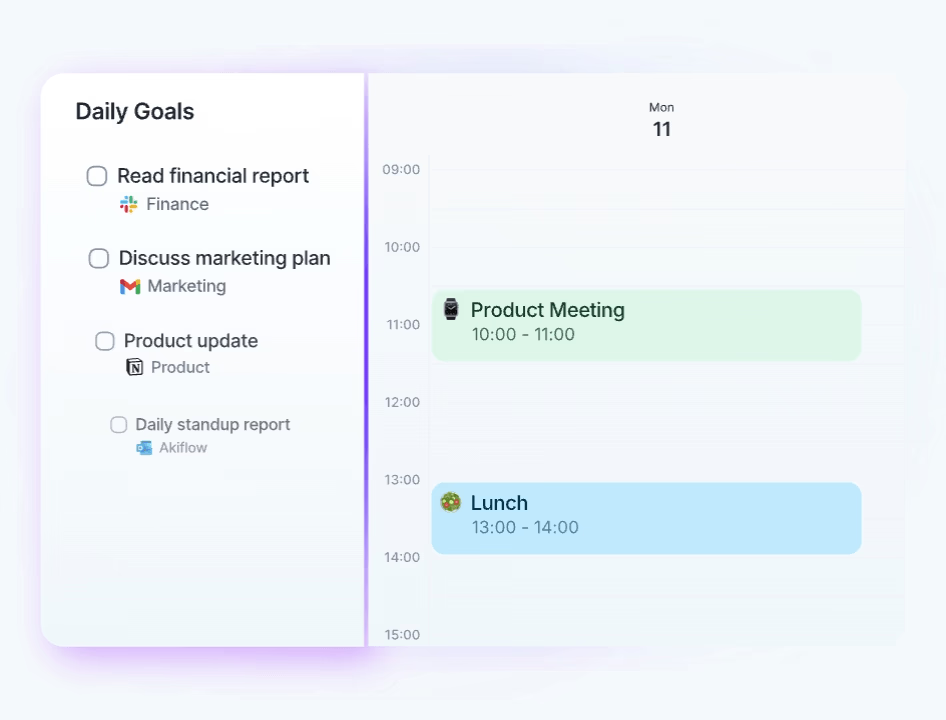
Akiflow pulls tasks from everywhere into one keyboard-driven inbox, then lets you drag them onto your calendar. Aki, its AI assistant, is included in Pro. It can auto-schedule, take forwarded emails and even take tasks from WhatsApp
Watch out:
- Completing a task syncs back only via "Mark as complete in Todoist," and deleting in Akiflow doesn't sync.
- It's the priciest here month to month.
- The AI Meeting Assistant is a $19/month add-on.
Pick it if you live on the keyboard and your tasks come from Slack, email, Jira and three other places. More in my Akiflow review.
6. Any.do: best simple, cheap option (and for families)
Price: Free with unlimited tasks. Premium is $4.99/month billed yearly or $7.99 monthly. Family (4 people) is $8.33/month yearly
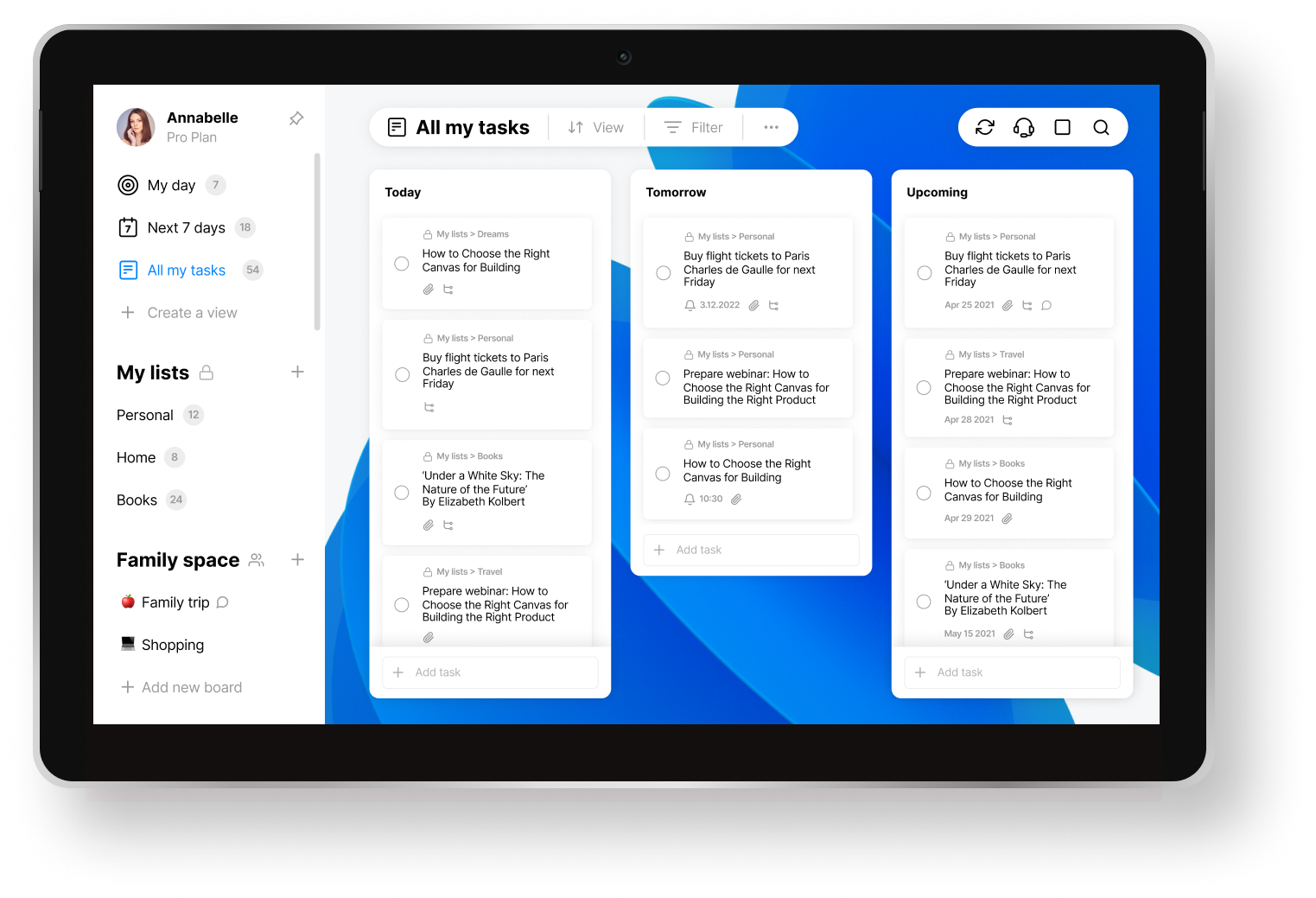
Any.do is the friendly one. Clean lists, a calendar, grocery lists, and a family plan. It imports from Todoist.
AI features are lighter:
- Suggest breaks tasks into subtasks (Premium)
- Voice Mode for capturing tasks, rolling out gradually on paid plans
- A free MCP connector for ChatGPT, Claude and Codex, on every plan
Watch out:
- The AI is mostly suggestions. It won't plan your day.
- Voice Mode isn't on the free plan and is still rolling out.
Pick it if you want something simple you can share with your partner, and Todoist feels like overkill.
Want to test-drive AI planning before switching anything? My guide to using ChatGPT for task management lets you try the workflow for free.
So, which Todoist AI alternative to choose?
Look at why you opened this page.
- "Todoist won't plan my day": Saner.AI if your tasks come from email and notes, Sunsama if you want a ritual, Morgen if you want to keep Todoist.
- "Todoist costs too much for what I use": TickTick or Any.do.
- "My tasks are in ten apps": Akiflow.
Still stuck? Start free. Saner, TickTick and Any.do all have free plans. One week tells you more than this article can.
For more task manager options, see our best AI task manager list.
FAQ
What is the best Todoist alternative with AI?. Saner.AI is best if you want AI to pull tasks from email and notes and plan your day. TickTick is the best like-for-like swap. Sunsama is best for a daily planning ritual, and Morgen is best if you want to keep Todoist and add an AI planner.
Does Todoist have AI? Yes. Todoist Assist includes Ramble (voice to tasks), Task Capture (tasks from photos and PDFs), Email Assist and Filter Assist, plus connectors for Claude and ChatGPT and an MCP server. It doesn't auto-schedule tasks or plan your day.
Is there a free Todoist alternative with AI? Saner.AI, TickTick and Any.do all have free plans.
Which apps sync with Todoist instead of replacing it? Sunsama, Akiflow and Morgen all connect to Todoist, so you can keep your tasks there and plan on top. Todoist also points users to Reclaim for auto-scheduling.
Is TickTick better than Todoist? TickTick packs more into a lower price: calendar view, habit tracker and Pomodoro timer, for $49.99 a year. Todoist has a cleaner list experience and broader AI capture tools like Ramble and Task Capture. If you want more features per dollar, TickTick wins.
Can I import my Todoist tasks into Saner.AI? There's no direct Todoist import on Saner.AI right now. The quickest route is to paste your active tasks into a note and ask the assistant to turn them into tasks and a plan.
How much does Todoist cost? Beginner is free. Pro is $5/month billed yearly or $7 monthly. Business is $8 per user per month yearly or $10 monthly. Checked November 17, 2026.