Top 4 Morgen Alternatives: Tried and Tested in 2026

💡 Quick answer: Morgen is a clean calendar that syncs multiple accounts well and suggests time blocks. But it lost its free plan in 2026, won't replace your to-do app, and never moves anything without your approval. If you want a free option that auto-schedules, Reclaim.ai is the closest match. If your problem is that you get overwhelmed at work easily, skip to Saner.ai below. If you want full hands-off automation, get Motion. If you prefer fast keyboard shortcuts to consolidate tasks manually, pick Akiflow.
What Morgen does well ?
Where it goods at:
- Powerful multi-calendar sync: Clean multi-view calendar layout (day, week, month) and deep task integrations with Notion, ClickUp, Linear, Google Tasks, Microsoft To Do, Apple Reminders.
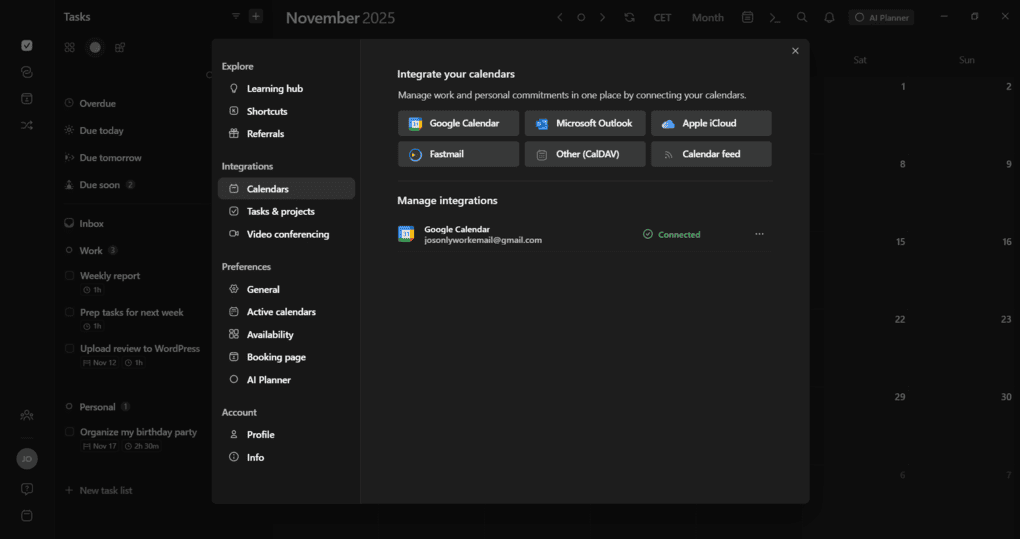
- Task Management: Sidebar task creation featuring subtasks, due dates, priority sorting, and time estimates.
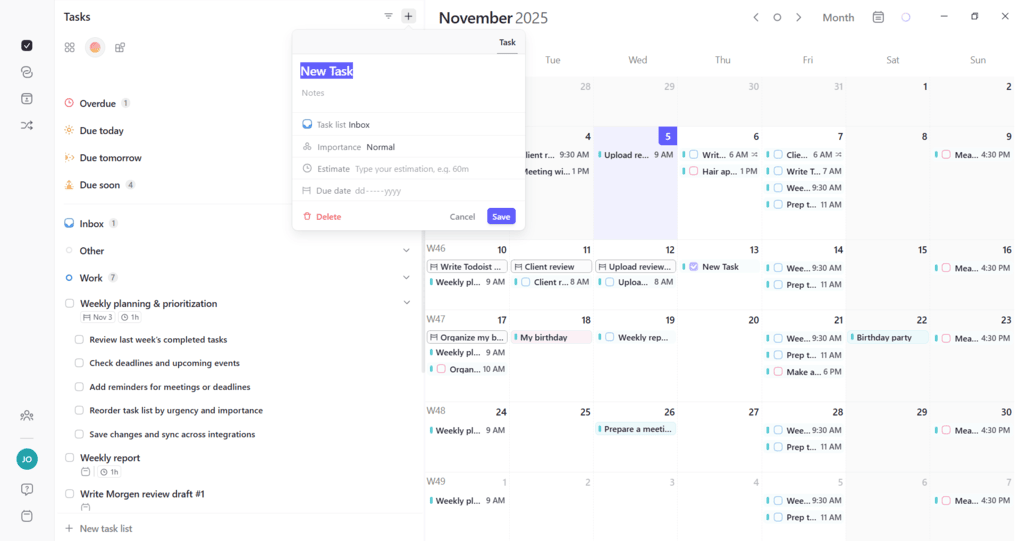
- AI Planner that respects control: suggests time blocks based on my patterns and "frames", but nothing gets added to my calendar without my approval.
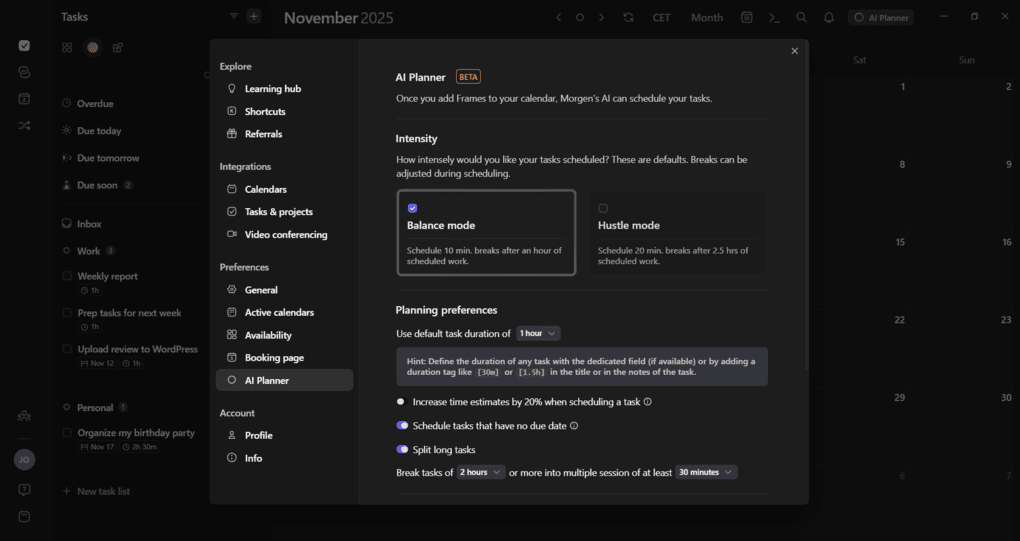
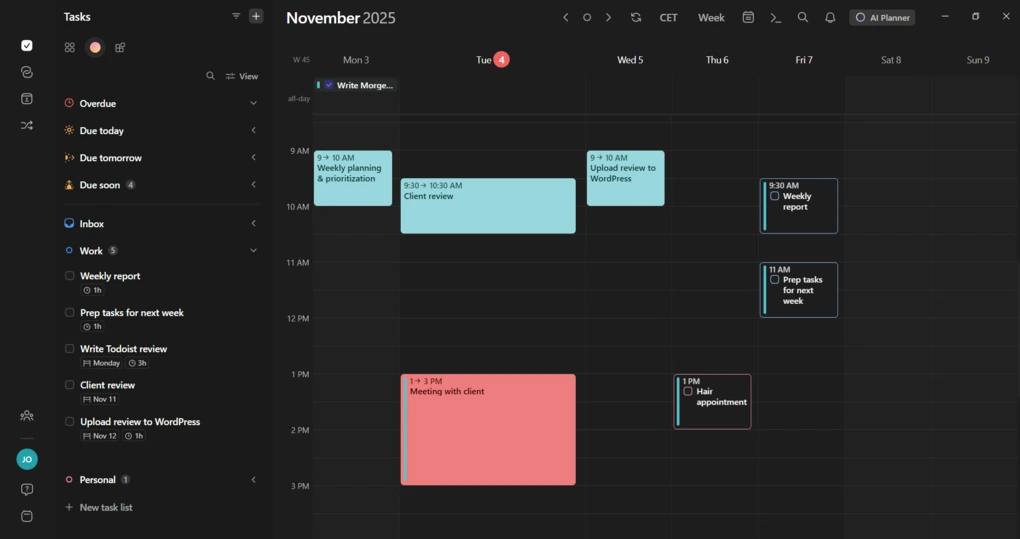
- User Interface: full color-coding along with both light and dark modes. Everything edits in one simple pop-up, so I can tweak times, reminders, and meeting links without jumping between pages.
Where it falls short:
- No permanent free plan as of 2026 just a 14-day trial, then $15/month billed annually or $30/month billed monthly.
- It's a calendar with task visibility, not a task manager, you still need a separate subscription for the tasks themselves.
- No daily briefing or proactive nudge: I review my day, I decide; it doesn't come to me with a plan already drafted.
- The mobile app requires a paid plan, and desktop-to-mobile sync can be occasionally sluggish.
What to look for in a Morgen alternative?
Depends on your needs to be honest, but here are some aspects to consider:
- Want it free? Look for a real permanent free tier, not just a trial with a countdown.
- Want less manual approval? Look for auto-scheduling, not "suggest and wait".
- Want a task manager included, not just visibility into one? Make sure the tool owns tasks natively instead of just mirroring them.
- Want less setup, not more control? Look for something that starts working from messy input: voice, email, notes rather than requiring clean, pre-defined tasks.

1. Reclaim.ai - best free alternative
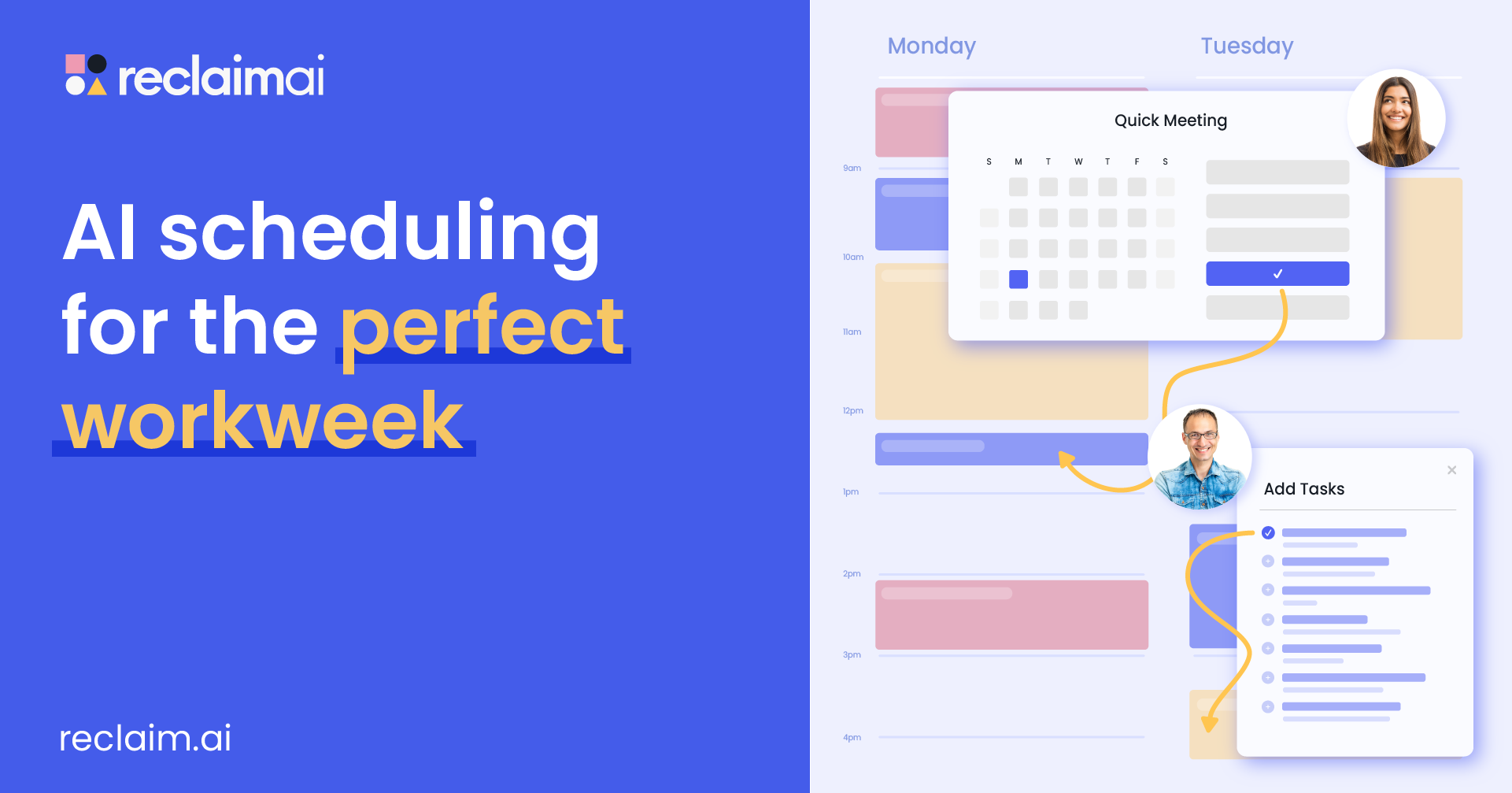
Reclaim auto-schedules your tasks, habits, and buffer time directly into my calendar based on priority and flexible rules I set, without my approval like Morgen does. It has a real, usable free tier, which Morgen no longer offers at all.
- Price: Free plan available; paid tiers scale up from there
- Best for: People who want auto-scheduling without paying for it
- Trade-off: Less manual control than Morgen - if you want to approve every block by hand, this will feel like it's taking liberties
What it does best:
- Protects personal habits: It locks in daily habits, shifting them to the next free slot rather than letting meetings overlap them.
- Blocks out deep work automatically: Instead of waiting to carve out focus time, it finds the best hours in week and locks them down so meetings cannot take over my whole day.
- Flexible time slots: The blocks it makes stay soft and open when my week is quiet, but turn hard and busy as my calendar fills up, keeping me open to chat until I truly run out of time.
- Pulls tasks from your other tools: Connect to tools like Todoist, ClickUp, Asana, or Linear, and it will pull actual work into calendar and schedule it before deadlines hit.
Where it falls short:
- There is no phone app: Adjust settings and rules on a laptop or desktop computer. On phone, I can only see the finished events inside regular calendar app.
- The schedule changes a lot: Because it is always trying to optimize day, blocks can shift around without warning.
- It is not a place for notes or messy thoughts: Reclaim only cares about dates, times, and rules. It cannot read a long, messy voice note or clean up an untidy email inbox.
I've done a full Reclaim.ai review here if you want the complete breakdown, plus a roundup of Reclaim alternatives if Reclaim itself isn't quite right either.
2. Saner.AI - best for proactive, capture-first planning
Here's the thing every tool above still has in common with Morgen: they all need to hand them a defined task before they can do anything with it. Morgen suggests a slot for a task I already logged. Akiflow organizes a task I already flagged in Slack. Even Motion needs a task with a deadline before it schedules it. None of them go looking for what you haven't written down yet.
Saner.ai is built for that earlier step, and it leans specifically into three things Morgen doesn't attempt at all:
- AI voice-to-calendar capture: label an email to let Saner read it, or dump any thought, and its AI reads the intent, breaks anything vague or oversized into concrete steps, and schedules the result directly.
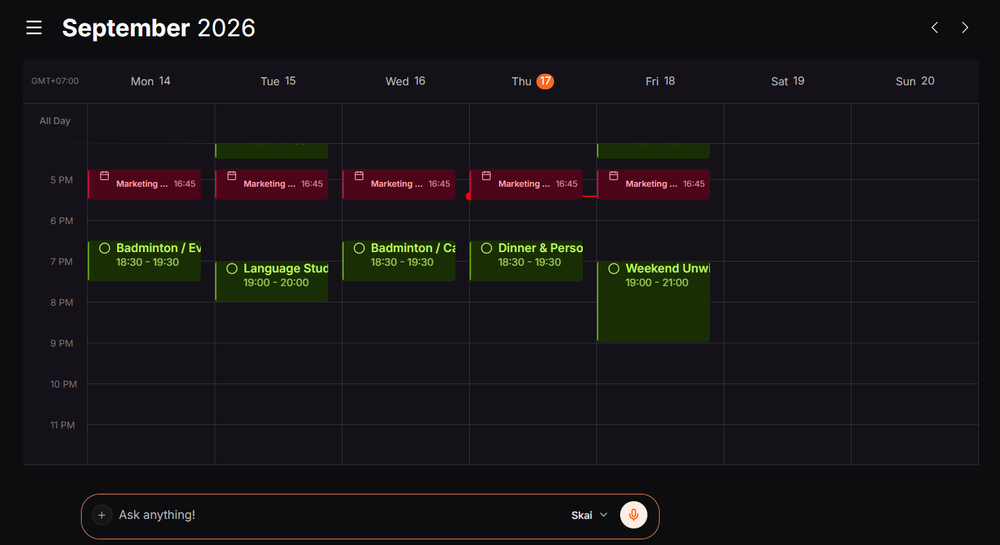
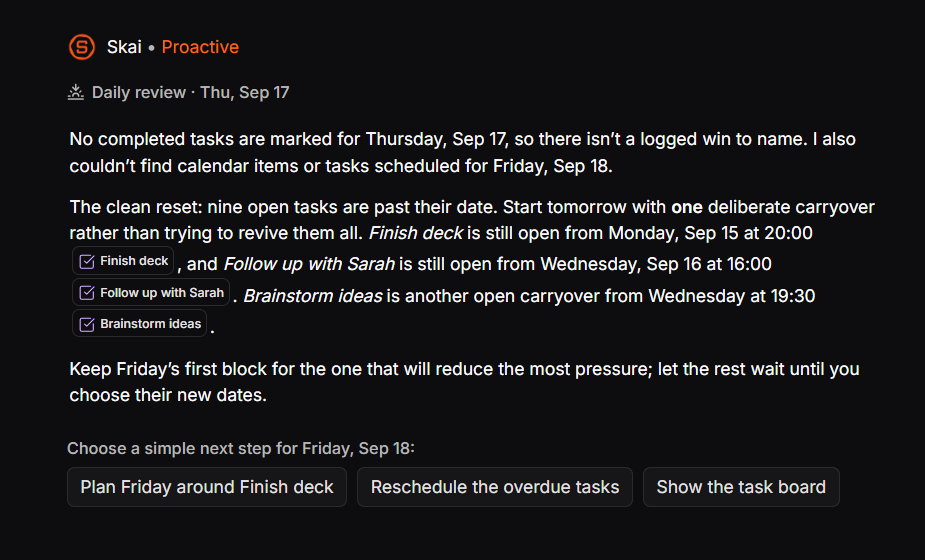
- Proactive daily planning: instead of opening a blank calendar and deciding what goes where (which is still what Morgen asks every morning), Skai drafts a plan overnight from my notes, inbox, and unfinished items.
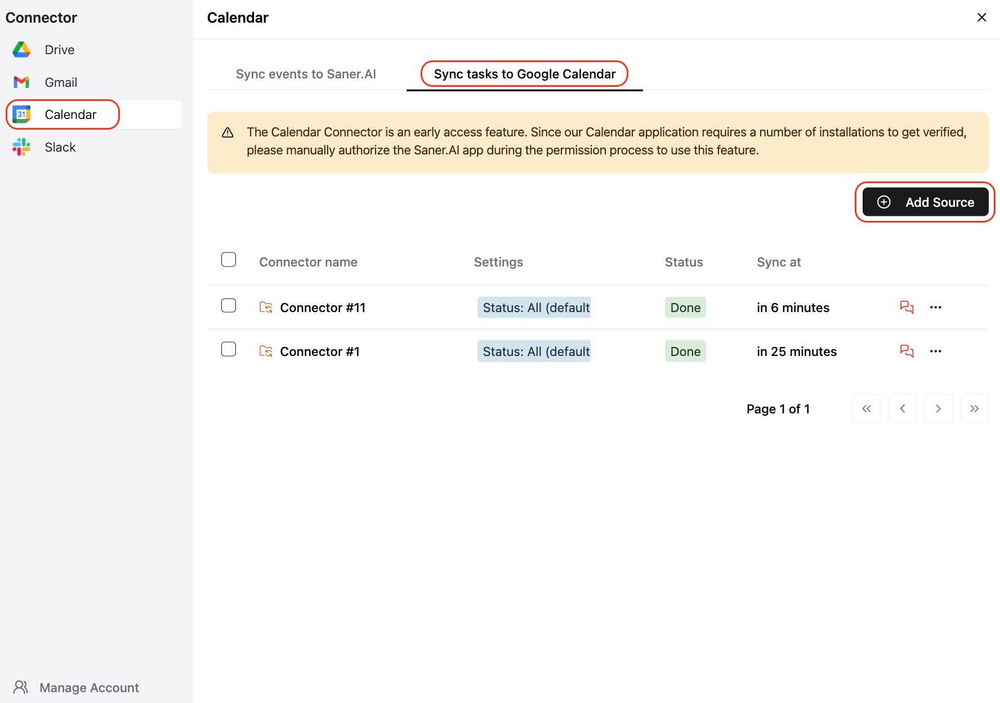
- Task manager, notes, and calendar as one system: a thought I wrote down last week can resurface as a scheduled task automatically, instead of living in a separate notes Morgen never sees.
- Price: Free plan available; paid tiers from $8/month (Starter) to $16/month (Standard), cheaper than Morgen's $15–30/month
- Best for: People whose actual bottleneck is an overwhelmed brain, not scheduling - tasks that never make it onto any list, ADHD-related time blindness, or a week where notes, tasks, and calendar have become a mess
- Trade-off: Fewer third-party calendar and task integrations than Morgen's deep Notion/ClickUp/Linear support, since it's built to be the whole system rather than a layer on top of existing tools
If your answer to "why isn't this task in Morgen yet" is "because I never got around to writing it down anywhere," that's specifically the gap Saner.ai closes.
3. Motion - best for full hands-off automation
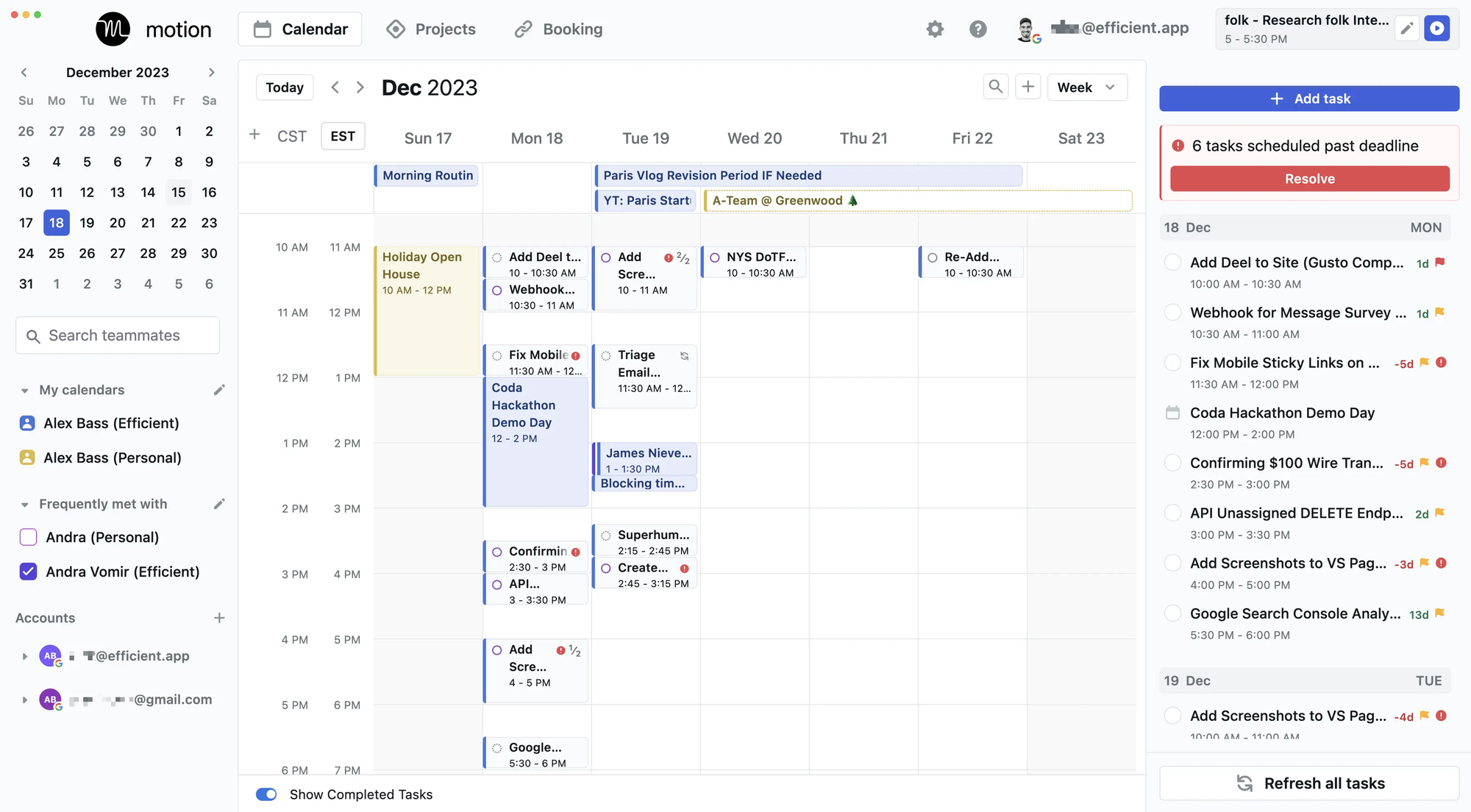
If Morgen's "suggest, then wait for approval" model feels like it's still leaving the real work, Motion is the opposite extreme. It auto-schedules tasks around my meetings and replans entire day the moment something shifts, with no approval step required.
- Price: $19–29/seat/month (Pro/Business AI, billed annually), with AI Employee add-ons from $49/month.
- Best for: Deadline-driven professionals with meeting-heavy days who want the AI to just decide.
- Trade-off: No free plan, a real learning curve, and a mobile app that trails the desktop experience noticeably.
What it does best:
- Full-day auto-replanning: When an urgent issue pops up, Motion rebuilds entire day around the new reality without asking for sign-off.
- Deadline-aware scheduling: It works backward from due dates, prioritizes critical tasks, and warns early if a deadline is in danger.
- Unified workspace: Pulls Google, Outlook, and Apple calendars into one view alongside light project boards, AI meeting notes, and booking links.
- Blocks real focus time: Treats your scheduled tasks as real events, keeping coworkers from booking over your deep-work hours.
Where it falls short:
- Doesn't find my work: It schedules when to do things, not what to do - I still have to enter tasks manually instead of it reading messy inbox or chat threads.
- Steep learning curve: It requires strict maintenance (accurate time estimates, set hours, and regular updates) or the calendar falls out of sync.
- Weak mobile experience: The phone app is stripped down and slower compared to desktop, making it fine for quick checks but bad for real planning.
See my Motion alternatives roundup for how it stacks up against the rest of the auto-scheduling field.
4. Akiflow - best for keyboard-first power users
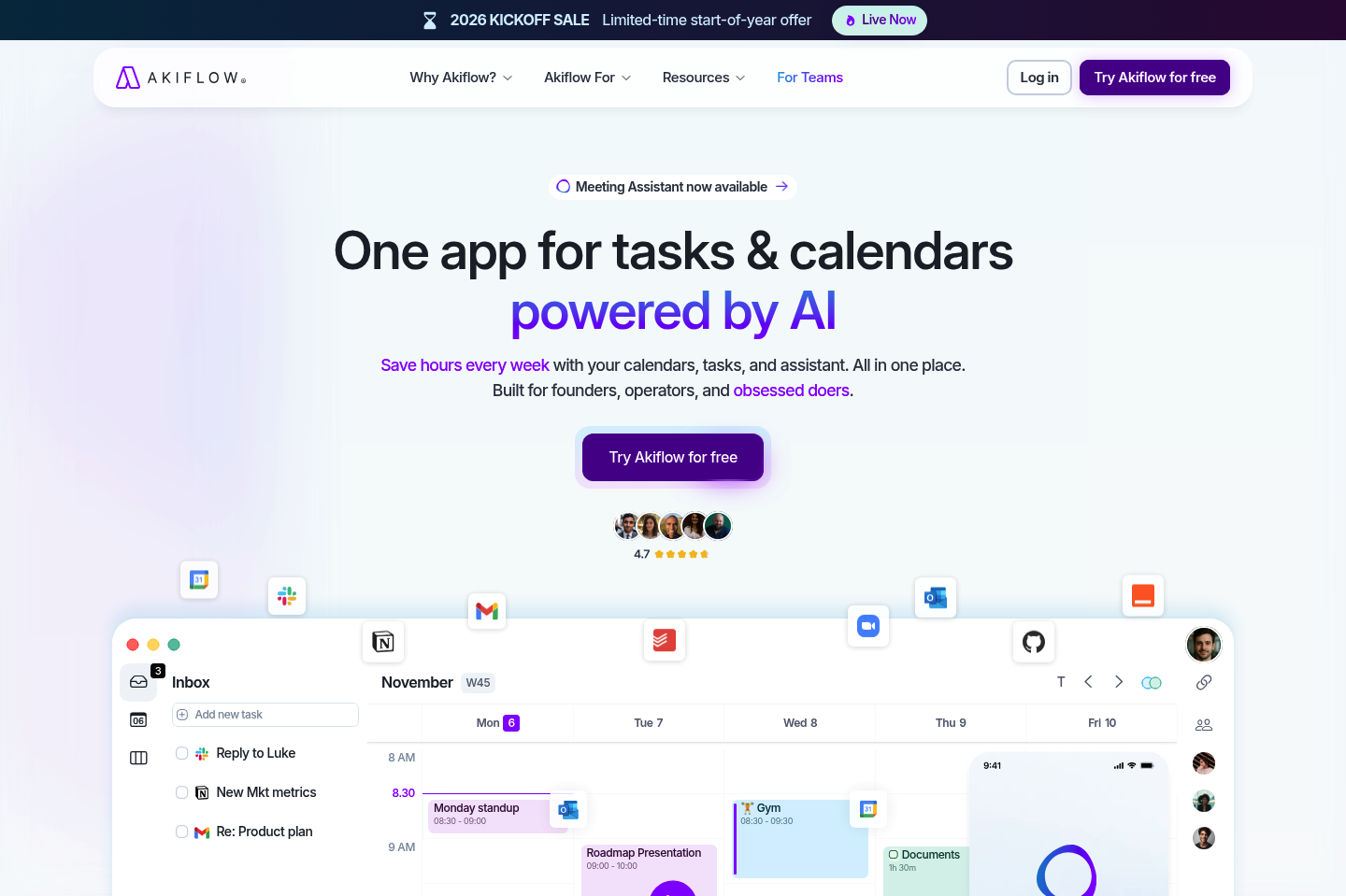
Akiflow shares Morgen's "you stay in control" philosophy, but goes further on consolidation - a Universal Inbox pulls tasks from 50+ tools (Slack, Jira, Asana, GitHub, and more) into one queue, and a keyboard-first command bar capture and schedule without touching a mouse.
- Price: $19/month (billed annually) to $34/month (billed monthly).
- Best for: People already juggling 5+ tools who want speed, not automation making decisions.
- Trade-off: No free plan either, and the command bar has an adjustment period before it starts saving time.
What it does best:
- True universal inbox: Automatically imports to-dos from Slack messages, flagged emails, Notion boards, and ClickUp lists into one processing queue.
- Blazing-fast command bar: Capture ideas, assign due dates, and block time using natural keyboard shortcuts without touching mouse.
- Smooth drag-and-drop time blocking: Placing tasks onto Google or Outlook calendar feels fluid and keeps schedule strictly under control.
Where it falls short:
- No hands-off auto-scheduling: Akiflow won't arrange or rebuild day automatically, I still have to manually decide when every task happens.
- One-way sync quirks: Completing a task inside Akiflow doesn't always mark it done in the original app, sometimes forcing me to check items off twice.
- No Apple Calendar/iCloud support: Only connects directly with Google Calendar and Microsoft Outlook.
Comparison between Morgen, Reclaim.ai, Motion, Akiflow, Saner.ai
| Tool | Free plan | AI approach | Starting price | Best for |
| Morgen | No (trial only) | Suggests, you approve | $15/month | Unified calendar view |
| Reclaim.ai | Yes | Auto-schedules by rules | Free | Free auto-scheduling |
| Motion | No (trial only) | Fully auto-schedules | $19/seat/month | Hands-off automation |
| Akiflow | No (trial only) | Assists, you place | $19/month | Keyboard-first consolidation |
| Saner.ai | Yes | Proactively plans for you | $8/month | Capture-first, ADHD-friendly |
Which one should you switch to from Morgen?
- You want free, and you're fine with the AI making real calls: Reclaim.ai
- You want zero manual scheduling, full stop, and budget isn't the constraint: Motion
- You have tasks scattered across 5+ tools and want speed over automation: Akiflow
- Your real problem is that tasks keep making you overwhelm or you're managing ADHD-related time blindness: Saner.ai
How to make the switch from Morgen without losing anything?
You can follow this order:
- Export before you cancel anything. Most of these tools, Morgen included, let you export tasks or notes before you close an account - do this first, even if you think you won't need the backup.
- Keep both tools running for one week, not one day. A single day isn't long enough to catch recurring meetings, weekly reviews, or a task type you forgot existed. A full week catches almost everything.
- Reconnect your calendars before your task manager. Calendar sync is the part that breaks quietly if it's rushed - get Google, Outlook, or iCloud fully synced and verified before you start importing tasks on top of it.
- Start with a smaller, real week. Don't wait for a quiet week to try the new tool "properly." A messy, real week is a better test of whether it actually holds up than a calm one where nothing would have gone wrong with any tool.

FAQ
Is Morgen worth switching away from if I already pay for it? If you're consistently approving every AI suggestion by hand and not feeling like it's saving real time, that's a legitimate signal to try something further along the automation spectrum, like Reclaim or Motion. If your real complaint is that tasks never make it into Morgen at all, the fix isn't a better calendar - it's a capture-first tool like Saner.ai.
Does any Morgen alternative have a real free plan? Yes - Reclaim.ai and Saner.ai both offer free tiers, unlike Morgen, Akiflow and Motion, which are all trial-only.
What's the difference between Morgen's AI Planner and Saner.ai's approach? Morgen's AI suggests time blocks for tasks you've already logged in a connected tool, and waits for your approval. Saner.ai does the earlier work too - it turns unstructured input like voice notes or emails into tasks itself, then proactively drafts your day around them.
Is any of these good for ADHD specifically? Saner.ai is explicitly built with ADHD and executive-dysfunction workflows in mind. See my AI assistants for ADHD for the full comparison, and talk to a professional if this feels like more than everyday disorganization.
Which alternative is cheapest overall? Saner.ai and Reclaim.ai both start free, making them the cheapest entry points on this list by a wide margin over Morgen's $15–30/month.