Mem.ai vs Saner.ai (2026): Which Is Better??
💡 Quick answer: Saner.ai is the better pick if your problem is turning scattered notes, emails, and voice thoughts into an actual plan on your calendar. Mem.ai is the better pick if you want a deep, AI-searchable knowledge base with an agent that tracks tasks and runs scheduled routines. Both have free plans, so the cheapest way to settle it is to run the same messy week through each.
How I compared Mem.ai and Saner.ai?
- What I did: Used both tools in my real daily workflow, tested how they handle messy notes, tasks, and calendar planning, and wrote down this honest review..
- What I didn't do: Where something comes only from a company's own marketing, I say so.
What Mem.ai does?
Mem started as an AI notes app and has grown into what it now calls a workspace plus an agent. Here's the short version of what you actually get:
Where it does best:
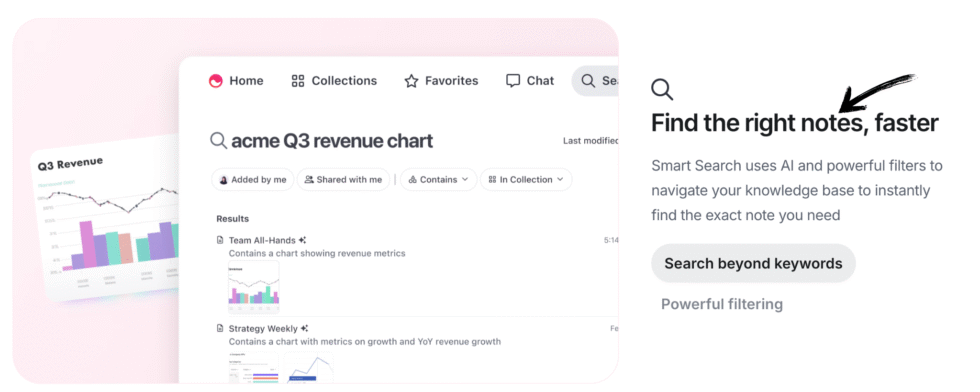
- Automatic AI organization: No need for manual folders or tags, it links related notes together and brings them up automatically based on what they're about.
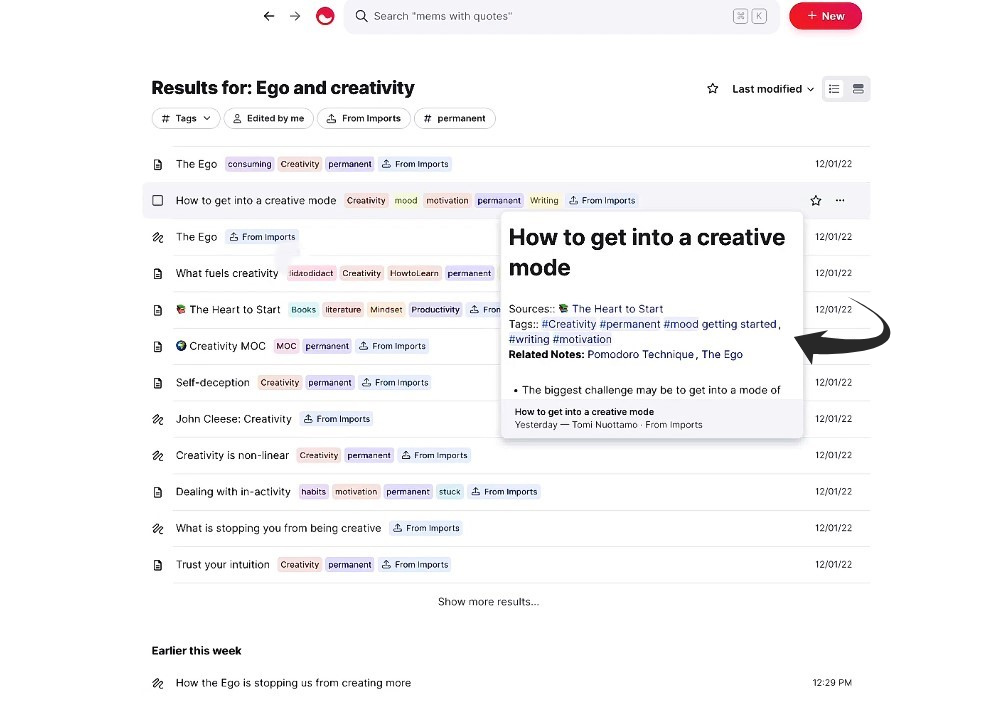
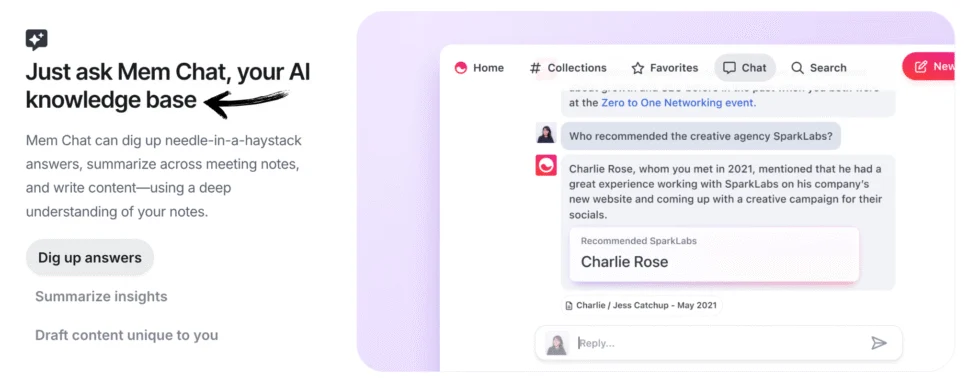
- Proactive Mem Chat & Agent: An AI helper that answers questions, summarizes docs, and spots hidden tasks or project steps inside my writing.
- Custom automated routines: Runs recurring prompts on autopilot, such as generating a weekly meal plan every Sunday or drafting a routine briefing from my past notes.
- Smart app connections: Links with Gmail, Slack, and Todoist, using outside messages for extra context and tracking what you've already finished.
- Built-in Voice Mode: Lets me talk out loud or record a meeting straight from a note, turning my audio into a clean, structured transcript on its own.
- Privacy basics: encryption at rest and in transit, one-click Markdown export, and a stated policy of not selling data. It is not end-to-end encrypted, because Mem processes my content to power its AI
In one line: Mem is a knowledge base you can question, with an agent that notices what you owe and reminds you.
What Saner.ai does?
Saner.ai starts from the opposite end. It's less about building an archive and more about turning what you capture into a day you can actually follow. Here's what it does:
- Smart overnight scheduling: its assistant, Skai, prepares my day while I sleep by turning unread emails, recent notes, and open tasks into a ready-to-go schedule, so project steps and client check-ins don't slip through the cracks
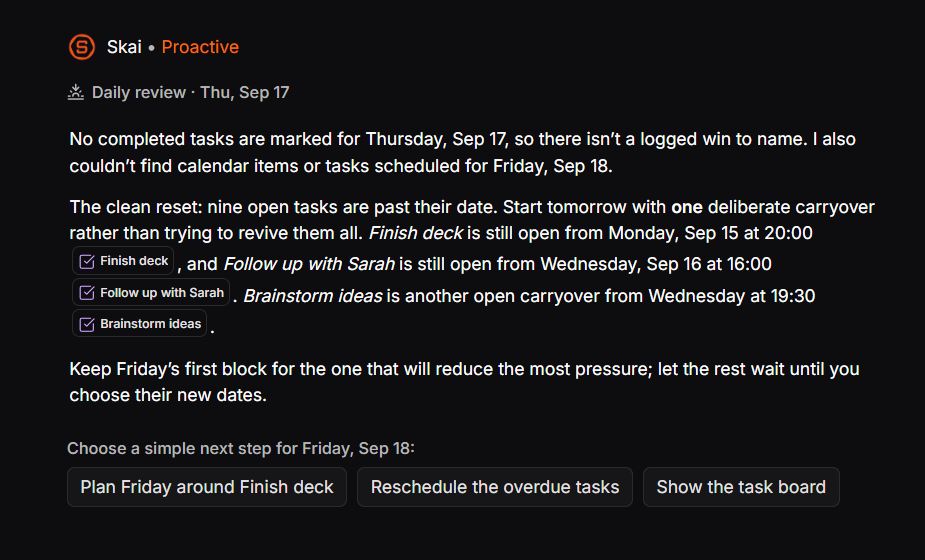
- Self-organizing notes: The AI reads my quick thoughts, links them to related projects, then it sorts, tags and schedule everything automatically
- Voice and quick thoughts to calendar: speak, forward a messy email, or drop a quick thought. The AI works out what I meant, splits large jobs into bite-sized steps, and puts them on my calendar so they don't get lost in my notes
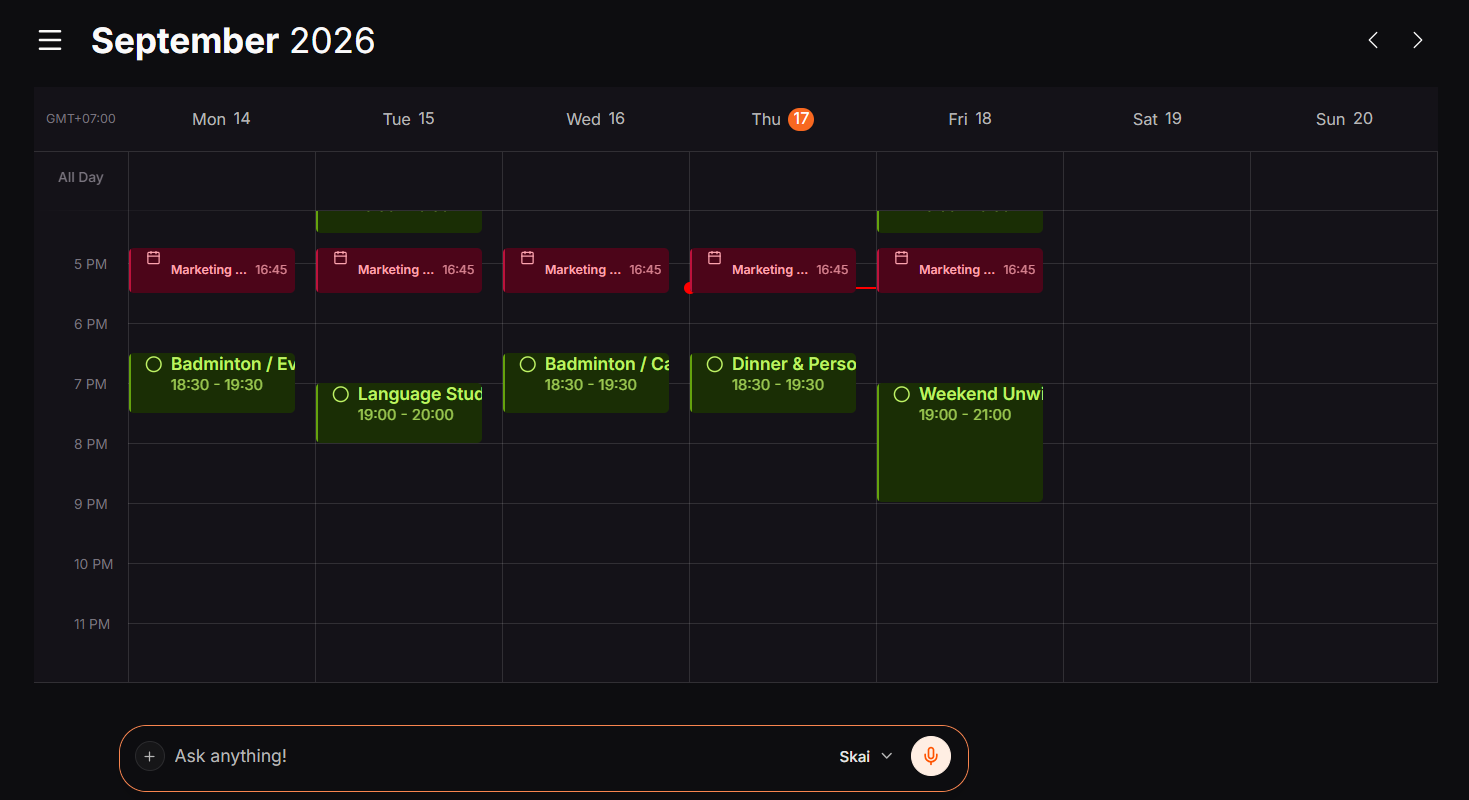
- All-in-one notes, tasks & calendar: Connects directly with Gmail, Google Calendar, Slack, and Drive. Its AI (Skai) scans unread emails, notes, and open threads to piece together the full picture of my day.
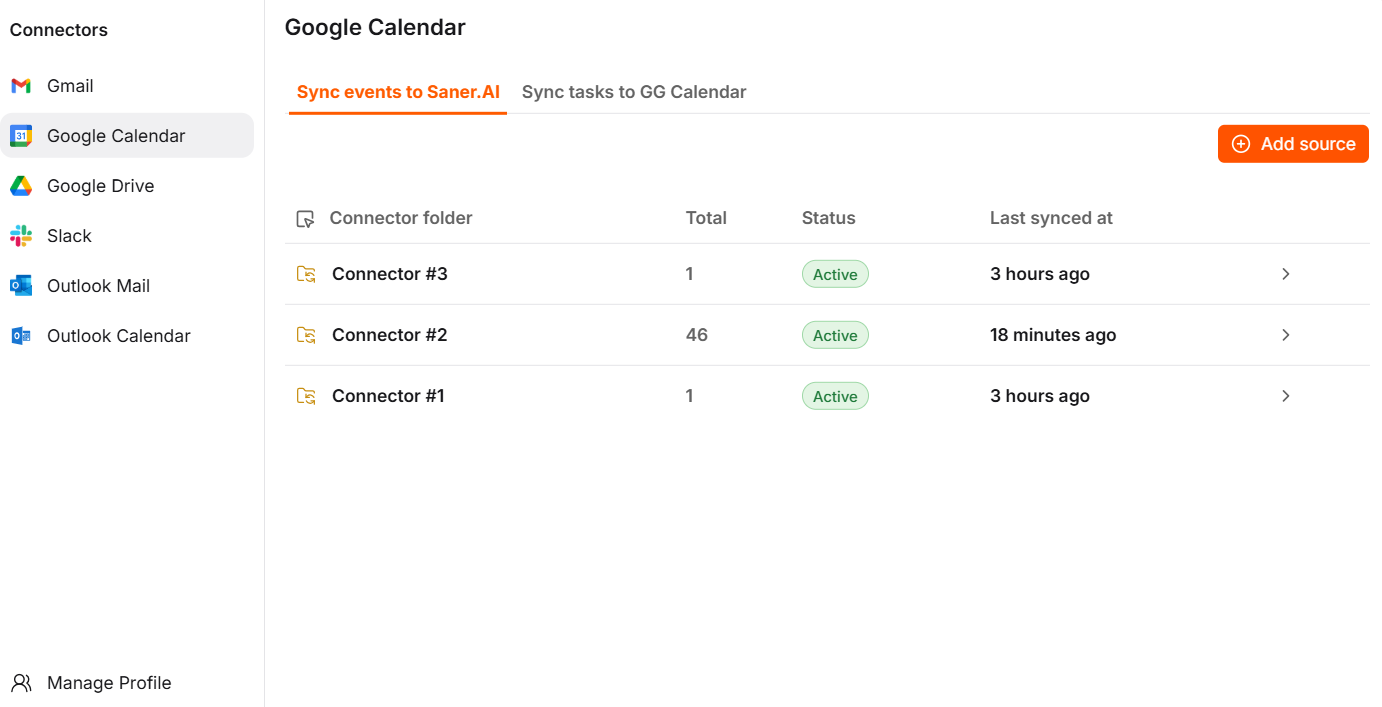
- Capture from anywhere: web, iOS, and Android apps, plus a Chrome extension for clipping
In one line: Saner.ai is a notes, tasks, email, and calendar assistant that builds a plan for you before you ask.
Round 1: Capture. How fast does a thought get in?
The best note app isn't the one with the most features, it's the one that lets you jot down an idea in two seconds when you're exhausted late at night. So capture friction matters more than any feature list
Mem's side:
- Push-to-talk requests, a floating chat, and even email or WhatsApp-style external channels count as ways to send things to Mem
- A Voice Mode that you switch on inside any note to capture a meeting or think out loud, producing a structured transcript (3 hours total on Free, 10 on Plus, 25 on Pro)
- A web clipper and mobile app
Saner.ai's side:
- Capture by voice, text, or Chrome extension, with iOS and Android apps
- Email import and calendar sync, so inbox items and meetings flow in instead of waiting for you to retype them
- Its AI assistant, Skai, tags and connects what you capture without you building folders first
Both let you throw things in from basically anywhere. Mem has a few more capture channels listed; Saner.ai's email and calendar syncing means more arrives without you lifting a finger.

Round 2: Act. Does a note ever turn into something on your calendar?
This is the round that decides it for most people, because a beautifully organized note you never act on is just procrastination with good formatting.
Why it matters, in research terms: unfinished goals tend to nag at you, and in a series of studies, simply making a specific plan for an unfinished goal reduced the intrusive thoughts and the performance hit, even though the goal still wasn't done (Masicampo & Baumeister, 2011, Journal of Personality and Social Psychology). The useful moment isn't when you save the note, it's when it gets a time attached.
Mem's side:
- Automatic detection of tasks and projects inside notes you create or edit (capped by plan: 25 open tasks and projects tracked on Free, 50 on Pro, scaling up)
- Custom Routines that can prepare a briefing, do research, organize notes, or send reminders on a schedule, plus Connections to sources like Gmail, Slack, or Todoist, but those only unlock at the $29 Pro tier and above, starting with one routine and one connection
- A Calendar feature listed on its site. I couldn't confirm from public pages that it auto-places tasks into time blocks, so check before assuming it does
Saner.ai's side:
- Skai generates a daily plan from your emails, notes, and tasks, and its own materials describe time-blocked scheduling written to your calendar
- An independent comparison describes proactive check-ins, follow-up detection from synced content, and one-click conversion of items into tasks
- Turns messy input, like a voice note or a forwarded email, into tasks and calendar entries, instead of leaving them as notes
Verdict: Saner.ai. Mem is strong at noticing tasks and reminding you. Saner.ai is more clearly built around putting them on a day.
Round 3: Cost. What do you pay once you outgrow free?
Both free plans are generous enough to test, and both are limited enough that serious users will hit the ceiling. Here's where the two diverge.
| Mem.ai | Saner.ai | |
|---|---|---|
| Free plan | Yes: 25 messages, 25 new notes, 3 hours of Voice Mode per month | Yes, with limits on AI requests, notes, and storage |
| Entry paid tier | Plus, $9/month | Starter, $8/month billed yearly ($12 monthly) |
| Mid tier | Pro, $29/month (unlocks 1 routine and 1 connection) | Standard, $16/month billed yearly ($20 monthly) |
| Higher tiers | Pro 2x at $49, 5x at $99, 10x at $149, 20x at $199, plus $50 add-on blocks | None; Standard is the top tier |
| Pricing style | Metered: caps on messages, notes, tracked tasks, routines, connections, voice hours | Tiered, with AI message limits and an external AI usage meter noted in independent reviews |
Verdict: Saner.ai on predictability. Mem's ladder is flexible but you have to do math on messages, notes, and routines to know what you'll need. Saner.ai's two paid tiers are easy to reason about. If you're a light user, though, Mem's $9 Plus is close enough that cost shouldn't be your tiebreaker.
Round 4: Trust. Privacy, security, and getting out
Your notes contain client names, health stuff, and opinions about your coworkers. Treat this round seriously.
Mem.ai:
- Data is encrypted at rest (AES-256) and in transit (TLS), but it is not end-to-end encrypted, because Mem processes your content to provide its AI features
- It says it doesn't sell your data or use it to serve ads
- One-click export of notes and collections as Markdown files
- A SOC 2 Type II compliance badge on its site
Saner.ai:
I couldn't find a comparably detailed public statement on encryption and data handling while researching this, so I won't guess. Read its privacy policy and security page before you put anything sensitive in, and test export with a few notes before committing.
Verdict: Mem, purely on how much it tells you up front. If either tool's privacy model matters for your work, and especially if you need true end-to-end encryption, neither of these is built for that, and a tool like Reflect or a local-first app like Obsidian fits better.
Bonus round: ADHD and executive function
Saner.ai positions itself explicitly for ADHD brains, and user reviews are packed with people saying it saves their day. While you won't find formal clinical trials for productivity apps, the science behind executive dysfunction explains why this setup works so well.
Russell Barkley's influential model frames ADHD partly as a disorder of self-regulation across time, meaning difficulty organizing behavior toward future outcomes (Barkley, 1997, Journal of Developmental & Behavioral Pediatrics). Tools that take over some of the "what should I do next, and when" work are a reasonable accommodation to try. They aren't treatment, and if this sounds like more than ordinary disorganization, that's a conversation for a clinician, not a subscription. For tool picks built around this, see my AI assistants for ADHD roundup.

The scoreboard
| Round | Winner |
| 1. Capture | Draw |
| 2. Act on it | Saner.ai |
| 3. Cost | Saner.ai |
| 4. Trust | Mem |
| Bonus: ADHD fit | Saner.ai |
Who should pick Mem.ai?
- Your notes are your main asset, and you want to question them in plain language
- You like the idea of routines, like a weekly briefing or research task that runs on a schedule
- Published privacy and security detail matters to you
- You're comfortable watching a usage meter
Who should pick Saner.ai?
- Your pain is that captured stuff never lands on your calendar
- You want email, notes, tasks, and calendar in one place, with a daily plan waiting for you
- You'd rather pick between two simple paid tiers than read a seven-row pricing ladder
- You think better out loud and want voice notes to become scheduled tasks
A seven-day test you can run this week
Don't take my word, or anyone's. Run both free plans through the same week.
- Day 1: Dump the same 20 things into both: voice notes, a forwarded email, a meeting recap, a random idea. Don't organize anything.
- Day 2: Ask each assistant a real question about something you saved. Note which answer you'd actually trust.
- Day 3: Check whether either one turned anything into a task or a calendar block without you asking.
- Day 4: Have a deliberately messy day. Add two surprise meetings. Open each app and see which one helps you recover.
- Day 5: Look at the limits. How close did you get to the free-plan ceiling in five days? That predicts whether you'll pay.
- Day 6: Test export. Download a few notes from each and confirm you can read them somewhere else.
- Day 7: Ask yourself one question: which app did I open voluntarily? Pick that one.
For a deeper daily routine once you've chosen, see how to plan your day with AI and my guide to AI for task management.
FAQ
Is Mem.ai or Saner.ai better? It depends on the job. Mem.ai is stronger as a deep, questionable knowledge base with scheduled routines and more published privacy detail. Saner.ai is stronger at turning notes, emails, and voice input into a daily plan on your calendar, with simpler pricing.
Which is cheaper, Mem.ai or Saner.ai? Saner.ai is cheaper at the top end: its Standard plan is $16 a month on yearly billing, while Mem's routines and connections start at its $29 Pro plan. Mem's $9 Plus is close to Saner.ai's $8 Starter, though Plus has no routines or connections.
Do Mem.ai and Saner.ai have free plans? Yes. Mem's free plan includes 25 messages, 25 new notes, and 3 hours of Voice Mode per month. Saner.ai also has a free plan with limits on AI requests, notes, and storage.
Is either one end-to-end encrypted? Mem says it isn't: data is encrypted at rest and in transit, but Mem needs to process it for its AI features. I couldn't find an equivalent public statement for Saner.ai, so check its privacy policy directly.
Which is better for ADHD? Saner.ai directly tackles the executive dysfunction of ADHD. Instead of leaving you with disorganized notes, it breaks messy thoughts into bite-sized steps and drafts a ready-to-go plan right on your calendar.
Can I use both? You can, but running two notes systems recreates the scattered-tools problem you're trying to fix. Test both for a week, then commit to one.
Related reading: best AI personal assistants, best AI calendar assistants, and best AI task manager. This article is for information only and isn't medical advice.



