4 Best Mem AI Alternatives for Notes and AI Workflows 2026
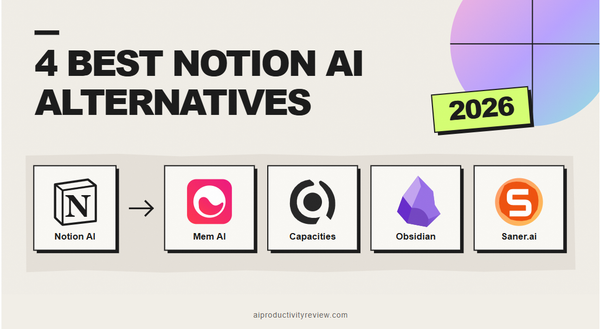
💡 Quick answer: If you need a structured knowledge hub, Notion AI blends docs with connected databases, Capacities provides object-based organization without database bloat, and Obsidian offers total local-first privacy and control. Finally, if your biggest hurdle is that scattered notes never become actual work, Saner.ai is the best pick to turn raw thoughts straight into a realistic schedule.
What Mem does well (a quick, fair recap)
Where it does best:
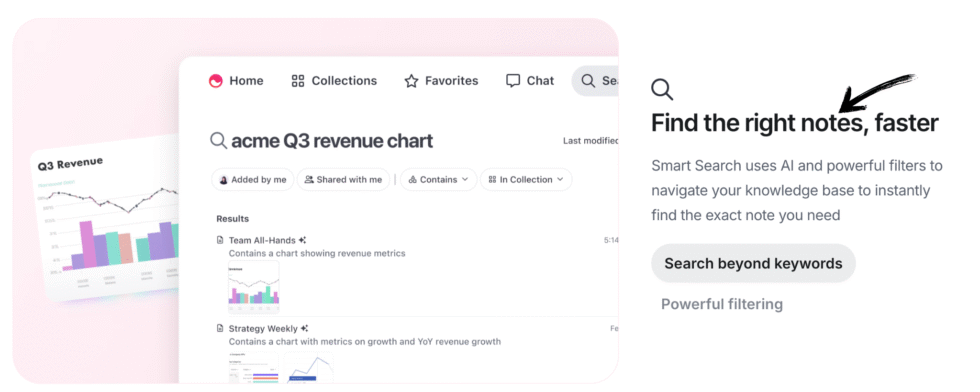
- AI-first organization: no manual tagging or folders; notes get automatically connected and surfaced based on content
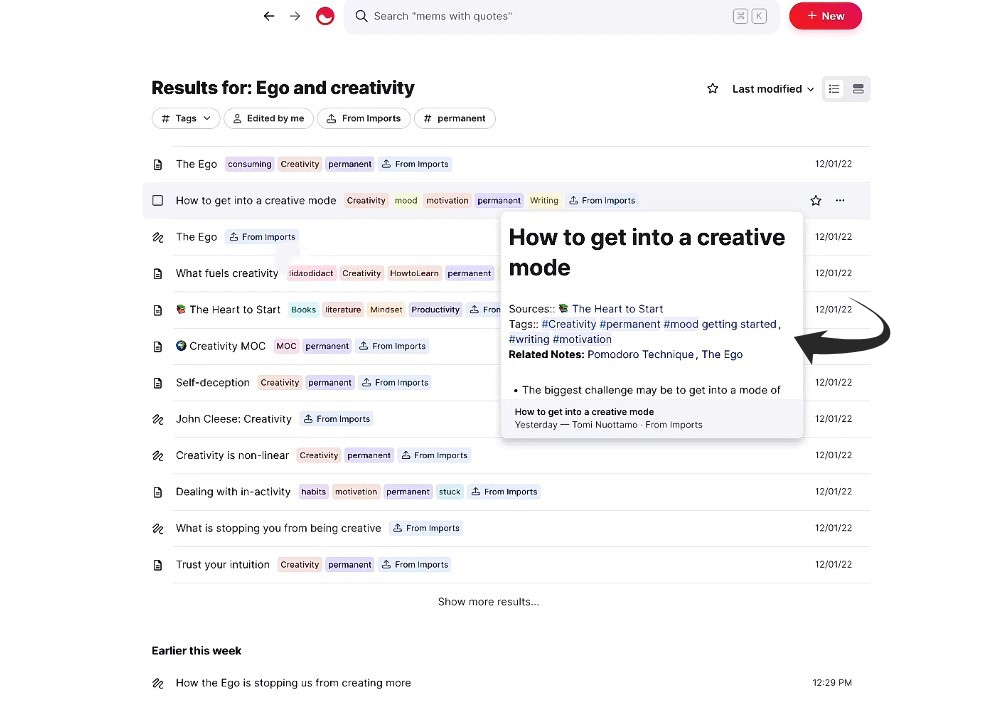
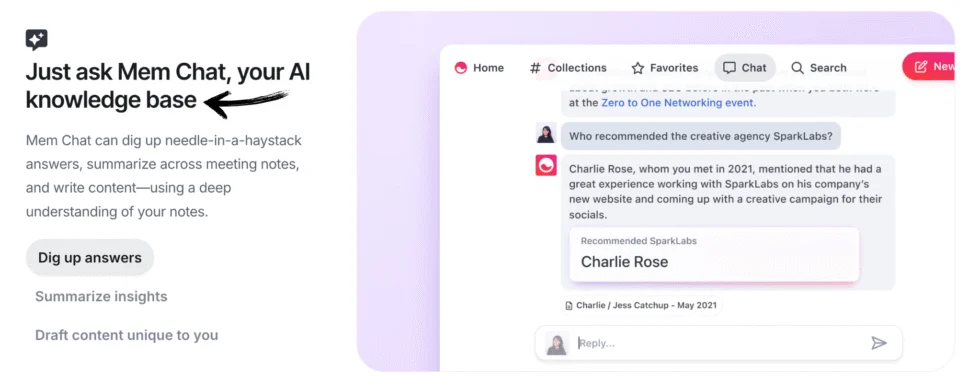
- Mem Chat / Mem Agent: an AI assistant that answers questions, summarizes content, and now proactively detects tasks and projects hiding inside the notes I write
- Custom Routines: scheduled or triggered jobs, like "send me a weekly meal plan note every Sunday" or a recurring briefing pulled from my notes.
- Connections: links to external sources like Gmail, Slack, or Todoist, which Mem uses as context and to detect what's already been completed
- Voice Mode: turns on inside any note to capture a meeting or think out loud, with Mem producing a structured transcript automatically
Where it falls short:
- The pricing model is confusing now: Free, Plus ($9/month), Pro ($29/month), then Pro 2× ($49), Pro 5× ($99), Pro 10× ($149), and Pro 20× ($199) - each tier metering messages, new notes, open tasks, routines, routine executions, connections, and Voice Mode hours separately. Custom Routines and Connections don't even unlock until the $29/month Pro tier.
- Routines and Connections are thin below Pro: The free and Plus tiers give me notes and task detection, but none of the proactive automation that makes "Agent" the headline feature
- It's still a smaller community than the category leaders: Independent reviews consistently note a smaller user base compared to Notion or Obsidian, which matters if you rely on templates, plugins, or public discussion when you get stuck.
- Data isn't end-to-end encrypted. Mem encrypts at rest (AES-256) and in transit (TLS), but explicitly processes your notes to power its AI, which is a meaningfully different privacy posture than a tool built around end-to-end encryption from the ground up.
What to look for in a Mem alternative?
Depends on your needs to be honest, but here are some aspects to consider:
- Want an all-in-one workspace with docs, databases, and notes together? Look for something built around structure, not just freeform capture
- Want full control and local-first storage, and don't mind more manual setup? Look for open-file-format tools you can own outright
- Want privacy as the top priority? Look for end-to-end encryption, not just encryption at rest
- Want your notes to become a scheduled plan, not just a searchable pile? Look for something that closes the loop between "I wrote this down" and "this is now on my calendar"

1. Saner.ai - best for proactive, capture-first calendar and task management
Mem's new Agent features is chasing Saner.ai - notes that get read, tasks that get detected automatically, and an AI that proactively follows through rather than just organizing. The real difference is what happens after a task gets detected.
Mem's Agent tracks tasks and projects it finds inside your notes and can run a routine around them, but turning that into an actual scheduled block on your calendar still takes deliberate setup - connections, routines, and enough Pro-tier budget to run them regularly. Saner.ai is built to close that loop by default, and leans into three things specifically:
- AI voice-to-calendar capture: label an email to let Saner read it, or dump any thought, and its AI reads the intent, breaks anything vague or oversized into concrete steps, and schedules the result directly.
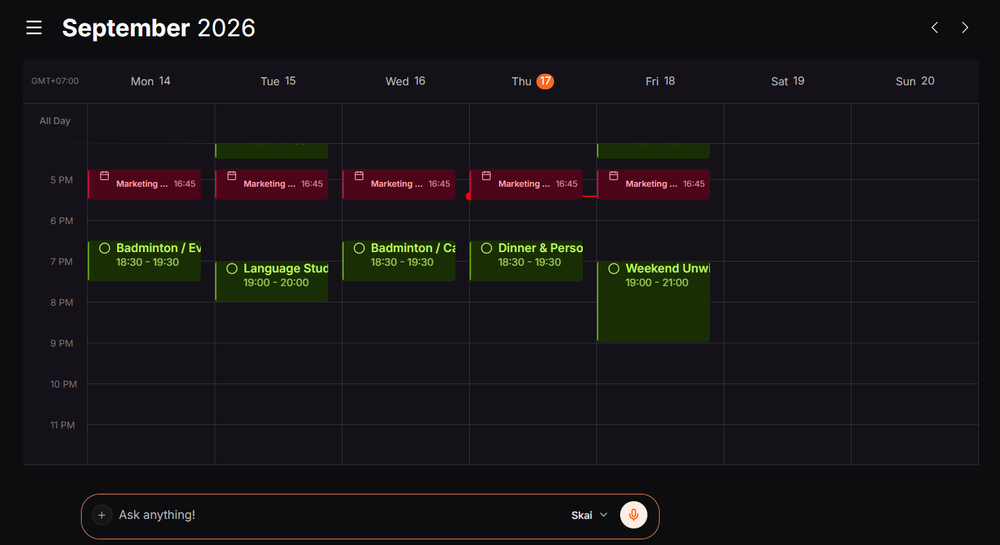
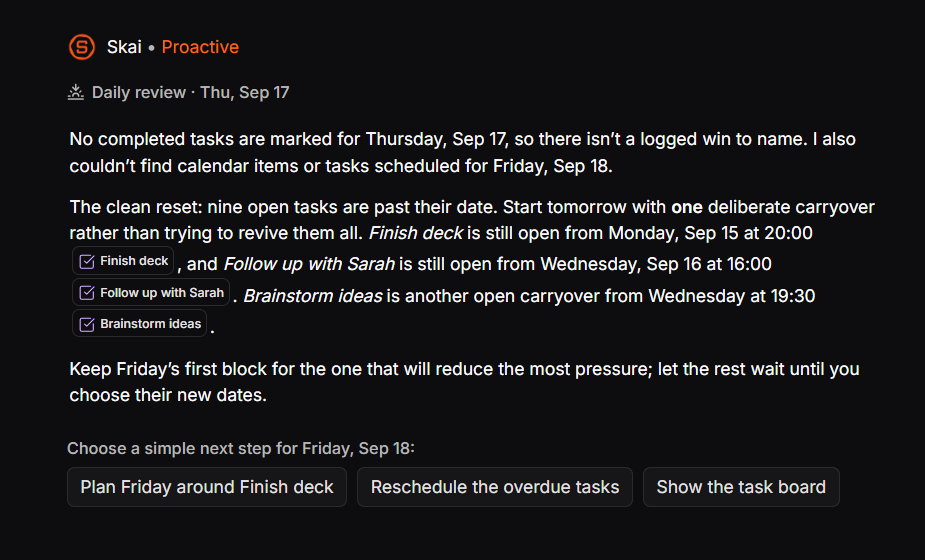
- Proactive daily planning: instead of opening a blank calendar and deciding what goes where, Skai drafts a plan overnight from my notes, inbox, and unfinished items.
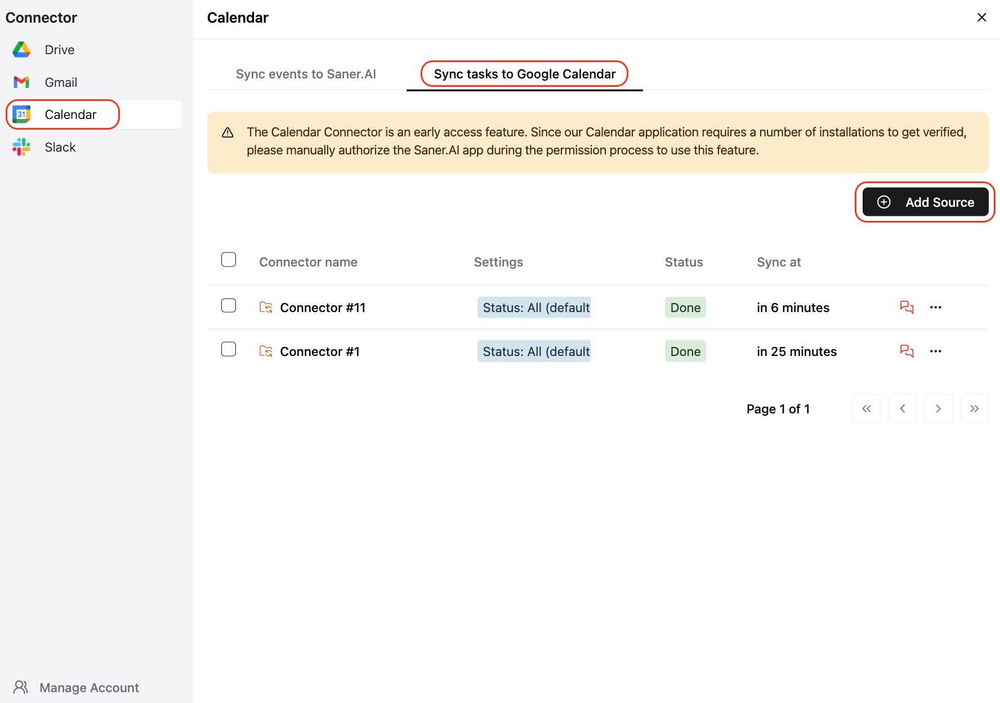
- Task manager, notes, and calendar as one system: a thought I wrote down last week can resurface as a scheduled task automatically.
- Price: Free plan available; paid tiers from $8/month (Starter) to $16/month (Standard) - flat, simple pricing instead of Mem's per-message, per-note, per-routine metering
- Best for: People whose actual bottleneck is turning captured thoughts into a scheduled plan, not just organizing and searching them - including ADHD-related difficulty following through on tasks once they're written down somewhere
- Trade-off: Less depth as a long-term knowledge base or research archive than Mem, Notion, or Obsidian - it's optimized for capture-to-calendar, not building a permanent, richly linked second brain over years
If your honest reaction to Mem's pricing table is "I just want my notes to become a plan without doing math on routine executions," that's the gap Saner.ai closes.
2. Notion AI - best all-in-one workspace
If what you actually want from Mem is a single place for notes, docs, and light project tracking, Notion's AI features now cover summarization, Q&A across your workspace, and writing assistance layered onto the databases and wikis Notion was already known for. It's more structured out of the box than Mem's freeform, AI-organized approach.
- Price: Free plan for individuals; AI add-on and paid plans scale from there
- Best for: People who want databases, docs, and notes in one structured workspace, not just AI-first freeform capture
- Trade-off: More setup and structure required upfront than Mem's zero-organization pitch - Notion rewards people willing to build a system
What it does best:
- Fast drafting and rewriting: Strong at expanding notes, summarizing long meeting documents, fixing grammar, and setting up initial page structures.
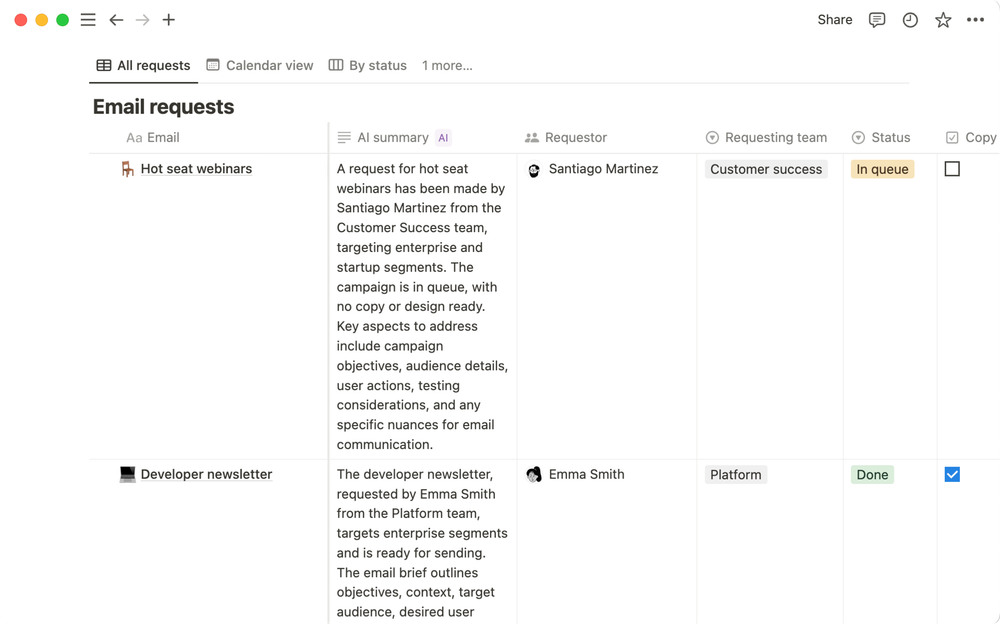
- Works best inside mature workspaces: If your Notion is already tidy and packed with docs, the AI can scan your existing team wiki to answer company questions.
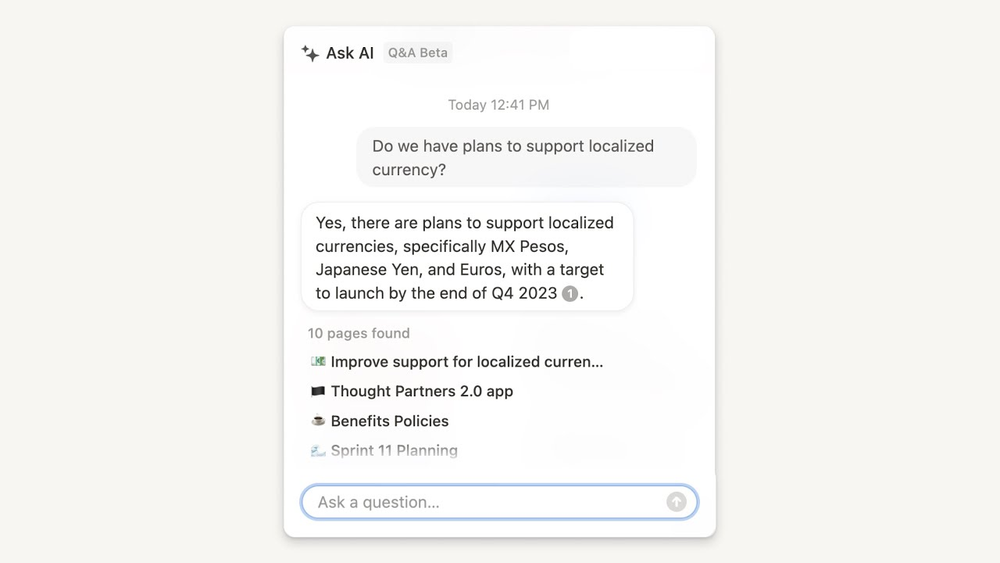
- All-in-one flexibility: Gives you the power to combine documents, team collaboration, wikis, and lightweight database automations in a single hub.
Where it falls short:
- Won't organize your mess: The AI assumes I already have a well-structured system; if my workspace is messy, it will not tidy up folders or categorize messy thoughts.
- Performance drops on large databases: As databases and historical pages grow over years of use, search speed and AI retrieval accuracy noticeably degrade.
- Heavy cognitive setup: I still have to spend hours setting up templates, database properties, and manual tags before the AI has anything useful to work with.
3. Obsidian - best for local-first privacy and control
Obsidian is the answer for anyone whose Mem hesitation is really about data ownership. Your notes live as plain Markdown files on your own device, with an enormous plugin ecosystem for people willing to build their own system rather than delegate the organizing to AI.
- Price: Free for personal use; Sync and Publish add-ons available for a monthly fee
- Best for: Privacy-conscious users and power users who want full control over their data and prefer offline access
- Trade-off: No AI-first auto-organization, Obsidian expects manual linking and folder discipline, which is exactly what Mem was built to remove
What it does best:
- Total data ownership and privacy: Notes are stored locally on my own drive as plain text Markdown files, meaning my storage is only limited by my hard drive.
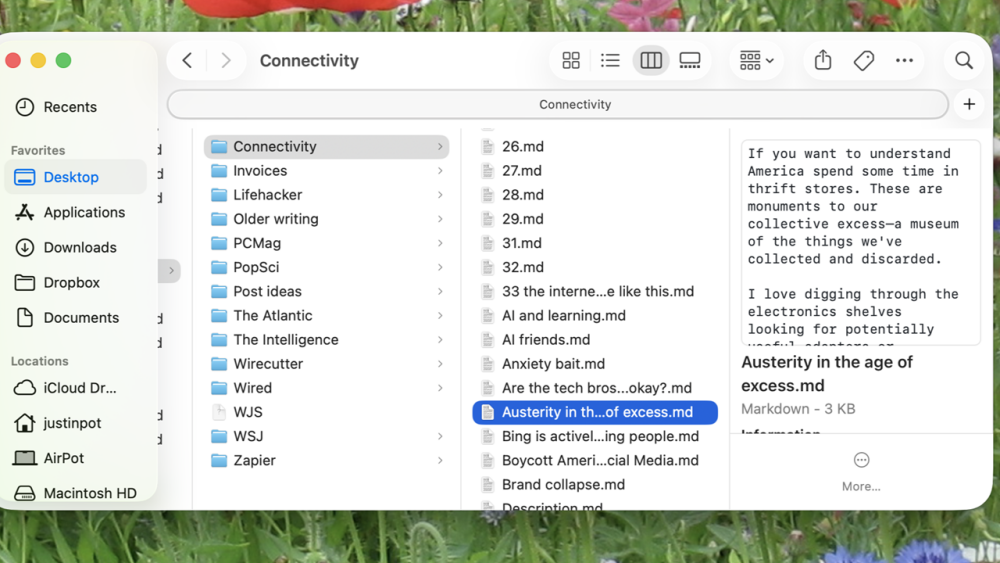
- Deep customization: An extensive library of community plug-ins and themes lets me tailor the app to function whatever I want.
- Flexible organization: Gives me multiple ways to structure ideas, from traditional folders and tags to visual backlinks and interactive knowledge graphs.
- Generous free access: Completely free to download and use on all major platforms (Windows, Mac, Linux, iOS, Android) without needing an account or credit card.
Where it falls short:
- Steep learning curve: It requires decent time and effort to configure, customize, and build a system that works for you.
- No built-in real-time collaboration: Built as a personal thinking environment, making it a poor fit for teams needing shared, live workspaces.
- Multi-device sync costs extra: Seamless cross-device encrypted syncing requires a paid add-on ($5/month), unless you manually set up cloud folders yourself.
- Markdown-only format: Lacks a simple rich-text editor out of the box, which can feel too technical for users who just want to type without formatting syntax.
4. Capacities - best for structured, object-based thinking
Capacities sits between Mem's freeform AI approach and Notion's database-heavy structure: it organizes everything as objects (People, Projects, Meetings, Books) with their own properties, rather than generic notes or heavy manual databases. It's a free tier, too - unlimited notes and 5GB storage with no credit card required.
- Price: Free plan available; Pro around $9.99/month billed annually, Believer around $12.49/month
- Best for: People who find Notion too database-heavy but want more structure than Mem's fully freeform capture
- Trade-off: A real learning curve reviewers consistently flag, limited import tools for migrating a large existing note library, and AI features gated behind Pro with their own usage budgets
What it does best:
- Combines notes with a personal database: Uses an object-based system (tagging by types like Books, People, or Meetings) with customizable templates rather than generic text files.
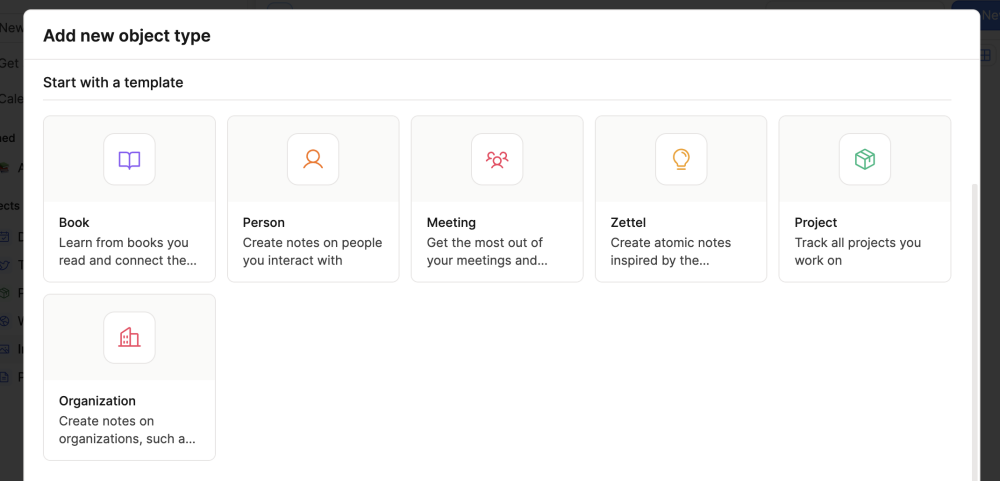
- Easy page embedding and backlinking: Reference and embed pages within each other effortlessly to connect related thoughts and projects.
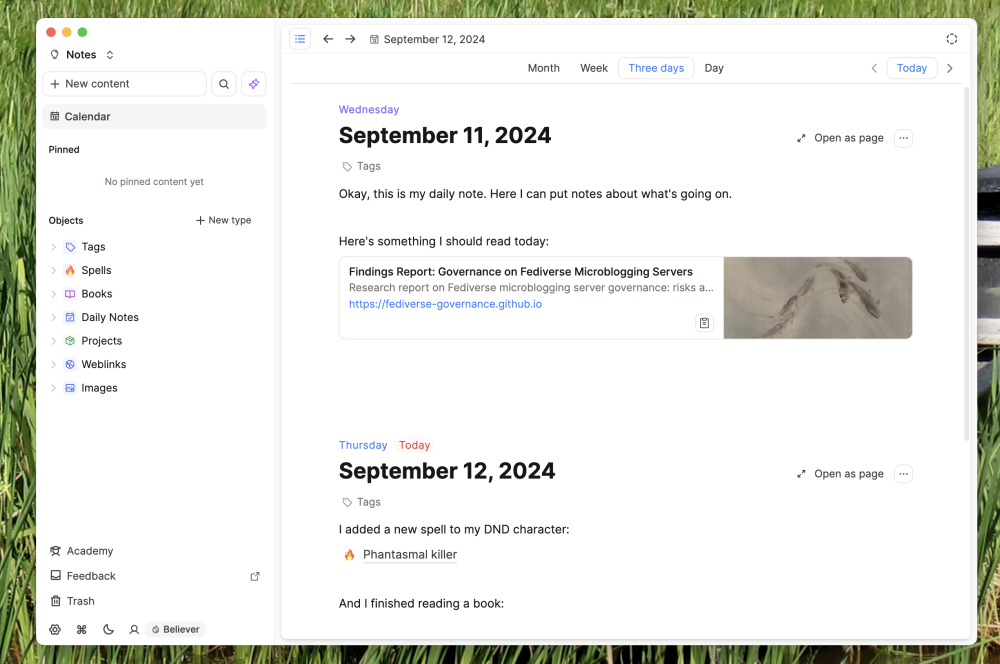
- Free plan: Offers unlimited notes and up to 5GB of media storage without needing a credit card.
- Clean pasting and offline use: Handles pasted web content smoothly and supports core offline note-taking on desktop and mobile apps.
Where it falls short:
- Overwhelming to start: Forces you to adapt to its strict "object" methodology rather than letting you use standard, flexible folders.
- Weak for quick thought capture: Making you pick an object type or template before writing gets in the way of fast, spontaneous brain dumps.
- No direct import from other apps: Makes migrating an existing note library from tools like Evernote, OneNote, or Notion difficult or impossible.
- Underwhelming web clipper: The browser extension only captures page titles, URLs, and cover images instead of full-page article content.
- Missing staple tools: Lacks built-in document scanning, OCR, sketching, in-app audio recording, and real-time team collaboration.
Comparison between Mem.ai, Notion AI, Obsidian, Capacities, Saner.ai
| Tool | Free plan | Best at | Starting price | Best for |
| Mem.ai | Yes (metered) | AI-first notes + agent routines | $9/month (Plus) | Proactive task detection from notes |
| Notion AI | Yes | Structured all-in-one workspace | Free + AI add-on | Docs, databases, and notes together |
| Obsidian | Yes | Local-first, private notes | Free | Full data ownership, offline access |
| Capacities | Yes | Object-based structured notes | Free | Structured thinking without heavy databases |
| Saner.ai | Yes | Notes-to-calendar, proactive | $8/month | Turning captured thoughts into a schedule |
Which one from Mem.ai should you switch to?
- You want databases, docs, and notes together in one structured workspace: Notion AI
- You want full data ownership and don't mind manual setup: Obsidian
- You want more structure than freeform notes without Notion's database complexity: Capacities
- You want notes that turn into an actual scheduled plan, without configuring routines and paying for the tier that unlocks them: Saner.ai

How to make the switch from Mem.ai without losing anything?
- Export your notes as Markdown before cancelling: Mem supports one-click export, do this regardless of which alternative you're moving to, since Markdown imports cleanly into almost everything on this list.
- Revisit your metered usage first, not last: Before you assume you need a higher tier elsewhere, check how many messages, notes, and routines you actually used on Mem in a typical month - most people overestimate this.
- Migrate a smaller, recent slice of notes first, not your entire archive at once. Test search and recall on a few weeks of real notes before committing your full history.
- Give the new tool one real, busy week before judging it: A quiet week won't tell you whether its search, task detection, or AI assistant actually holds up under real volume.
- Set a reminder before any trial period ends, especially for metered tools, it's easy to get surprised by usage-based billing once you're past a free allowance.
FAQ
Is Mem.ai still just a note-taking app? Not really, as of 2026 - it's repositioned around "Mem Agent," which proactively detects tasks and projects from your notes and runs scheduled routines, not just organizing and searching what you write.
Does any Mem alternative have a real free plan? Yes - Notion AI, Obsidian, Capacities, and Saner.ai all offer free tiers.
What's the real difference between Mem and Saner.ai? Mem detects tasks and projects hiding inside your notes and can run configured routines around them, but scheduling still takes setup and a paid tier to unlock. Saner.ai turns captured input directly into a scheduled calendar plan by default, with proactive daily planning included from the free tier up.
Is any of these good for ADHD specifically? Saner.ai is explicitly built with ADHD and executive-dysfunction workflows in mind, including the follow-through gap between writing something down and actually acting on it. See my AI assistants for ADHD roundup for the full comparison, and talk to a professional if this feels like more than everyday forgetfulness.
Which alternative is cheapest overall? Obsidian is free for personal use with no meaningful cap, and Saner.ai's paid tiers top out at $16/month with simple, flat pricing - both meaningfully simpler than Mem's metered structure once you're past the free tier.
For more on choosing the right AI planning setup, see how to use AI for task management and my best AI personal assistants roundup.