I Tested 15+ AI Personal Organizer. Here's My Top 4

💡 Quick answer: If your real problem is that work deadlines and personal chores never land in one coherent plan, Saner.ai is built to pull them onto your calendar. For other everyday setups, choose Notion AI for an all-in-one hub connecting docs, databases, and autonomous agents, Todoist for lightning-fast capture and natural-language scheduling on the go, or Obsidian for total privacy, local file ownership, and custom knowledge mapping.
What makes something become an "AI personal organizer"?
- Spans work and home, not just one. Can it hold a client deadline and a grocery list without feeling like you're abusing the app?
- Shareable when it needs to be. Can a partner, roommate, or family member see and contribute to the parts that involve them?
- Fast capture under real conditions. Can you log a thought while driving, cooking, or holding a toddler, not just at a desk?
- Handles recurring life, not just projects. Bills, habits, routines, and things that repeat forever, not just tasks with a defined end.
- Doesn't demand a system before it's useful. You shouldn't need to build a schema before you can write down "buy milk."

1.Notion AI: best all-in-one workspace with agents
For people looking to centralize notes, projects, and personal wikis, Notion’s agents go beyond standard writing prompts. They can handle multi-step planning tasks independently and pull action items directly from meeting transcripts to keep your life organized in one space.
- Price: Free base plan; full AI capabilities (unlimited writing, Ask Notion, meeting summaries) require the Business tier at $20/seat/month (billed annually).
- Best for: Anyone who wants a structured, custom dashboard with linked databases, rather than a loose scratchpad.
- Trade-off: High upfront effort to build your system, plus an extra recurring fee for the full AI toolkit.
What it does best:
- Fast drafting and daily structuring: Quickly outlines plans, summarizes long notes, refines text, and spins up custom dashboard layouts in seconds.
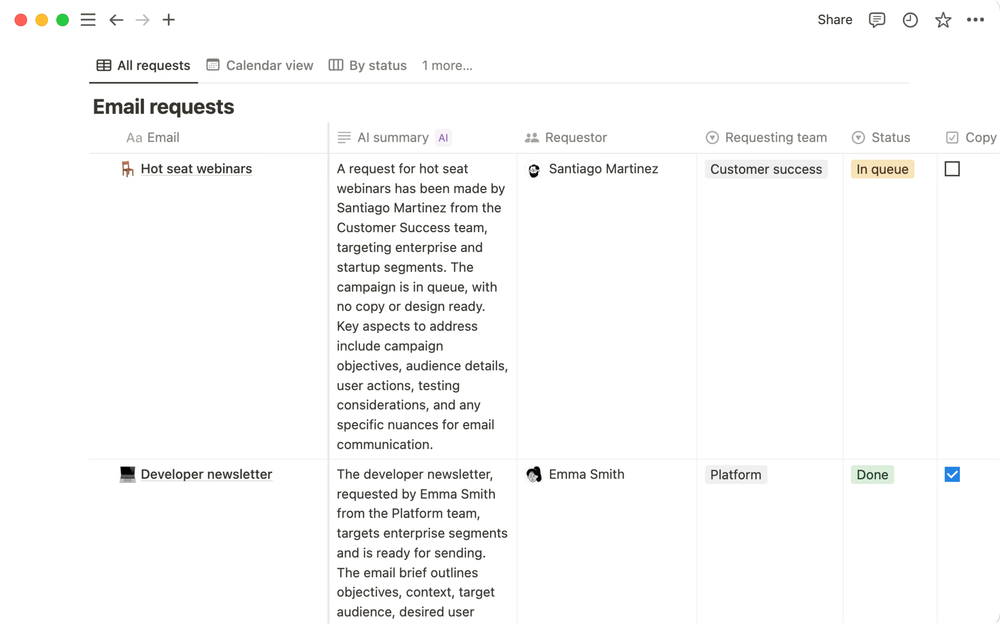
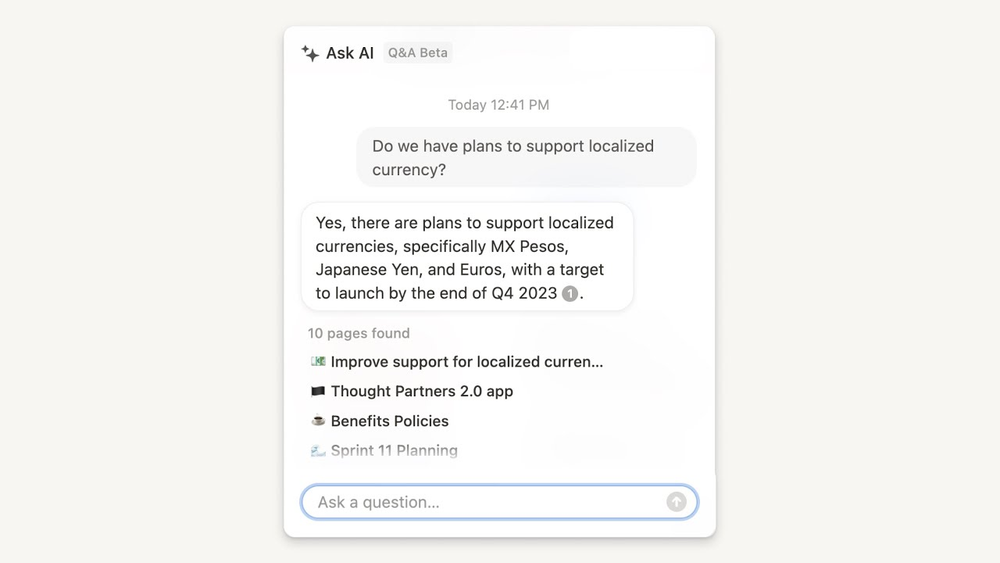
- Smart retrieval across organized spaces: Finds information and answers questions reliably if my personal database and pages are already well maintained.
- All-in-one life dashboard: Flexible enough to manage personal to-dos, project boards, habit logs, and reference reading lists under a single roof.
Where it falls short:
- Won't clean up a disorganized hub: Assumes you already have a working setup; it won't categorize scattered thoughts, tidy loose pages, or build order from chaos.
- Performance dips as your database grows: As your archive fills up with years of notes and logs, search speed slows and AI retrieval becomes less precise.
- Steep initial time investment: Requires building templates, properties, and tags by hand before the AI can effectively manage your daily routines.
2. Saner.ai: best for pulling work and life into one proactive plan
Saner.ai is a personal assistant that manages your notes, tasks, calendar automatically. Here's how it works:
- Automatic daily briefs & weekly recaps: It suggests my daily updates and weekly reflections on autopilot every morning
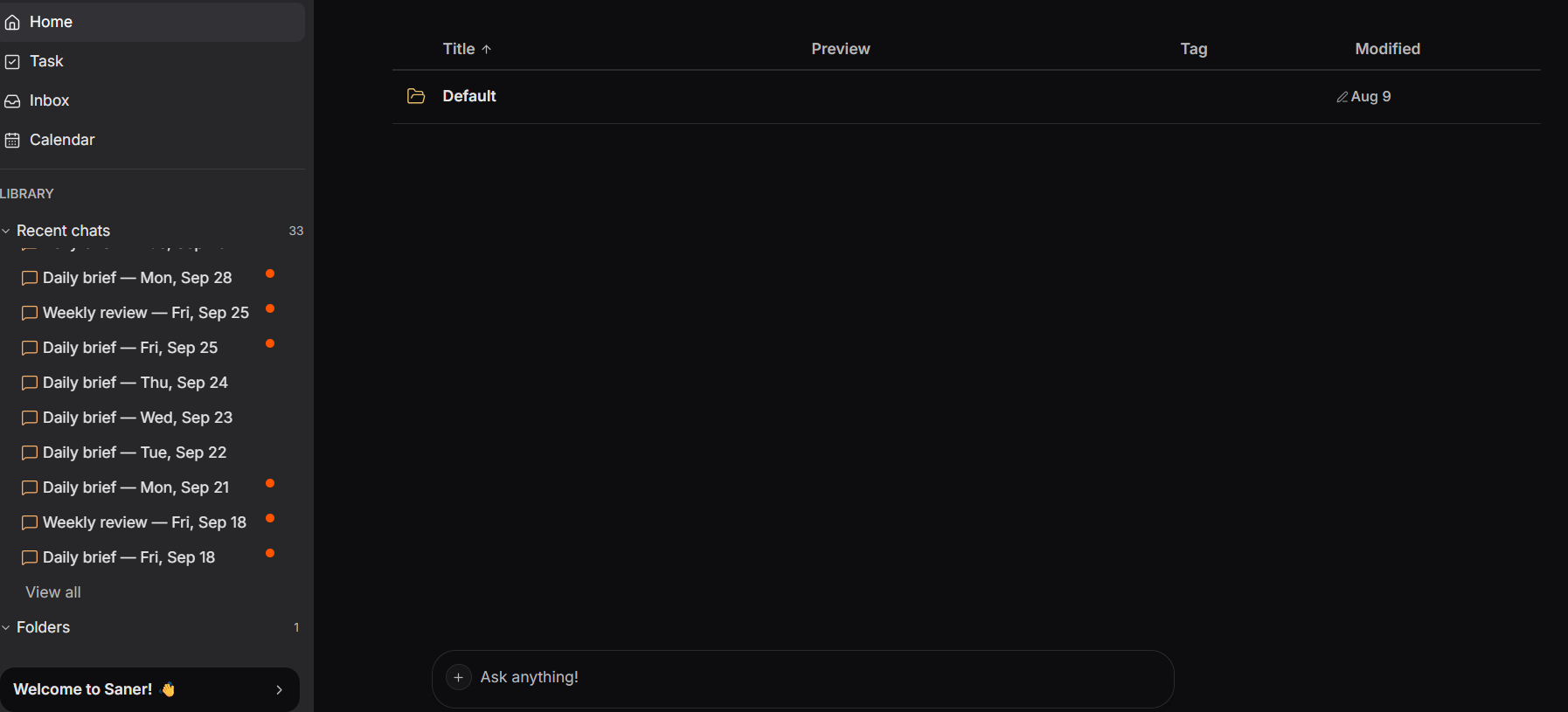
- Voice & quick notes to calendar: Speak, forward a messy email, or drop any idea; the AI understands what I mean, breaks big to-dos into clear steps, and slots them straight onto calendar instead of letting them sit forgotten in my notes.
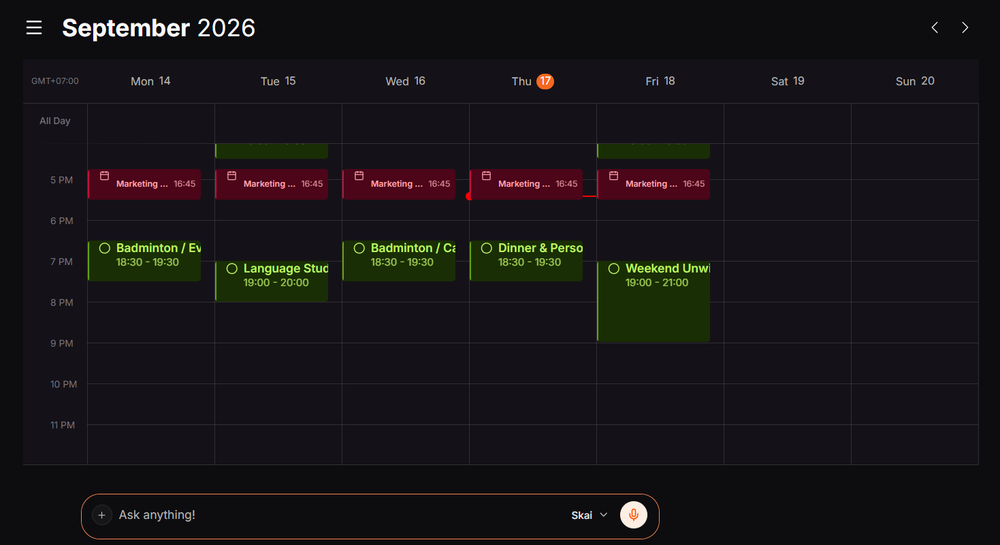
- Proactive daily planning: Skai builds a draft plan overnight from my notes, inbox, and unfinished items, so I'm not the one doing all the anticipating and monitoring; some of that cognitive labor gets offloaded to the system instead of staying in my head
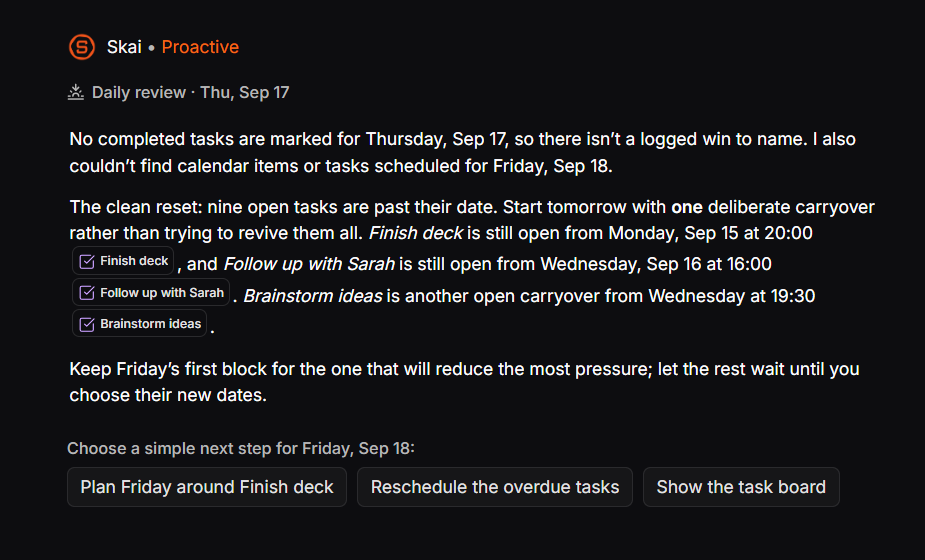
- Notes, tasks, and calendar as one system: a thought from last week, work or personal, can resurface as a scheduled task automatically, without needing a separate app for each part of my life
- Price: Free plan; paid tiers from $8/month (Starter) to $16/month (Standard)
- Best for: People whose real bottleneck is that work and home both generate open loops, and neither is being proactively tracked for them, including ADHD-related difficulty following through once something's captured somewhere
- Trade-off: No dedicated shared family space the way Any.do has, and it's a younger product with a smaller public review base than Todoist or TickTick - try the free plan for a real week before committing
3. Obsidian: best for full data ownership
If storing your personal schedule and sensitive notes in the cloud makes you uneasy, Obsidian keeps your entire organizational hub on your local machine. Through community plugins, you can connect your own choice of local or cloud-based AI tools to summarize logs and surface tasks, provided you are willing to set up the system yourself.
- Price: 100% free for personal use; optional official Sync and Publish add-ons carry a monthly fee.
- Best for: Privacy-first planners and power users who want complete control over their personal data.
- Trade-off: No automatic AI organization out of the box; you have to manually configure your own AI assistants and planning templates.
What it does best:
- Offline privacy & local data ownership: Stores daily logs, journals, and to-do lists as plain Markdown files right on my device, ensuring total privacy from external servers.
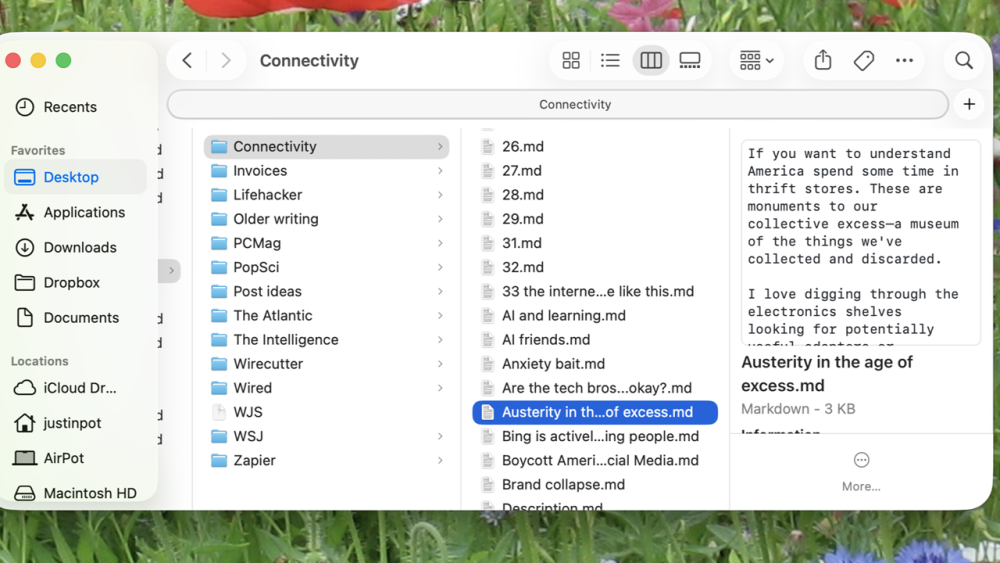
- Limitless workflow personalization: Build an AI organizer tailored exactly to my habits using an extensive library of community plugins, AI integrations, and custom dashboards.
- Flexible knowledge mapping: Connects daily tasks, project notes, and long-term goals together via interactive graph views, backlinks, and traditional tags.
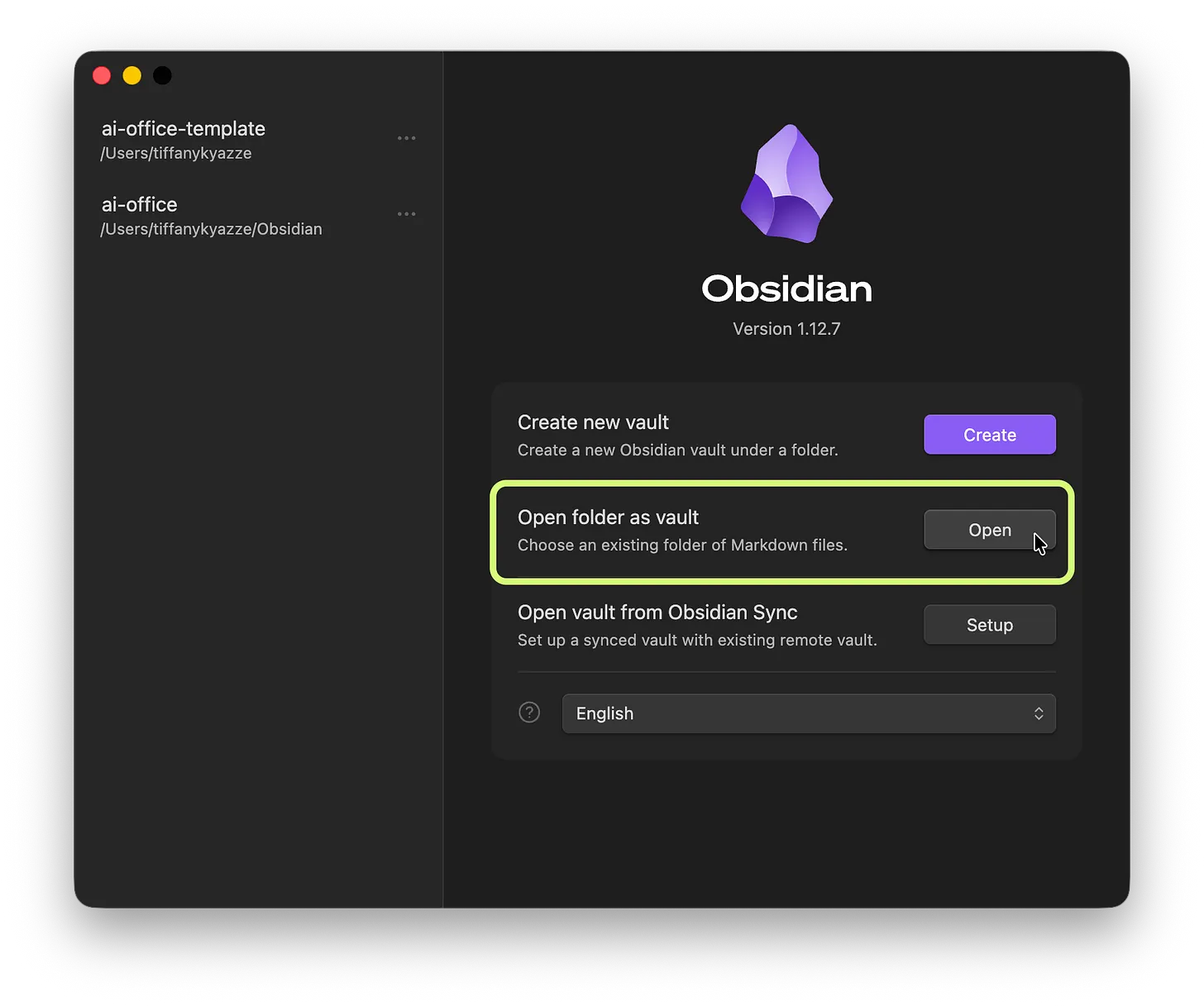
- Account-free base app: Core software is completely free on mobile and desktop without requiring a credit card or mandatory account sign-up.
Where it falls short:
- Requires heavy DIY setup: Turning Obsidian into a functional AI organizer demands substantial time to research, install, and configure plugins and prompts.
- Zero native auto-triage: Lacks built-in smart agents to automatically sort messy thoughts or time-block your calendar unless you script them yourself.
- Paid multi-device sync: Keeping your phone and laptop in sync requires either a paid official subscription or technical manual workarounds using third-party clouds.
- Technical Markdown format: Uses code-like formatting symbols that can feel rigid and unintuitive compared to smooth, click-and-type daily planners.
4. Todoist: best for fast capture
Todoist's natural-language parsing has long been its superpower ("pay the electric bill Friday at 5pm" just works)
- Price: Free Beginner plan; Pro around $4–5/month billed annually
- Best for: People who think out loud and need the app to keep up, not slow them down
- Trade-off: It's still fundamentally a list, not a planner, so organizing and scheduling what you capture is still largely on you
What it does best:
- Smart, effortless typing: Type dates naturally like "tomorrow morning" or "every other Friday at 3pm" and it automatically schedules the task without extra clicks.
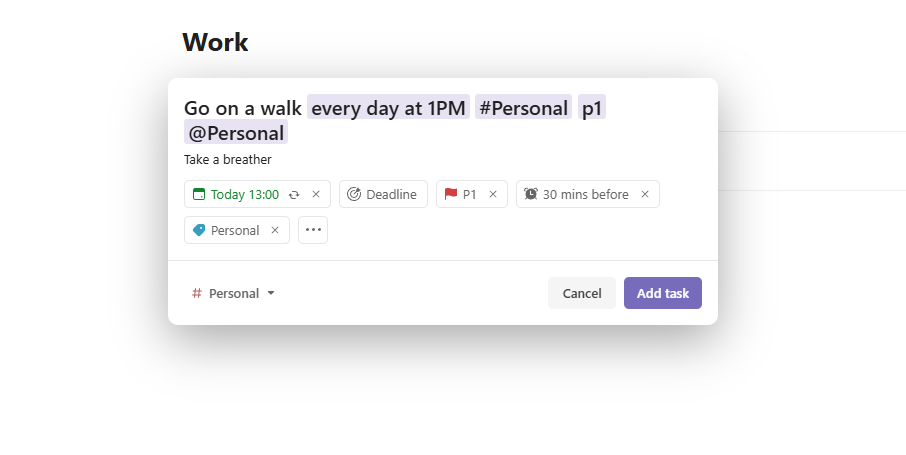
- Flawless sync & offline access: Runs smoothly on phones, tablets, and computers, updating instantly and saving my work even when I lose internet connection.
- Clean, clutter-free design: Simple to navigate, balancing basic checklists, kanban boards, and custom views without feeling messy or bloated.
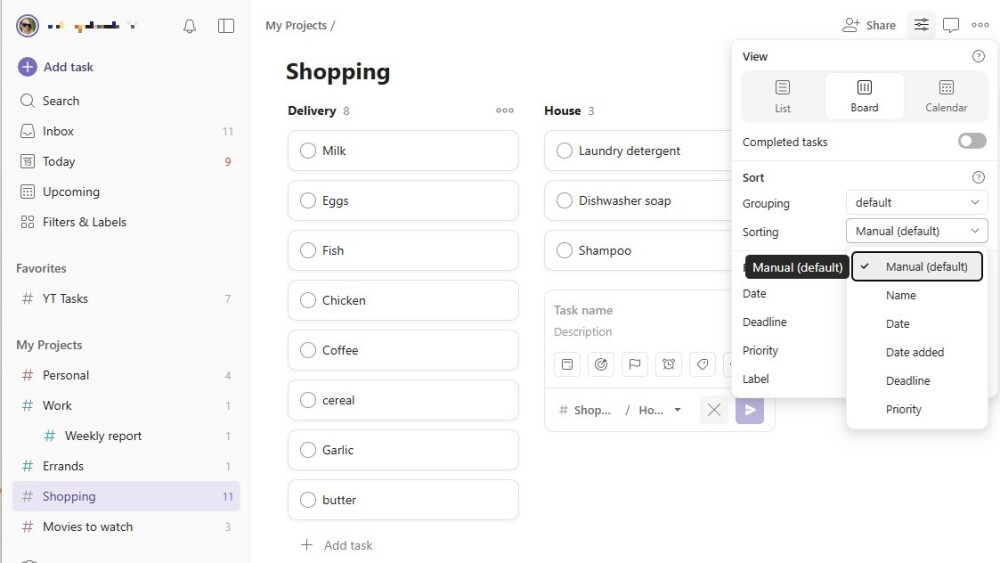
- Easy sharing & delegating: Share lists, assign to-dos, and split up responsibilities for personal chores or small-team projects in seconds.
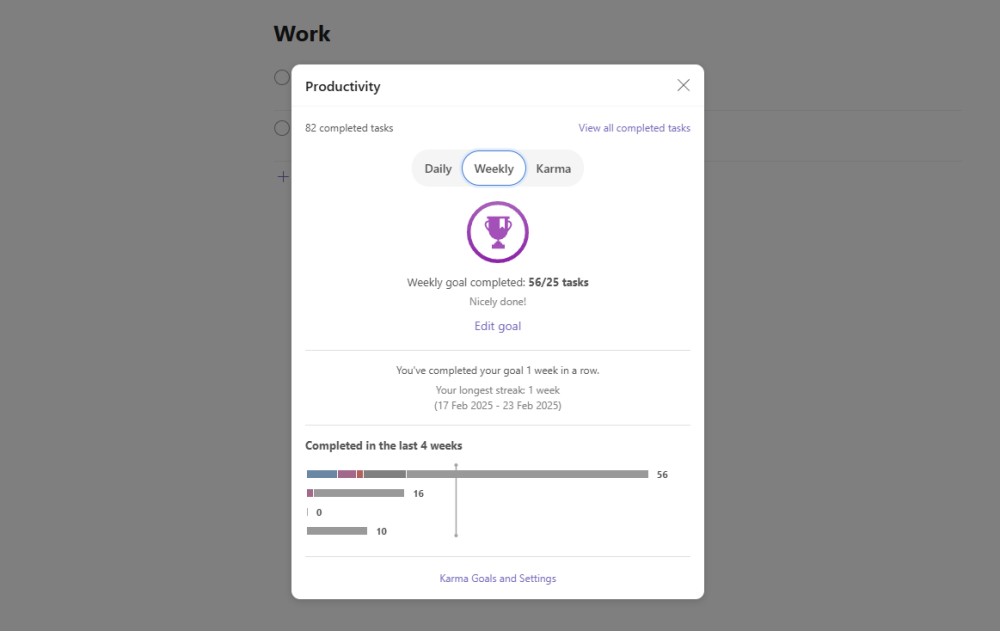
- Fun habit motivation: Uses streak counters and visual trends to make checking off daily tasks rewarding and track long-term progress.
Where it falls short:
- Paywalls basic features: Everyday essentials like timely reminders, calendar views, task lengths, and activity logs require a paid subscription.
- No smart auto-scheduling: Tracks due dates well, but it won't automatically time-block calendar or reshuffle my day when plans change like an AI scheduler.
- Too simple for large projects: Misses advanced tools like Gantt charts, deep task dependencies, and custom team roles needed for large companies.
- Tight limits on the free plan: Restricts you to only 5 active projects and 3 custom views, which fills up fast if you manage multiple areas of work.
Comparison between Notion AI, Saner.ai, Todoist, Obsidian
| Tool | Free plan | Best at | Starting price | Best for |
| Saner.ai | Yes | Proactive capture-to-calendar | $8/month | Work and life as one plan |
| Notion AI | Yes (base) | Structured workspace & autonomous agents | $20/seat/month (full AI) | Docs, databases, and structured wikis |
| Todoist | Yes | Fast, natural-language capture | ~$4/month | Capturing thoughts on the move |
| Obsidian | Yes | Local storage & limitless customization | Free | Full data ownership & privacy |
Five mistakes that turn AI personal organizer into one more thing to manage
I've made every one of these, usually while insisting my system was "almost dialed in."
- Mixing work and home in one undifferentiated list without any way to filter. You don't need separate apps, but you do need a way to see "just today's work stuff" or "just the household stuff" without scrolling past the other half of your life.
- Making it a one-person system when the problem is shared. If you're the only one who can see the family calendar or the shared grocery list, you've just moved it into an app only you check. Shared visibility is the actual fix, not a nicer-looking private list.
- Scheduling everything to the minute. Not every item needs a time slot. Some things just need somewhere reliable to live until you're ready for them. Forcing a grocery list item onto a calendar block is how people quit a system within a week.
- Ignoring recurring items until they pile up. Bills, subscriptions, and seasonal tasks (car registration, dentist checkups) are exactly the kind of "anticipating" work that quietly falls on one person.

Which AI personal organizer should you pick?
- You want the AI to organize your notes, tasks, calendar proactively, not just store it: Saner.ai
- You want a structured workspace combining databases, linked project hubs, and autonomous AI agents: Notion AI
- You capture thoughts on the fly and need fast, frictionless natural-language scheduling: Todoist
- You want total data privacy, offline Markdown files, and full ownership of your personal knowledge base: Obsidian
For a wider look at work-focused scheduling tools, see my best AI task manager guide, and if ADHD-related organizing is specifically your situation, my best AI assistants for ADHD roundup covers that ground directly.
A practical way to start using AI personal organizer today
- Do one honest brain dump, work and home together. Don't split them into separate apps yet. Get everything out in one place first, then see what the actual shape of your life looks like.
- Pick one recurring check-in time, not five scattered reminders throughout the day. A single daily or twice-daily review beats constant pings that train you to swipe them away.
- Separate "needs a time" from "needs a place to live." Not everything needs to be scheduled to a specific hour. Some things just need to exist somewhere you'll actually look.
- Set up your recurring life admin on day one. Bills, subscriptions, and seasonal tasks like car registration or dentist checkups are easy to forget precisely because they don't happen often enough to become habits. Put them on a recurring schedule before you forget one and have to scramble.
- Give it two real weeks, not two good days. A tool that only works on your calm days isn't solving the actual problem. Judge it by how it holds up on a chaotic one. For a deeper daily routine, see my guide to how to plan your day with AI.

FAQ
What is the best AI personal organizer overall?
There isn’t one universal winner. Saner.ai suits people whose real bottleneck is that open loops, both work and personal, aren't proactively tracked and scheduled onto their calendar. Notion AI suits those who need structured databases, team wikis, and autonomous agents in one central hub. Todoist suits fast, frictionless natural-language capture on the move. Obsidian suits privacy-conscious power users who want complete data ownership and local Markdown storage with customizable AI plugins.
Is there a free AI personal organizer?
Yes. Saner.ai, Todoist, and Notion AI offer functional free base plans, with paid tiers unlocking deeper AI agents and calendar integrations. Obsidian is entirely free for local use, allowing you to connect local or API-driven AI tools without paying for the core software.
Can an app actually reduce the "mental load" of running a household, or does it just move it somewhere else?
Research on the cognitive dimension of household labor specifically identifies anticipating and monitoring, not just deciding, as the heaviest and most invisible parts of that load (Daminger, 2019). A tool that only stores what you already thought to write down addresses the "deciding" part; a tool that proactively surfaces what's coming addresses more of the anticipating and monitoring too.
Is any of these good for ADHD specifically?
Saner.ai is explicitly built with ADHD and executive-dysfunction workflows in mind, including the gap between a thought occurring to you and it actually getting captured and acted on. See my best AI assistants for ADHD roundup for the full comparison, and talk to a professional if this feels like more than everyday overwhelm.
Should couples or families share one organizer app, or keep separate ones?
It depends on what is actually shared. Household logistics like groceries, recurring bills, and family events - benefit greatly from shared visibility, which is where shared projects in Todoist or collaborative dashboards in Notion AI excel. Personal work tasks and individual thoughts rarely need to be visible to anyone else, and forcing everything into a single shared space creates unnecessary noise. Private setups like Saner.ai work best for managing personal focus, thoughts, and individual calendar time-blocking, while Obsidian keeps sensitive, personal notes stored securely on your own device without outside access.
Related reading: best AI task manager, AI for task management, and best AI personal assistants. This article is for information only and isn't medical advice.



