5 Best Things 3 Alternatives (With AI, and for Windows and Android Too)

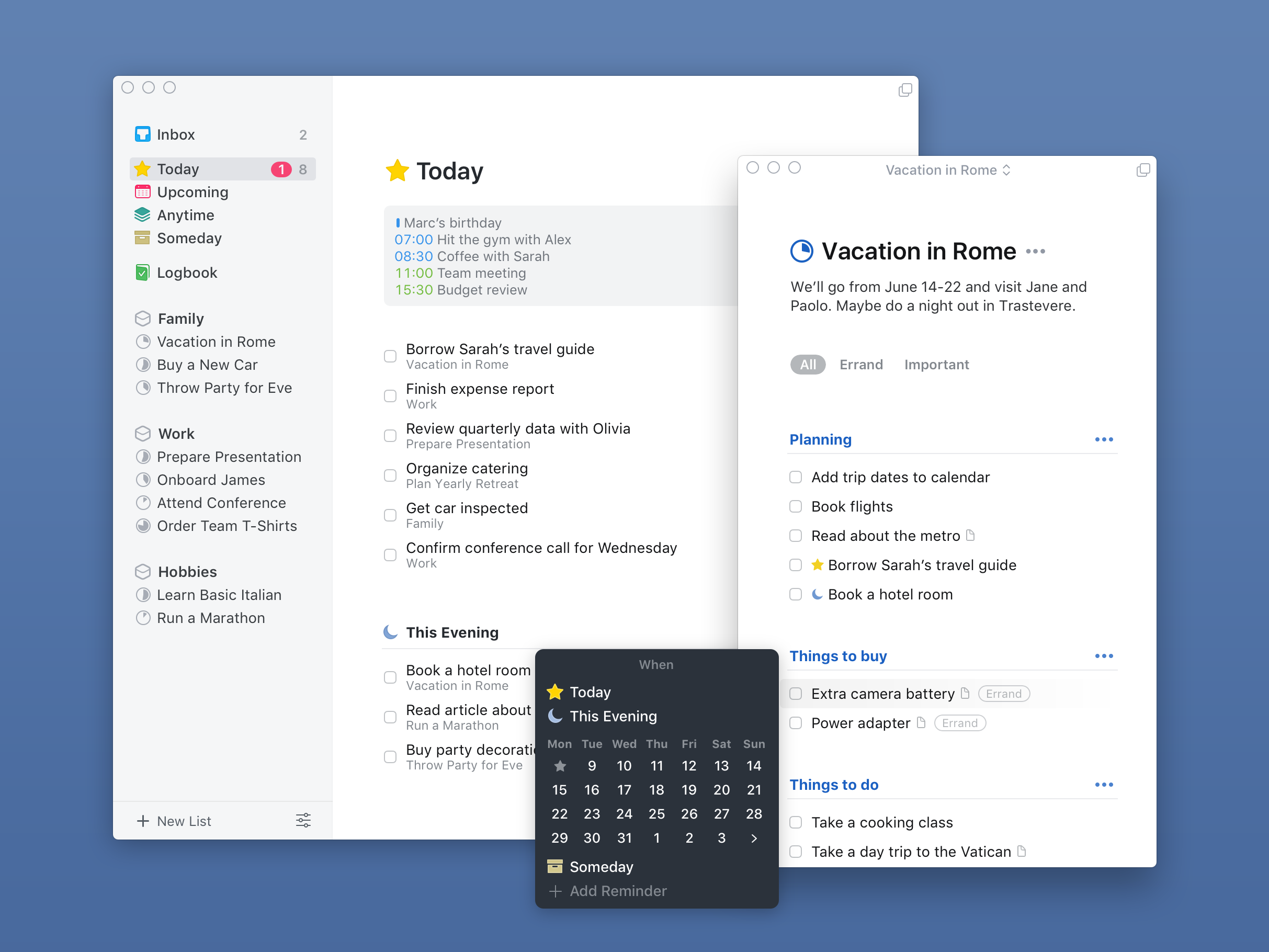
Things 3 is a beautiful app. It's calm, it's fast, and checking off a to-do in it feels a bit like closing a nice wooden drawer.
But Things still has no AI, no Windows app, no Android app, and no web version. If you just got a work PC, switched to a Pixel, or you're tired of being the person who manually drags 40 tasks into "Today" every morning, you've probably started looking around. 👀
This guide covers seven Things 3 alternatives, what each one does better, what you give up, and how to move your stuff over without losing a weekend.
Quick answer: what's the best Things 3 alternative?
- Best overall for most people: TickTick. It runs on everything, it's cheap, and it covers most of what Things does
- Best AI Things 3 alternative: Saner.ai if you want an assistant that plans your day from your tasks, notes, email and calendar.
- Best for Apple power users who want more depth: OmniFocus.
- Best free option on Windows: Microsoft To Do.
How I picked these alternatives
Every app on this list had to clear four bars:
- Fixes at least one of the gaps above (platform, AI, sharing, or scheduling)
- Is still actively developed in 2026
- Has a usable free plan or a free trial
- Lets you import tasks, or at least makes manual migration painless
Prices below come from vendor pages and recent third-party price checks. They change often, so treat them as a ballpark and confirm on the vendor's site before you pay.
The 5 best Things 3 alternatives
1. TickTick: the closest thing to "Things, but everywhere"
If you liked Things because it was simple and pretty and you just need it on Android or Windows, start here.
What it does well:
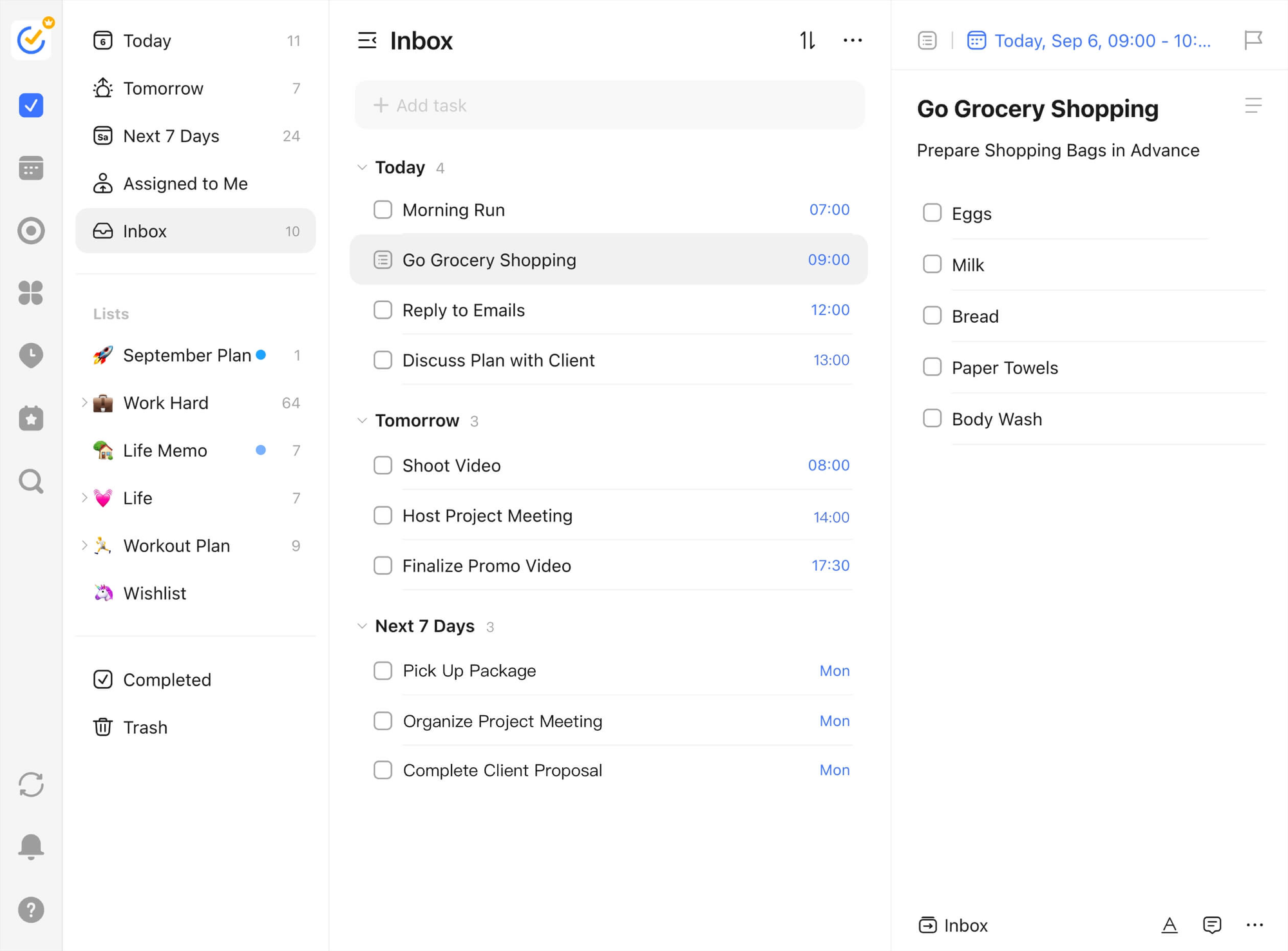
- Runs on basically everything: iOS, Android, Mac, Windows, Linux and the web
- Adds things Things never had: a built-in calendar view, a habit tracker and a Pomodoro timer
- Smart date parsing, so typing "dentist friday 3pm" just works
Where it falls short:
- The AI is light. Think voice input and date parsing, not an assistant that plans your week.
- It's busier than Things. More buttons, more settings, more menus. If Things' minimalism was the whole point for you, TickTick may feel a little loud.
- The free plan caps you at 9 lists
Price: Free plan available. Premium is billed yearly, and published price checks in 2026 range from $35.99 to $49.99 a year depending on when and where they were taken, so check the in-app price for your region.
Pick it if: you want the Things workflow on a non-Apple device and don't care much about AI.
2. Todoist: the cross-platform classic with real AI capture
Todoist is the app most people already know, and in 2026 it finally earns a spot in an "AI" conversation.
What it does well:
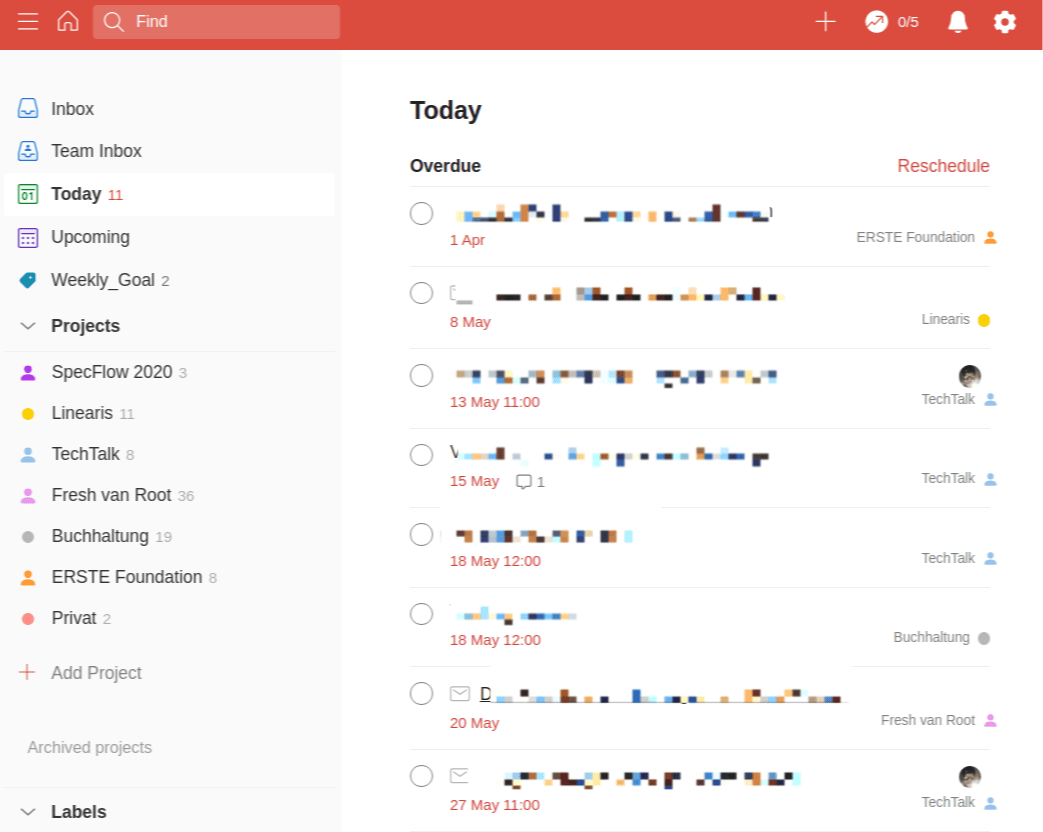
- Runs on iOS, Android, Mac, Windows, Linux, web and browser extensions
- Ramble turns rambling voice notes into separate tasks with dates, priorities and projects filled in. Free users get a limited number of sessions each month, and Pro gets unlimited.
- Task Assist can break a vague task into subtasks
Where it falls short:
- The free plan limits you to 5 projects, which a Things user with Areas will hit fast
- Areas and Headings don't exist in the same way, so you'll need to rethink structure a bit
- It's still a list. It won't decide what you should do next.
Price: Free plan; Pro is $5/month billed yearly ($60/year).
Pick it if: you dump tasks by voice while walking, and you need the same list on a Windows laptop and an Android phone.
3. Saner.ai: the best AI Things 3 alternative if you want a planner, not a list
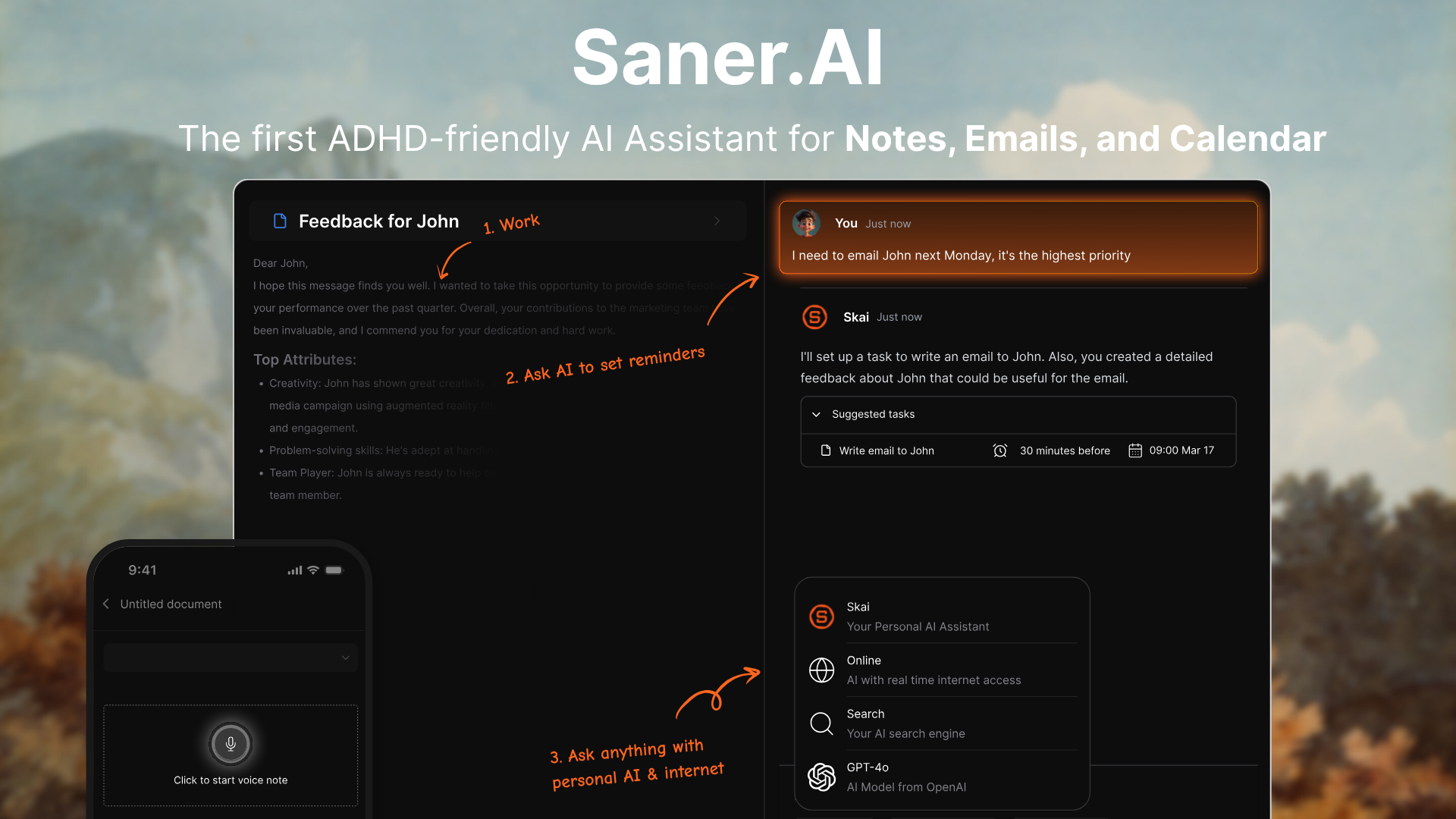
Saner.ai is an AI personal assistant that sits on top of your tasks, notes, email and calendar, and helps decide what to do with them.
What it does well:
- Tasks and notes live in one place, so the meeting note and the follow-up task stop living in two apps
- An AI assistant (Skai) you can ask things like "what's urgent this week?" or "turn this note into tasks"
- Connects to Gmail, Google Calendar, Outlook Mail and Outlook Calendar, so tasks hiding in your inbox can surface without you copy-pasting them
- Built with ADHD brains in mind, which matters if the reason Things didn't stick was that you stopped opening it 🙃
- Runs on web and mobile, with a Chrome extension for quick capture, so Windows and Android users are covered
Where it falls short:
- No native Mac app experience like Things.
- If you love manually curating a perfect list, letting an AI suggest your day can feel strange at first
Price: Free plan; Starter is $8/month billed yearly ($12 monthly); Standard is $16/month billed yearly,
Pick it if: your real problem was never "where do I write tasks down" but "I have 60 tasks and no idea what to do first."
If that's you, the Akiflow vs Saner.ai comparison and Motion vs Saner.ai go deeper.
4. OmniFocus 4: more power, still Apple-first
OmniFocus is what Things users move to when they want more structure, not less. Think of it as the dense, slightly intimidating older cousin.
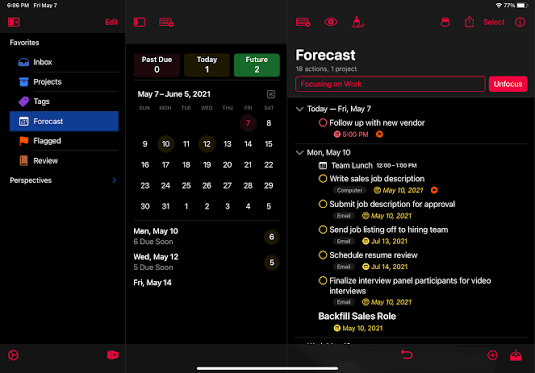
What it does well:
- Custom perspectives (saved, filtered views), defer dates, review mode and a deep tagging system
- Proper GTD support, including a built-in weekly review
- A web version (OmniFocus for the Web), which helps if you sometimes sit at a Windows machine
Where it falls short:
- Still built around Apple devices. The web app is a companion, not a full replacement.
- No meaningful AI
- A steep learning curve. Budget an afternoon to set it up, and maybe a snack. 🍪
Price: $9.99/month subscription, or a one-time v4 license ($74.99 Standard, $149.99 Pro), with the web version listed at $4.99/month
Pick it if: Things felt too simple and you run a formal weekly review. You can pair it with the AI weekly review workflow we've covered before.
5. Microsoft To Do: the free Windows-friendly option
Sometimes you just need a list that works on your work PC and costs nothing.
What it does well:
- Free with a Microsoft account
- Runs on Windows, Mac, iOS, Android and the web
- "My Day" works a lot like Things' Today view
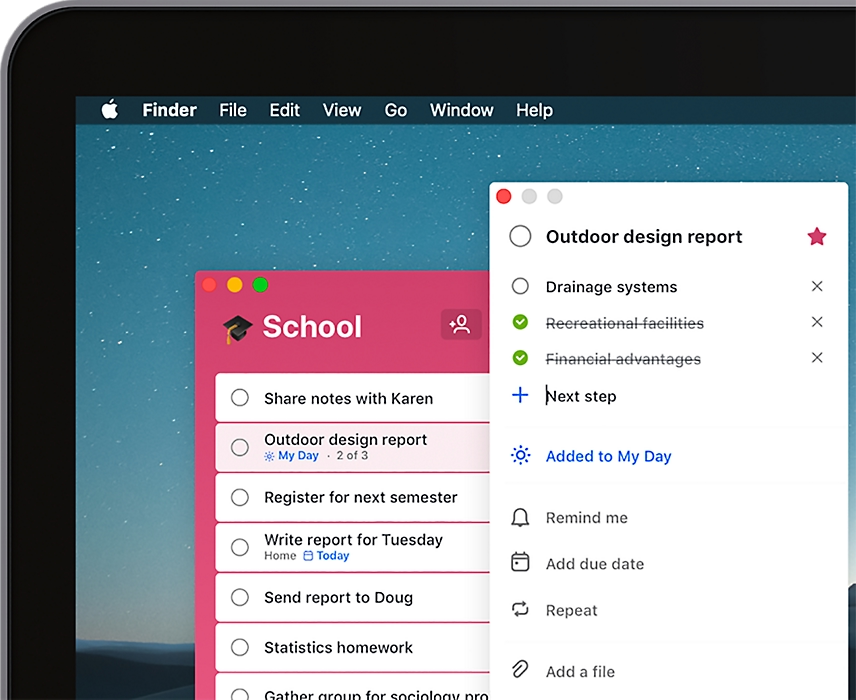
- Syncs with Outlook tasks, which helps if your company runs on Microsoft 365
Where it falls short:
- No AI planning
- No real project hierarchy (no Areas, no headings)
- Feels basic after Things
Price: Free.
Pick it if: you need something on a Windows work machine today and don't want to pay.
Which Things 3 alternative should you choose?
I just need it on Android or Windows
- Want it free: Microsoft To Do
- Want it close to Things, with more features: TickTick
- Want sharing with family or coworkers: Todoist
I want AI to do some of the planning
- AI that captures tasks from voice: Todoist
- AI that looks across tasks, notes, email and calendar and helps you decide: Saner.ai
I want more structure, and I'm staying on Apple
- OmniFocus
I have ADHD and Things just stopped working for me
Look for tools that reduce decisions: something that tells you what's next, breaks big tasks down, and nudges you like Saner.AI. Our roundup of the best AI task managers for ADHD covers this in more detail.
FAQ
Does Things 3 have AI?
No. Things 3 has no built-in AI features as of October 2026. You can use Apple's system-wide Writing Tools inside text fields, but that's Apple's feature, not Things'.
Is there a Things 3 for Windows or Android?
No. Things runs only on Mac, iPhone, iPad, Apple Watch and Apple Vision Pro. There's no web app either. TickTick and Todoist are the closest cross-platform alternatives.
What is the best free alternative to Things 3?
Microsoft To Do is fully free and works on every major platform. TickTick and Todoist also have free plans, but with limits (TickTick caps lists, Todoist caps projects at 5). Saner.ai has a free plan too, with a monthly AI message limit.
What's the best Things 3 alternative with AI?
It depends on what you want the AI to do. For turning voice notes into tasks, Todoist's Ramble is strong. For an assistant that reads your tasks, notes, email and calendar and helps you decide what to do next, Saner.ai is the better fit. For fully automatic calendar scheduling, Motion is the usual pick.
Can I export my tasks from Things 3?
Not as a simple CSV. Cultured Code's documented options are copying the SQLite database, printing lists to PDF on a Mac, or writing your own Shortcut or AppleScript. Most people copy active projects as text and paste them into the new app.
Is OmniFocus better than Things 3?
It's more powerful, not better for everyone. OmniFocus gives you custom perspectives, defer dates and a built-in review. Things is faster and simpler. If Things already feels like enough structure, OmniFocus will feel like homework.
Your next steps

- Write down the one gap that's pushing you away from Things: platform, AI, sharing or scheduling.
- Pick the single app from this list that fixes that gap. Just one.
- Copy one active project over and use only the new app for that project for a week.
- Add a daily "Plan tomorrow" task so the habit moves with you.
- After a week, either migrate the rest or go back to Things with a clear conscience.



