4 Best Superhuman Alternatives (I Tested in 2026)

💡 Quick answer: If you want fast AI writing without the high cost, Spark Mail offers an affordable, generous free tier. For Gmail power users needing deep history search and smart thread summaries, Shortwave is built specifically around that workflow. If your team needs shared inboxes, task assignments, and internal chat, Missive is the strongest collaborative option. Finally, if your main bottleneck isn't speed but actually turning incoming emails into scheduled calendar tasks, skip straight to Saner.ai.
What Superhuman does well (a quick, fair recap)
Where it's good at:
- The fastest inbox experience available: 100+ keyboard shortcuts eliminate the mouse almost entirely, and I can save 30 minutes to two hours on heavy email days
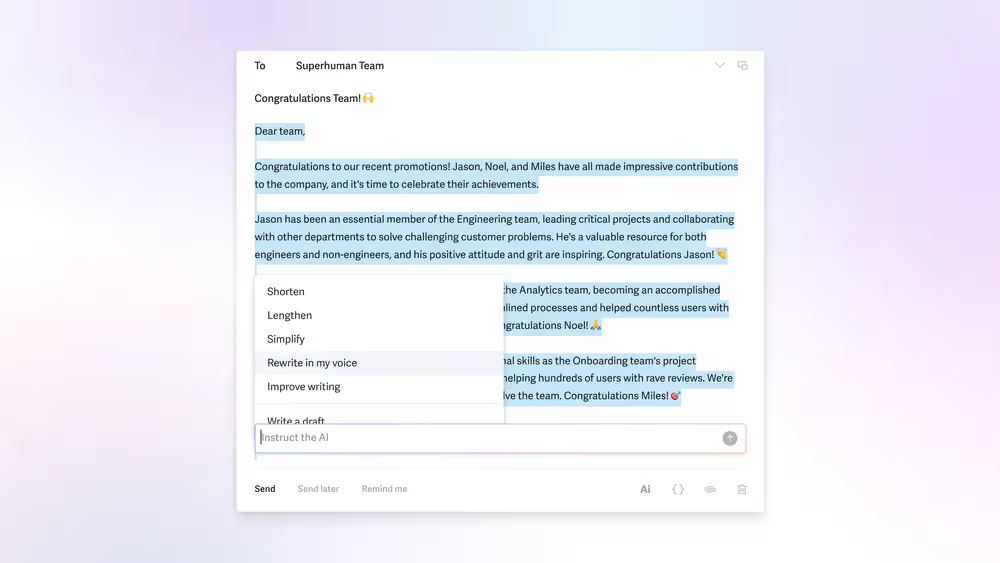
- Strong AI drafting: replies generated in my voice, tone adjustment, and automatic 1-line summaries above every thread
- AI search: ask a question about inbox in plain language and it finds the relevant emails, not just keyword matches
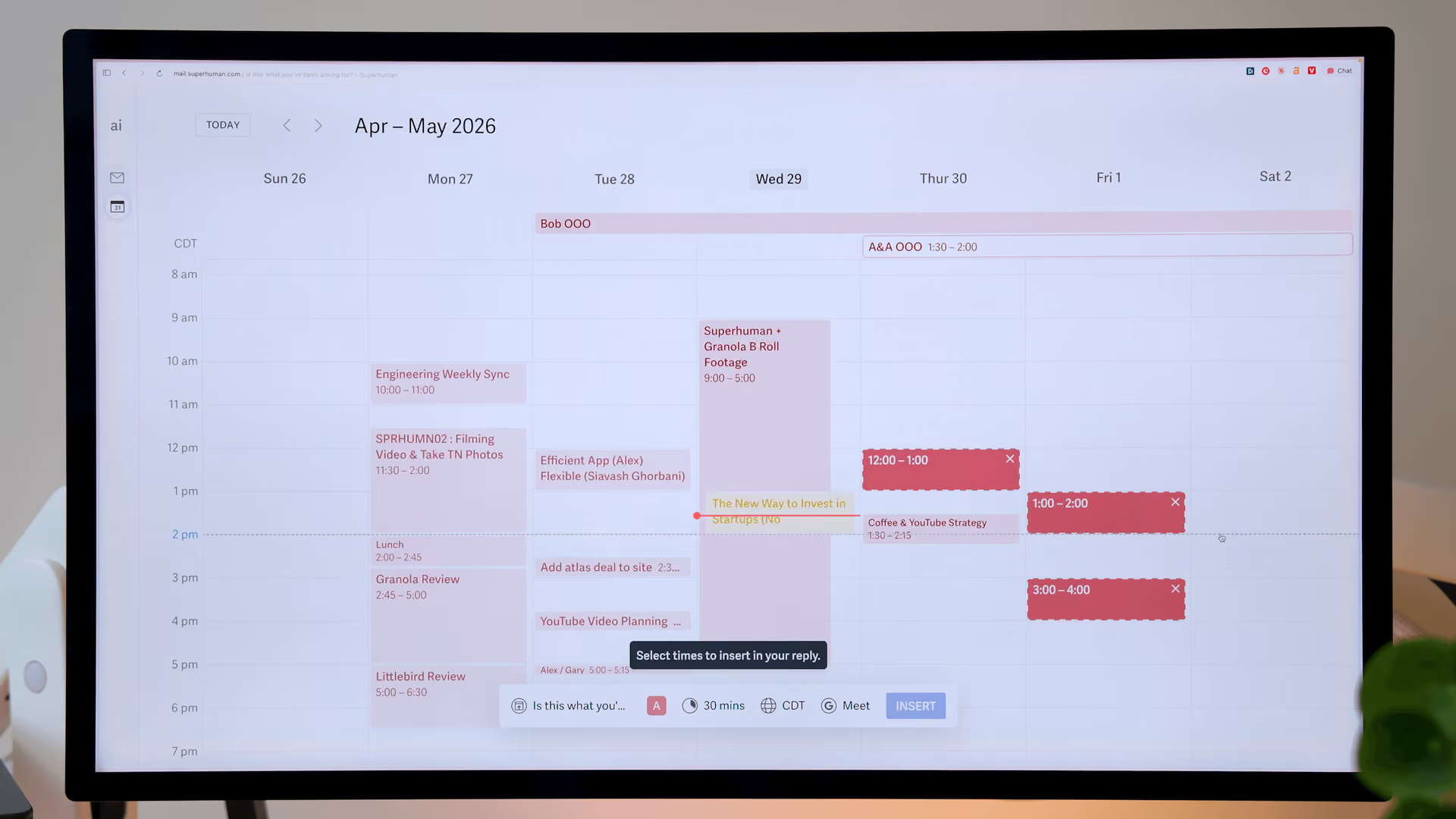
Where it falls short:
- Pricing moved up after the Grammarly acquisition: new subscribers now go onto the Business plan at $33/month billed annually or $40/month billed monthly, though it now bundles Grammarly's writing AI, Coda, and CRM integrations with HubSpot, Salesforce, and Pipedrive
- No permanent free plan: just a 30-day trial with full features, then you're paying regardless of how much email you process
- Built for individual speed, not team collaboration: there's still no native shared inbox or conversation assignment the way a dedicated team tool offers, even with some newer collaboration features layered on
- Cost scales poorly if you outgrow the price-per-seat model: a five-person team pays five times the individual rate, with no volume discount structure built for that
What to look for in a Superhuman alternative?
Match the tool to your actual bottleneck, not just the next name on a list:
- Want speed and AI drafting for less money? Look for a real free tier with AI included, not just a trial countdown
- Want your team to share an inbox, not just move fast individually? Look for native conversation assignment and internal comments, which Superhuman still doesn't do well
- Want deep AI search across years of email history? Look for a tool built around that specifically, not one that bolted search on later
- Want less time spent in your inbox at all, not just faster time in it? Look for something that turns email into scheduled tasks automatically, rather than a faster interface for reading the same volume

1. Spark Mail - best free superhuman alternative
Spark Mail is the clearest budget answer to Superhuman: a free tier (unlimited accounts, smart inbox, scheduling, cross-platform sync), with AI writing, thread summaries, and shared inboxes unlocked on paid plans that still undercut Superhuman by 60–70%.
- Price: Free plan available; Plus around $8–10/month, Pro around $20/month
- Best for: Budget-conscious professionals and small teams who want AI help without premium pricing
- Trade-off: The AI is noticeably more basic than Superhuman's or Shortwave's - good for drafting and summaries, not deep AI search
Where it’s good at
- Smart Inbox: It automatically groups emails into Personal, Notifications, and Newsletters, so I only see important messages first.
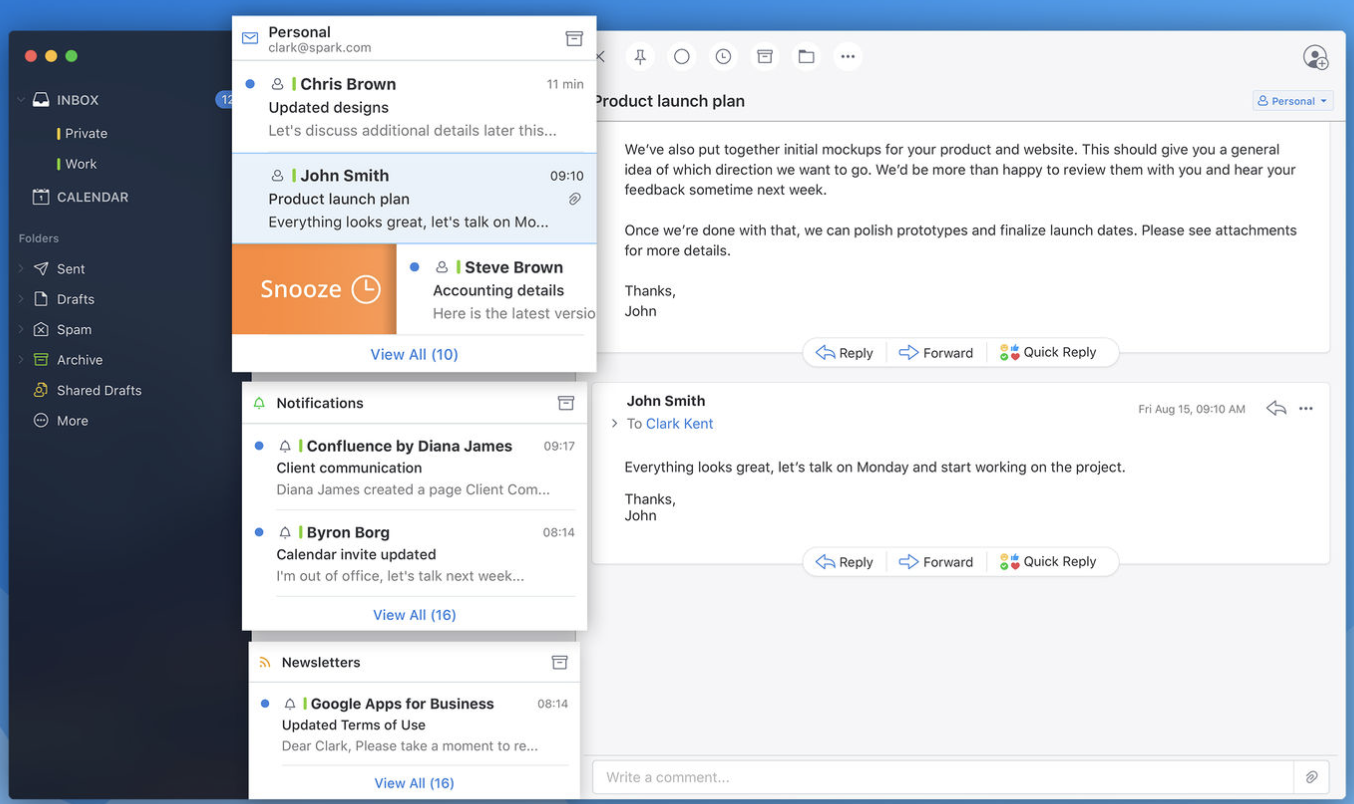
- Inbox Zero tools: You get classic Google Inbox features like Snooze, Pin, and Mark as Done in batches to clear your inbox fast.
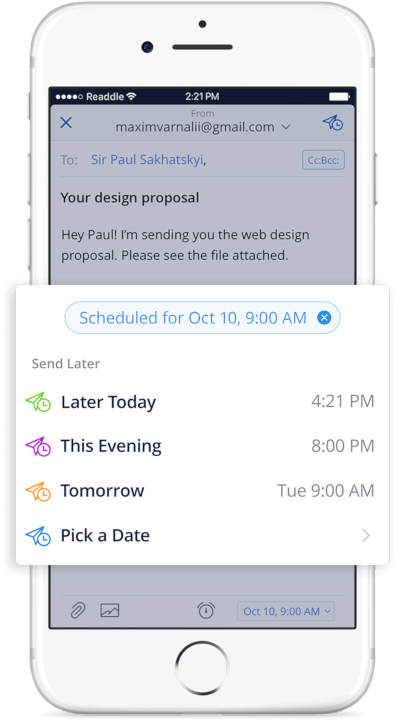
- Smart sending features: Includes Send Later, Undo Send, and Reminders to follow up if someone doesn't reply.
- Team collaboration: Draft emails together in real time and leave private internal comments directly inside email threads.
- Cross-platform sync: Works and syncs my settings smoothly across Mac, iOS, Android, and Windows.
Where it falls short
- Privacy trade-offs: To make smart features work (like push notifications and scheduled sends), some of email data must pass through and be processed on Spark's servers.
- Paywalled features: Advanced tools, team sharing limits, and newer AI writing features require a paid subscription.
- No full web client: It works primarily as an installed desktop or mobile app, which is inconvenient if you prefer checking email purely in a browser.
- Feature bloat for minimalists: If you only want a plain, bare-bones email reader, its large set of buttons, categories, and settings can feel cluttered.
2. Shortwave - best for deep AI search on Gmail
If what you want from Superhuman is the AI, not just the speed, Shortwave goes further in that specific direction - AI search across years of Gmail history, Claude-powered drafting that learns your writing voice, and automated workflows through its Tasklet feature.
- Price: No permanent free plan as of 2026 - a 14-day trial, then Business from roughly $24–30/seat/month
- Best for: Gmail-only power users who want the deepest AI search and summarization in the category
- Trade-off: Gmail and Google Workspace only - no Outlook, Yahoo, or IMAP support at all, and pricing has climbed since its earlier, cheaper tiers
Where it’s good at
- Smart "Bundles": It automatically groups similar emails (like newsletters or promos) together into neat folders so my inbox stays clean.
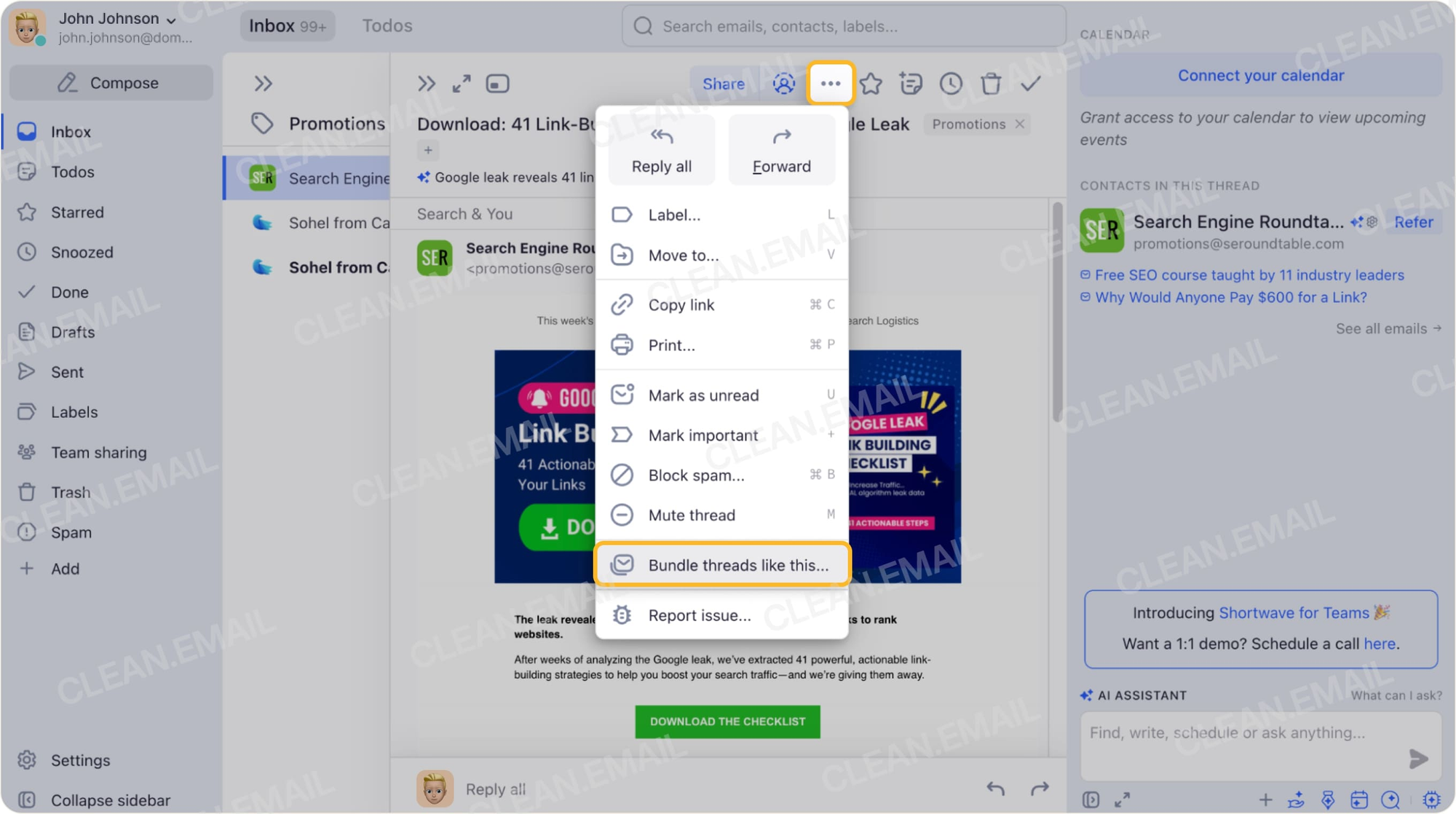
- AI Thread Summaries: It creates quick summary points at the top of long email threads so I can catch up instantly without reading every message.
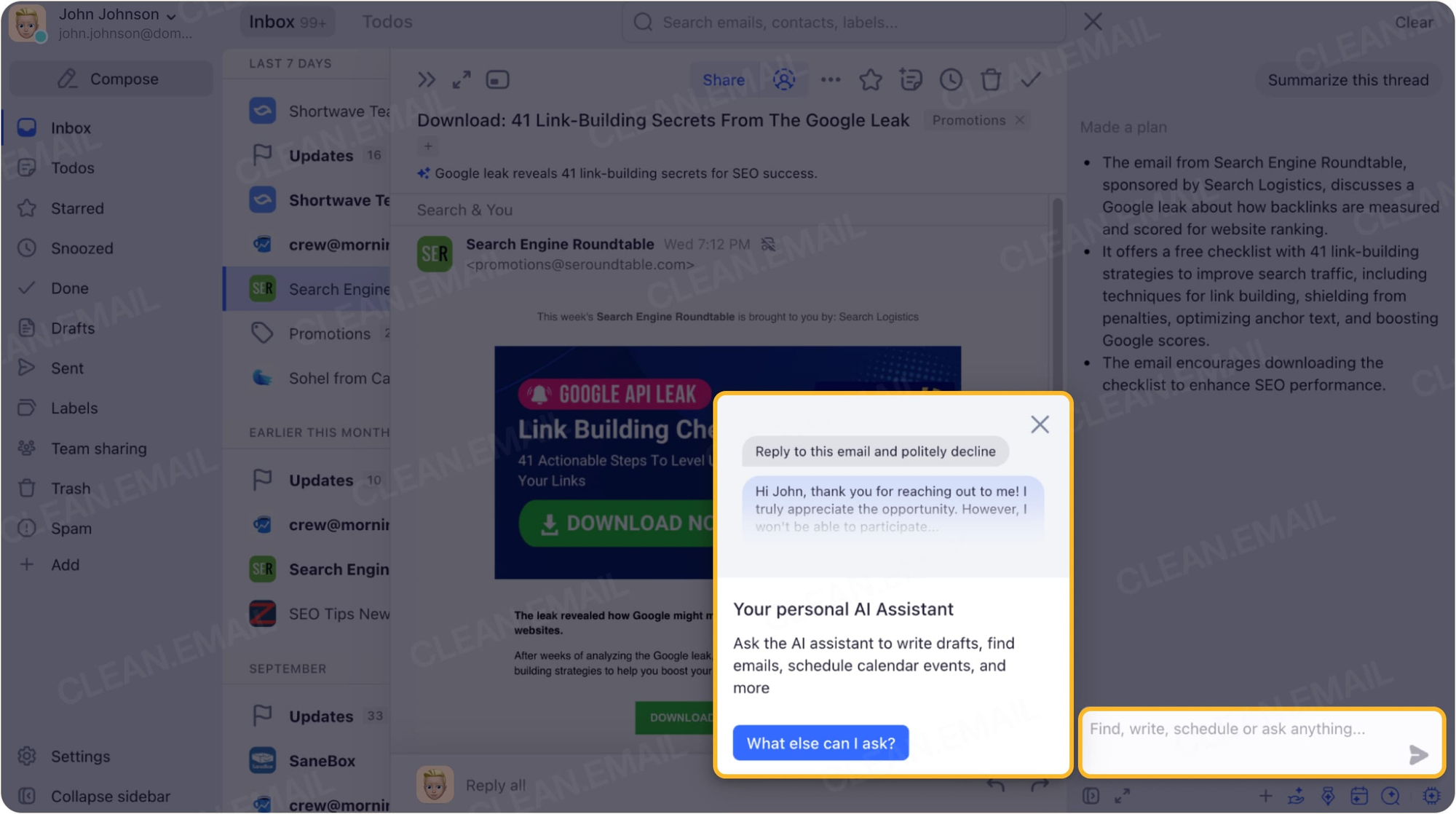
- Natural language search & assistant: Ask the built-in AI questions in plain English or use it to draft replies.
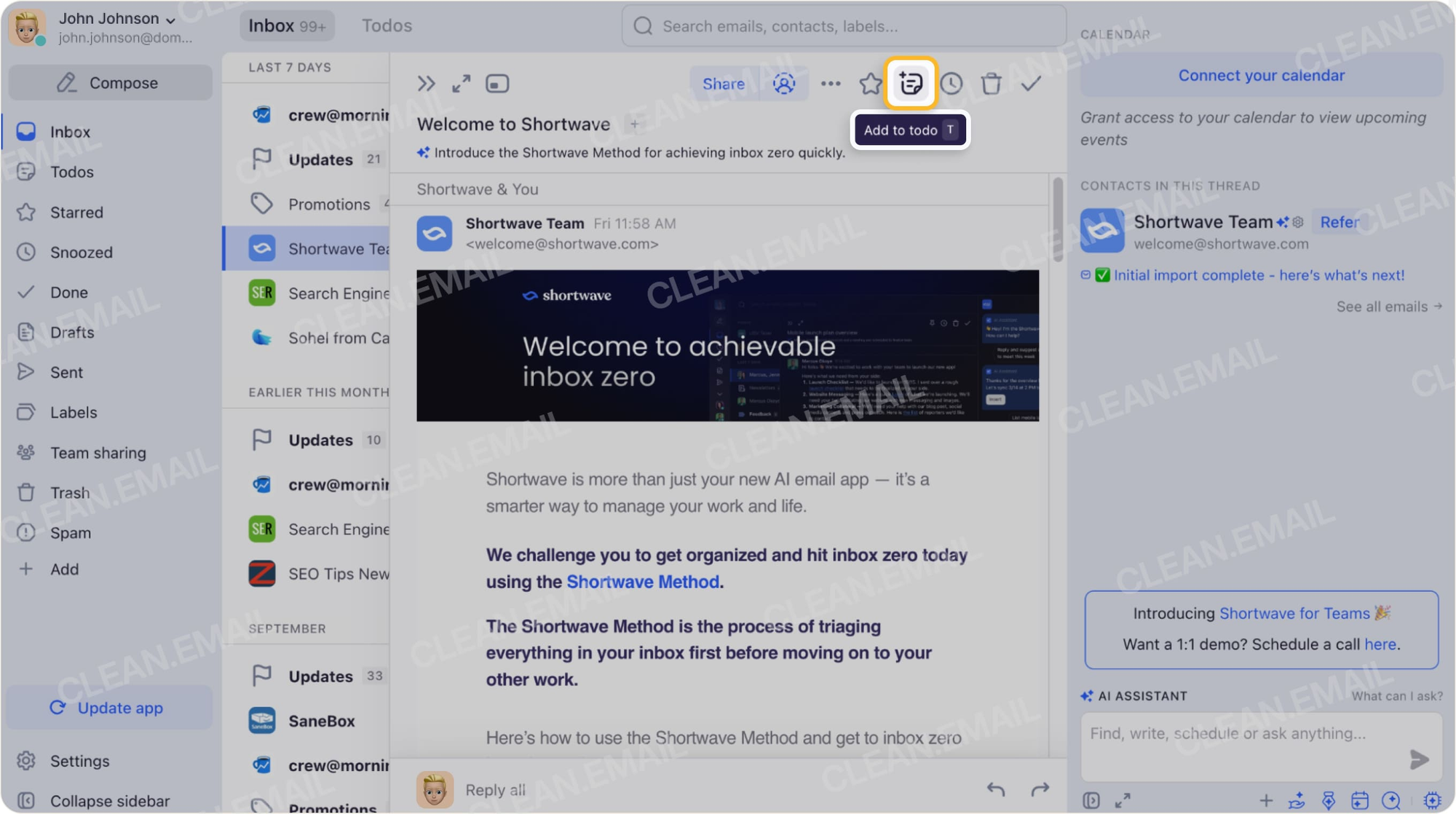
- Flexible to-do lists: Turn emails into actionable tasks, organize them into a to-do list, or snooze messages until a better time with simple custom inputs.
- Cross-platform apps: Offers smooth, well-designed apps across Mac, Windows, iOS, and Android.
Where it falls short
- Gmail only: It only works with Gmail and Google Workspace accounts, completely cutting out Outlook, Yahoo, or other providers.
- AI can feel slower than manual work: Relying on AI to draft messages or schedule meetings can sometimes feel clunky or require too much double-checking compared to just doing it myself.
- Limited bulk actions & unsubscribing: Unlike dedicated cleanup tools, its unsubscribe feature only lets me clear out mailing lists one by one.
- Strict free plan limits: The free tier restricts searchable email history to just 90 days and forces an unwanted "Sent with Shortwave" signature on my emails.
3. Missive - best for team shared inboxes
This is the gap Superhuman doesn't really try to fill. Missive is built around a shared inbox teams collaborate in - internal comments, conversation assignment, and real-time collaborative drafting across email, SMS, and WhatsApp in one place.
- Price: Free plan for teams up to 3 users; Starter $14/user/month, Productive $24, Business $36 (billed annually)
- Best for: Small teams handling shared inboxes who need actual collaboration, not just individual speed
- Trade-off: Poor value as a personal inbox tool - the features that make it worth paying for only show up once teammates are using it together
Where it’s good at
- Powerful team collaboration: Lets teams share inboxes, assign emails to specific people, and chat or discuss threads internally in real time (reducing the need for Slack or Microsoft Teams)
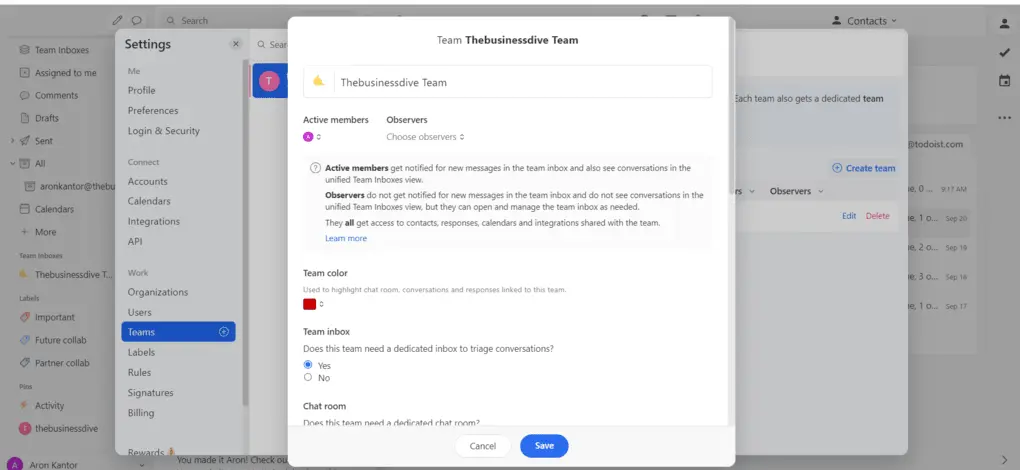
- Advanced automation and rules: Offers deep workflow customization using labels and rules
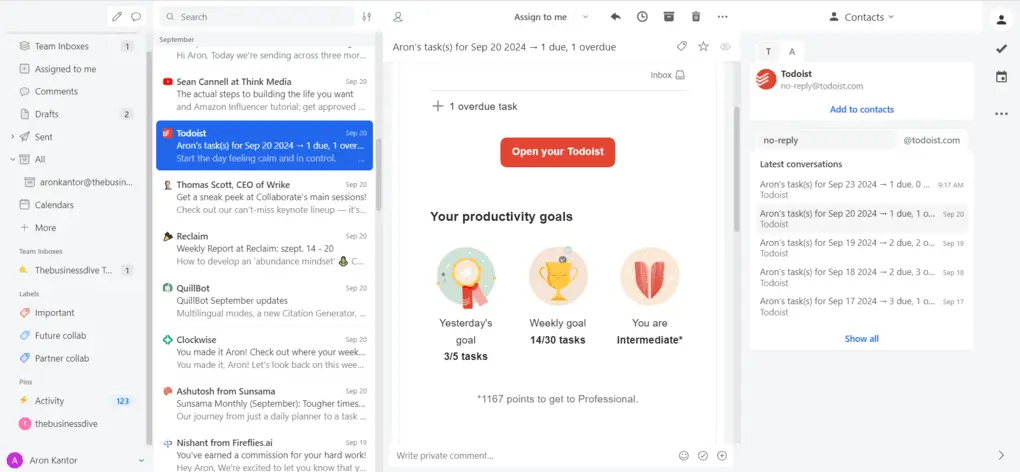
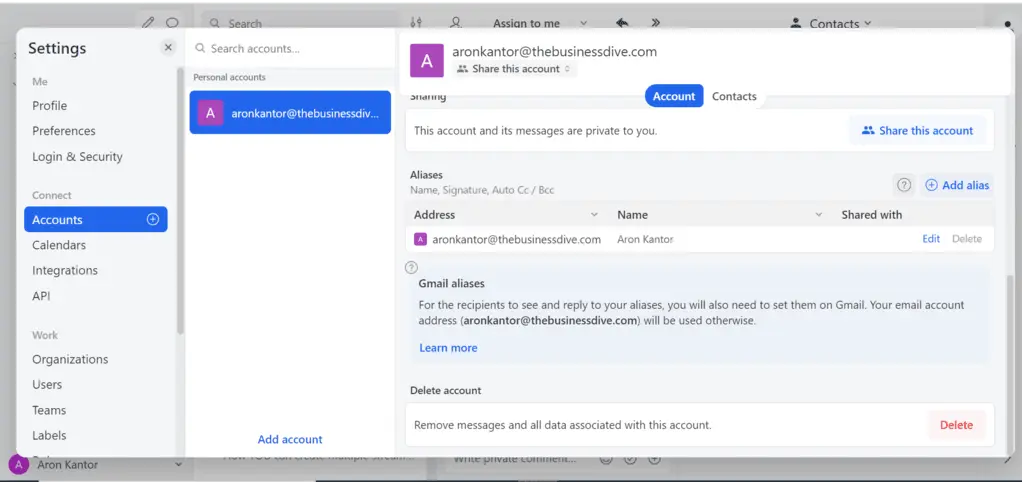
- All-in-one inbox management: Combines multiple email accounts (Gmail, Outlook, Apple Mail), task management, and built-in chat into a single platform.
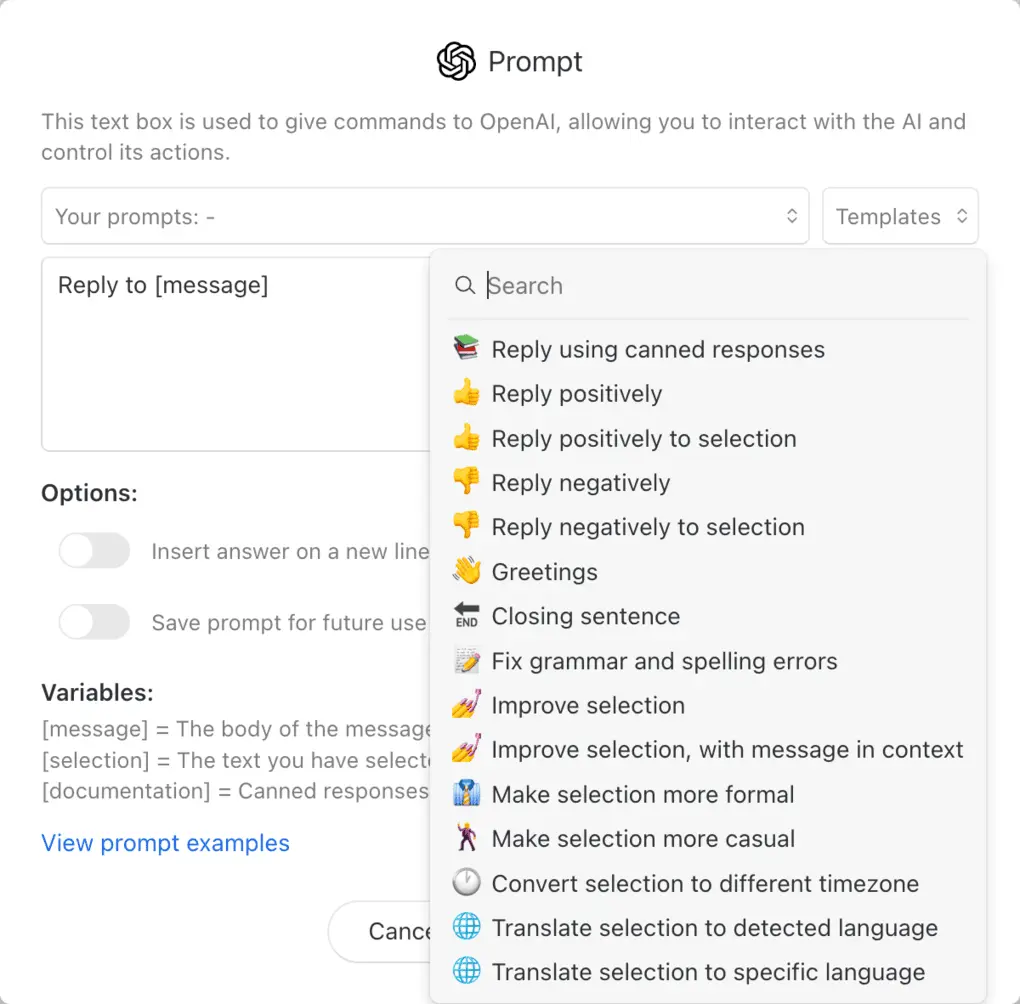
- AI assistance: Integrates OpenAI to quickly draft replies, translate messages, and use smart templates to handle repetitive emails
Where it falls short
- Steeper learning curve: Because it packs so many advanced features, rules, and collaboration tools, it can feel overwhelming for beginners[cite: 13].
- Not ideal for solo minimalists: If you just want a simple, lightweight inbox without heavy setup or teamwork features, it is more tool than you need[cite: 13].
- Pricing for individuals: While reasonable for teams, it can feel a bit expensive for solo users who don't utilize its collaborative power[cite: 13].
4. Saner.ai - best for turning email into scheduled tasks, not just faster replies
Here's the thing every tool above still has in common with Superhuman: they all make you faster inside your inbox. None of them solve the actual reason your inbox feels heavy in the first place - that half of what lands there isn't really "email to answer," it's a task in disguise that you now have to notice, translate, and go schedule somewhere else.
Saner.ai is built around that translation step specifically, and it leans into three things none of the tools above attempt at all:
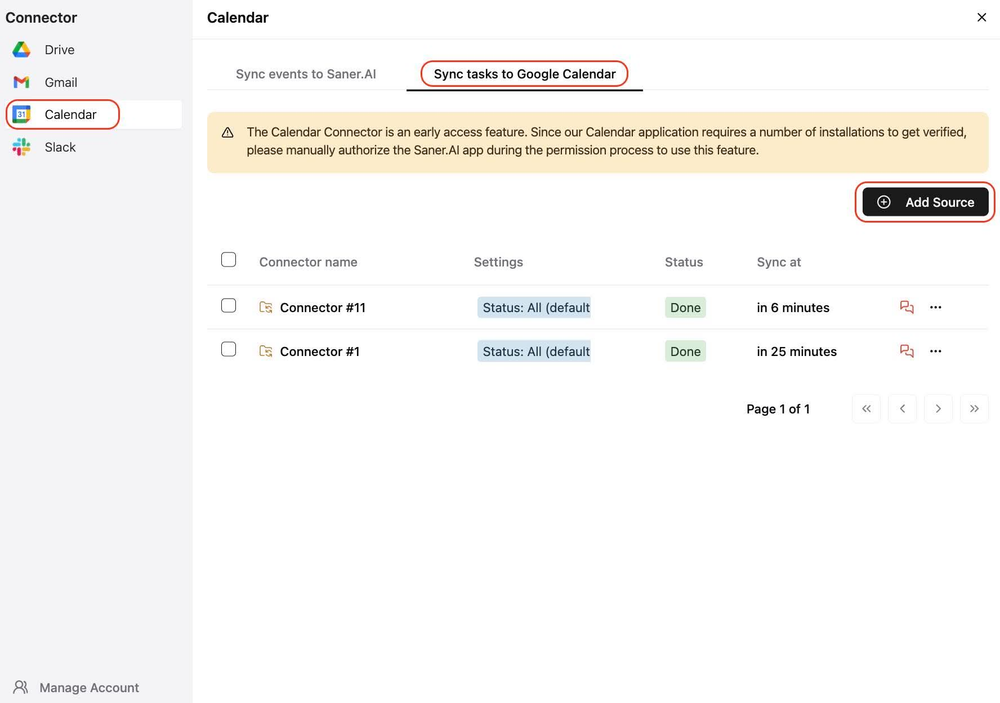
- AI voice-to-calendar capture, including from email: label an email to let Saner read it, and its AI breaks anything vague or oversized into concrete steps, and schedules the result directly onto my calendar
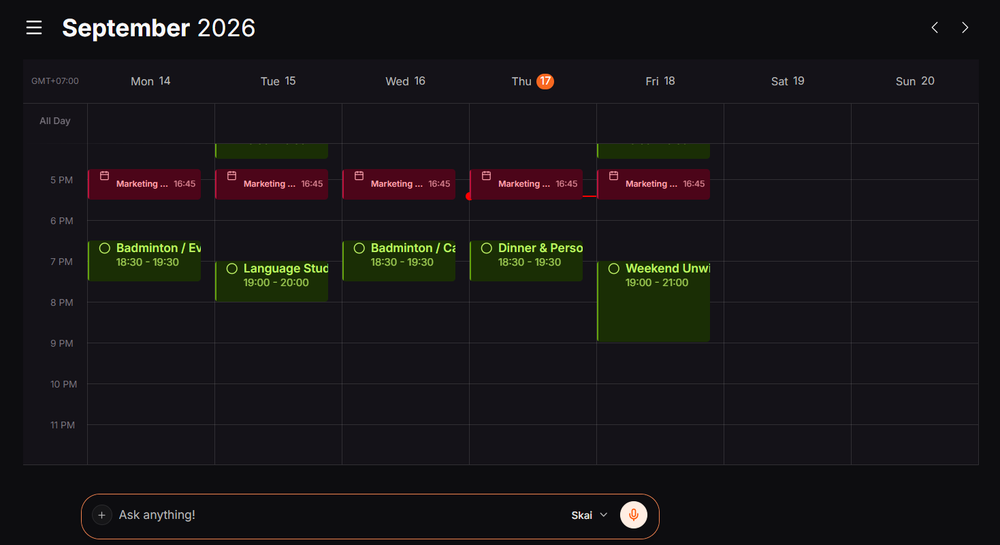
- Proactive daily planning: instead of sorting through my inbox every morning, Skai automatically builds a draft schedule overnight using my notes, pending items, and new emails - turning messages into actionable tasks so nothing gets forgotten.

- Notes, tasks, and calendar as one system: an action item buried in an email thread from last week can resurface as a scheduled task automatically .
- Price: Free plan available; paid tiers from $8/month (Starter) to $16/month (Standard) - a fraction of Superhuman's $33–40/month
- Best for: People whose real problem isn't reply speed but everything email generates afterward - tasks that get buried in threads, easily overwhelmed brain and ADHD-related difficulty tracking follow-ups
- Trade-off: It's not trying to be the fastest interface for high-volume reply-writing, if your job is genuinely 150+ emails a day of rapid-fire replies, Superhuman's raw speed still wins that specific race
If your honest complaint about Superhuman is "I can answer emails twice as fast, but somehow I still lose track of what they turned into" that's the gap Saner.ai closes.
Comparison between Superhuman, Spark Mail, Shortwave, Missive and Saner.ai
| Tool | Free plan | Best at | Starting price | Best for |
| Superhuman | No (30-day trial) | Raw keyboard speed | $33/month | High-volume solo email speed |
| Spark Mail | Yes | Affordable AI writing | Free | Budget-conscious individuals |
| Shortwave | No (14-day trial) | Deep AI search (Gmail only) | ~$24/month | Gmail power users |
| Missive | Yes (up to 3 users) | Team shared inboxes | $14/user/month | Small teams |
| Saner.ai | Yes | Email-to-task-to-calendar | $8/month | Turning inbox items into a plan |
Which one from Superhuman should you switch to?
- You want free, with decent AI writing help: Spark Mail
- You live in Gmail and want the deepest AI search available: Shortwave
- Your team shares an inbox: Missive
- Your real problem is what happens to email after you read it, not how fast you reply: Saner.ai
How to make the switch from Superhuman without losing anything?
- Export or archive what you need before cancelling: Don't rely on a trial-tool's servers to hold history after you downgrade.
- Migrate one account first, not all of them at once: Test the new tool on your lower-stakes inbox before moving your primary one over.
- Give it a real, messy week, not a quiet one: A calm week doesn't test whether the tool actually holds up under volume.
- Rebuild your keyboard-shortcut muscle memory deliberately: Whichever tool you land on, block 15 minutes on day one specifically to learn its shortcuts, skipping this step is the single biggest reason people bounce back to their old client.
- Cancel the old subscription on a specific date, not "eventually": Put it on the calendar of whichever tool you're switching to - it's the last useful task your old inbox tool will do for you.

FAQ
Is Superhuman still worth $33–40 a month after the Grammarly acquisition? If you're processing 100+ emails daily and the keyboard-shortcut speed changes your day, yes - the core product hasn't gotten worse, and you now get Grammarly's writing AI and CRM integrations bundled in. If your volume is lower, or your team needs to share an inbox rather than move fast individually, one of the alternatives above will likely serve you better for less money.
Does any Superhuman alternative have a real free plan? Yes - Spark Mail, Missive (up to 3 users), and Saner.ai all offer free tiers, unlike Superhuman and Shortwave, which are both trial-only as of 2026.
What's the real difference between Superhuman and Saner.ai? Superhuman makes you faster at replying to the emails already in your inbox. Saner.ai turns the action items buried in those emails into scheduled tasks automatically, so the goal isn't answering faster, it's not needing to keep re-reading the thread to remember what you owe someone.
Is any of these good for ADHD specifically? Saner.ai is explicitly built with ADHD and executive-dysfunction workflows in mind, including the follow-up-tracking difficulty that makes a fast inbox alone not enough. See my AI assistants for ADHD roundup for the full comparison, and talk to a professional if this feels like more than everyday inbox overwhelm.
Which alternative is cheapest overall? Spark Mail and Saner.ai both start free, making them the cheapest entry points on this list by a wide margin over Superhuman's $33–40/month.



