6 Best Fyxer AI Alternatives (Cheaper, Smarter, Less Annoying)

Fyxer AI promises a tidy inbox and replies that write themselves. For some people it delivers. For others, the drafts read like a polite robot, the labels pile up, and the bill lands before the trial feels finished 😅

If that second group sounds like you, this guide is for you.
Below are Fyxer alternatives, what each one actually does well, what it costs, and a simple way to switch without breaking your inbox for a week.
Quick answer: what's the best Fyxer AI alternative?
- Best overall replacement: Superhuman Mail (Business plan). Auto drafts, AI labels, Gmail and Outlook, plus a faster email client on top.
- Best free alternative: Gemini in Gmail. Suggested replies, Help Me Write and thread summaries cost nothing on a regular Gmail account
- Best for Outlook users: Microsoft Copilot in Outlook, through Microsoft 365 Premium or the Microsoft 365 Copilot business add-on.
- Best for Gmail power users: Shortwave.
- Cheapest way to tame the inbox: SaneBox, from about $7/month. It filters; it doesn't write.
- Best if email is really a to-do problem: Saner.ai, which turns emails, notes and calendar events into one prioritized plan.
What is Fyxer AI, and why are people looking for alternatives?
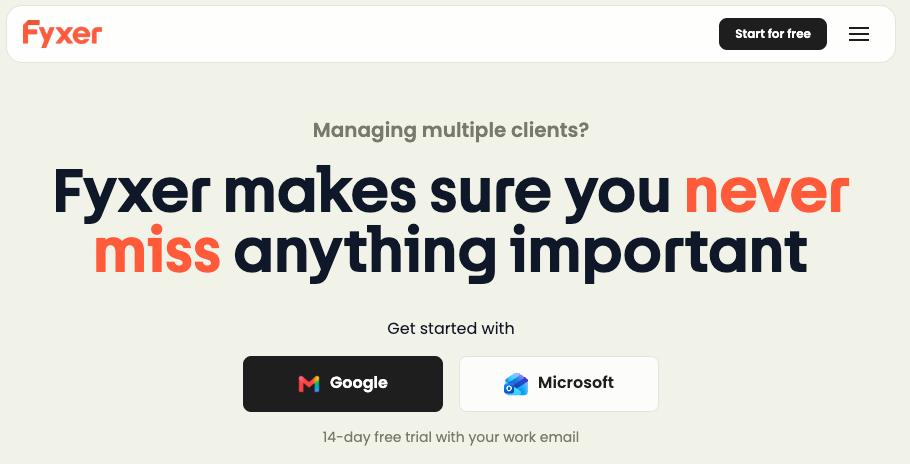
Fyxer is an AI email and meeting assistant that plugs into Gmail or Outlook. It sorts incoming mail into labels, drafts replies "in your tone," and joins meetings to take notes and suggest follow-ups.
Here's the current lineup from Fyxer's own pricing page:
- Free: $0, 400 monthly credits, with a 14-day taste of Pro features
- Pro: $49 per person monthly, or $37 per person billed annually
- Team: $99 per person monthly, or $64 per person billed annually (built for 10+ members)
- Enterprise: custom pricing, 50-user minimum
That's real money for an email helper. And the complaints in public reviews cluster around the same few things:
- Drafts that need rewriting.The drafts are generic, "robotic" and struggle with long threads.
- Rigid sorting. Labels stick around after you've dealt with an email, and you can't customize the labeling logic much. Misfiled important emails are the worst outcome here, because now you're anxious and behind.
- Meeting bot hiccups. Several reviews mention the note-taker failing to join calls.
- Billing and support friction. The eesel roundup cites users who say they were charged after canceling a trial, plus slow support.
Fyxer alternatives compared at a glance
| Tool | Best for | Writes drafts? | Gmail | Outlook | Starting price (Oct 2026) |
|---|---|---|---|---|---|
| Superhuman Mail | Closest like-for-like swap | Yes (Business plan) | ✅ | ✅ | $30/mo Starter; AI drafts on Business at $40/mo ($33 annual) |
| Gemini in Gmail | Free option | Suggested replies + Help Me Write | ✅ | ❌ | Free; some features need Google AI Pro |
| Copilot in Outlook | Microsoft shops | Yes | ❌ (for Gmail, see Gemini) | ✅ | ~$19.99/mo Microsoft 365 Premium; ~$30/user/mo business add-on |
| Shortwave | Gmail power users | Yes | ✅ | ❌ (forwarding workaround only) | $30/seat/mo Business |
| SaneBox | Cheap filtering, any IMAP inbox | No | ✅ | ✅ | ~$7/mo Snack |
| Saner.ai | Turning email into a daily plan | Helps you prioritize and follow up | ✅ | Check current integrations | Free; $8/mo Starter; $16/mo Standard |
1. Superhuman Mail: best overall Fyxer replacement

Best for: people who want what Fyxer promises, inside an email client built for speed.
Superhuman is a full email app, not an add-on. On the Business plan you get Auto Drafts, an "Ask AI" search across your inbox, and custom auto-labels powered by AI. That's the same core job as Fyxer, with keyboard shortcuts and split inboxes on top.
Pricing:Starter costs $30/month ($25 annual) and Business costs $40/month ($33 annual). The auto drafts and AI labels live on Business.
Where it falls short:
- You have to switch email apps. Some people love that. Others miss their old client within a day.
- The Starter plan won't give you the Fyxer-style features, so budget for Business.
Switch if: you live in email all day and want the most polished replacement. We've gone deeper on the trade-offs in our Superhuman alternatives guide.
2. Gemini in Gmail: best free Fyxer alternative

Best for: Gmail users who want a big chunk of the value for $0.
In January 2026, Google announced a batch of Gemini features in Gmail. These are free for all users:
- AI Overviews that summarize a long thread into key points
- Help Me Write for drafting or polishing an email
- Suggested Replies that match your writing style
- AI Inbox, which filters clutter so important messages surface (initially rolling out to trusted testers)
Where it falls short:
- It won't pre-write a draft for every email the way Fyxer does. You ask, it helps.
- Launch was U.S. and English first, so check availability where you are.
- Gmail only. Outlook folks, skip to #3.
Switch if: your main complaint about Fyxer is the price. Try a week of Gemini before paying for anything. You may find "good enough" is, well, good enough.
3. Microsoft Copilot in Outlook: best Fyxer alternative for Outlook
Best for: anyone whose work runs on Microsoft 365.
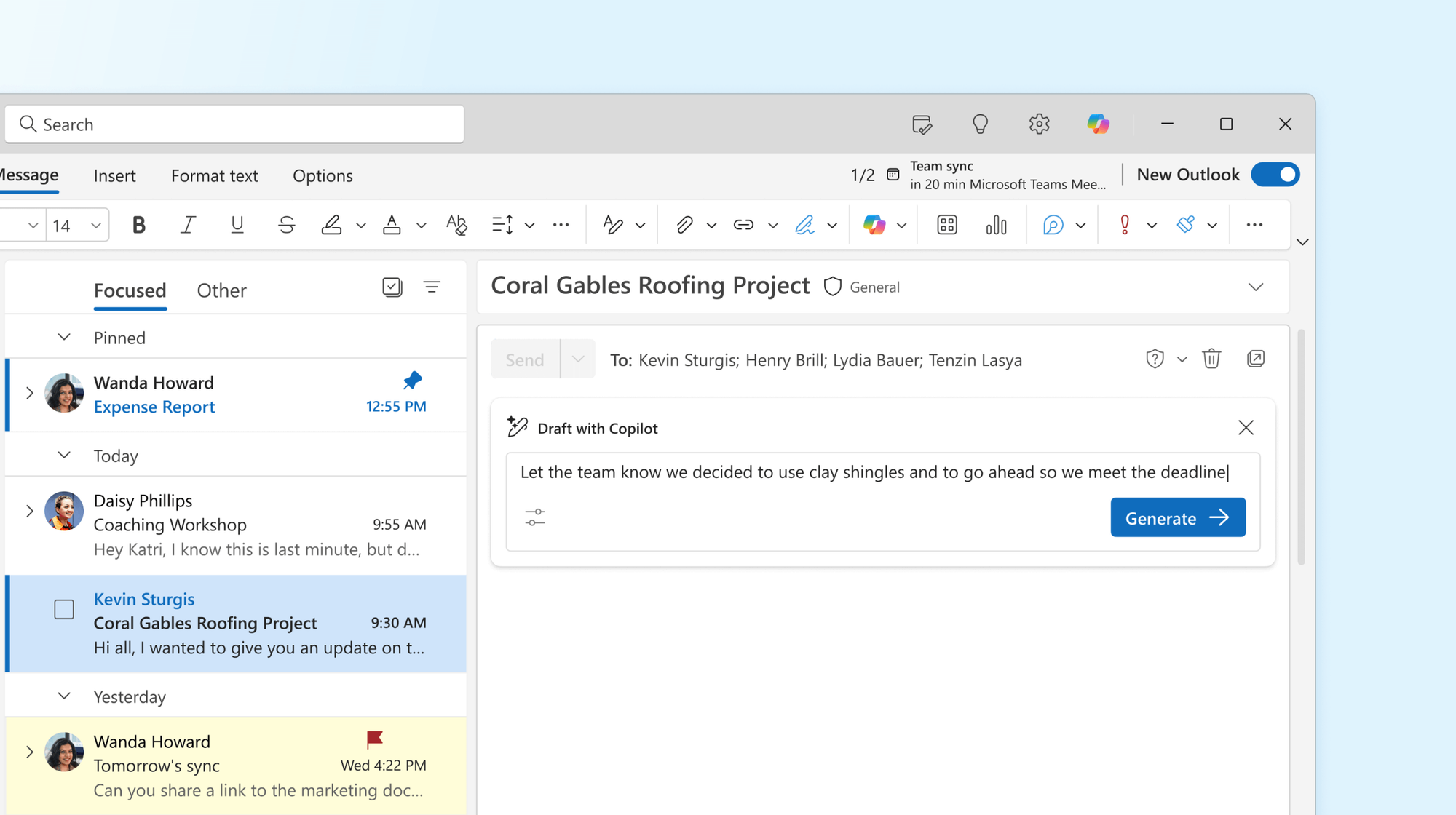
Fyxer supports Outlook, but if your company already pays for Microsoft 365, Copilot is sitting right there. It can summarize threads, draft replies and coach your tone inside Outlook.
Pricing:
- Microsoft 365 Premium (individuals): about $19.99/month, with AI in Outlook, Word, Excel and PowerPoint
- Microsoft 365 Copilot (business add-on): about $30/user/month on annual billing, grounded in your org's email, files, meetings and Teams chats
Where it falls short:
- It doesn't auto-sort your inbox into Fyxer-style categories out of the box.
- Business pricing sits on top of your existing Microsoft 365 license.
Switch if: your IT team would rather approve one more Microsoft feature than one more third-party app with inbox access. (That's most IT teams. 🙃)
4. Shortwave: best for Gmail power users
Best for: people who get a lot of email and want to search and summarize it like a database.
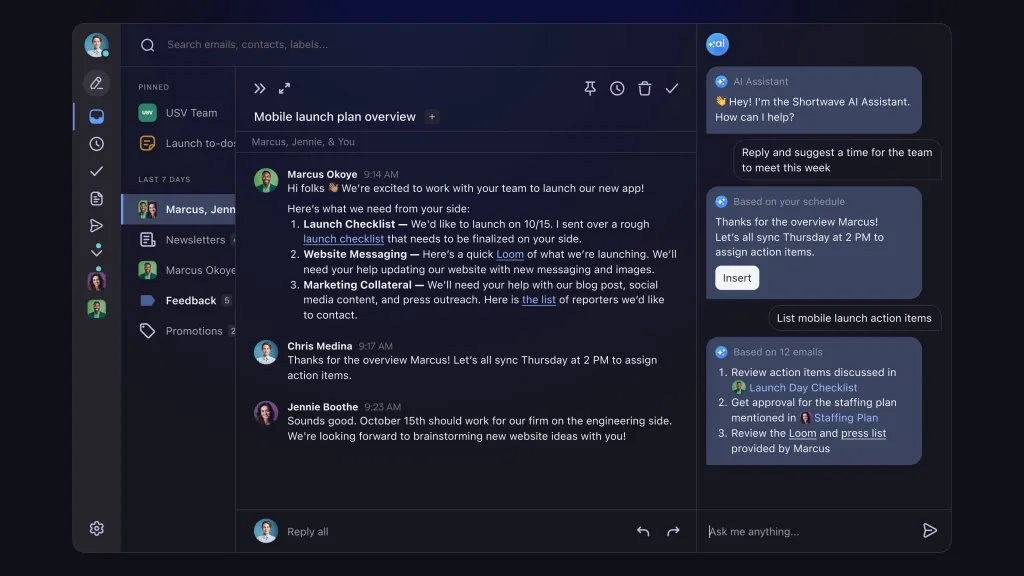
Shortwave is an AI-first email client. Every paid tier includes AI autocomplete, summaries, attachment analysis and AI-powered filters. Higher tiers bump the model quality and daily usage.
Pricing: from Shortwave's pricing page:
- Business: $30/seat/month
- Premier: $45/seat/month
- Max: $120/seat/month
- 14-day free trial on all of them
Where it falls short:
- Gmail and Google Workspace only. Shortwave's own docs say Microsoft 365 and Exchange are "not supported at this time". Other providers only work by forwarding to a Gmail account.
- Like Superhuman, it's a new app to learn.
Switch if: you're on Gmail and your real problem is finding and digesting email. Drafting is the bonus.
5. SaneBox: cheapest way to fix inbox overload
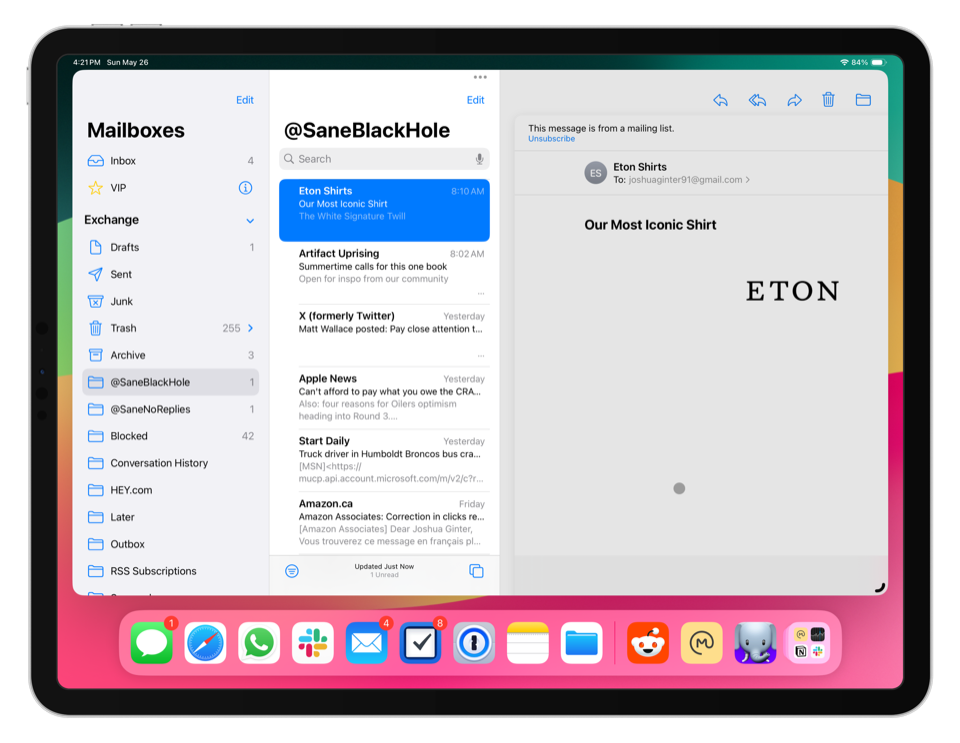
Best for: people who mostly want the clutter gone and are fine writing their own replies.
Here's an unpopular opinion: a lot of people buying AI drafting tools don't need AI drafting. They need fewer emails in front of them. SaneBox does exactly that. It looks at who you email and how you interact with them, then moves low-priority mail into folders like SaneLater. It also has SaneBlackHole to silence a sender for good and SaneNoReplies to show emails you sent that never got an answer.
Pricing: Snack is about $7/month (one account), Lunch about $12 (two accounts) and Dinner about $36 (four accounts), with discounts on annual plans.
Where it falls short:
- No drafts, no summaries, no chat. The same review is blunt: SaneBox "won't draft replies, summarize threads, or chat with you."
Switch if: Fyxer's labels were the part you actually used. SaneBox does sorting for a fraction of the price, and it works with Gmail, Outlook, Apple Mail, Fastmail and any IMAP inbox.
7. Saner.ai: best when your inbox is really a to-do list
Best for: people whose email problem is actually a "what do I do next?" problem.
Think about the emails that stress you out. Most of them aren't hard to answer. They're hard to remember. "Send the deck by Friday." "Can you review this?" "Following up on my last email…" Each one is a task wearing an email costume.
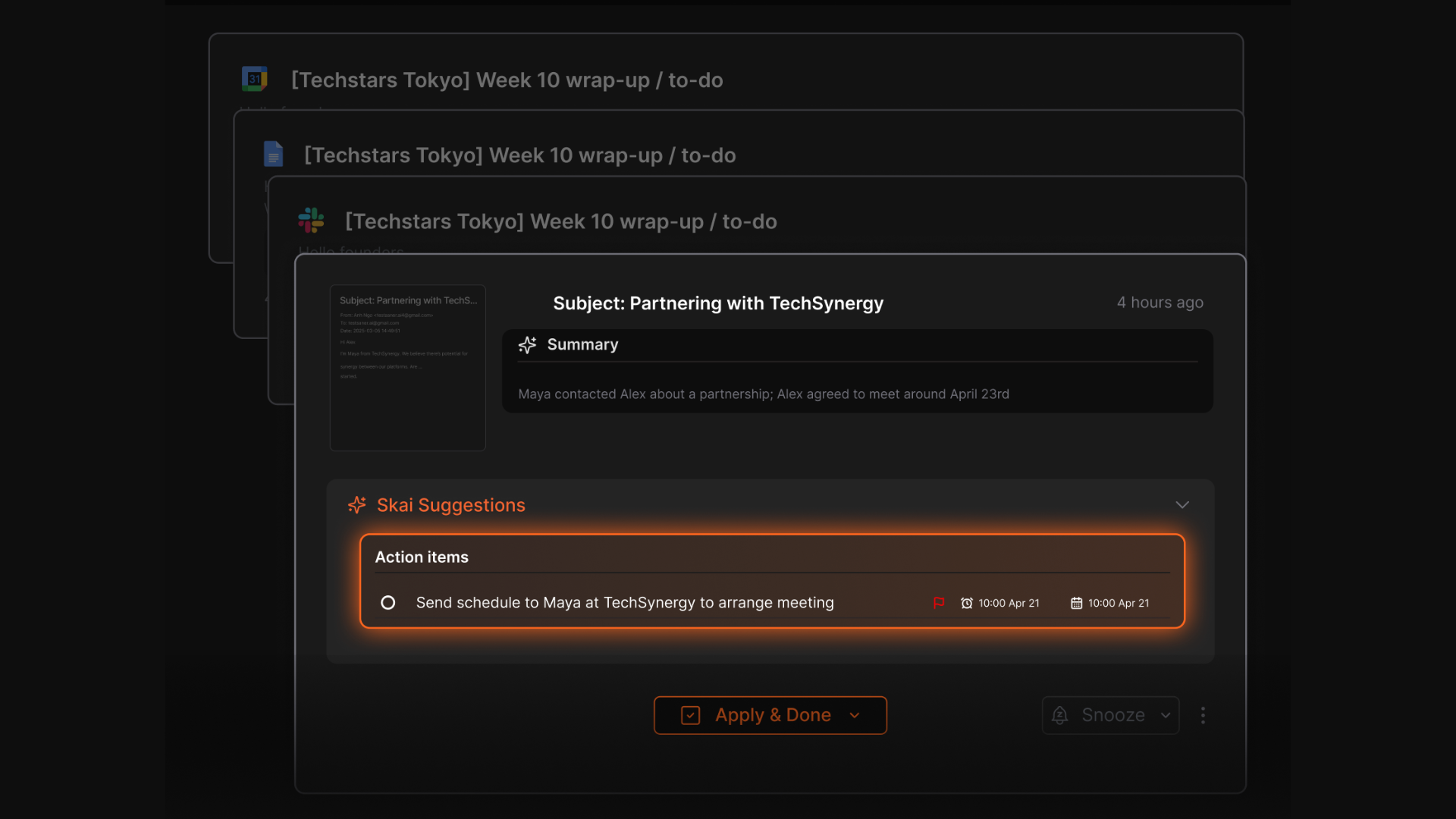
Saner.ai is an AI personal assistant that pulls your email, calendar, notes and tasks into one place. It "helps prioritize what emails to follow up on, what tasks to work on." So instead of a fancier inbox, you get a daily plan that already includes the email stuff.
Pricing: Free, Starter at $8/month, Standard at $16/month. It syncs with Google Drive, email, Slack and calendar.
Where it falls short:
- It isn't an email client and won't replace the drafting side of Fyxer one-for-one. Pair it with Gemini or Copilot if you want both.
- If you're on Outlook, confirm current integration support before you commit.
Switch if: you finish the day with an empty-ish inbox and a nagging feeling you forgot something. That's a task management gap, and our guide to prioritizing tasks with AI goes into the method behind it.
How do you choose the right Fyxer alternative?
Answer these four questions.
1. What did you actually use in Fyxer?
- Mostly the labels? → SaneBox, or Gemini's AI Inbox if you're on Gmail.
- Mostly the drafts? → Superhuman Business, Copilot, or Shortwave.
- Honestly, nothing much? → Start with free tools before paying for anything.
2. Gmail or Outlook?
This one decision cuts the list in half.
- Gmail: Gemini, Shortwave, Superhuman, SaneBox, Lindy, Saner.ai
- Outlook: Copilot, Superhuman, SaneBox, Lindy
3. Will you switch email apps?
Superhuman and Shortwave are full clients. If you'd rather keep Gmail's web app or Outlook exactly as they are, pick an add-on style tool like Gemini, Copilot, SaneBox or Saner.ai.
4. What's your monthly ceiling?
- $0: Gemini in Gmail, Saner.ai Free
- Under $20: SaneBox, Saner.ai Starter or Standard, Microsoft 365 Premium
- $30 to $50: Superhuman, Shortwave, Microsoft 365 Copilot
For a wider look at the category, see our full list of the best AI email assistants.
FAQ
Is there a free alternative to Fyxer AI?
Yes. Gemini in Gmail is the strongest free option: it gives you suggested replies, Help Me Write and thread summaries at no cost, per Google's January 2026 announcement. Saner.ai also has a free plan for turning emails into tasks. Fyxer itself has a free tier with 400 monthly credits.
What is the best Fyxer alternative for Outlook?
Microsoft Copilot in Outlook is the most natural fit, since it's built into Microsoft 365. Superhuman and SaneBox also support Outlook. Shortwave doesn't support Microsoft 365 or Exchange.
What's a cheaper alternative to Fyxer AI?
SaneBox starts around $7/month for inbox filtering, and Saner.ai starts at $8/month for an assistant that prioritizes emails and tasks. Neither drafts every reply automatically the way Fyxer does, so they're cheaper partly because they do less.
Can ChatGPT replace Fyxer?
Partly. You can paste threads into ChatGPT and ask for a reply, but it won't watch your inbox, sort incoming mail or draft replies in the background. For hands-off email help, a tool connected directly to your inbox works better.
What's the difference between an AI email assistant and an AI personal assistant?
An AI email assistant works inside your inbox: sorting, summarizing and drafting. An AI personal assistant covers more ground, connecting email with your calendar, notes and tasks so it can help plan your day.
My guide to the best AI personal assistants covers the broader category.
The takeaway: what to do this week

Fyxer is priced like a premium product. Plenty of people only use one slice of it.
So here's the plan:
- Name the one Fyxer feature you'd actually miss. Labels, drafts or meeting notes.
- Match it to the list. Labels → SaneBox. Drafts → Superhuman, Copilot or Shortwave. Everything-as-a-plan → Saner.ai. Tight budget → Gemini.
- Cancel cleanly. Screenshot the cancellation, revoke access, export your notes.
- Test one tool for seven days. Count drafts sent and emails missed.
- Keep it only if the numbers say so.
Want to go beyond email? My guide on how to use AI as a personal assistant shows how to connect inbox, calendar and tasks into one routine.



