I tested the 5 Best AI Personal Knowledge Assistant.

💡 Quick answer: If your actual bottleneck is that captured notes never turn into an executable schedule, Saner.ai is designed specifically to manage your notes automatically. Choose Mem.ai if you want a simple AI note app, Obsidian if you want 100% offline data ownership, Capacities if you prefer a structured, object-based middle ground, and Reflect if you need friction-free daily notes protected by end-to-end encryption.
What is an AI personal knowledge assistant?
A personal knowledge assistant is software (or hardware) that uses AI to capture information you encounter, organize it without much manual effort, and help you retrieve or act on it later.
They split into three types:
- AI-first & action planners: You write or dictate, and the tool either organizes notes automatically or turns them straight into a scheduled plan (Mem.ai, Capacities, Saner.ai).
- Local, privacy-first knowledge bases: You own the files on your device, with manual links and optional add-on AI (Obsidian, Reflect).
- Passive capture tools: Automatically record and transcribe your screen or audio throughout the day (Limitless).
How I judged AI personal knowledge assistant?
- Capture friction: How fast from "I just learned this" to "it's saved"?
- Organization tax: How much manual tagging or structuring is required before it's useful?
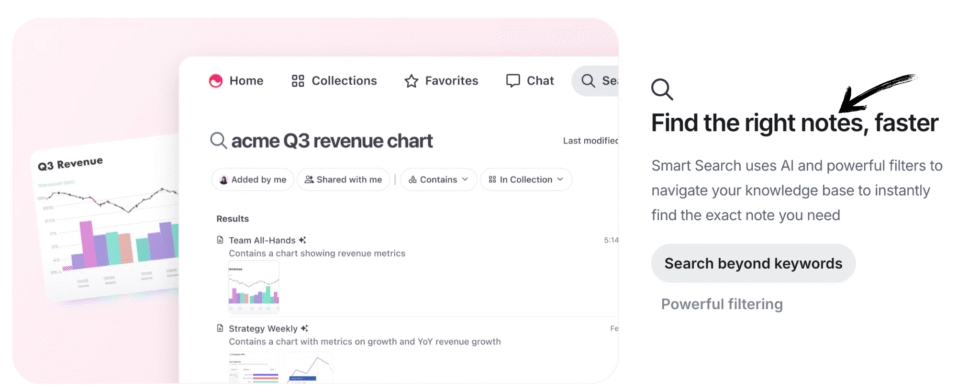
- Retrieval quality: Can I actually find something again, six months later?
- Data ownership: Who can access what I've stored, and what happens if the company folds or gets acquired?
- What happens after capture: Does it just sit there, or does something happen with it?

1. Obsidian: best for full data ownership
If handing your knowledge base to any company's cloud makes you uneasy, Obsidian keeps your notes as plain Markdown files on your own device, with a large plugin ecosystem including local and API-connected AI options for people willing to set it up themselves.
- Price: Free for personal use; Sync and Publish add-ons available for a monthly fee
- Best for: Privacy-conscious users and power users who want to own their files outright
- Trade-off: No AI-first auto-organization out of the box, you're building your own system
What it does best:
- Total privacy and local storage: Saves my notes as plain Markdown files directly on my own computer, meaning notes stay private and are only limited by my hard drive space.
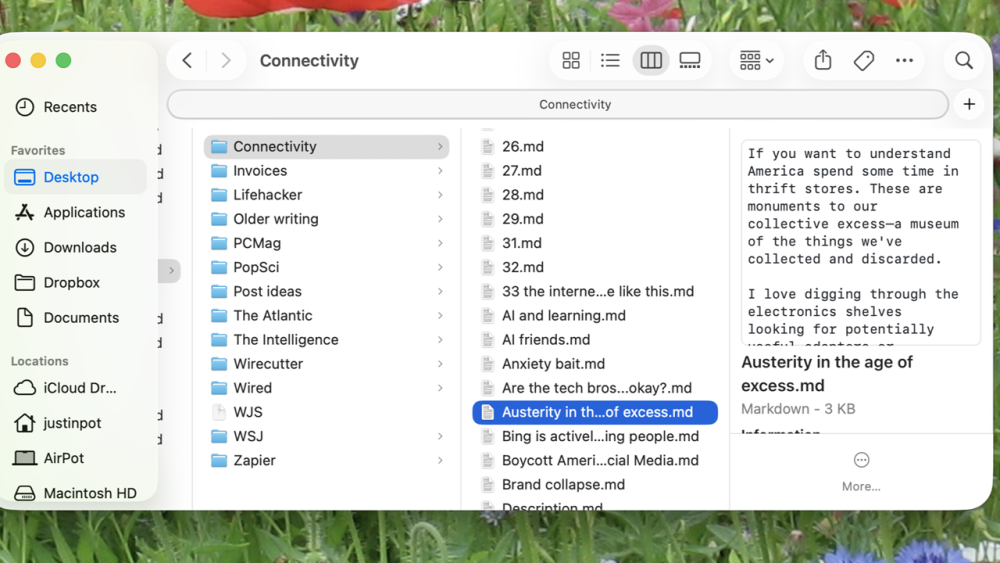
- Limitless customization: A massive collection of community plugins and visual themes lets me mold the app into whatever workflow I want.
- Flexible connections: Organize with standard folders and tags, or link thoughts together visually with backlinks and interactive mind graphs.
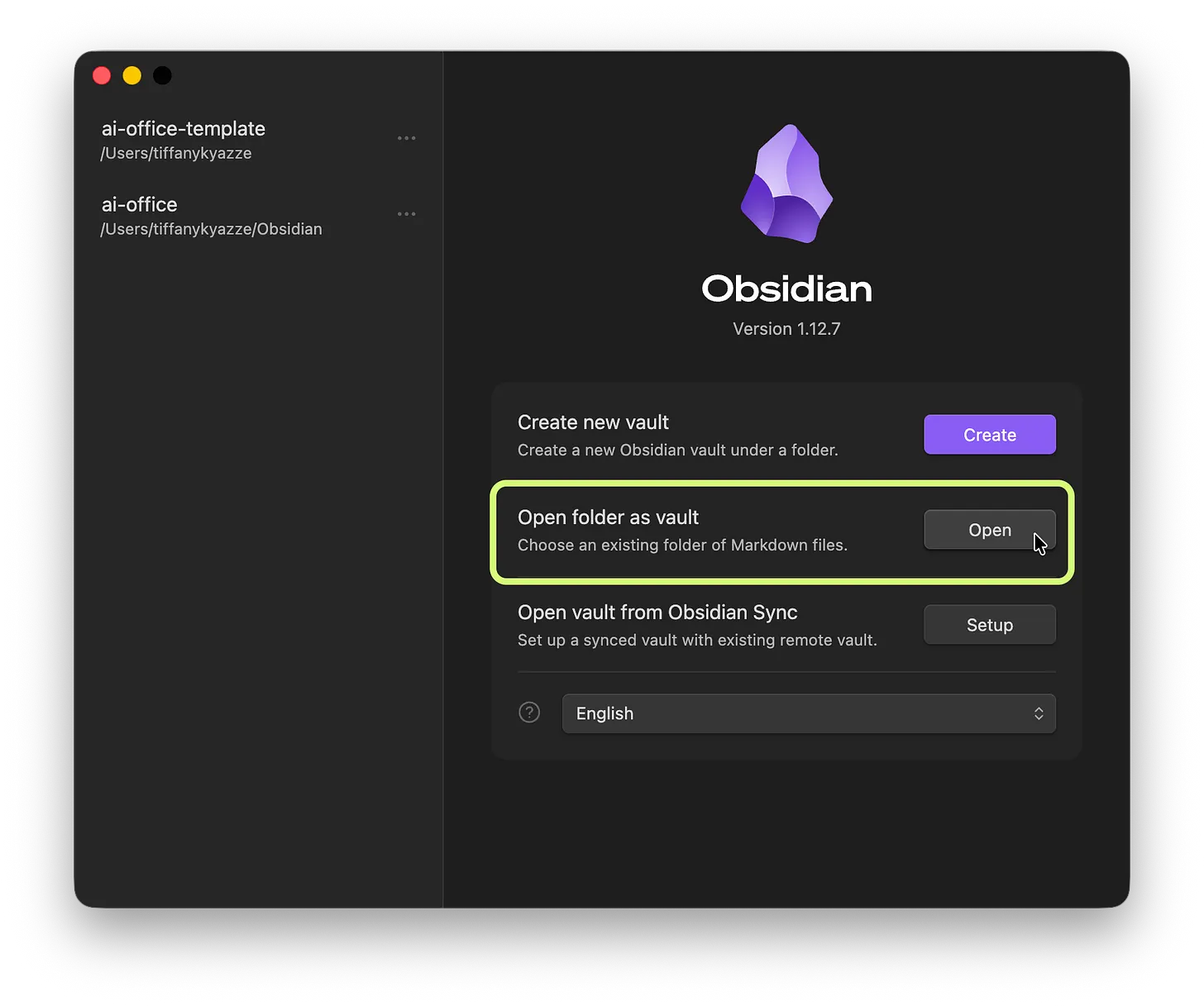
- Free plan: Completely free to install across desktop and mobile devices without signing up or adding payment info.
Where it falls short:
- Steep learning curve: Takes serious time and patience to set up plugins, build your layout, and learn how to make it work.
- Poor team collaboration: Designed strictly as a personal workspace, with no native real-time editing for teams.
- Paid official sync: Official encrypted syncing between your phone and laptop costs an extra subscription fee, unless you manually set up third-party cloud workarounds.
- Markdown syntax: Writing in plain text and formatting symbols can feel technical and clunky compared to a standard, click-and-type word processor.
2. Saner.ai: best for turning captured knowledge into an organized space
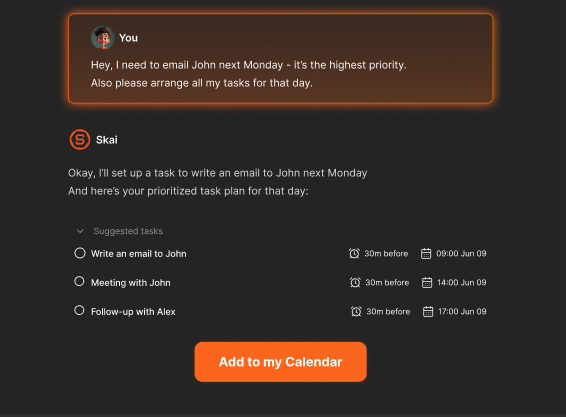
Saner.ai combines notes, tasks, email, and calendar in one place, driven by an AI assistant called Skai, and leans into three things:
- AI organization: Just dump your messy notes, and it automatically sorts, tags, and files everything where it belongs.
- Voice & quick thoughts to calendar: Talk out loud, forward an email, or type a random idea; the AI figures out what I need, breaks big projects into easy steps, and books time for them right on calendar.
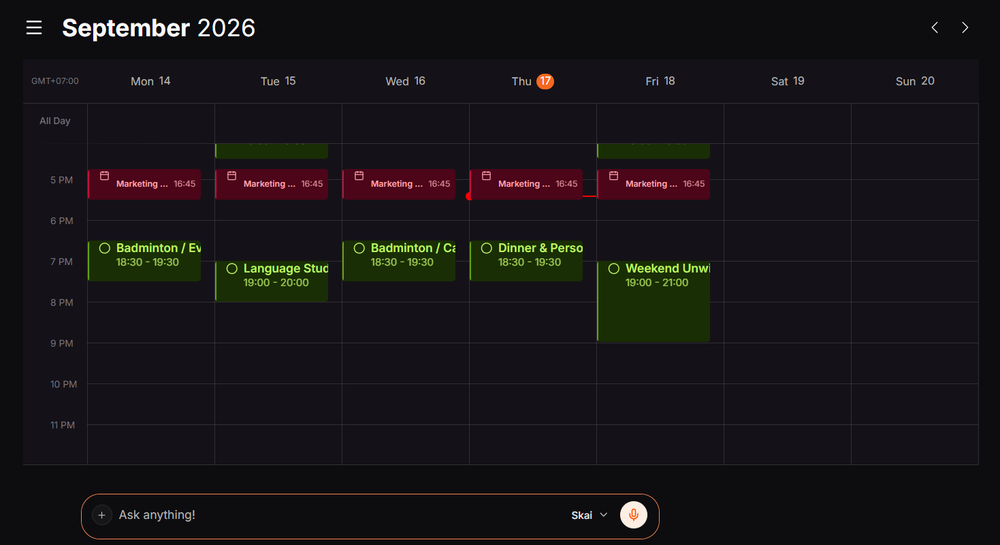
- Smart task scheduling: Turns my top priorities into clear to-dos and give me the top priorities
- Price: Free plan; paid tiers from $8/month (Starter) to $16/month (Standard), simple flat pricing, no separate AI add-on tier or metered credit system
- Best for: People whose actual bottleneck is turning captured knowledge into a plan, not building a permanent archive, including ADHD-related difficulty following through once something's written down
- Trade-off: Less depth as a long-term reference archive or company wiki than Notion, Obsidian, or even Mem - it's optimized for capture-to-calendar, not building a knowledge base you'll mine for years
2. Mem.ai: best for AI-first, auto-organized notes
Write or dictate, and its AI connects related notes automatically. It's expanded into "Mem Agent," detecting tasks and projects hiding inside my notes and running scheduled routines around them.
- Price: Free tier (25 messages/notes, task tracking). Plus $9/month, Pro $29/month (where Custom Routines and Connections unlock), scaling to $199/month for heavy use
- Best for: People who want notes that organize themselves, with light proactive task detection layered on
- Trade-off: Pricing has gotten metered and complicated past the free tier, and it doesn't end-to-end encrypt, Mem processes your notes to power its AI
What it does best:
- Automatic organization: No need to sort folders or add manual tags; the AI connects related notes and surfaces them based on what I write.
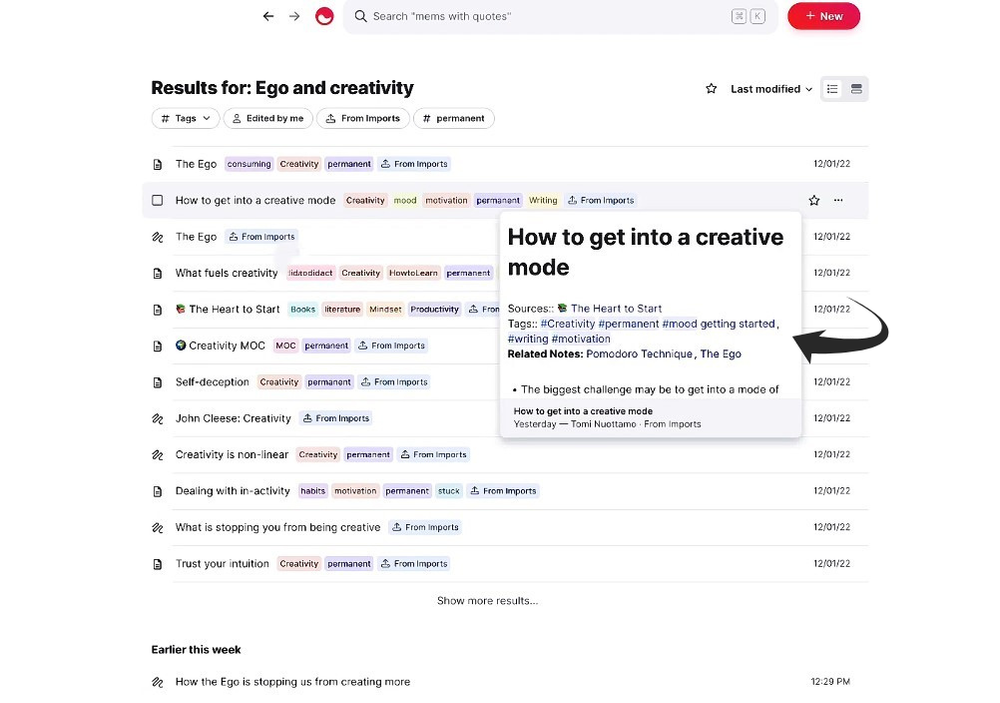
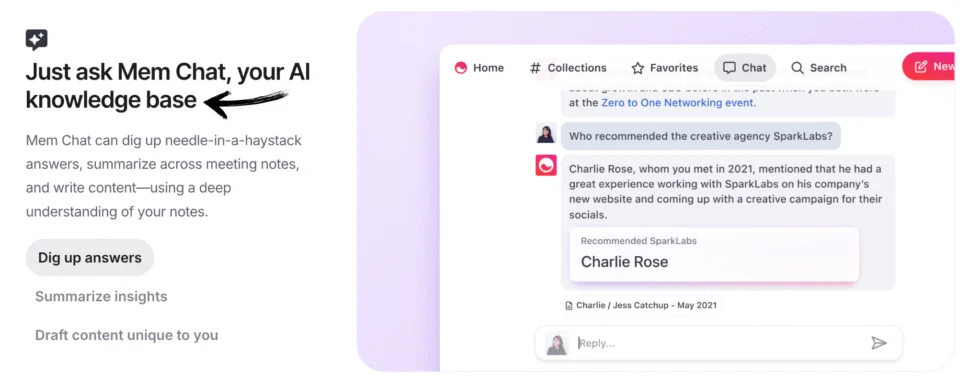
- AI assistant: Mem Chat answers questions, summarizes docs, and automatically spots tasks or projects buried in my text.
- Custom routines: Runs recurring automated jobs, like drafting a Sunday meal plan or compiling a weekly briefing from my notes.
- Syncs outside apps: Connects to Gmail, Slack, and Todoist to read my broader work context and check off completed to-dos.
- Built-in voice capture: Speak out loud or record a meeting inside a note, and it turns my voice into a clean, structured transcript.
Where it falls short:
- Complicated pricing: The pricing ladder (Free up to $199/month Pro tiers) puts strict limits on notes, tasks, AI messages, and voice minutes.
- Best features locked behind $29/month: The lower tiers leave out the custom routines and app connections that make the AI agent truly useful.
- Smaller community: Lacks the huge library of templates, plugins, and active forums you find with tools like Notion or Obsidian.
- No end-to-end encryption: While data is protected in transit and storage, Mem must read your notes to run its AI, making it less private than local-first apps.
4. Capacities: best structured middle ground
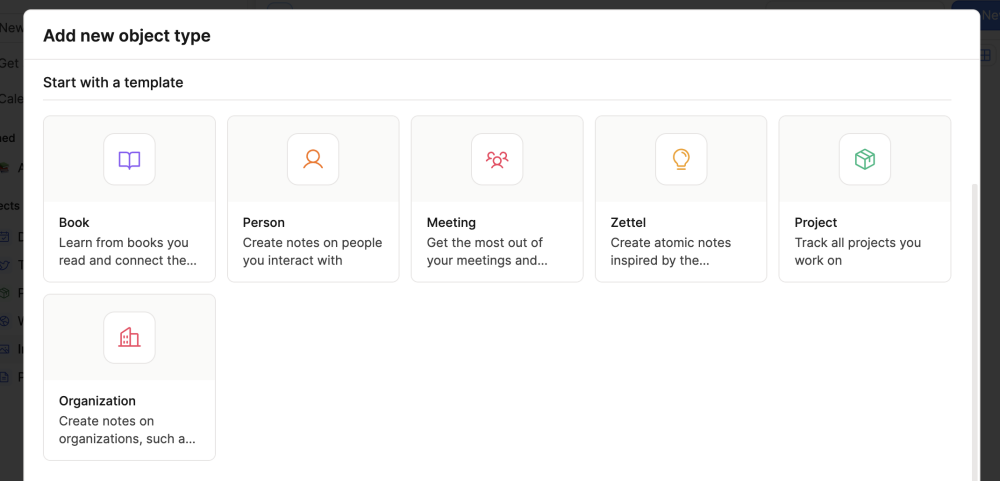
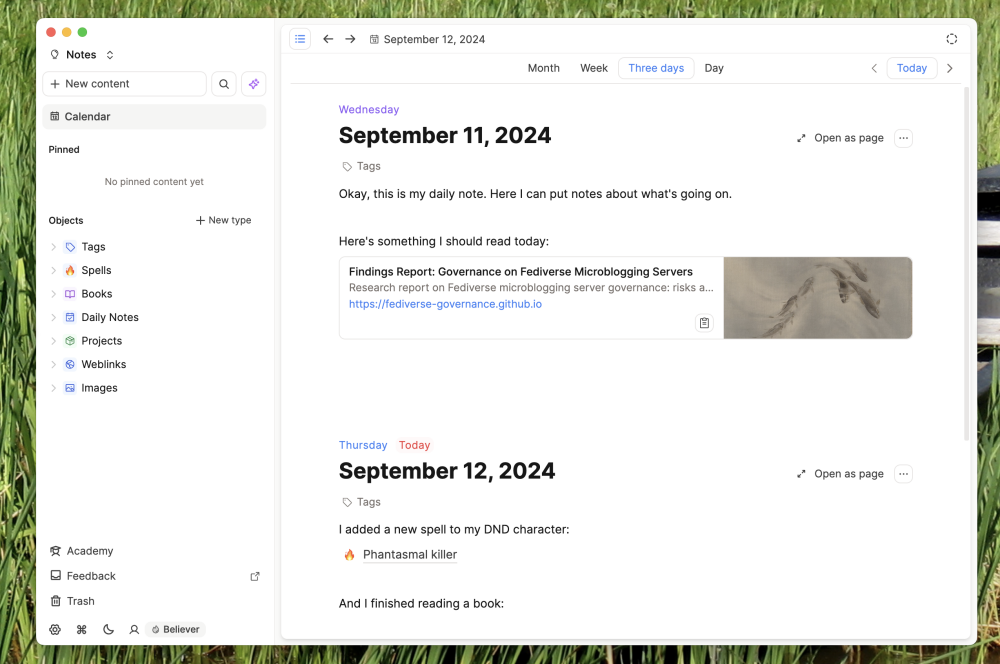
Capacities organizes everything as objects (People, Projects, Meetings, Books) with their own properties, sitting between Notion's database complexity and Mem's fully freeform capture. Its free tier is generous.
- Price: Free plan (unlimited notes, 5GB storage); Pro around $9.99/month billed annually
- Best for: People who find Notion too heavy but want more structure than freeform notes
- Trade-off: Real learning curve reviewers consistently flag, and AI features are gated behind Pro with their own usage budgets
What it does best:
- Notes meet personal database: Organizes ideas into custom "objects" (like people, books, or meetings) with dedicated templates instead of basic, messy text files.
- Effortless page links: Easily link and embed pages inside one another to connect related thoughts, projects, and references.
- Generous free version: Gives unlimited notes and up to 5GB of file storage without asking for a credit card.
- Smooth pasting & offline access: Pastes web text cleanly without breaking formatting, and lets me take notes offline across desktop and phone apps.
Where it falls short:
- High barrier to entry: The strict object-based system feels rigid and confusing if you just want to use simple, familiar folders.
- Slow for quick capture: Having to choose an object type or template before writing slows down fast, spontaneous brain dumps.
- No easy import: Moving your existing notes over from Evernote, Notion, or OneNote is painful or unsupported.
- Weak web clipper: The browser tool only saves links, titles, and preview images rather than full web articles.
- Missing basic features: Leaves out common tools like audio recording, document scanning, handwriting/sketching, and live team editing.
5. Reflect: best for true privacy
If a knowledge assistant processing your private notes to power its AI is the specific thing giving you pause, Reflect is built around true end-to-end encryption, meaning not even Reflect's own team can read your notes, plus a native GPT assistant and Whisper-powered voice transcription.
- Price: No free plan - $10/month billed annually, 14-day trial
- Best for: Solo knowledge workers who want AI help without compromising on encryption
- Trade-off: No Android app, no team features, and one all-inclusive plan with no lower tier to start smaller
What it does best:
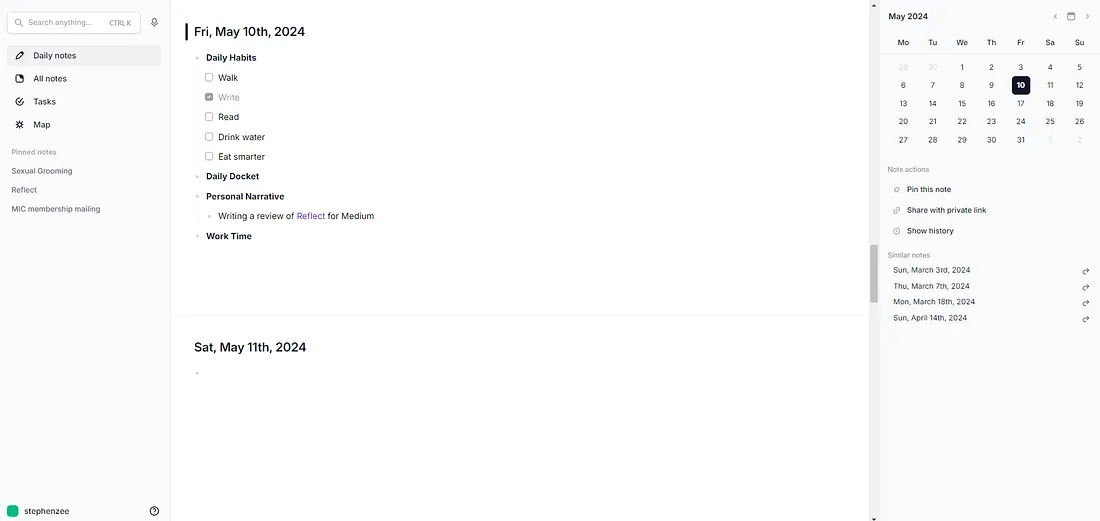
- Continuous scrolling daily notes: Scroll backward in time across recent days in one continuous view, making it effortless to review recent logs and habits
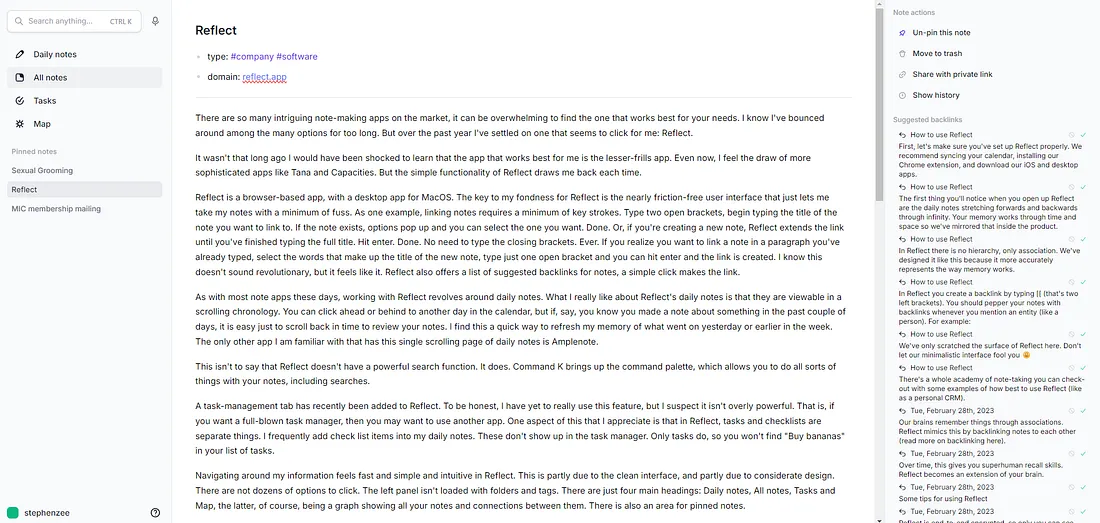
- Frictionless linking: Auto-completes note titles with just an opening bracket without needing closing brackets, and offers one-click suggested backlinks
- Customizable AI: AI features stay hidden out of the way until I want them, allowing to rewrite or summarize using custom prompts without cluttering the screen
- Separates casual checklists from real tasks: Daily note checkboxes won't clutter my dedicated task tab, keeping actual action items separate from minor grocery notes
- Private and secure: Protects all notes with end-to-end encryption while still offering seamless calendar integration and fast mobile voice capture
Where it falls short:
- Weak individual note export: You can only export your whole library at once; exporting or printing a single note requires manual copy-pasting.
- Basic task management: The built-in task tab is lightweight; it cannot replace a dedicated project manager like Todoist or Asana
- Not for complex knowledge bases: Poorly suited if you want to build a deep, structured or heavy personal knowledge management database
- No permanent free tier: Only offers a 14-day trial before requiring a relatively steep $10/month subscription
Comparison between Saner.ai, Mem.ai, Obsidian, Capacities, Reflect
| Tool | Type | Free plan | Data ownership | Starting price | Best for |
| Mem.ai | AI-first notes + agent | Yes (metered) | Cloud, AI-processed | $9/month (Plus) | Auto-organized capture |
| Obsidian | Local knowledge base | Yes | Full (local files) | Free | Data ownership |
| Capacities | Structured notes | Yes | Cloud | $9.99/month (Pro) | Middle ground |
| Reflect | Encrypted notes | No (trial only) | End-to-end encrypted | $10/month | True privacy |
| Saner.ai | Capture-to-calendar | Yes | Cloud | $8/month | Turning knowledge into a plan |
Which AI personal knowlege assistant should you pick?
- You want captured knowledge to become organized and a scheduled plan, not just an archive: Saner.ai
- You want notes that organize themselves with light AI: Mem.ai
- You want to own your files and never depend on a company's cloud: Obsidian
- You want structure without Notion's complexity: Capacities
- Privacy and encryption are non-negotiable: Reflect
For a wider comparison of AI assistants beyond note-taking, see my best AI personal assistants roundup, and if scheduling is your bigger bottleneck than knowledge capture, my best AI task manager guide covers that ground directly.
A practical way to start with AI personal knowlege assistant today
- Pick one tool, not three. The instinct is to run a notes app, a task manager, and a calendar tool simultaneously. That's how you end up with knowledge in three places and none of it acted on.
- Capture first, organize never (at first). Dump everything into your chosen inbox for a week before you build any structure. Structure built before you have real content in the system is usually wasted effort.
- Test retrieval, not just capture. A week in, try to find something you saved. If you can't find it quickly, the organization system needs work, not more content.
- Decide what "done" looks like for a captured thought. Does it become a task? A reference note? If your tool doesn't have a clear answer, that ambiguity is exactly where captured knowledge goes to die. See my how to plan your day with AI guide for a concrete daily routine.
- Export before you commit long-term. Whatever you pick, confirm you can get your data out in an open format (Markdown, CSV) before you build months of notes inside it.

FAQ
What is the best AI personal knowledge assistant overall?. Saner.ai suits people whose real problem is that captured knowledge is messy. Obsidian and Reflect suit people prioritizing data ownership and privacy.
Does capturing everything actually help me remember it? Not by itself. Research on the testing effect found that actively retrieving information produces meaningfully better long-term retention than passively reviewing it, even when the passive version felt like it was working better in the moment (Roediger & Karpicke, 2006). Use these tools for reference material you don't need memorized, and keep actively engaging with what you actually want to learn.
Is any of these good for ADHD specifically? Saner.ai is explicitly built with ADHD and executive-dysfunction workflows in mind, including the gap between capturing a thought and actually acting on it.
>> See my best AI assistants for ADHD roundup for the full comparison, and talk to a professional if this feels like more than everyday forgetfulness.
Related reading: best AI task manager, AI for task management, and best AI personal assistants. This article is for information only and isn't medical advice.



