The 5 Best AI Executive Assistants for Professionals (2026)

Quick comparison table - Best AI EA
| Tool | Best for | Proactive? | Touches email? | Price |
|---|---|---|---|---|
| Saner.ai | Solo operators without a human EA | Yes, daily | Yes | Free / $8 / $16 per month |
| Reclaim.ai | Defending focus time on your calendar | Somewhat | No | Free / from $10/mo |
| Town | Delegating like you would to a human EA | Yes, via routines | Yes, has its own address | Free / $15 / $49 up to $199 |
| Claude | Deep work plus a proactive layer you build yourself | Only if you set it up | Yes, via connectors | Free / $20 Pro / $100+ Max |
| Gemini | Built-in proactive briefings if you're Google-native | Yes, native | Yes, native | Free / $19.99 AI Pro |
Why "executive assistant" is a different question than "personal assistant"
I already wrote about the best AI personal assistants for everyday life, the ones that'll remind you to call your mom or draft a WhatsApp reply. This is a narrower question. An executive assistant, human or otherwise, has one job: decide what you don't have to. Inbox triage, calendar defense, and knowing which of your six open loops is actually on fire today.
If your only actual bottleneck is a calendar that keeps double-booking you, go read the calendar-only roundup instead and save yourself some money. If your bottleneck is a task list with no home, the task manager guide is the better fit. This list is for the specific person juggling all of it at once with no human backup.
How I tested these AI EA?
Same rules as everything else here, laid out in full on the editorial policy page:
- Real calendar, real (secondary) inbox. No demo accounts built to make the tool look good.
- Minimum two weeks per tool, run back to back, never two at once on the same calendar.
- One deliberately bad week folded into the two: a day I ignored my phone, a day with three last-minute meetings, a day I was just tired.
- The same five scores every time: setup friction, whether it survives a bad day, output quality, real price versus advertised price, and what happens when it breaks.
- Read access first, always. Nothing got permission to send an email or spend money until I'd watched it operate read-only for a week.
1. Saner.ai — best for the exec who doesn't have an EA
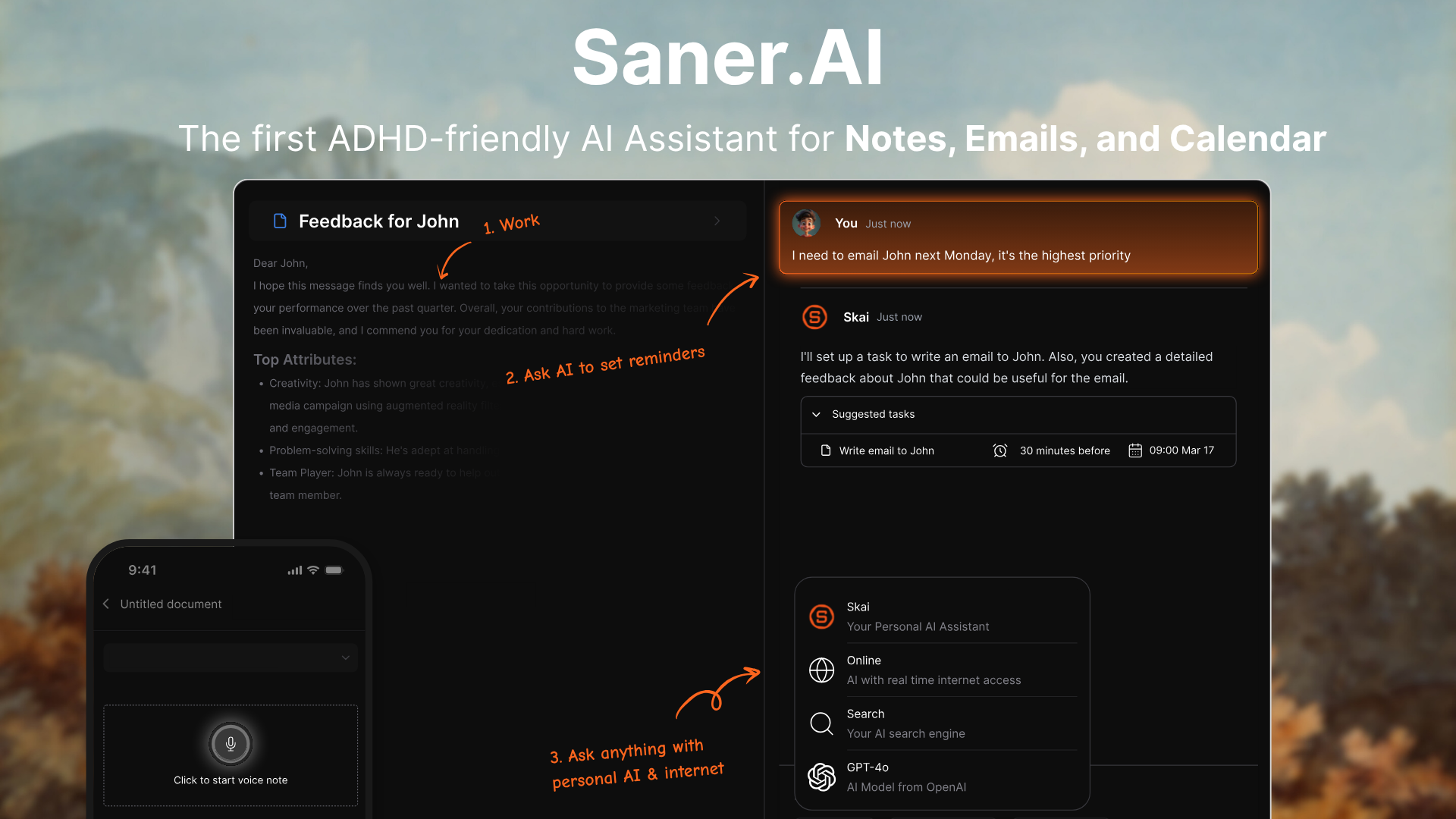
Best for: solo founders, consultants, and anyone whose actual job title includes "does everything," where the thing falling through the cracks isn't the calendar specifically, it's whatever you forgot to write down.
Saner.ai is one workspace holding notes, tasks, email, and calendar, with an assistant called Skai sitting on top of all four at once. . Voice note while you're walking to your car. A rushed brain-dump between calls. "Remind me to follow up with the Denver client," said out loud instead of typed anywhere. Skai files it, tags it, and puts it on the calendar without you touching anything
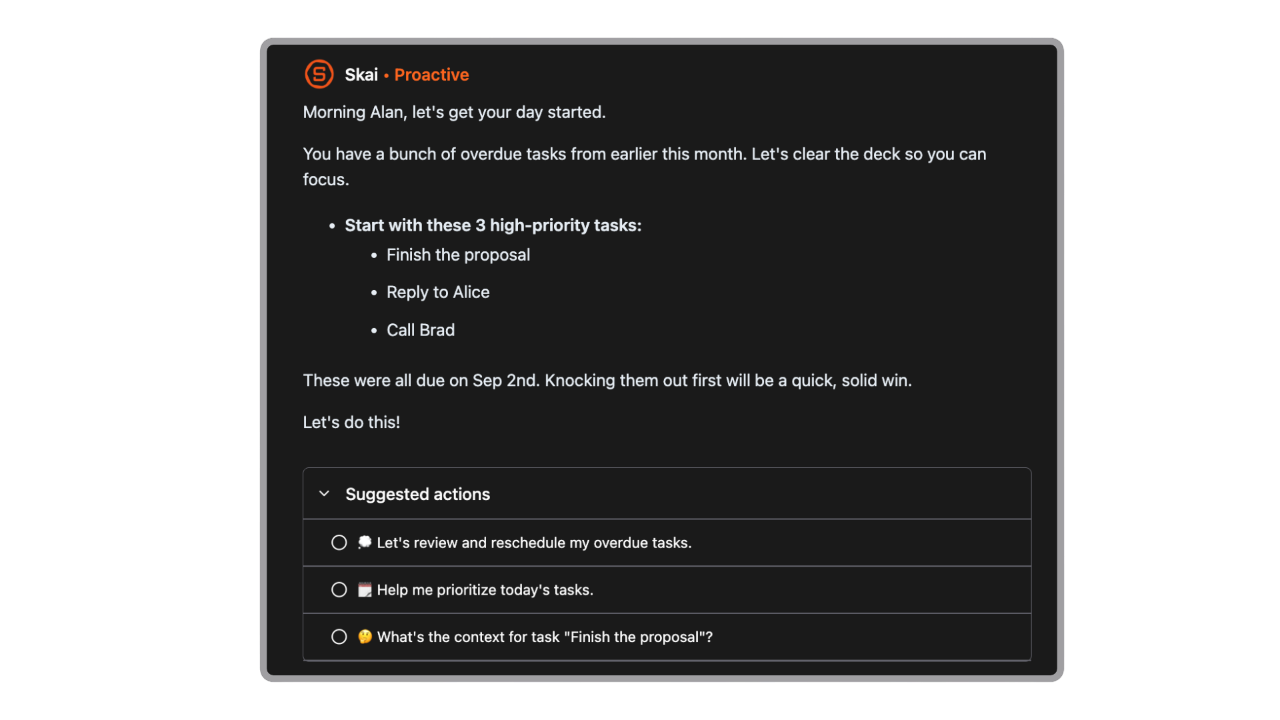
- The morning check-ins. Every day, before you've opened anything, it hands you a plan built from your actual inbox and calendar, not a generic to-do template.
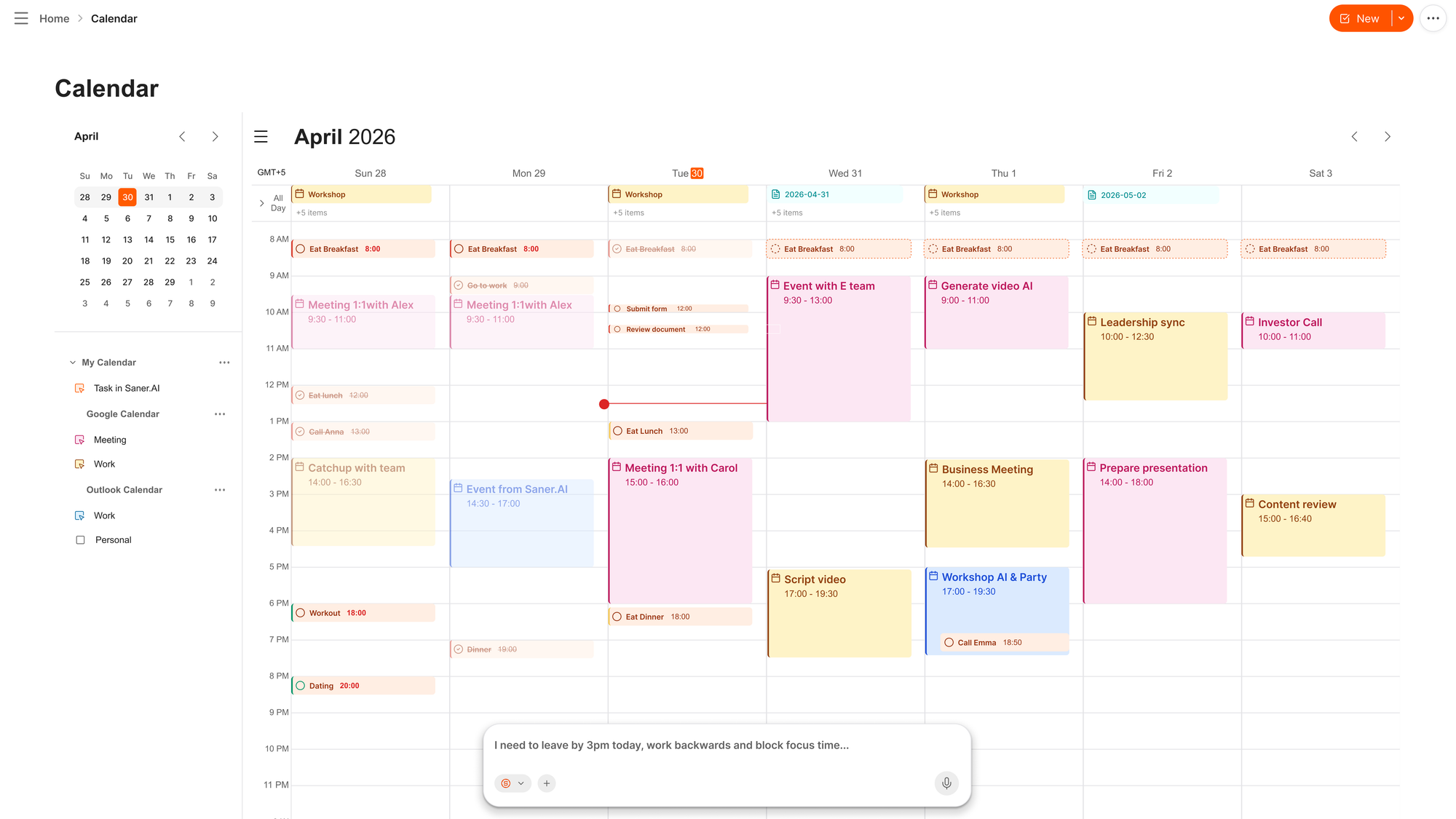
- Voice-to-calendar is fast. Say "push my Thursday call to Friday afternoon and remind the other side" and it's done, no app-switching.
- It's proactive by design, not by add-on. One of the co-founders has ADHD, and that shows up in the product. It assumes you won't remember to check in, so it checks in on you instead. .
Try this today: open the app, hit voice capture, and just talk for two minutes about everything currently rattling around in your head. Don't organize it. Don't finish sentences properly. Then leave it alone until tomorrow morning and see what it hands you back. That resurfacing moment is the whole product, honestly.
Weakness: it's single-player. If you need something that coordinates a team's calendars or hands off tasks to other humans, look elsewhere.
2. Reclaim.ai — best for defending your calendar
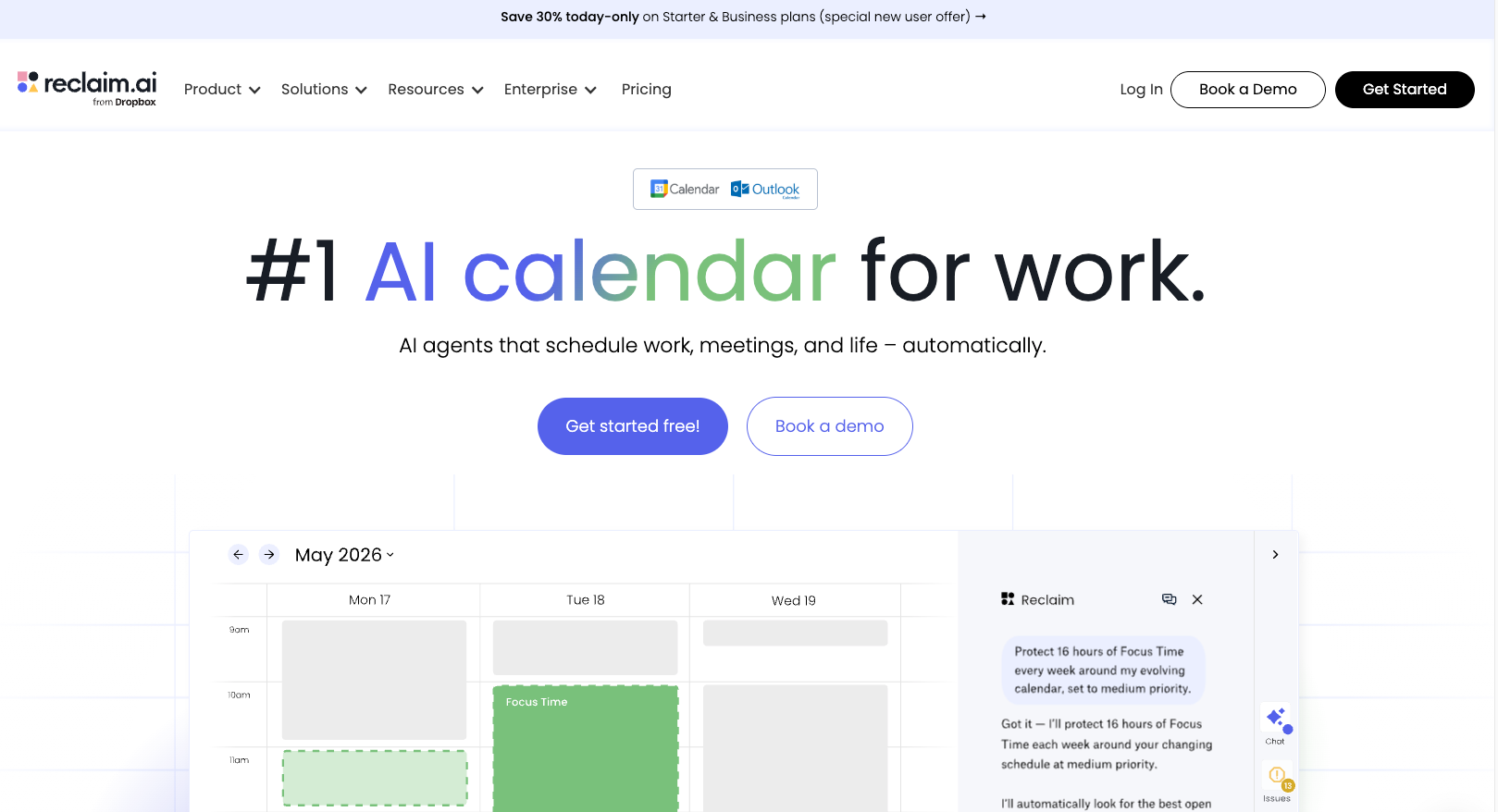
Best for: the exec who mostly just wants their gym slot, their focus blocks, and their "no-meeting mornings" to survive contact with other people's calendars.
Reclaim sits on top of Google Calendar or Outlook and automatically schedules the recurring stuff that never gets scheduled properly: habits, focus time, the workout you keep intending to do. When a meeting lands on top of a protected block, it moves the block instead of quietly deleting your intentions.
- A real free tier exists, which most of this list can't say.
- Paid plans start at $10/seat/month (Starter, annual), up to $15 for Business and $22 for Enterprise.
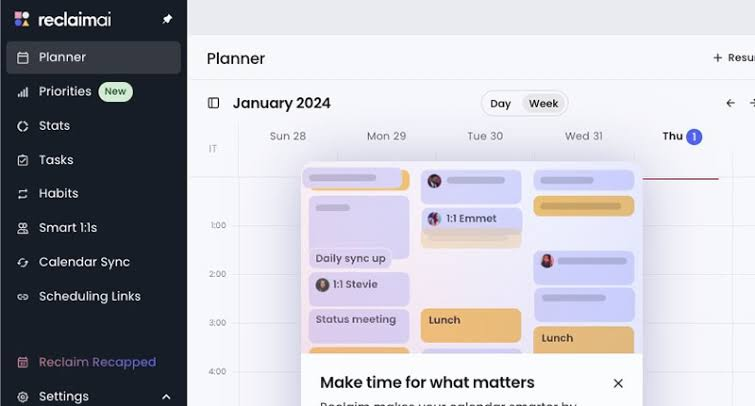
- Doesn't touch email, and it doesn't try to be your task manager either. Tasks arrive from a connected tool like Todoist or Asana, and Reclaim just finds them a home on the calendar.
I wrote up a full Reclaim.ai review after three weeks with it as my main calendar layer, and the short version holds: it's the one I'd hand to someone who wants AI scheduling without feeling like their week got hijacked.
Try this today: set up exactly one habit, the recurring thing you most reliably skip, with a real window and frequency, and let it fight for that slot for two weeks before judging the tool on anything else.
Weakness: the free tier's smart-meeting and habit caps get tight fast, so if it works for you, expect to be paying within a month. Google Calendar and Outlook only.
3. Town — best for delegating like you would to a human EA
Best for: the exec who wants the closest thing to forwarding an email to an assistant and walking away.
Town gives every user a named assistant, a "Townie," with its own @town.com email address. You forward a thread to it the way you'd forward it to a person, or message it over Slack or WhatsApp, and it works from context it's already pulled from your connected accounts rather than a prompt you have to write from scratch. Under the hood it runs on "routines": scheduled or trigger-based jobs like a daily inbox triage, a Sunday-night week-ahead briefing, or research on a new contact the moment they email you.
- Free plan includes 30 chats a month, the assistant over email and messaging channels, all integrations, and a weekly briefing. New signups also get a 14-day Pro trial first.
- Starter is $15/month (1,250 credits, daily briefings, inbox help, two custom routines). Pro runs $49/month (5,000 credits, unlimited custom routines), with higher tiers up to $199 for heavier use.
- Cloud-only. There's no self-hosting, and your email and calendar data live entirely on Town's infrastructure, which is worth weighing if that's a dealbreaker for you.
Try this today: forward one real thread to your Townie's email address with a one-line instruction, and see what comes back before you connect anything else.
Weakness: it's a young company (public launch was June 2026, on a fresh $55M Series A) building fast, which cuts both ways. Features are shipping quickly, but the product and its pricing have both moved since launch, so double-check current terms before you commit to a plan.
4. Claude — best for deep work, with a proactive layer you build yourself
Best for: the exec who wants an assistant that's actually good at thinking, writing, and handling long documents, and is willing to spend fifteen minutes setting up the proactive part rather than getting it out of the box.
Claude isn't sold as an executive assistant, and out of the box it won't message you first. What it does have: Google Workspace connectors for Gmail, Google Calendar, and Google Drive, so it can read your calendar and search or send email inside a normal conversation (it asks approval before sending, by default). Pair that with Claude Cowork's Scheduled Tasks or a Claude Code routine, and you can build the exact "summarize my inbox and calendar every morning" briefing that Saner.ai or Town hand you natively.
- Free tier exists for casual use. Pro is $20/month (about $17 annually), which is where connectors and Cowork open up. Max starts at $100/month for people who hit Pro's limits.
- Stronger than the purpose-built tools here at anything requiring real thinking: drafting a hard email, reasoning through a decision, working across a long contract or a messy set of notes.
- Not proactive by default. If your actual problem is remembering to open the app, Claude does not solve that on its own; you have to build the nudge yourself.
Try this today: connect the Google Calendar and Gmail connectors, then set up one Cowork scheduled task: "every weekday at 7am, summarize my calendar for today and flag any unread email that needs a same-day reply."
Weakness: everything proactive here is DIY. If you don't set the scheduled task up, or you let it quietly stop running, nothing tells you it's gone. Compare that to Saner.ai, where the check-in is the product, not a feature you configured once in March.
5. Gemini — best if you already live in Google Workspace
Best for: the exec whose email, calendar, and docs are already all Google, and who wants the proactive briefing built in rather than assembled.
Gemini's Scheduled Actions do natively what I just described building manually in Claude: set up a recurring prompt in plain language, like "every Monday at 8am, summarize my calendar and my top-priority unread email," and Gemini runs it on Google's servers and delivers it as a notification, no scheduling tool required. Because Gemini's "personal context" already sits inside Gmail, Calendar, and Docs, the briefing tends to be more immediately useful than a freshly connected Claude setup, at the cost of being Google-only.
- Google AI Pro is $19.99/month and is required for Scheduled Actions; the free tier doesn't get them.
- Up to 10 scheduled actions at a time as of this writing, one-time or recurring, delivered by notification.
- The Google bundle is a real part of the value here: AI Pro also includes NotebookLM and several terabytes of storage, so if you're already paying for Google storage, some of the $19.99 is really storage you'd buy anyway.
Try this today: open the Gemini app and type the Monday-morning-briefing prompt above as a normal message, then ask Gemini to turn it into a recurring scheduled action. No settings menu required.
Weakness: it's Google-only. If your calendar is Outlook or your email is anywhere but Gmail, this entire pitch falls apart, and you should look at Reclaim or Claude's connectors instead.
How to pick your AI Executive Assistants
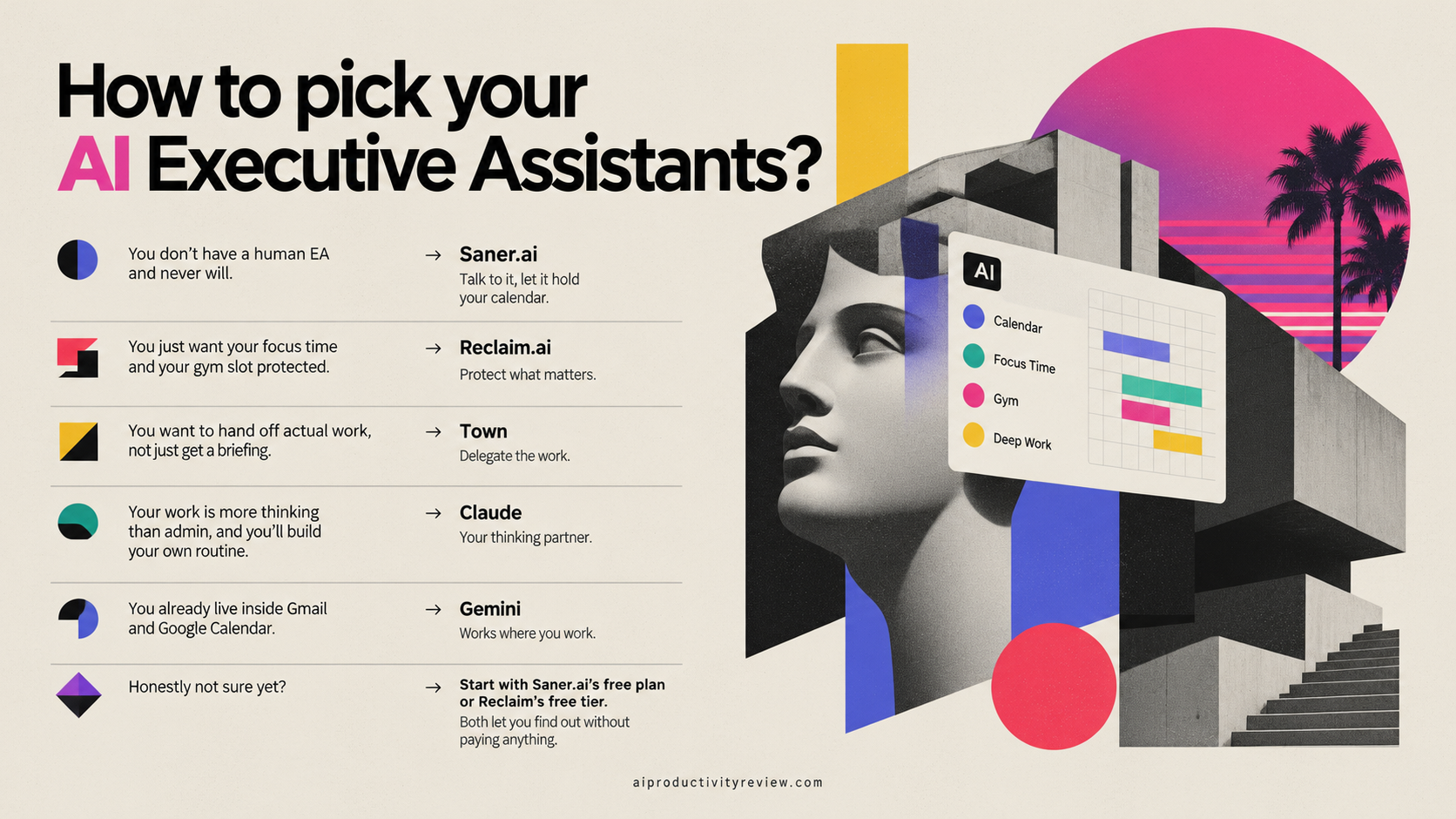
- You don't have a human EA and never will. → Saner.ai. Talk to it, let it hold your calendar.
- You just want your focus time and your gym slot protected. → Reclaim.ai.
- You want to hand off actual work, not just get a briefing. → Town.
- Your work is more thinking than admin, and you'll build your own routine. → Claude.
- You already live inside Gmail and Google Calendar. → Gemini.
- Honestly not sure yet? → Start with Saner.ai's free plan or Reclaim's free tier. Both let you find out without paying anything.
How to set up your AI Executive Assistant?
- Pick one. Not two. Running two AI assistants against the same calendar is how you end up double-booked and blaming the wrong app.
- Connect calendar before email. Lower risk, and it's enough context for the assistant to be useful on day one.
- Give it exactly one job for week one. A morning digest, or one recurring nudge, not "run my whole life." See how to plan your day with AI for the fuller version.
- Set the boundary before you need it. Decide now what it can't do unasked: send an email, spend money, message a client. Every tool above has a setting for this.
- Check in at day 14. Haven't opened it in three days? It failed. Product failure, not a personal one, and I say that as someone with a small graveyard of $15/month apps used for eleven days each. 😅
FAQ
What's the actual difference between a personal assistant and an executive assistant here? A personal assistant handles the errands of a life: reminders, quick replies, the odd WhatsApp draft. An executive assistant is judged on decisions: what to triage, what to protect, what to reschedule unasked. See the personal assistant roundup if errands are actually your problem.
Is there a free one? Saner.ai, Reclaim.ai, and Town all have real free tiers rather than time-limited trials. Claude and Gemini have usable free tiers too, but the proactive features on both (Cowork scheduled tasks on Claude, Scheduled Actions on Gemini) sit behind a paid plan.
Do any of these replace a human EA entirely? No, and I'd be suspicious of anyone claiming otherwise. None can read a room, negotiate with judgment, or notice you're about to burn out. They handle the mechanical half of the job, which is real, just not all of it.
Should I just use Claude or Gemini instead of a purpose-built assistant? Depends on how much setup you want to do. Saner.ai and Town hand you the proactive check-in on day one. Claude and Gemini can do the same job, but you're assembling it out of connectors and scheduled prompts rather than unwrapping it. If you already pay for one of them and don't mind fifteen minutes of setup, that's a real way to skip a second subscription.
Which one is best if I have ADHD? Saner.ai is built for it specifically, with a co-founder who has ADHD shaping the design. I go deeper on this in the best AI assistants for ADHD. Nothing here treats or manages a medical condition, and none of it should be mistaken for one.
Nothing on this page is medical advice. The ADHD research cited above is population and cognitive-science research, not clinical guidance about your situation specifically. If attention, time management, or overwhelm is affecting your life in a way that worries you, talk to a doctor. An app is not a diagnosis, and it's not a treatment either.
Sources
- Mark, G., Gudith, D., & Klocke, U. (2008). The Cost of Interrupted Work: More Speed and Stress. Proceedings of the SIGCHI Conference on Human Factors in Computing Systems (CHI '08).
- American Psychological Association. Multitasking: Switching Costs.
- Staley BS, et al. ADHD Diagnosis, Treatment, and Telehealth Use in Adults. MMWR 2024;73(40):890-895.