The top 5 AI employees, for real business owners.


TLDR:
AI employees comparison table
| Tool | Best for | Lives in | Price | Proactive? |
|---|---|---|---|---|
| Viktor | Small teams who want one AI coworker across their whole stack | Slack, Teams, Discord, web app | Free ($100 credits) / Team $100/mo (40,000 credits) | Yes |
| Lindy | Teams who want a shared AI coworker with workspace memory | Slack, plus personal iMessage access | Plus $29.99/user/mo / Pro $99.99 / Max $199.99 | Yes |
| Marblism | Solo founders who want a full "team" of six named agents | Web app | $24/mo annual to $44/mo monthly | Yes |
| Sintra | Non-technical solopreneurs who want to delegate, not prompt | Web app | $97/mo standard, frequently discounted | Sort of |
| Saner.ai | Your actual personal life: notes, tasks, calendar in one brain | Web, mobile, Chrome | Free / $8 Starter / $16 Standard | Yes |
What counts as an "AI employee" here
It does work without you re-prompting every step, and it can get something wrong in a way that costs you time or money. That's the same risk you take hiring an actual person. A chatbot that sits there until you type something doesn't make this list, no matter how good its answers are.
How I tested these tools:
Same process as always, laid out in full on How I Test. For this piece:
- Real accounts, not demo tasks: a live calendar, a real Slack workspace, and a secondary, isolated inbox.
- Three weeks minimum, same recurring jobs daily: morning check-in, one inbox triage, one task I was avoiding.
- Counted false positives, not just hits: how many unprompted nudges I actually acted on versus dismissed.
- Same permission boundary everywhere. Read-only for week one, no send or spend access until I'd watched it behave.
1. Viktor — the one that actually works across your whole stack
Best for: small teams or solo operators who want one AI coworker sitting in Slack instead of a dozen single-purpose tools.
Viktor lives in Slack, Microsoft Teams, and now Discord and its own web app, and the pitch is blunt: "most AI tools generate text, Viktor executes." You message it like a teammate, and it pulls ad data, updates a CRM, opens a project ticket, and drafts a report, sometimes all from one message, across roughly 3,200 connected tools. It also watches your workspace on its own and flags problems before you ask: broken tracking, indexing gaps, ad spend drifting off target.
- Free plan includes $100 in one-time credits, no card required, every feature unlocked.
- Team is $100/month for 40,000 shared workspace credits (this doubled from an earlier $50/20,000 configuration, so don't trust an older screenshot you find elsewhere).
- Enterprise adds SLAs, security review support, and a more powerful model option.
- SOC 2 Type I certified, with Type II in progress.
Try this today: during the free credits, give it one cross-tool request in a single message: pull a number from one connected app, update a second, and open a task in a third. That test tells you whether the "one message, multiple tools" pitch actually holds up on your stack.
Weakness: it's a credit meter, not a flat subscription, and several independent reviewers report active teams spending $150 to $400 a month once real usage kicks in. Budget for the sticker price to be a floor.
2. Lindy — the one that keeps changing what it is
Best for: a team that wants a shared AI coworker with memory across the whole workspace, not an individual assistant.
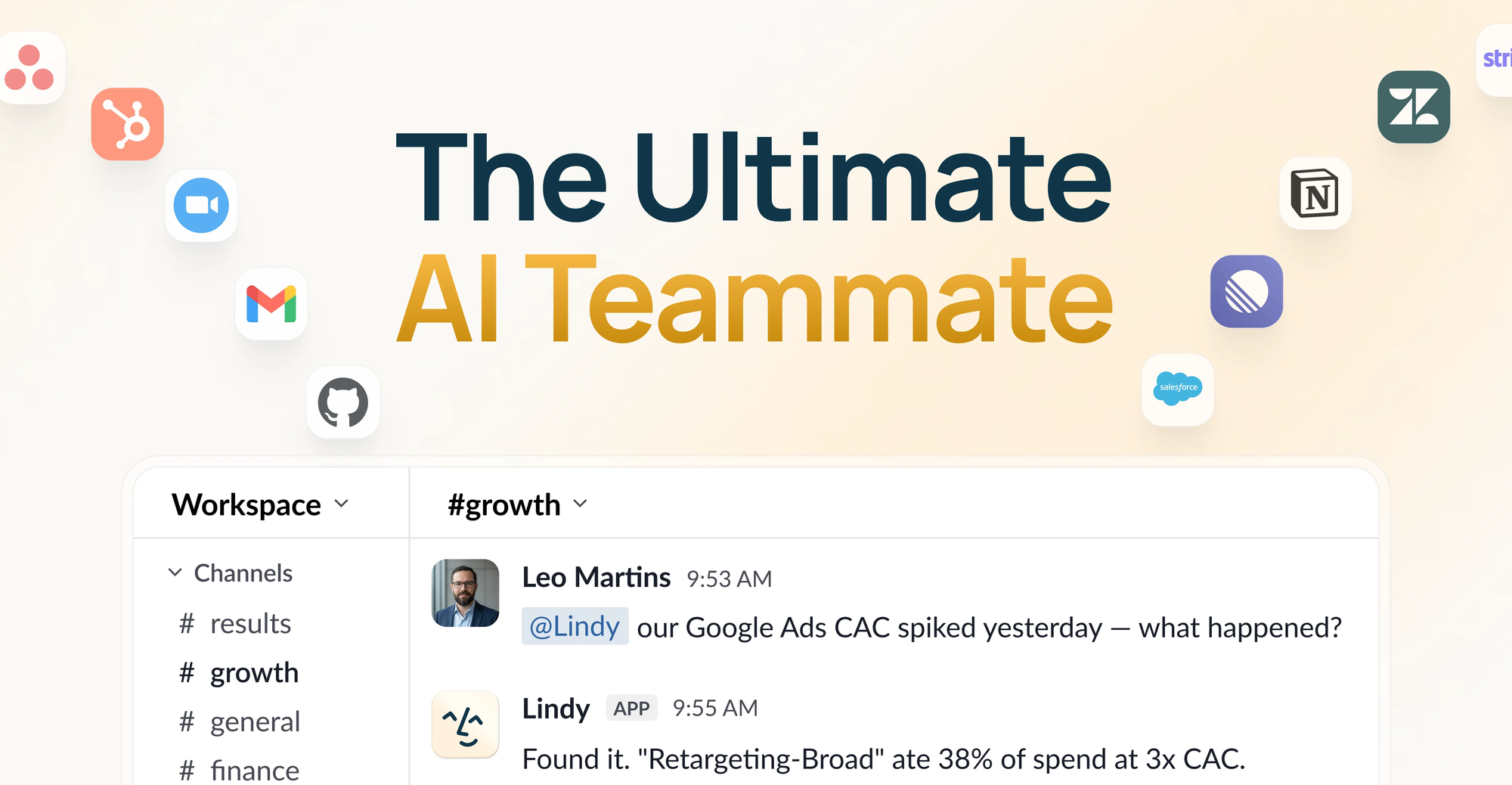
Lindy has sold three distinct products in eighteen months, worth knowing before you buy. It started in 2022 as a no-code builder for agents its own marketing called "AI employees." In February 2026 it became a personal executive assistant run mostly through iMessage. On August 10, 2026, Lindy's CEO posted "we kill the AI agent" and launched Lindy Teammate: an AI coworker that lives in your company's Slack, builds shared memory from the messages and meetings around it, and bills per seat.
- Plus is $29.99/user/month (3,000 credits), Pro is $99.99 (15,000 credits), Max is $199.99 (35,000 credits). Enterprise is custom.
- Credits pool across the whole workspace and don't roll over. No overage charges, per Lindy's own pricing page.
- Any number you see quoting $49.99/month or a 400-credit free plan predates the August relaunch and is stale.
- There's still personal iMessage access for individual use, but the core product experience now assumes a team on Slack.
Try this today: if you're evaluating this for yourself rather than a team, ask directly whether the personal iMessage experience gets the same feature investment going forward, or whether it's a legacy path. Get that in writing before committing to a year.
Weakness: three repositionings in under two years is a pattern, and anything I write here has a real shot at being outdated again within months. If you need stability more than the newest thing, weigh that.
3. Marblism — the one that gives you six coworkers
Best for: solo founders who want a full "team" without six separate subscriptions.
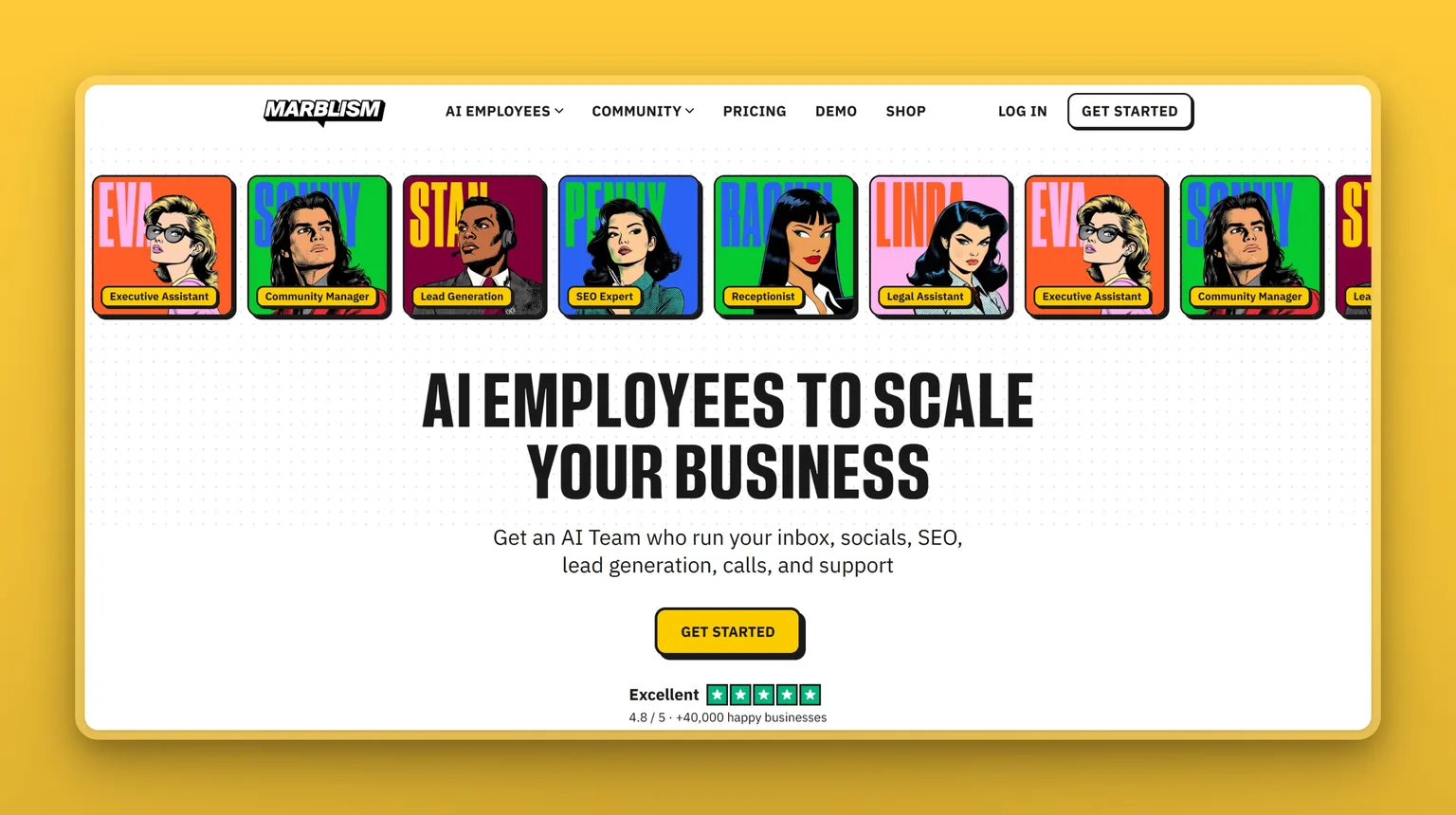
Marblism, a Y Combinator company, hands you six named agents under one login: Eva runs your inbox and calendar, Sonny handles social media, Penny writes SEO content, Stan does lead generation, Rachel answers calls, and Linda handles basic legal review. The homepage tagline is exactly this article's theme: "AI Employees to Scale Your Business."
- $24/month on the annual plan, up to $44/month billed monthly, with 50 hours of agent work included.
- 7-day money-back guarantee, no questions asked, per multiple independent reviews.
- No permanent free plan, refund window only.
- Reports over 40,000 businesses on the platform as of 2026, with a strong Trustpilot rating across roughly 1,000 reviews, though the recurring complaint is refund requests getting stuck behind an AI support bot rather than a human.
Try this today: assign Eva one real task, drafting a reply to an email you've been avoiding, or finding a slot for a meeting you keep bumping, and time how long you spend fixing the output versus how long the task would've taken you cold.
Weakness: the suite isn't actually hands-off. Reviewers consistently note 30 to 45 minutes a day approving outputs, real time, just less of it. And if your stack already centers on Notion, HubSpot, or Salesforce, the integrations won't cover you yet.
4. Sintra — the one built for people who'd rather delegate
Best for: non-technical solopreneurs who find a blank chat box intimidating and want a person-shaped interface instead.
Sintra's whole design decision is that you don't talk to "the AI," you talk to Penn, your copywriter, or Seomi, your SEO helper. Twelve named helpers, one shared memory layer called Brain AI, and simple onboarding: it asks about your business, suggests tasks, and you swipe them into a yes or a no. It's aimed at people running a business under six figures who don't want to become an AI specialist to use one.
- Sintra X is now the only plan, at $97/month standard, though the pricing page is almost always running a sale that brings it closer to $15.60–$38.80/month on the annual term. Check which price you're actually being shown before you enter a card.
- All plans include all 12 helpers, unlimited workspaces, and a shared pool of 250 monthly credits.
- The older single-helper $39/month plan is discontinued, even though it reportedly still shows up on some marketing pages.
- Over 50,000 users reported across 100+ countries, with a large Trustpilot review volume that skews positive but includes real complaints about the shared credit cap running out fast for heavy users.
Try this today: pick the one helper that maps to the task you dread most, not the flashiest one, and give it a single real assignment before you evaluate the other eleven.
Weakness: 250 shared credits across twelve helpers disappears fast if you lean on any one of them heavily, and every helper here is a generalist assistant with a costume on, not a specialized platform. Seomi won't replace an actual SEO tool. Penn won't replace a dedicated writing tool if your volume is high.
5. Saner.ai — the one actually built for your life
Best for: anyone whose tasks, notes, and calendar are scattered across four apps and a sticky note, and who isn't running a six-person Slack workspace to begin with.
I put this one last on purpose. Everything above this point is, one way or another, an AI employee for a business. This is the one for the rest of your life, the part that doesn't have a P&L.
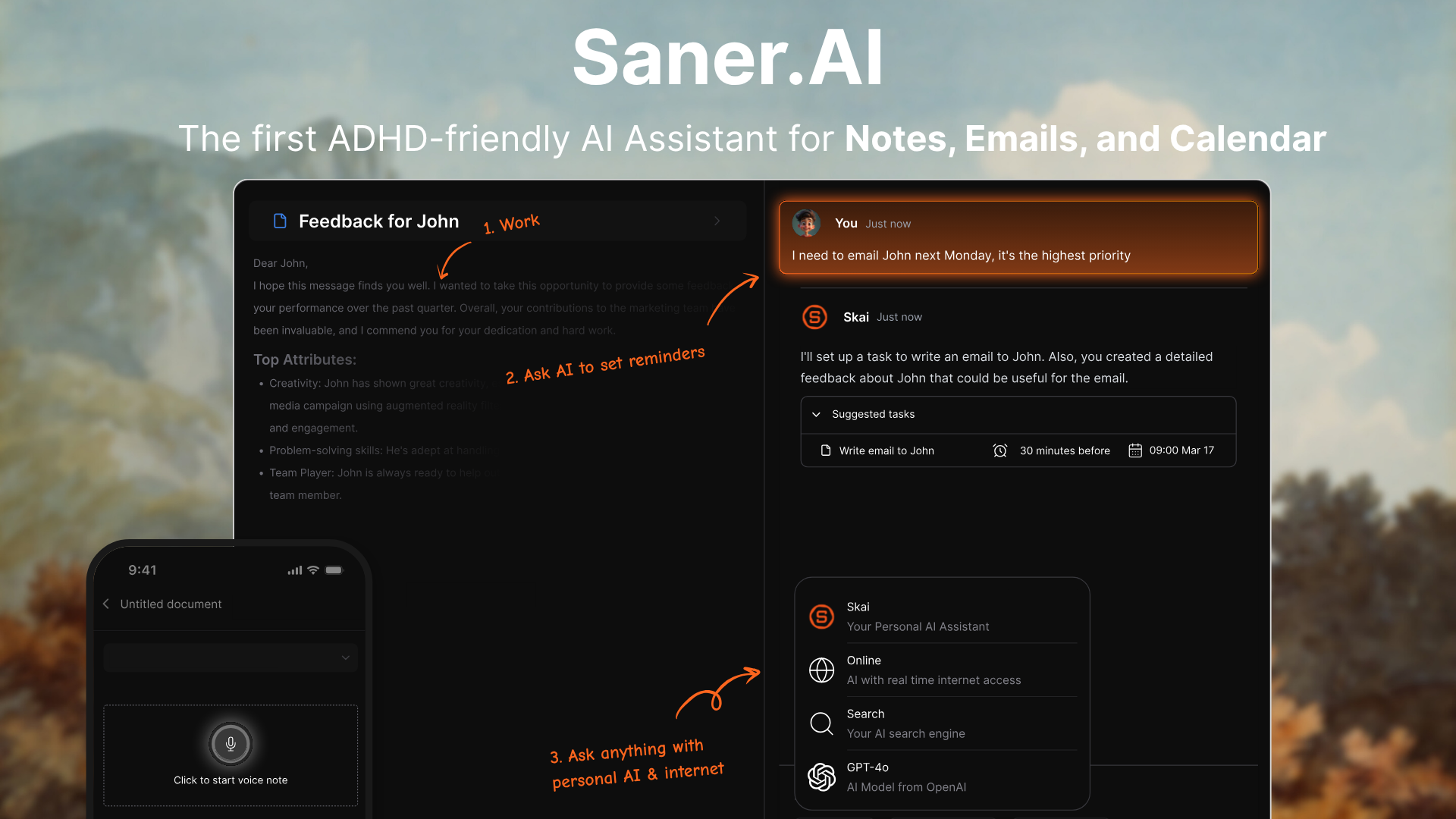
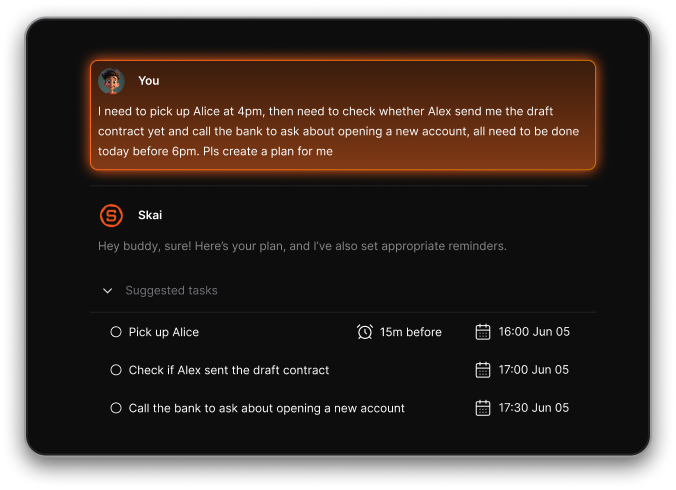
The feature that makes this feel like an employee rather than an app: you talk to it out loud, and it lands as a scheduled task on your calendar without you touching a keyboard. Not a note that says "follow up with Dana." An actual block, on the actual day, at a time it picked because it already knows what else is on there. I tested this against a chaotic day: dentist running late, a call moved twice, three things I'd mentally dropped. It caught two of the three. Not all three. Two.
- Free plan available, 30 AI messages a month, no card required.
- Starter is $8/month, Standard is $16/month, both billed monthly (annual saves 20%).
- The proactive morning plan is the feature people actually bring up unprompted in reviews - it looks at your calendar, your open tasks, and your notes, and hands you a plan before you've opened the app.
Try this today: open it and braindump everything in your head into one box, unedited, badly punctuated, out of order. Watch it get sorted into tasks. That flow, mess in, structure out, is hard to replicate with a plain to-do list
Weakness: it's a single-player tool built by a small team, and power users running complicated multi-project workflows will hit walls other tools don't have. If your job needs a shared workspace with five collaborators, go back to the top of this list.
How to pick your AI employee?
- You run a small team and want one coworker across your whole stack. → Viktor.
- You need shared team memory in Slack and don't mind the pricing having shifted twice this year. → Lindy, with eyes open.
- You're a solo founder who wants a full "team" for less than $50/month. → Marblism.
- You're not technical and want to delegate instead of prompt. → Sintra, but watch the credit cap.
- You're just trying to run your own chaotic work life. → Saner.ai. Start here.
FAQ
What's the actual difference between an "AI assistant" and an "AI employee"? an assistant answers when asked. An employee acts on a standing instruction and only checks in when something needs your judgment.
Is there a free AI employee worth using? Viktor's free plan includes real usable credits, no card required. Saner.ai's free plan is real too, with 30 AI messages a month. Lindy, Marblism, and Sintra offer trials or refund windows only.
Can these send emails or spend money on their own? Only if you let them, and every tool here defaults to asking first, at least on paper. Start read-only for a week before granting send or spend permission.
Are AI employees safe to connect to a real inbox? As safe as the permissions you hand over. Tools that browse the web or act across many connected apps (Viktor, Lindy's agent layer) carry more exposure than one that only reads your calendar and notes. Start narrow, widen slowly.
Which one is best for ADHD specifically? Saner.ai, built in part by someone with ADHD. See the full ADHD assistants roundup for more depth. No tool on this page treats or diagnoses anything.
Nothing on this page is medical advice. The research cited above is cognitive and attention science, not clinical guidance about ADHD or any other condition. If focus, memory, or follow-through is affecting your life beyond what an app can reasonably fix, talk to a doctor.
See also: how to plan your day with AI, how to use AI for task management, and the AI calendar assistants roundup if a business AI employee is overkill and you just need your calendar handled.