4 Best Lindy AI Alternatives for Productivity (most updated)


💡Quick answer: Lindy just pivoted, again - on August 10, 2026, it stopped being a personal AI executive assistant and relaunched as Lindy Teammate, a Slack-based AI employee for whole teams.
The up-to-date development timeline of Lindy
This is the part that makes most "Lindy alternatives" content already out of date
- 2023–early 2026: no-code agent builder. You assembled "Lindies" from triggers, conditions, and actions — a no-code way to build custom AI agents for email, scheduling, research, whatever you configured.
- February 2026: personal AI executive assistant. Lindy repackaged itself as a pre-built assistant for individuals — connect Gmail or Outlook, get inbox triage, drafted replies, meeting prep, and a daily brief, operated mostly through iMessage.
- August 10, 2026: Lindy Teammate. Founder Flo Crivello announced it plainly on X: "Today, we kill the AI agent and introduce the AI employee: Lindy Teammate." Lindy is now a Slack-native AI coworker for whole teams — it sits in your Slack channels, joins your meetings on Google Meet, Zoom, or Teams, connects to 1,000+ tools, and builds up shared context across everyone on the team, not just one person's inbox
Meet Lindy Teammate, an AI coworker that works out of your Slack.
— Lindy (@getlindy) August 10, 2026
You add it to your channels, and it works alongside your team like any other teammate.
It's sat in every meeting, and is connected to everything you use.
Anyone on the team can hand it work, all day long.… https://t.co/1TW4eeBcAW
- Pricing moved to a per-seat model: Plus at $29.99/user/month with 3,000 pooled team credits, Pro at $99.99 with 15,000, Max at $199.99 with 35,000, and an Enterprise tier with HIPAA compliance for regulated teams
So here's what to use instead, depending on what you actually needed Lindy to do.
The 4 Lindy AI alternative, side by side
| Tool | Best for | Starting price | The one thing it's actually built around |
|---|---|---|---|
| Saner.ai | Proactive capture + calendar + tasks in one loop | Free tier available; paid plans from a few dollars/month | Talk or type it in, Skai files it and moves your day around it |
| Motion | Calendars that are constantly on fire | $19/month (annual) | Auto-scheduling tasks around your real availability |
| Simular (Sai) | Cross-app work in tools with no API | $20/month (credits) | An agent that clicks and types inside your real software |
| Viktor | A Slack AI coworker for teams — what Lindy just became | Free to start; $50/month (Team) | A Slack-native "coworker" that delivers finished output |
Saner.ai — the AI executive assistant
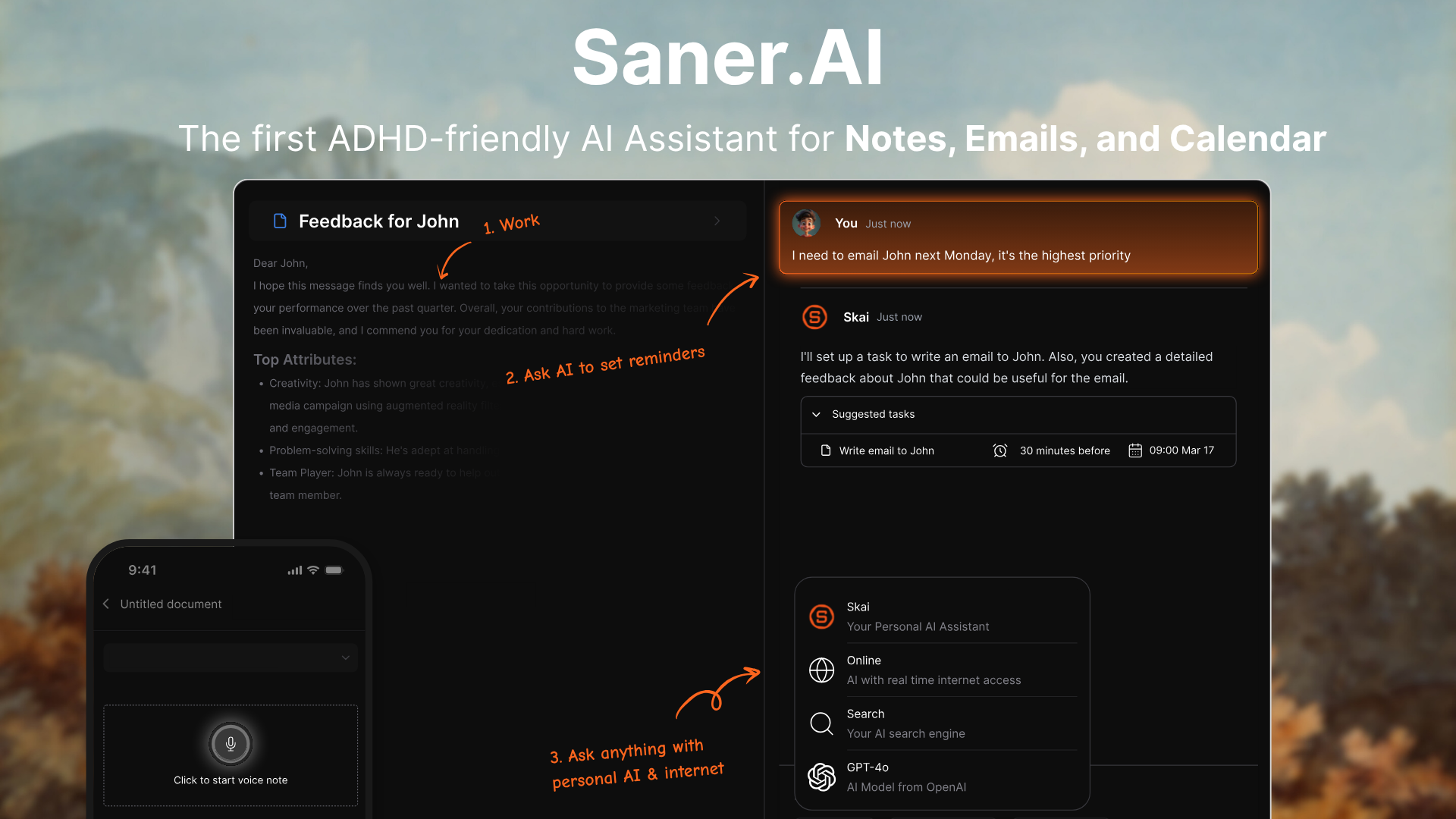
Most "executive assistant" tools assume you'll sit down and type a clean instruction. Saner.ai assumes you won't. It assumes you're walking between meetings with three things in your head and no time to open an app, format a task, and pick a due date.
So you talk "call the Peterson account back tomorrow before their renewal, and remind me to check the contract terms first" - and Skai, Saner's AI assistant pulls out the actual task and slots it against your real calendar.
Unlike Lindy, this doesn't aim at a whole team's shared context - it's built for exactly the person Lindy Teammate stopped serving: one individual, alone with their own calendar and their own scattered notes.
What makes it feel different from a to-do list with AI bolted on:
- Proactive, not passive. Skai resurfaces things before you forget them, rather than waiting for you to remember to check the app. This is the actual point of a personal assistant - a human EA doesn't wait for you to ask "what's on my plate," they tell you.
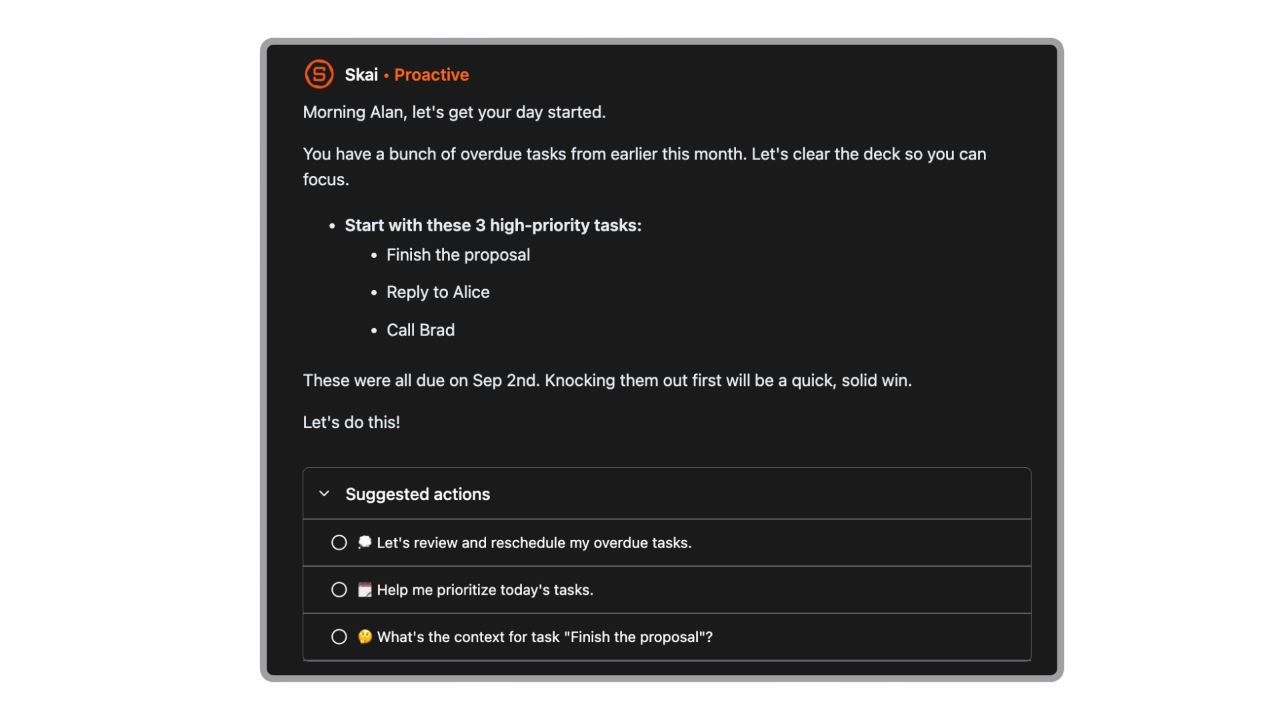
- One inbox for the chaos. Notes, Gmail, Google Calendar, Slack, and Drive all land in the same place, so you're not toggling between five apps to reconstruct what you already decided.
- It's genuinely built for people whose brains drop things. Reviewers consistently point to Saner.ai as one of the stronger tools for ADHD-specific workflows
Where it isn't the right fit: Saner.ai is built for individual clarity, not team-wide scheduling — for that, see the calendar-specific options in my AI calendar assistant roundup.
Who it's for: solo executives, founders, and consultants who think out loud, whose day gets rewritten three times before lunch, and who want one AI that captures the thought and moves the calendar without a middle step.
Motion — when the calendar itself is the problem
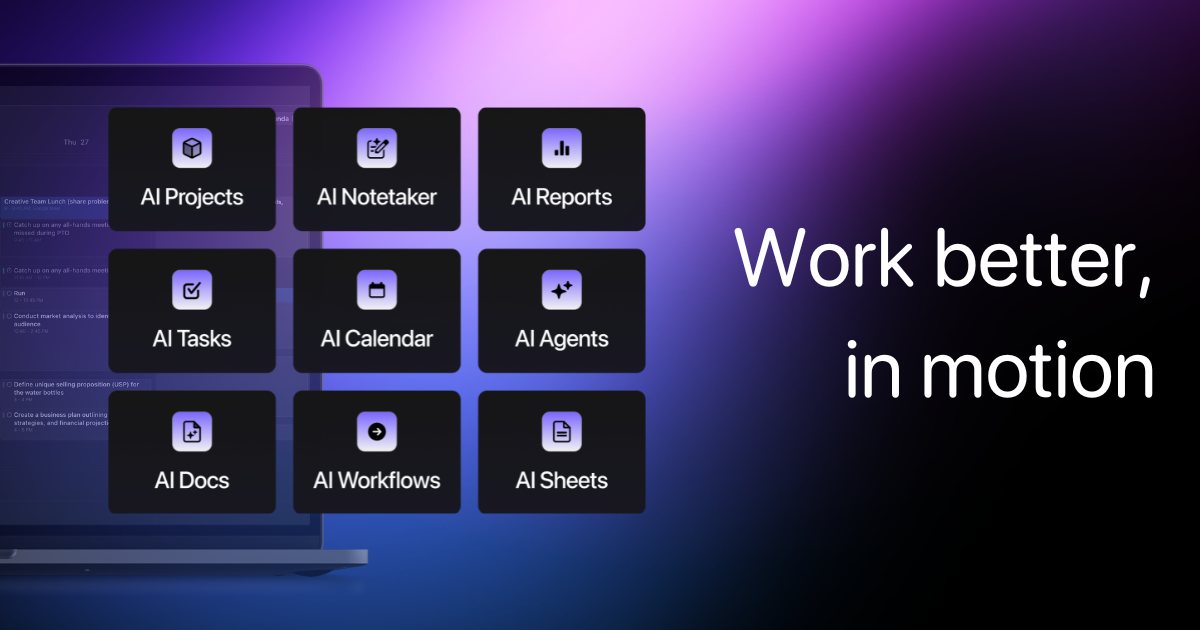
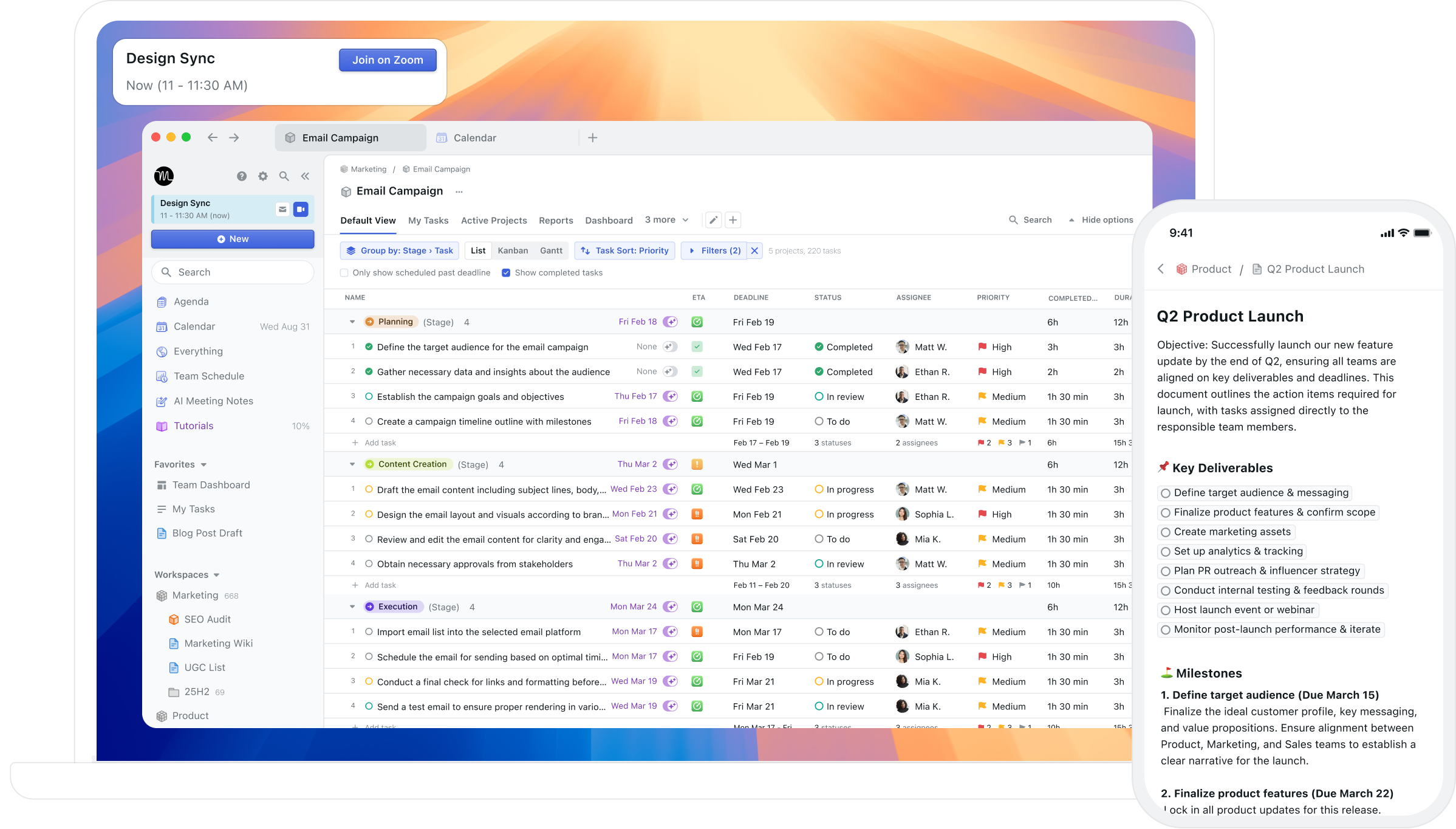
Motion isn't trying to be Lindy, old or new. It doesn't touch your inbox, it doesn't live in Slack, and it's not accumulating team context. It does one job: it looks at your tasks, your deadlines, and your existing calendar, and it decides when you're actually going to do each thing - then reshuffles everything the moment a meeting moves or a task runs long.
If your actual complaint about your current setup is "my calendar is a lie by 10am," this is the tool built for that specific complaint. I've written before about how good Motion's core scheduling engine is and how far the product has drifted from that core into a broader "AI Super App" with docs, meeting notes, and team dashboards - which is great if you want those things and mild bloat if you don't.
Pricing reality: Pro AI starts at $49/month monthly, with a 7-day trial and no permanent free plan
Where it isn't the right fit: Motion doesn't triage your email and it doesn't draft anything for you to send. If your bottleneck is your inbox, not your calendar, this solves the wrong problem beautifully.
Who it's for: people whose task list is realistic but whose calendar keeps eating it alive - freelancers juggling client blocks, anyone doing deep work that keeps getting bumped by meetings.
Simular (Sai) — the agent that drives your actual software
Here's the thing about most AI executive assistants, old Lindy included: they connect to your tools through an API, which means they only work with tools that have an API. A lot of real executive work happens in software that doesn't - an internal booking portal, a vendor's clunky dashboard, an old CRM nobody bothered to build a modern integration for.
Sai takes a different approach. Instead of connecting to apps, it drives them - logging in, clicking buttons, filling forms, reading the screen the way you would, on a private remote desktop that keeps running even after you close your laptop.
Give it a tedious cross-app task - "go through these twenty vendor portals and pull this quarter's invoices into one sheet" - and it works through each one the way an assistant physically would, asking for approval before anything it flags as a critical action
What that buys you that a normal EA tool can't:
- No-API software becomes automatable. If a human could do it by clicking through the interface, Sai generally can too - that's a different capability class than "connects to Gmail and Calendar."
- It's always-on, not session-based. Hand it a task and it keeps executing on its own remote desktop, not tied to your laptop being open.
- Guardrails on the risky stuff. It's built to pause and ask before taking actions it flags as consequential, rather than barreling through.
Where it isn't the right fit: this is not a cheap or simple starting point. Starter runs $20/month on a credit meter, the always-on cloud-desktop tier jumps to $200/month, and Pro (aimed at teams) runs $500/month — with no permanent free plan, only a 7-day trial on Starter.
If your executive-assistant needs are "manage my inbox and calendar," this is overbuilt for you - see Saner.ai or Motion instead. Sai earns its price specifically when the work lives in software an API can't reach.
Who it's for: operators and executives whose actual bottleneck is repetitive, multi-step work spread across legacy or no-API tools - not inbox triage, not scheduling, but the genuinely tedious clicking-through-portals work that eats a whole afternoon.
Viktor - the Slack AI coworker Lindy Teammate is now chasing
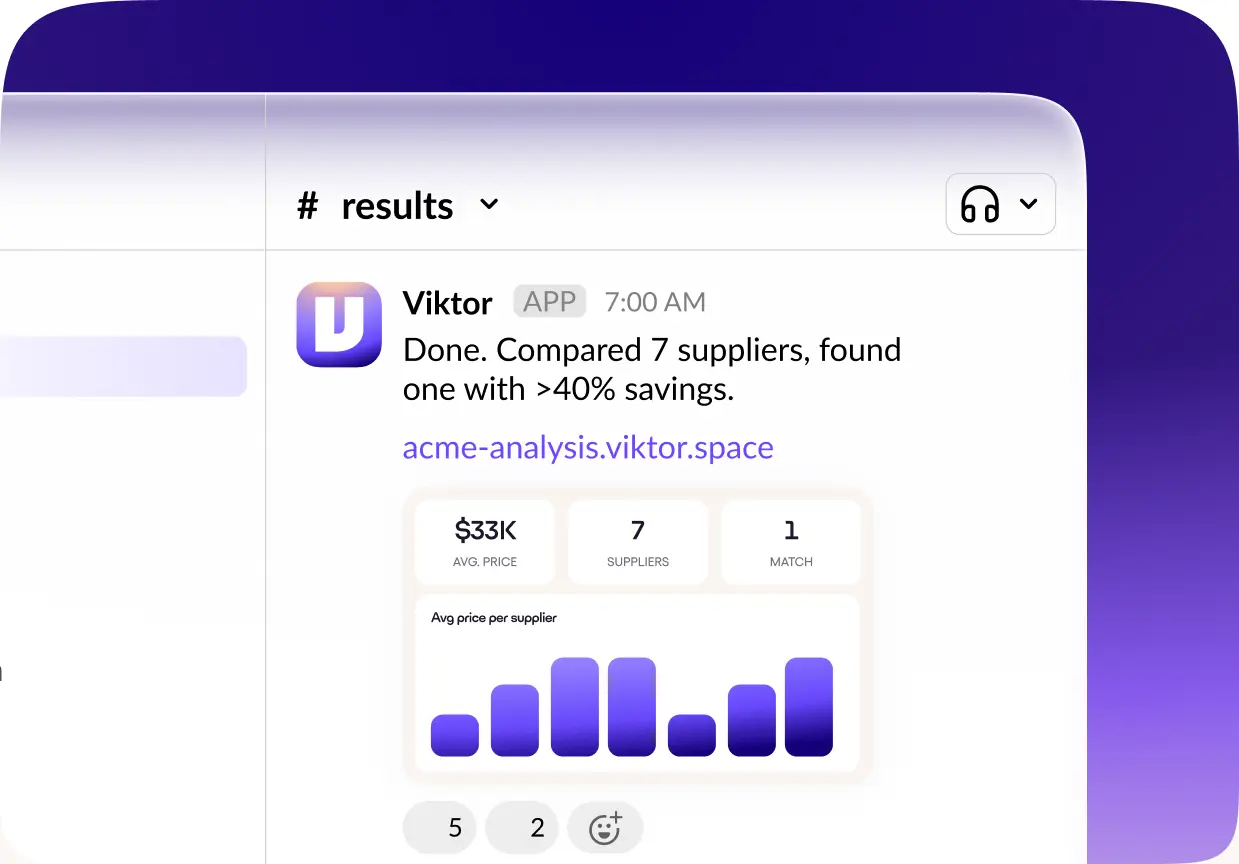
This is the one whose relevance changed the most the moment Lindy pivoted. Viktor's pitch has been "not a tool, a hire" since it launched publicly in February 2026 - the exact month Lindy was still trying to be a personal iMessage assistant.
It lives in Slack (and now Teams, Discord, and a web app), and instead of drafting something for you to act on, it executes the actual project - pulling data from your connected tools, writing and running code in its own persistent cloud environment, and delivering a finished report, dashboard, or even a small deployed web app straight into your Slack channel
So if what actually drew you to Lindy Teammate's new pitch - an AI coworker that lives in your team's Slack - is the thing you want, Viktor has a real head start: it already connects to 3,000+ tools, versus the 1,000+ Lindy Teammate launched with.
What that looks like in practice:
- It reaches across your whole stack. A request like "pull last month's ad spend, our HubSpot pipeline, and Stripe revenue into one report" is something it can actually assemble, not just describe.
- It runs on a schedule, unprompted. Recurring work - a weekly stakeholder update, a monthly campaign audit - doesn't need you to ask each time.
- Sensitive actions need your sign-off. Sending email, pushing code, deploying anything, or charging a card all require explicit approval by default
Where it isn't the right fit: the free starter tier's one-time credits burn fast, and several reviewers specifically flag that you need to actively manage spend once you're on the metered Team plan. And like Lindy Teammate, it's built around Slack-based team workflows, not a personal calendar-and-inbox routine - if that's what you actually need, this is the wrong tool for the job either way.
👉 See my broader AI personal assistants comparison for options built specifically around individual admin instead.
Who it's for: founders and operators who want fewer status meetings and more finished deliverables, and who were specifically drawn to Lindy Teammate's "AI coworker in Slack" pitch - someone who'd rather @-mention a request and get back an actual report than manage the project themselves.
How to actually pick your Lindy Alternatives
You don't need to test all four back to back. Answer this instead:
- Do you have a team to share context with, or is it just you? Just you → Saner.ai or Motion. A team already living in Slack → Viktor.
- Is your inbox and calendar the problem, or is it a specific tedious cross-app task? Personal admin → Saner.ai or Motion. A recurring, ugly, multi-portal task → Sai.
- Do you think out loud, or do you type things out? Think out loud, capture messy → Saner.ai. Prefer structured input and a clean board → Motion.
- Does the software you need automated even have an API? If not, most "executive assistant" tools simply can't touch it — that's specifically Sai's lane.
One more practical note: whichever you pick, give it your actual data before judging it. Connect the real calendar, feed it a real messy week, not a clean demo week. My guide to planning your day with AI has a specific process for this that takes about nine minutes and tells you immediately whether a tool's suggestions are actually useful or just plausible-sounding.
The conclusion
- Motion if your calendar is the actual crime scene, full stop.
- Sai if you've got a genuinely tedious cross-app task stuck in software with no API and you want an agent with hands, not just an API key.
- Viktor if the thing that actually appealed to you about Lindy Teammate's launch was "AI coworker in Slack".
- And Saner.ai if what you want an AI executive assistant