The Best AI Workspaces in 2026 (for individual and team)

Somewhere on your phone right now, there's a to-do app you downloaded with real optimism, used for nine days, and then quietly abandoned like a gym membership. No judgment. I've got a bunch of these myself, which is more or less why I started this site instead of just complaining about it on the internet.

"AI workspace" is one of those terms that's started meaning everything and therefore nothing, so let's pin it down:
I mean a tool that holds your calendar, your tasks, and (ideally) some version of "here's what to actually do next" in one place, and uses AI to do more than just format your bullet points. Not a chatbot you copy-paste into.
I looked closely at four: Saner.ai, Gemini, Notion AI, and ClickUp.
The quick answer: What are the best AI workspaces?
- If you want an assistant that proactively watches your calendar and inbox and nudges you before things slip — especially if your brain does not run on willpower alone — Saner.ai is the one built for that job specifically.
- If you already live inside Gmail and Google Calendar and just want the AI that's already sitting there to do more, Gemini is free money you're probably not using.
- If your team's whole brain lives in Notion, Notion AI turns that pile of docs into something that can actually answer questions.
- And if you're managing more moving parts than a personal task list can hold - projects, sprints, a team - ClickUp with Brain bolted on is the heavier machine built for that.
How I sorted through these tools?
I set up all four, connected a real calendar and a real inbox to the ones that support it, and ran a week of actual planning through each — not a demo task, my actual day. I'm not pretending that's the same as the multi-week test cycle on my full reviews, and I'll be doing the full teardown on each of these separately soon. What follows is priced and feature-checked against each vendor's own current pricing pages, not last year's screenshot that some list farms are still running.
The comparison table - AI workspaces
| Tool | Best for | Proactive or reactive | Free plan | Starting price |
|---|---|---|---|---|
| Saner.ai | Solo planning, ADHD-friendly workflows | Proactive — checks in on its own | Yes | $8/month |
| Gemini | People already deep in Google Workspace | Mostly reactive, some scheduled actions | Yes | $19.99/month for full Workspace AI |
| Notion AI | Teams whose knowledge already lives in Notion | Reactive, unless you build a Custom Agent | Yes (capped) | $20/user/month for full AI suite |
| ClickUp | Teams juggling projects, not just a personal list | Reactive, with rule-based automation | Yes (AI trial only) | ~$7/user/month + Brain add-on |
Saner.ai — the one that actually checks in on you
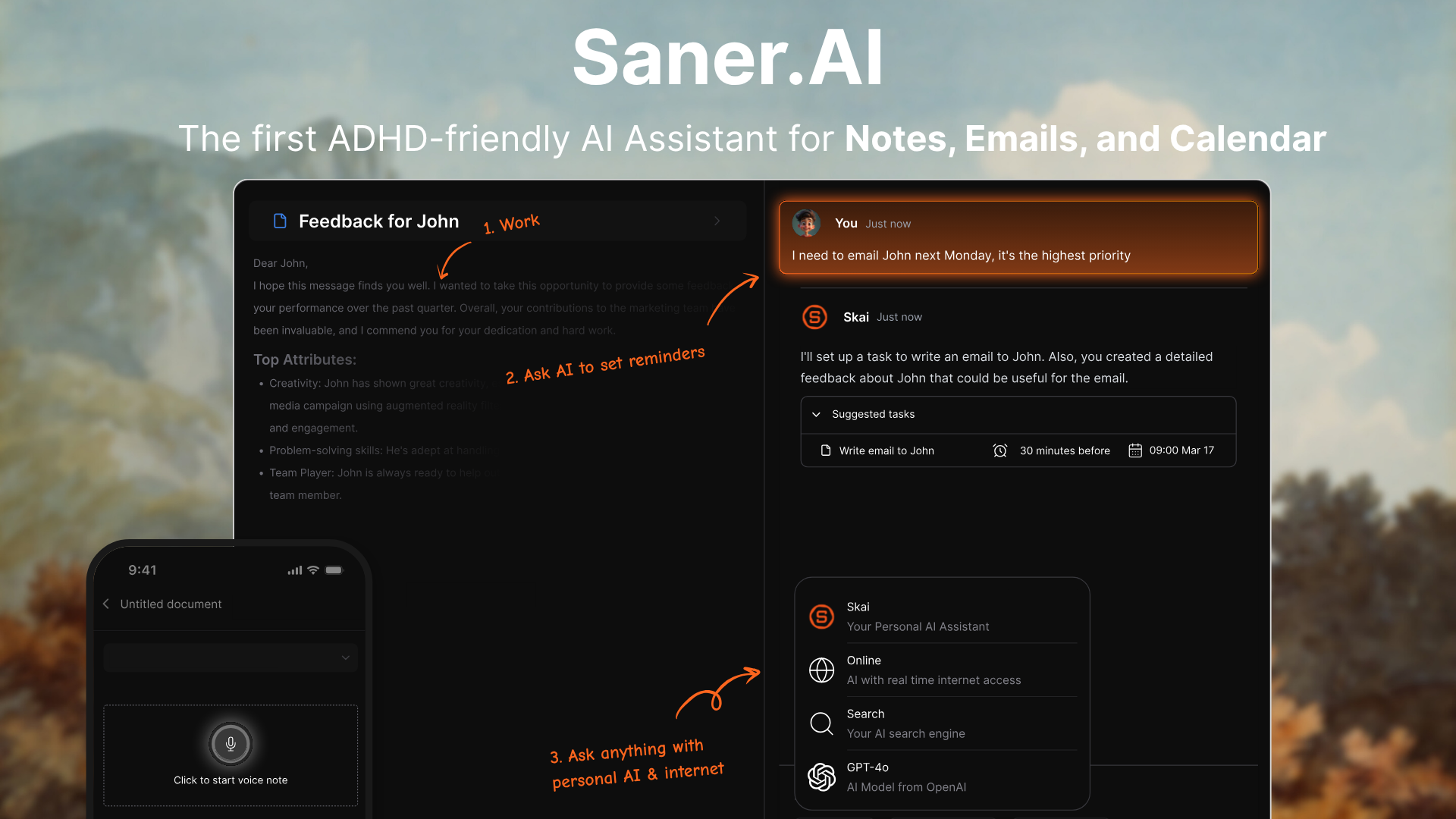
Instead of waiting for you to open the app and ask something, Saner.ai watches your calendar, notes, and inbox and proactively surfaces what you're about to forget. You capture things by voice or quick text, tell it "plan my day," and it turns a braindump into a time-blocked schedule, moving events around your calendar through plain language instead of drag-and-drop.
What it's good at:
- Voice capture that gets filed and tagged automatically, so a thought you had in the shower doesn't die in a notes app you never reopen
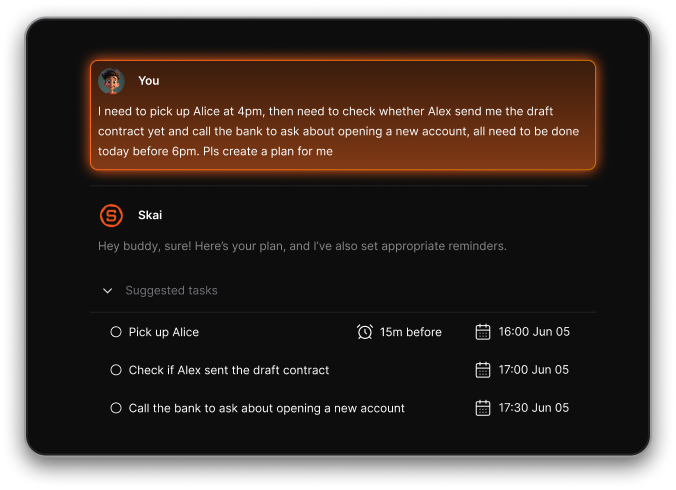
- A proactive layer — it flags things before you ask, rather than sitting there waiting
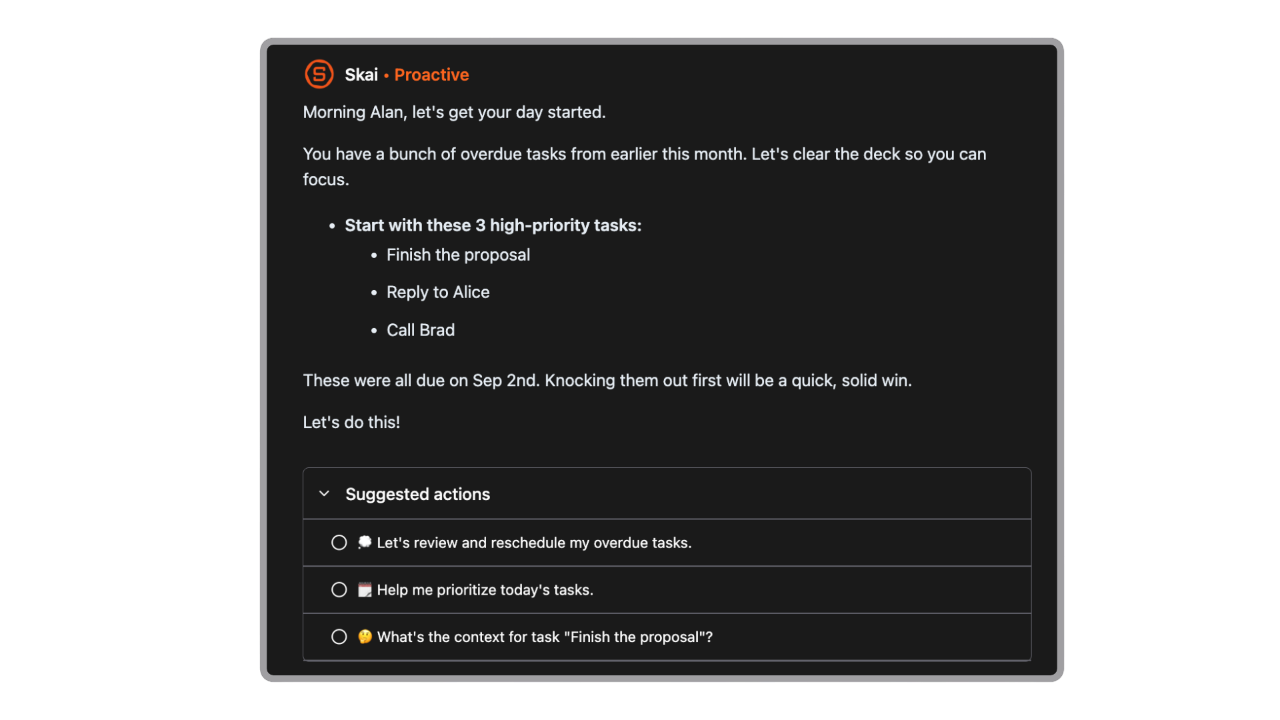
- One place for notes, tasks, email, and calendar, which matters more than it sounds like if your current setup is four apps that don't talk to each other
- A free plan with no credit card required
Where it's thinner:
- It's built for individuals, not teams - if you need shared project views and assigned tasks across ten people, this isn't the tool
- The proactive suggestions are only as good as what you feed it; if your notes and calendar are a mess, "garbage in, garbage out" still applies here 🤷
- Smaller integration list than the giants
Pricing: Free tier available. Paid plans start at $8/month for Starter, moving up to $16/month for Standard with higher usage limits.
Who it's for: anyone whose problem isn't "I don't have a system," it's "I have four systems and none of them talk to each other, and I forget things that are sitting in plain sight." That's a lot of people, and it's a underserved niche - most AI calendar tools reschedule things for you, but very few actually chase you down about the thing you forgot.
Gemini — the assistant you're already paying for (maybe)

If you're on Google Workspace, or even just a personal Gmail account, Gemini is quietly doing more than most people realize. Google has spent 2026 pushing hard on what it calls agentic capabilities across Workspace - Gemini can now find open meeting times, resolve calendar conflicts, log a task in Google Tasks, and act from wherever you're already working (Gmail, Docs, Chat), instead of forcing you into a separate AI tab.
What it's good at:
- Reading a confirmation email and offering to add the event to your calendar automatically > one of the more useful quiet features here, because it catches the stuff you'd otherwise forget to enter manually
- Scheduled actions: tell it to give you a daily rundown of your calendar, tasks, and unread priority email, and it just does it, unprompted, going forward
- It's already inside the tools you're using, so there's no new app to open, no new habit to build
Where it's thinner:
- Calendar management through the side panel is still rolling out gradually through Workspace Labs as of mid-2026, so what you see may depend on your specific plan
- It only reaches Google Calendar — if half your meetings live on an Outlook calendar, Gemini isn't bridging that gap for you
- Full Workspace AI access requires the $19.99/month Google AI Pro plan; the free tier gives you a taste, not the whole thing
Pricing: Free tier available with daily limits. Google AI Pro is $19.99/month and unlocks full Workspace AI integration. Google AI Ultra, the top tier, dropped from $249.99 to $99.99/month in 2026
Who it's for: anyone who's already all-in on Gmail and Google Calendar and doesn't want a fifth app. The honest case for Gemini here isn't that it's the smartest option - it's that it's already installed, and "the tool I'll actually open" beats "the tool with the best feature list" every single time.
Notion AI - smart, if your whole team already lives there
Notion's pitch has shifted meaningfully over the past year. It's no longer just "AI writing helper inside your docs" - the Notion Agent can now handle multi-step work that runs for 20-plus minutes on its own, and Custom Agents (new in 2026) run on schedules and triggers without you prompting them each time, connecting to tools like Slack, Salesforce, and Linear.
What it's good at:
- If your team already dumps everything into Notion, the AI can actually answer questions across that mess - "what's the status of the Q1 launch" pulls from tasks, docs, and comments instead of you hunting through six pages
- Custom Agents can run recurring work on a schedule, which starts to feel less like a chatbot and more like a quiet coworker
- It's genuinely one workspace for docs, tasks, and a calendar view, so you're not stitching three tools together yourself
Where it's thinner:
- The full AI suite got pulled into the $20/user/month Business plan in 2025 - Notion killed the cheaper standalone AI add-on, so casual users on the Free or Plus plan get a capped lifetime allowance of AI responses and not much else
- Custom Agents run on a separate metered credit system on top of your seat price, so heavy use can get pricier than the sticker suggests

- It's a workspace with AI added, not an assistant built to watch your day - you still have to go looking for it more than the other three here
Pricing: Free plan has a 20-response lifetime AI cap. Plus is $10/user/month with the same limited AI access. Business, at $20/user/month, is where the real AI suite lives - agents, workspace-wide search, meeting transcription. Custom Agents bill separately at roughly $10 per 1,000 credits.
Who it's for: teams who've already made Notion their source of truth and want the AI to work with what's already there, rather than teams looking for their first system.
ClickUp - the heavier tool for when a task list isn't enough
ClickUp is built for project management first, personal productivity second.
It can auto-generate subtasks from a task description, summarize sprint progress, run automated standups, and trigger rule-based automations in plain language - "when a task is marked urgent and unassigned, assign it to whoever has the lightest workload" is a real example of what people set up.
What it's good at:
- Useful for teams with actual project structure - sprints, dependencies, workload views - that a pure task app or calendar tool doesn't attempt to handle
- The natural-language automation triggers save real setup time once you know what you want to build
- The Free Forever plan is unusually generous for unlimited tasks and users, which makes it easy to actually test before paying for anything
Where it's thinner:
- Brain only pays off if ClickUp is already your system of record - it's workspace-aware, not a general assistant you can bring anywhere, so bolting it onto a half-used ClickUp account gets you very little
- Pricing stacks in a way that's easy to underestimate: Unlimited runs about $7/user/month, Business about $12/user/month, and Brain sits on top as a separate add-on — a fully-loaded seat with Brain can land well above what the "starting at" price on the homepage implies
- It's built for teams. If you're one person managing your own week, this is a lot of surface area for the job

Pricing: Free Forever plan exists but AI access is trial-only. Unlimited starts around $7/user/month billed annually, Business around $12/user/month, with the Brain AI add-on layered on top separately rather than bundled in.
Who it's for: small teams and solo founders who've outgrown a simple task list and need real project structure - sprints, dependencies, multiple people — with AI riding along on top of it, not people who just want their Tuesday planned for them.
How to pick your AI workspace:
- You're one person and your brain forgets things that are sitting in plain sight → Saner.ai. The proactive check-ins are the point, not a bonus feature.
- You already live in Gmail and Calendar all day → Gemini. You're likely already paying for it or one upgrade away — use it before adding a new subscription.
- Your team's knowledge already lives in Notion docs → Notion AI, but budget for the $20/seat Business plan; the cheap tiers barely include AI at all.
- You're managing a team with real project structure, not just a personal list → ClickUp, and price out Brain separately before you commit — it's not included in the sticker price.
FAQ
Do I need to pay for an AI workspace, or is the free tier enough? Depends entirely on how much you'd use the AI layer specifically. Saner.ai's and Gemini's free tiers let you genuinely test the proactive and scheduling behavior before paying. Notion's and ClickUp's free tiers are much thinner on AI specifically — you're mostly testing the base product, not the assistant.
Can I use more than one of these together? People absolutely do — Gemini inside Gmail plus Notion for team docs is a common combo. Just know that every tool you add back into the stack reintroduces the exact context-switching cost this whole article is about. Consolidation is the actual point.
Is Saner.ai only for people with ADHD? No - it's built with ADHD-friendly design as a core focus, but the proactive, chat-to-schedule approach is genuinely useful for anyone managing a fragmented week, ADHD diagnosis or not.
Which one has the best free plan? Saner.ai and Gemini both let you use real AI features for free, not just a demo. ClickUp's free plan is generous on the base product but keeps AI behind a trial wall. Notion's free AI is capped at 20 lifetime responses, which you'll burn through in an afternoon.
— Theo